AULA F65 vs Keychron K6 ProGasket Mount vs QMK
Choose the AULA F65 for its gasket mount and 2.4 GHz option, or the Keychron K6 Pro for QMK/VIA customization and broader layout choices.
KeebFinder may earn a commission when you buy through these links, at no extra cost to you.

4.6 (53)4.6 · 53 reviews
from$41at Epomaker
90-day lowLowest price in 90 days
4.4 (8)4.4 · 8 reviews
from$67at Keychron
Which one should you get?
Get the
AULA F65
Gasket Mount
Build quality in the top 50% of 65% boards under $50.
- Gasket mount with a flex-cut polycarbonate plate.
- Tri-mode connectivity includes Bluetooth, 2.4 GHz, and wired USB.
- Full-key hot-swap sockets support 3-pin and 5-pin switches, according to the vendor.
- South-facing LEDs. Shine-through legends stay dark, and some sculpted keycaps can clip the LED.
- No ISO layout. ISO-DE, UK, and other ISO variants are not offered.
Get the
Keychron K6 Pro
QMK
Build quality in the top 5% of 65% boards under $100.
- QMK and VIA support, with Keychron Launcher for key remapping and macros.
- Hot-swappable PCB supports 3-pin and 5-pin MX-style switches, according to Keychron.
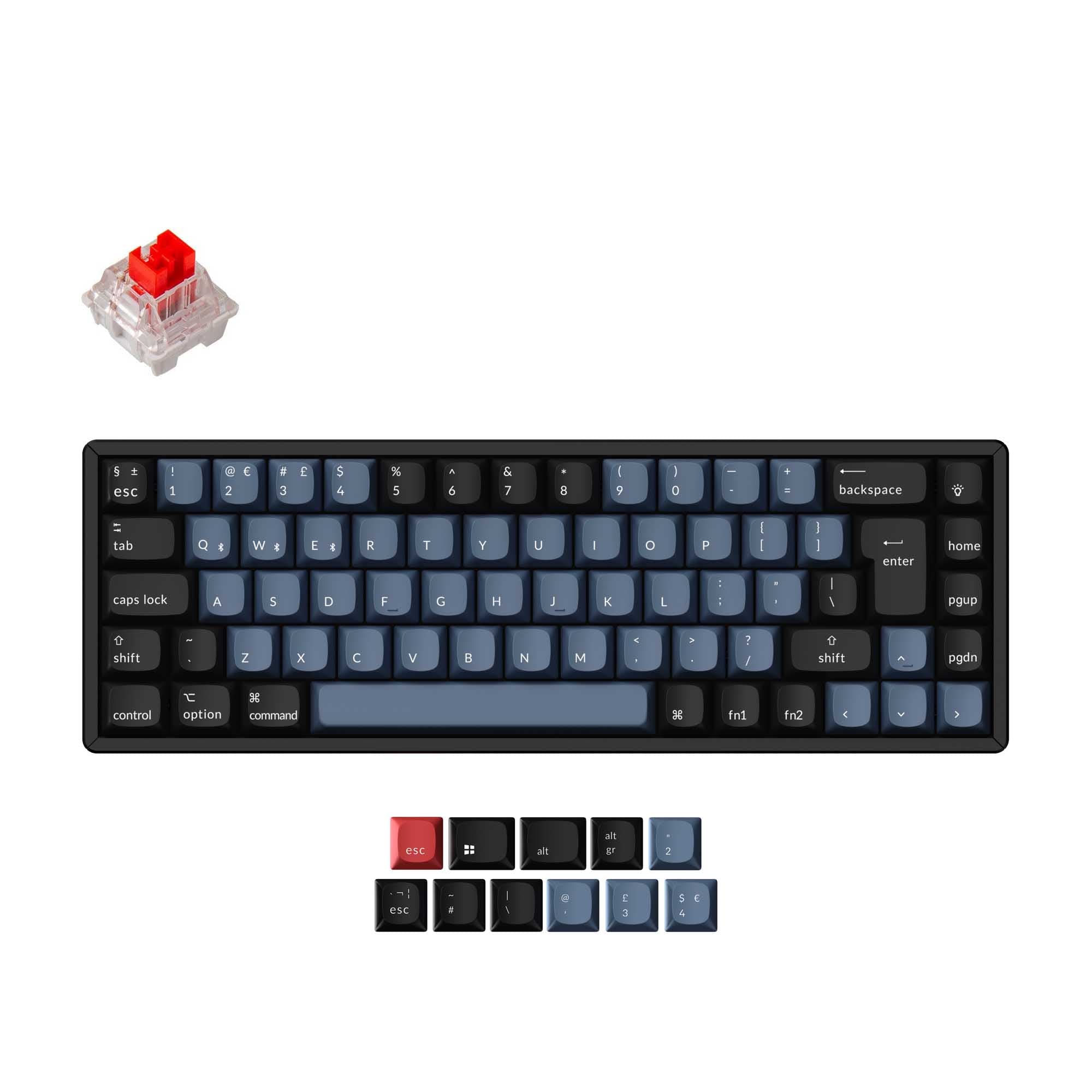
- Available layout options include ANSI, JIS, and multiple ISO variants.
- South-facing LEDs. Shine-through legends stay dark, and some sculpted keycaps can clip the LED.
Pick the AULA F65 if you want 2.4 GHz connectivity alongside Bluetooth and prefer a gasket-mounted build with a flex-cut polycarbonate plate. Choose the Keychron K6 Pro if QMK/VIA remapping, macro support, and ISO layout availability are higher priorities. Both offer hot-swappable switches, so the key decision is connectivity and mounting versus layout and configuration flexibility.
The differences that matter
Skip the 40-row spec sheet. These are the specs that change how each board feels, sounds, and fits your desk.
AULA F65
Keychron K6 Pro
Connection
Bluetooth, 2.4 GHz, Wired
Bluetooth, Wired
Wireless for several devices and wired for lower latency
Case material
ABS
ABS, Aluminum, Plastic
Mount style
Gasket Mount
PCB Mount, Tray Mount
Weight
800 g
890 g
Heavier boards stay planted and lighter ones travel
QMK
No
Yes
The deep option when you want to remap every key
- AULA F65
- Keychron K6 Pro
- Performance
- 5874
- Build quality
- 6689
- Productivity
- 6191
- Customizability
- 5796
- Portability
- 8388
- Layout size: 65%
- Hot-swappable
- Battery: 4,000 mAh
- Max polling rate: 1,000 Hz
- Sound dampening
What will you mostly use it for?
The F65 has the edge for wireless gaming flexibility and a lighter listed weight, while the K6 Pro is more suited to users who want remapping, macros, or ISO layouts. For office and programming work, the Keychron's layout options and configuration tools are useful differentiators. The same customization features make the K6 Pro the more adaptable choice for modding and content workflows. Both remain compact 65% boards with hot-swap support.
Pick the AULA F65
- The F65 supports 2.4 GHz wireless as well as Bluetooth and wired USB.
- Both keyboards list a 1000 Hz polling rate, while the F65 vendor description also specifies low-latency input.
What owners say
Ratings and quotes collected from verified store reviews, including the critical ones.
AULA F65
53 owner reviews
“I was tossing up between a lot of the keyboards but decided with this one and I don’t regret it. It’s got a good weight to it, love the thocky sound. Would recommend”
“Paid for Shipping protection and my pacakage never came in when I contacted support they told me to talk to the company that shipped it and that they had nothing to do with it.”
Keychron K6 Pro
8 owner reviews
“This is my first serious mechanical keyboard. It sounds and feels great stock. You don't really need to mod it, but if you do, i think it will sounds amazing. 0 regrets, im very satisfied.”
“I received this item broken: switches, plate, box, stabilizers- everything was either broken or not assembled properly.”
AULA F65 vs Keychron K6 Pro specs
Every tracked spec, side by side. Rows marked with a dot differ between the boards.
15 of 26 specs differ
AULA F65
Keychron K6 Pro
Switch options
Hot-swappable
Mount style
Sound dampening
Screw-in stabilizers
Layout size
Layout standard
Ergonomics
Display
Media keys
Connection
Max polling rate
Battery
USB-C
Case material
Plate material
Keycaps
Weight
Dimensions
Typing angle
Backlight
QMK
VIA
N-key rollover
Mac & Windows
Released
ISO layouts by store
Which stores sell ISO-DE, UK, and the other regional layouts.
AULA F65
No ISO layout at the stores we track.
Keychron K6 Pro
Keychron
ISO-DE, ISO-UK, ISO-FR, ISO-ES, ISO-SW
In stockShips to you
Keychron (DE)
ISO-DE, ISO-UK, ISO-FR, ISO-ES, ISO-SW
In stockDoes not ship to you
Compare prices
Live prices from the stores we track, cheapest in-stock offer first.
Prices in USD are converted to your currency and can change at any time. KeebFinder may earn a commission when you buy through these links, at no extra cost to you.
Lowest price across stores, Amazon excluded.




AULA F65 vs Keychron K6 Pro: your questions
The AULA F65 has a gasket mount and Bluetooth, 2.4 GHz, and wired connectivity. The Keychron K6 Pro focuses on QMK/VIA customization and offers several ISO layouts.
The AULA F65 lists Bluetooth, 2.4 GHz, and wired connectivity. The K6 Pro lists Bluetooth and wired connectivity, not 2.4 GHz.
The F65 is a useful fit if you want 2.4 GHz wireless, and its listed polling rate is 1000 Hz. The K6 Pro also lists a 1000 Hz polling rate, but its listed connections are Bluetooth and wired.
Keychron specifies QMK firmware and its Launcher web app for remapping keys and setting macros on the K6 Pro. The F65 metadata lists hot-swap support but does not list QMK or VIA.
The Keychron K6 Pro is listed with ISO-UK, ISO-DE, ISO-SW, ISO-FR, ISO-ES, ANSI, and JIS layouts. The AULA F65 has no ISO layout option listed.
Yes, both keyboards are listed as hot-swappable. The F65 vendor description specifies 3-pin and 5-pin switches, while Keychron describes support for 3-pin and 5-pin MX-style switches on the K6 Pro.
The AULA F65 is listed with a gasket mount and a polycarbonate plate. The Keychron K6 Pro is listed with tray and PCB mounting and a steel plate.
Both are listed with south-facing LEDs, and both compatibility notes warn that shine-through legends stay dark. Those notes also caution that some sculpted keycaps can clip the LED.
The listed weight for the AULA F65 is 800 g, compared with 890 g for the Keychron K6 Pro. Both are 65% keyboards.
The K6 Pro metadata lists Mac/Win support, and Keychron says it includes keycaps for both Windows and macOS. Its vendor specifications also list software support for macOS, Windows, and Linux.
The AULA F65 vendor description names two Poron layers, an IXPE switch pad, a PET sound pad, and a bottom silicone layer. Keychron describes sound-absorbing foam and a thick silicone dampening bottom pad for the K6 Pro.
Not sold on either?


Still torn?
Answer a few quick questions and the keyboard finder ranks 2,000+ boards by how you will actually use yours.