AULA F99 Pro vs Keychron Q5Wireless Value vs Premium Build
Choose the AULA F99 Pro for wireless flexibility on a budget, or the Keychron Q5 for a premium, wired, and endlessly customizable typing foundation.
KeebFinder may earn a commission when you buy through these links, at no extra cost to you.

4.7 (41)4.7 · 41 reviews
from$68at Epomaker
90-day lowLowest price in 90 days
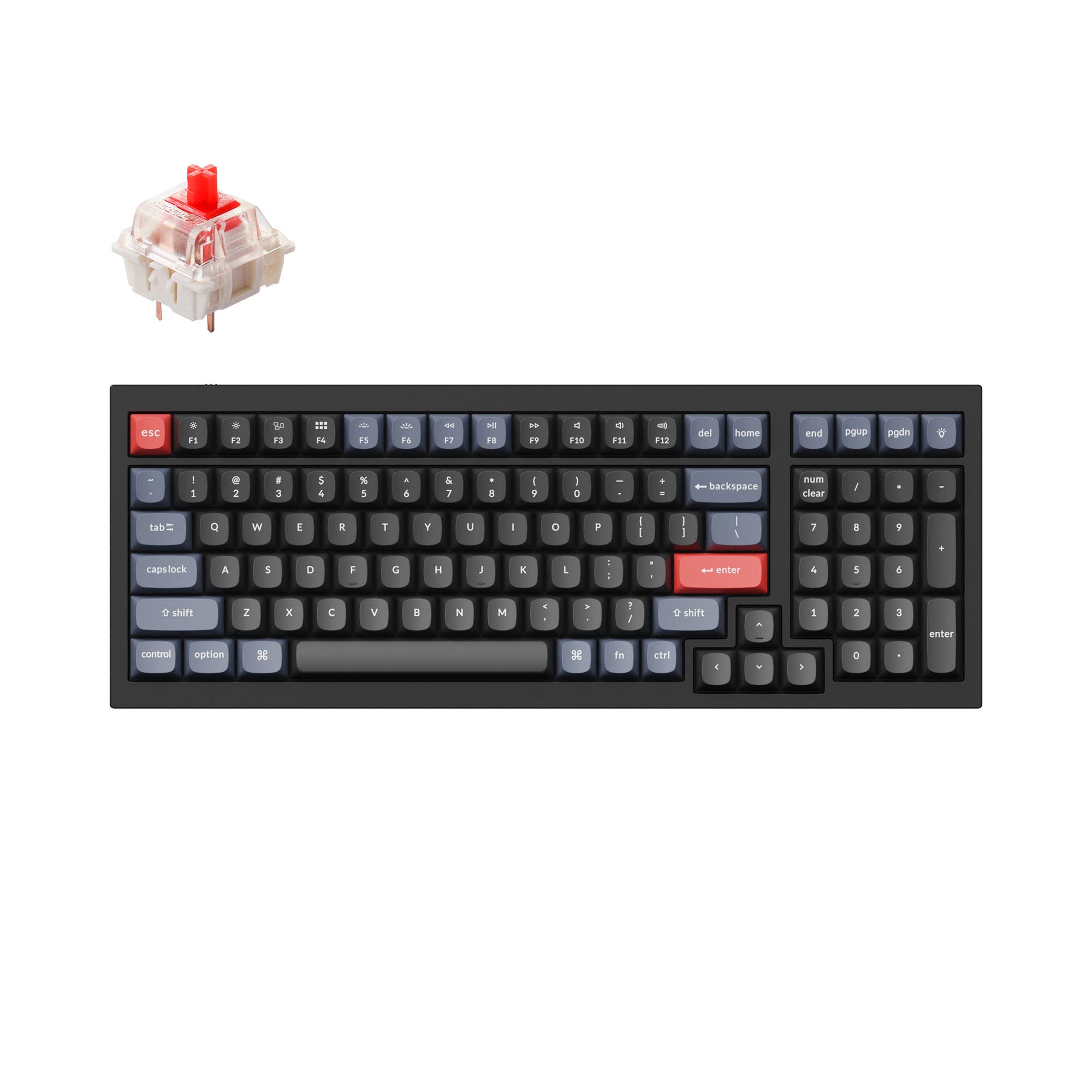
4.8 (17)4.8 · 17 reviews
from$119at Keychron
Which one should you get?
Get the
AULA F99 Pro
Wireless Value
Build quality in the bottom 50% of 96% boards under $100.
- Offers tri-mode connectivity (Bluetooth 5.0, 2.4GHz, wired) for versatile use.
- Large 8000mAh battery supports extended wireless operation.
- Includes five layers of sound-dampening materials like sandwich foam and a PET film.
- South-facing LEDs. Shine-through legends stay dark, and some sculpted keycaps can clip the LED.
- No ISO layout. ISO-DE, UK, and other ISO variants are not offered.
Get the
Keychron Q5
Premium Build
Build quality in the top 5% of 96% boards under $150.
- Constructed with a full CNC machined aluminum case for premium durability.
- Fully programmable via open-source QMK and VIA firmware.
- Available in multiple layout standards (ISO, ANSI) and as a barebones kit.
- South-facing LEDs. Shine-through legends stay dark, and some sculpted keycaps can clip the LED.
Your budget and need for wireless operation are the deciding factors. The AULA F99 Pro delivers impressive value with its tri-mode connectivity, long battery life, and inclusive sound-dampening package. If you must be untethered or are cost-conscious, it's the clear choice. Opt for the Keychron Q5 if you desire a lifelong keyboard foundation, prioritizing a metal build, unparalleled programmability, and the ability to modify every component over time.
The differences that matter
Skip the 40-row spec sheet. These are the specs that change how each board feels, sounds, and fits your desk.
AULA F99 Pro
Keychron Q5
Connection
Bluetooth, 2.4 GHz, Wired
Wired
Wireless for several devices and wired for lower latency
Case material
ABS
Aluminum
Switch options
Linear
Clicky, Linear, Tactile
Mount style
Gasket Mount
Gasket Mount, Plate Mount
Weight
1,023 g
2,310 g
Heavier boards stay planted and lighter ones travel
- AULA F99 Pro
- Keychron Q5
- Performance
- 6672
- Build quality
- 6289
- Productivity
- 8397
- Customizability
- 6698
- Portability
- 6346
- Layout size: 96%
- Hot-swappable
- Knob
- Sound dampening
What will you mostly use it for?
The AULA F99 Pro wins for mobile and office scenarios where wireless operation and lighter weight are critical. The Keychron Q5 dominates for stationary, enthusiast-focused tasks like programming and modding, thanks to its superior customization tools and build materials. For gaming, the choice hinges on whether you value the Q5's confirmed high polling rate or the F99 Pro's wireless freedom.
It's a tie
- The Keychron Q5 lists a 1000 Hz polling rate for low latency.
- The AULA F99 Pro offers wireless 2.4 GHz and Bluetooth connectivity for cable-free setups.
- Both feature south-facing RGB lighting and hot-swappable PCBs for switch customization.
What owners say
Ratings and quotes collected from verified store reviews, including the critical ones.
AULA F99 Pro
41 owner reviews
“I got the Aula F99 pro 2 of them and 2 of the Aula black mice. Most amazing keyboard and mouse. I use them with my Galaxy phone with Samsung Dex, as well my gaming pc.”
“JUNK GARBAGE TRASH. What can I say. I cant type on it and I cant use it. TOSSING IT”
Keychron Q5
17 owner reviews
“I really like this keyboard. I have a couple of Q1s, and I like this layout better. The key caps on the silver gray model look terrific.”
AULA F99 Pro vs Keychron Q5 specs
Every tracked spec, side by side. Rows marked with a dot differ between the boards.
13 of 26 specs differ
AULA F99 Pro
Keychron Q5
Switch options
Hot-swappable
Mount style
Sound dampening
Screw-in stabilizers
Layout size
Layout standard
Ergonomics
Knob
Display
Media keys
Connection
Max polling rate
Battery
USB-C
Case material
Plate material
Keycaps
Weight
Dimensions
Typing angle
Backlight
QMK
VIA
Mac & Windows
Released
ISO layouts by store
Which stores sell ISO-DE, UK, and the other regional layouts.
AULA F99 Pro
No ISO layout at the stores we track.
Keychron Q5
Keychron
ISO-DE, ISO-UK, ISO-Nordic, ISO-SW
In stockShips to you
Keychron (DE)
ISO-DE, ISO-UK, ISO-Nordic, ISO-SW
Out of stockDoes not ship to you
Compare prices
Live prices from the stores we track, cheapest in-stock offer first.
Prices in USD are converted to your currency and can change at any time. KeebFinder may earn a commission when you buy through these links, at no extra cost to you.
Lowest price across stores, Amazon excluded.





AULA F99 Pro vs Keychron Q5: your questions
The AULA F99 Pro is designed for wireless use, featuring Bluetooth 5.0, 2.4GHz wireless, and a wired Type-C mode. Its 8000mAh battery is specifically noted for sustained wireless performance. The Keychron Q5 is a wired-only keyboard.
Yes, both keyboards have hot-swappable PCBs, allowing you to change switches without soldering. The Keychron Q5's PCB supports both 3-pin and 5-pin MX switches, according to its specifications.
The Keychron Q5 uses a full CNC machined aluminum case and a steel plate, giving it a more premium and substantial feel. The AULA F99 Pro uses an ABS plastic case and a PC plate, which contributes to its lighter weight and lower cost.
Yes, but it uses the proprietary AULA Driver software for customization like key mapping and RGB effects. It does not support the open-source QMK or VIA firmware that the Keychron Q5 uses for deeper programming.
Yes. The Keychron Q5 listing includes Mac/Win support and comes with an extra set of keycaps for both operating systems. A physical toggle switch allows you to change between system layouts.
The Keychron Q5 has a listed typing angle of 5 degrees. A typing angle is not specified in the provided information for the AULA F99 Pro.
Both aim to reduce noise. The AULA F99 Pro vendor description highlights five layers of sound-dampening materials, including foam and a PET film. The Keychron Q5 uses a double gasket design and silicone pads between case halves to reduce acoustic resonance.
Yes. The Keychron Q5 is offered in a Barebone version that does not include switches or keycaps, allowing you to choose your own components from the start.
The AULA F99 Pro comes with Cherry profile keycaps. The fully assembled Keychron Q5 comes with OSA profile double-shot PBT keycaps, which the vendor describes as having OEM height and an SA-like shape.
The knob on the Keychron Q5 is programmable through VIA software, allowing you to assign macros or key functions. The AULA F99 Pro includes a knob, but its programmability would be managed through the AULA Driver software, with specific capabilities not detailed in the provided information.
The Keychron Q5 explicitly lists a 1000 Hz polling rate, which can benefit competitive gaming by reducing input latency. The AULA F99 Pro offers a 2.4GHz wireless mode for a cable-free experience, but its exact polling rate is not specified in the provided data.
Not sold on either?




Still torn?
Answer a few quick questions and the keyboard finder ranks 2,000+ boards by how you will actually use yours.