Ducky Bethesda Tinker 75 ProjectD vs OK M 65Wired Custom vs Wireless Value
Choose the Ducky Tinker 75 for a premium, wired custom build, or the OKM 65 for versatile wireless connectivity and value.
KeebFinder may earn a commission when you buy through these links, at no extra cost to you.


Which one should you get?
Get the
Ducky Bethesda Tinker 75 ProjectD
Wired Custom
Build quality in the top 20% of 75% boards under $200.
- Full aluminum top and bottom case construction.
- Includes extensive sound-dampening materials: Poron plate foam, PE sheet, and case foam.
- Supports both QMK and VIA for extensive firmware reprogramming.
- South-facing LEDs. Shine-through legends stay dark, and some sculpted keycaps can clip the LED.
- No numpad.
Get the
Ducky OK M 65
Wireless Value
Build quality in the top 35% of 65% boards under $100.
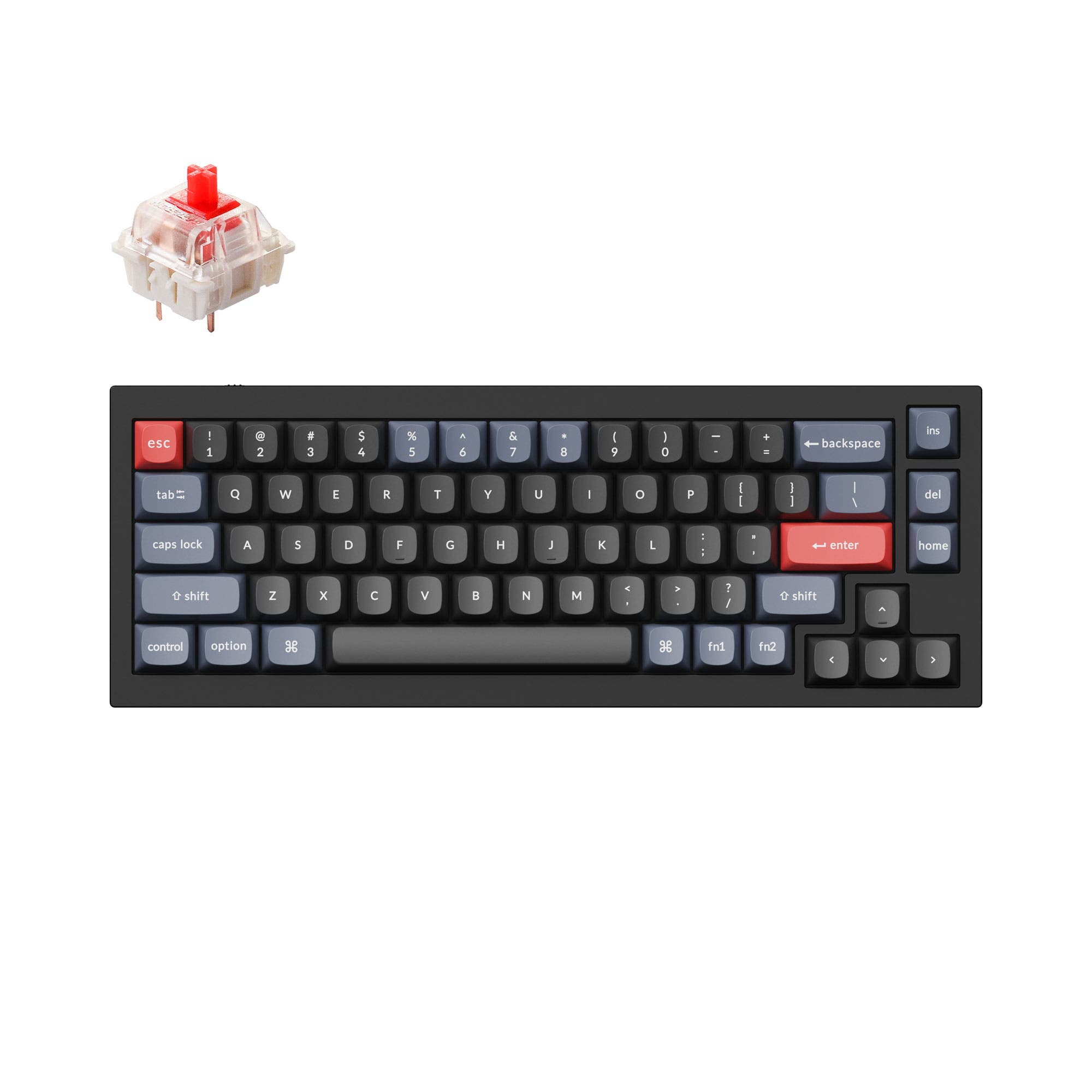
- Tri-mode connectivity with Bluetooth, 2.4 GHz wireless, and wired USB-C.
- Includes a programmable volume knob for media control.
- Features five layers of sound dampening: poron foam, IXPE switch pad, PET pad, and silicone pads.
- North-facing LEDs. Cherry-profile keycaps can hit the switch housing.
- 65% layout. No function row and no numpad.
Your primary need dictates the choice. For a stationary, high-end custom keyboard experience with unmatched firmware support and premium materials, the Ducky Tinker 75 ProjectD is the clear pick. If you need to switch between multiple devices, value a clean desk, or have a tighter budget, the feature-rich and wireless Ducky OKM 65 offers exceptional versatility.
The differences that matter
Skip the 40-row spec sheet. These are the specs that change how each board feels, sounds, and fits your desk.
Ducky Bethesda Tinker 75 ProjectD
Ducky OK M 65
Layout size
75%
65%
Connection
Wired
Bluetooth, 2.4 GHz, Wired
Wireless for several devices and wired for lower latency
Switch options
Clicky, Linear, Tactile
Clicky, Linear
Mount style
Plate Mount
Gasket Mount
Knob
No
Yes
- Ducky Bethesda Tinker 75 ProjectD
- Ducky OK M 65
- Performance
- 8061
- Build quality
- 8072
- Productivity
- 7783
- Customizability
- 9278
- Portability
- 6385
- Hot-swappable
- VIA
- Sound dampening
- Keycaps: PBT
What will you mostly use it for?
The Ducky OKM 65 wins for office use and travel due to its wireless versatility and compact size. The Ducky Tinker 75 ProjectD is the stronger choice for dedicated gaming setups and for enthusiasts who prioritize modding and a premium, wired build. For programming, the Tinker 75's extra keys and superior firmware support give it an edge, while content creators might value either the Tinker's layout or the OKM's knob equally.
Pick the Ducky Bethesda Tinker 75 ProjectD
- Wired-only connection on the Tinker 75 ensures consistent latency.
- Full aluminum case provides a solid, stable typing platform.
- South-facing RGB LEDs avoid interference with Cherry-profile keycaps, a feature noted in its listing.
Ducky Bethesda Tinker 75 ProjectD vs OK M 65 specs
Every tracked spec, side by side. Rows marked with a dot differ between the boards.
12 of 21 specs differ
Ducky Bethesda Tinker 75 ProjectD
Ducky OK M 65
Switch options
Hot-swappable
Mount style
Sound dampening
Layout size
Layout standard
Ergonomics
Knob
Display
Media keys
Connection
USB-C
Case material
Plate material
Keycaps
Backlight
QMK
VIA
N-key rollover
Mac & Windows
Released
Compare prices
Live prices from the stores we track, cheapest in-stock offer first.
Prices in USD are converted to your currency and can change at any time. KeebFinder may earn a commission when you buy through these links, at no extra cost to you.
Lowest price across stores, Amazon excluded.


- Check on Amazon
Amazon
Check price
Ducky Bethesda Tinker 75 ProjectD vs OK M 65: your questions
The Ducky OKM 65 offers wireless connectivity via both Bluetooth and a 2.4 GHz USB dongle, as well as a wired USB-C option. The Ducky Tinker 75 ProjectD is a wired-only keyboard.
According to the vendor specifications for the Tinker 75, it is listed as Windows compatible and not compatible with Mac or Linux. The OKM 65 explicitly supports both Mac and Windows.
The Tinker 75 ProjectD comes with Cherry MX2A switches, with linear, tactile, and clicky variants listed. The OKM 65 comes with KTT switches, such as the Red Wine or Baby Blue linear switches mentioned in its SKUs.
Yes, both keyboards are hot-swappable. The Tinker 75 uses exclusive yellow Kailh hotswap sockets, while the OKM 65's sockets support both 3-pin and 5-pin switches.
Both are designed for sound dampening. The Tinker 75 includes Poron plate foam, a PE sheet, and case foam. The OKM 65 lists five layers of dampening including poron foam, an IXPE switch pad, a PET pad, and silicone pads. The aluminum case of the Tinker 75 may also influence the acoustic profile.
The Ducky Tinker 75 uses OEM profile double-shot PBT keycaps. The Ducky OKM 65 uses Cherry profile double-shot PBT keycaps.
Only the Ducky OKM 65 includes a programmable volume knob. The Tinker 75 does not have a knob.
Yes, both are programmable via VIA software. The Tinker 75 ProjectD also supports the more advanced, open-source QMK firmware, which the OKM 65 does not list.
The Ducky Tinker 75 features a full aluminum top and bottom case. The Ducky OKM 65's case material is not specified as metal in the provided details, and it uses a polycarbonate plate versus the Tinker's FR4 plate.
The Ducky OKM 65 is more portable. It has a smaller 65% layout, wireless functionality, and includes a USB-C to USB-A adapter for easy connectivity. The Tinker 75 is larger, wired, and heavier due to its aluminum construction.
The Tinker 75 includes a novelty spacebar, six themed accent keys, and a large exclusive mousepad. The OKM 65 includes a 2.4 GHz dongle, USB-C cable, USB-C to A adapter, a Ducky Ducko brush, and a keycap/switch puller.
Yes, the Ducky Bethesda Tinker 75 ProjectD is a limited release collaboration with Fallout. The vendor page states only 1000 ANSI units were produced worldwide.
Not sold on either?


Still torn?
Answer a few quick questions and the keyboard finder ranks 2,000+ boards by how you will actually use yours.