Not sure which keyboard to choose? Try the Keyboard Finder now!

Compare Cidoo Nebula vs QK61 V2 Differences Side by Side

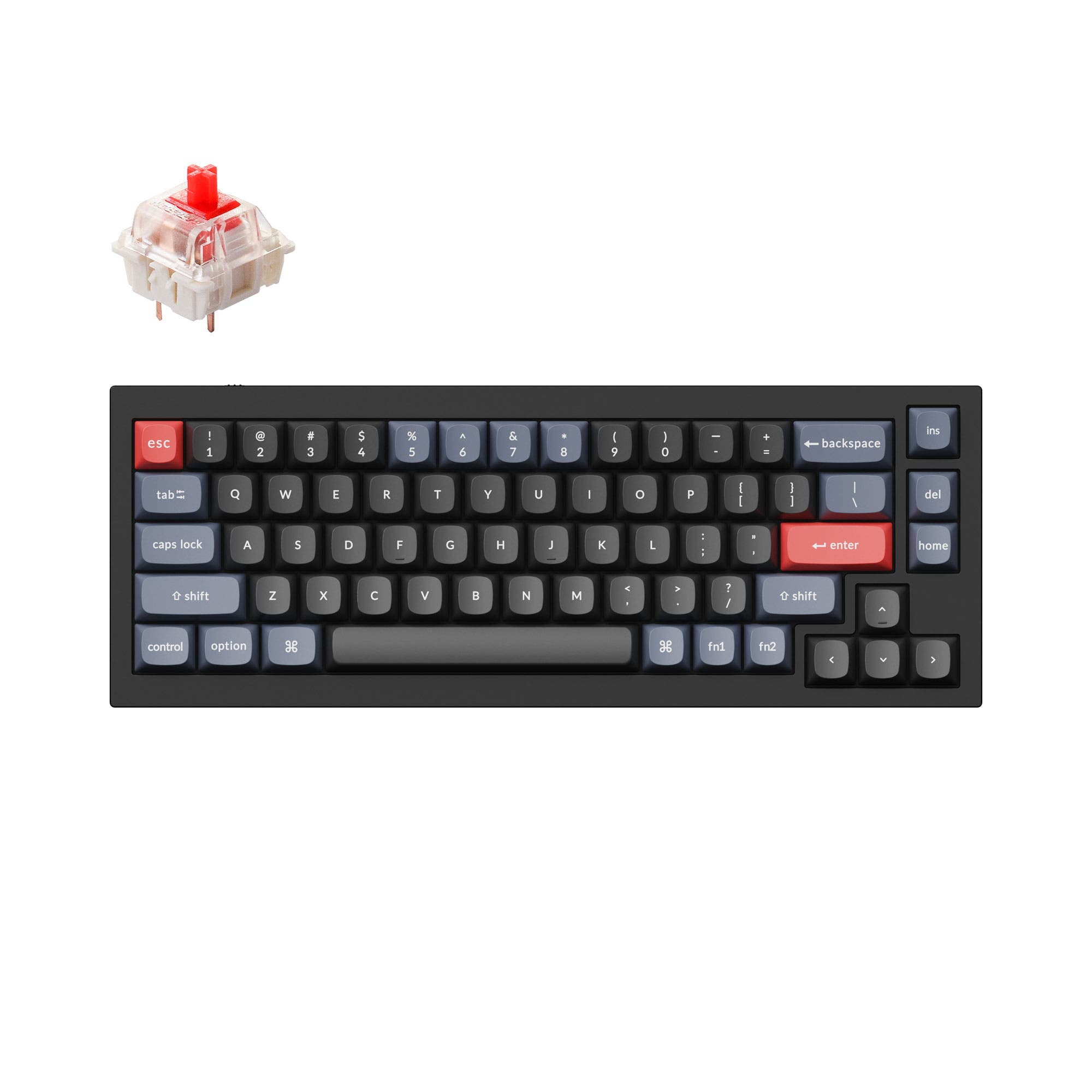
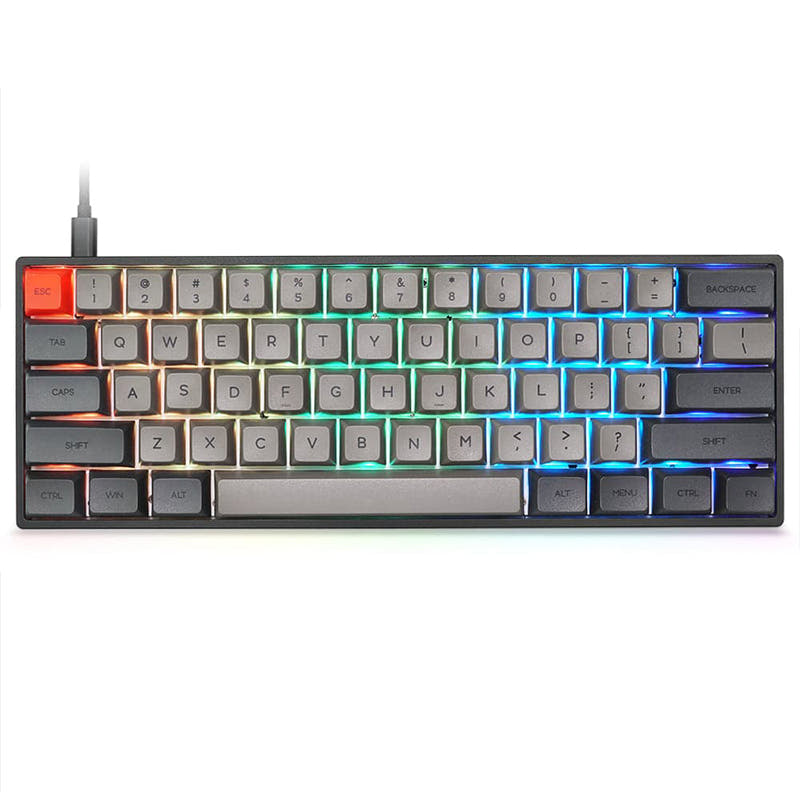
This comparison is for buyers deciding between two affordable, wireless Cidoo keyboards with different layouts and product forms. The Nebula is a 65% DIY kit, while the QK61 V2 is a pre-built 60% keyboard. The choice hinges on whether you prioritize a slightly larger layout with a volume knob and a barebones starting point, or a smaller footprint with a complete, sound-optimized typing experience out of the box.

73
CIDOO Nebula VIA Keyboard Kit
73
CIDOO QK61 V2 VIA Programmable 60% Mechanical Keyboard

Select a keyboard to compare

3.4 (48)
0.0 (0)
  • Released in 2023
  • Available in a 65% layout
  • Comes with a knob
  • Compatible with both Mac and Windows
  • Weighs about 457 g
  • Sized at 35 x 120 x 325 mm
  • Made with a ABS case
  • Offers Yes, Rgb RGB lighting
  • Released in 2024
  • Has Clicky, Linear switch options
  • Available in a 60% layout
  • Supports QMK firmware
  • Has built-in sound dampening
  • Made with a Plastic case
  • Features PBT, PC keycaps
  • Offers Yes, South-face RGB lighting
Scores
  • Performance: 47.9
  • Build Quality: 63
  • Productivity: 73.5
  • Customizability: 85.1
  • Portability: 88.1
Scores
  • Performance: 42.8
  • Build Quality: 68.4
  • Productivity: 69.5
  • Customizability: 81.3
  • Portability: 84.2
Name
Cidoo Nebula
Name
Cidoo QK61 V2
Release year
2023
Release year
2024
Switch Options
-
Switch Options
Clicky, Linear
Profile
Normal Profile
Profile
Normal Profile
Hot Swappable
 
Hot Swappable
 
Layout Size
65%
Layout Size
60%
Layout Standard
ANSI
Layout Standard
ANSI
Layout Ergonomics
Normal
Layout Ergonomics
Normal
Knob Support
 
Knob Support
 
Display Support
 
Display Support
 
Mac/Win Support
 
Mac/Win Support
 
Multi-Media Keys
 
Multi-Media Keys
 
USB-C
 
USB-C
 
USB passthrough
 
USB passthrough
 
Connection
Bluetooth, 2.4 GHz, Wired, Wireless
Connection
Bluetooth, 2.4 GHz, Wired, Wireless
Polling Rate
-
Polling Rate
-
Battery capacity
3000 mAh
Battery capacity
3000 mAh
Hall Effect Support
 
Hall Effect Support
 
QMK Support
 
QMK Support
 
VIA Support
 
VIA Support
 
VIAL Support
 
VIAL Support
 
N-Key Rollover
 
N-Key Rollover
 
Rapid Trigger
 
Rapid Trigger
 
Mount Style
Gasket Mount
Mount Style
Gasket Mount
Screw in Stabilizers
 
Screw in Stabilizers
 
Sound Dampening
 
Sound Dampening
 
Backlight
 
Rgb
Backlight
 
South-face
Case Colors
Case Colors
Case Material
ABS
Case Material
Plastic
Keycaps Material
-
Keycaps Material
PBT, PC
Dimensions
35 x 120 x 325 mm
Dimensions
-
Weight
457g
Weight
-
*Something incorrect or missing? Please
let me know
!

Pros and Trade-offs

Your primary need dictates the choice. If you value dedicated arrow keys, a volume knob, and want to select your own switches and keycaps from the start, the Cidoo Nebula kit is the clear pick. If you prefer a complete, ready-to-use keyboard with exceptional out-of-the-box sound tuning and can adapt to a 60% layout, the Cidoo QK61 V2 offers greater immediate satisfaction.

Cidoo Nebula

  • +65% layout includes dedicated arrow keys and a volume knob.
  • +Sold as a DIY kit, offering a lower-cost entry point for custom builds.
  • +Lighter weight of 457 grams for easier portability.
  • +Explicitly listed Mac/Windows support in the vendor description.
  • +Includes Poron and IXPE foam padding for a softer typing feel.

  • Requires purchasing switches and keycaps separately as it is a barebones kit.
  • Case is made of ABS plastic, which may be less premium than other materials.
  • Lower user review score of 3.4/5 based on 48 reviews.

Cidoo QK61 V2

  • +Comes pre-built with double-shot PBT keycaps, transparent PC accent keys, and pre-lubed linear switches.
  • +Extensive sound dampening with five layers of foam, including sandwich foam, PET film, IXPE pad, bottom foam, and a silicone pad.
  • +Includes a polycarbonate plate for a flexible, deeper typing sound.
  • +Higher user review score of 4.4/5 based on 19 reviews.
  • +South-facing RGB LEDs ensure compatibility with Cherry-profile keycaps.

  • 60% layout lacks dedicated arrow keys, requiring use of a function layer.
  • Significantly heavier at 880 grams, reducing portability.
  • No volume knob for direct media control.

Which Keyboard Is Better for Your Needs?

The Cidoo Nebula's 65% layout with arrow keys and a knob gives it an edge for productivity-focused tasks like office work, programming, and content creation. The QK61 V2's extreme compactness makes it the better traveler. For gaming and modding, the choice is more nuanced, leaning towards the Nebula for gaming due to its layout and towards a tie for modding given both boards' strong foundational features.

GamingCidoo Nebula
  • The 65% layout retains dedicated arrow keys, which are useful for some game menus and controls.
  • Includes a volume knob for quick audio adjustments during gameplay.
  • Lighter weight at 457g may be preferable for quick desk movements.
OfficeCidoo Nebula
  • The 65% layout with arrow keys can improve efficiency in spreadsheets and documents compared to a 60% layout.
  • Volume knob provides convenient control for calls and media.
  • Vendor description lists explicit Mac/Windows support.
ProgrammingCidoo Nebula
  • Dedicated arrow keys are beneficial for navigating code without layer taps.
  • VIA programming support allows for extensive key remapping to suit coding workflows.
  • The layout may offer a better balance of compactness and utility for frequent cursor movement.
TravelCidoo QK61 V2
  • Smaller 60% footprint is more compact for packing.
  • Comes pre-built with switches and keycaps, requiring no additional components on the go.
  • Includes a 2.4G dongle in the box for reliable wireless connectivity.
ModdingTie
  • Both feature hot-swappable PCBs and gasket mount designs.
  • Both support VIA/QMK for firmware customization.
  • The Nebula is a DIY kit intended for custom builds, while the QK61 V2's pre-lubed switches and sound foam offer a different starting point for modders.
Content CreationCidoo Nebula
  • Volume knob is a tactile shortcut for timeline scrubbing and audio level adjustments.
  • Arrow keys aid in precise timeline navigation in video and photo editing software.
  • The layout provides more immediate access keys without relying on function layers.

Frequently Asked Questions (FAQ)


Discover similar products

You might also like similar products in that price range:

93
$59
Keychron Q2 QMK Custom Mechanical Keyboard
Keychron Q2
65%,
Hotswap,
Wired,
RGB,
Knob,
VIA,
QMK,
Alu case,
Gasket Mount

74
$49
Qwertykeys Neo60 Core Keyboard
Qwertykeys Neo60 Core
60%,
Hotswap,
Wireless,
Wired,
VIA,
Alu case,
PCB Mount

92
$59
Keychron Q4 QMK Custom Mechanical Keyboard
Keychron Q4
60%,
Hotswap,
Wired,
RGB,
Knob,
VIA,
QMK,
Alu case,
Gasket Mount

92
$59
Keychron Q7 QMK Custom Mechanical Keyboard
Keychron Q7
70%,
Hotswap,
Wired,
RGB,
Knob,
VIA,
QMK,
Alu case,
Gasket Mount

93
$59
Keychron Q8 (Alice Layout) QMK Custom Mechanical Keyboard
Keychron Q8
65%,
Hotswap,
Wired,
RGB,
Knob,
VIA,
QMK,
Alu case,
Gasket Mount

92
$59
Keychron V10 (Alice Layout) QMK Custom Mechanical Keyboard ISO Layout Collection
Keychron V10
75%,
Hotswap,
Wired,
RGB,
Knob,
VIA,
QMK,
Tray Mount

97
$59
Keychron Q3 QMK Custom Mechanical Keyboard
Keychron Q3
80%,
Hotswap,
Wired,
RGB,
Knob,
VIA,
QMK,
Alu case,
Gasket Mount

91
$44
Keychron V2 QMK Custom Mechanical Keyboard ISO Layout Collection
Keychron V2
65%,
Hotswap,
Wired,
RGB,
Knob,
VIA,
QMK,
Tray Mount

96
$54
Keychron V3 QMK Custom Mechanical Keyboard ISO Layout Collection
Keychron V3
80%,
Hotswap,
Wired,
RGB/ White LEDs,
Knob,
VIA,
QMK,
Tray Mount

97
$44
Keychron V1 QMK Custom Mechanical Keyboard
Keychron V1
75%,
Hotswap,
Wired,
RGB/ White LEDs,
Knob,
VIA,
QMK,
Tray Mount