Cidoo V75 Pro vs V87Compact 75% vs TKL 80% Layout Choice
Choose the Cidoo V75 Pro for a more portable, compact layout, or the V87 for a larger TKL layout with potentially better stabilizers.
KeebFinder may earn a commission when you buy through these links, at no extra cost to you.

4.6 (15)4.6 · 15 reviews
from$139at Mechkeys

No reviews
from$149at Mechkeys
Which one should you get?
Get the
Cidoo V75 Pro
Compact 75%
Build quality in the top 50% of 75% boards under $150.
- More compact 75% layout with 81 keys for a smaller desk footprint.
- Includes multi-media keys according to the vendor description.
- Features a hidden USB wireless 2.4GHz receiver compartment.
- No numpad.
Get the
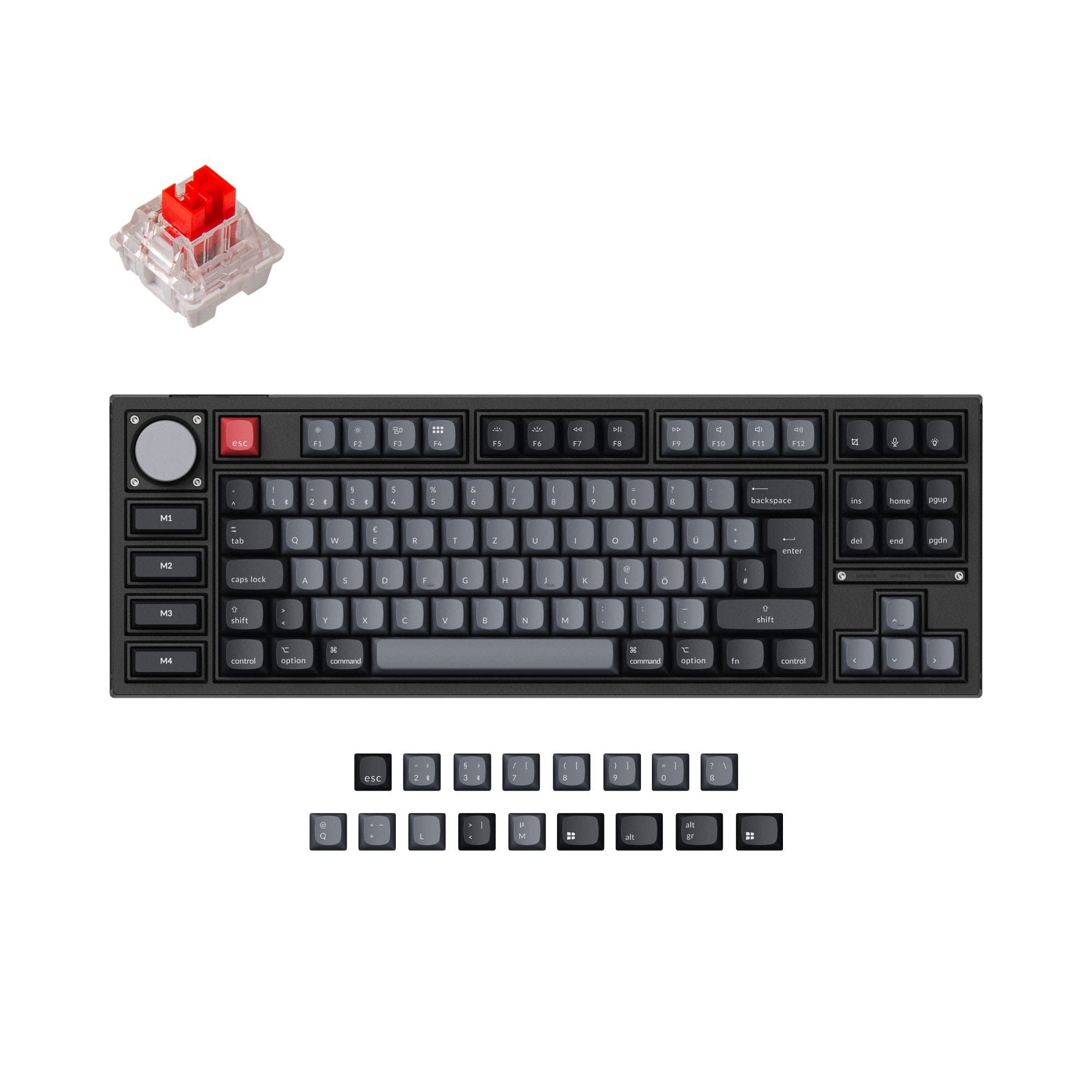
Cidoo V87
TKL 80% Layout Choice
Build quality in the top 30% of 80% boards under $150.
- 80% TKL layout provides dedicated arrow and navigation keys (Insert, Delete, etc.).
- Includes PCBA screw-in stabilizers, which are typically more stable than clip-in variants.
- Features a detailed sound-dampening package with PCB Poron foam, IXPE switch sheet, and bottom foam.
- South-facing LEDs. Shine-through legends stay dark, and some sculpted keycaps can clip the LED.
- No numpad.
Select the Cidoo V75 Pro if you want a more space-efficient keyboard and are comfortable using function layers for navigation keys. Opt for the Cidoo V87 if you regularly use the full navigation cluster for work or programming and value the inclusion of screw-in stabilizers. Both are excellent, well-built options with strong customization potential.
The differences that matter
Skip the 40-row spec sheet. These are the specs that change how each board feels, sounds, and fits your desk.
Cidoo V75 Pro
Cidoo V87
Layout size
75%
80%
Backlight
RGB
RGB, south-facing
RGB for looks and low light rather than speed
Media keys
Yes
No
Mac & Windows
Yes
No
- Cidoo V75 Pro
- Cidoo V87
- Performance
- 5454
- Build quality
- 6868
- Productivity
- 8975
- Customizability
- 8274
- Portability
- 8370
- Connection: Bluetooth, 2.4 GHz, Wired
- Hot-swappable
- Case material: Aluminum
- Switch options: Linear
- Mount style: Gasket Mount
- Knob
What will you mostly use it for?
The V87 is the clear choice for programming and has an edge in office use due to its more complete TKL navigation cluster. The V75 Pro wins for travel thanks to its smaller footprint. For gaming, modding, and content creation, the keyboards are effectively tied, sharing their core functional and customizable features. The decision largely hinges on whether you prioritize a compact layout or dedicated navigation keys.
It's a tie
- Both offer full-key conflict-free operation for reliable keypress registration.
- Both feature the same gasket mount design and linear switch type for a consistent feel.
- Both support wired, 2.4GHz, and Bluetooth connectivity for flexible setup.
Cidoo V75 Pro vs V87 specs
Every tracked spec, side by side. Rows marked with a dot differ between the boards.
4 of 20 specs differ
Cidoo V75 Pro
Cidoo V87
Switch options
Hot-swappable
Mount style
Sound dampening
Layout size
Layout standard
Ergonomics
Knob
Display
Media keys
Connection
Battery
USB-C
Case material
Plate material
Keycaps
Backlight
VIA
Mac & Windows
Released
Compare prices
Live prices from the stores we track, cheapest in-stock offer first.
Prices in USD are converted to your currency and can change at any time. KeebFinder may earn a commission when you buy through these links, at no extra cost to you.
Lowest price across stores, Amazon excluded.


Cidoo V75 Pro vs V87: your questions
The primary difference is the layout size. The V75 Pro is a compact 75% layout with 81 keys, sacrificing the dedicated navigation cluster. The V87 is an 80% TKL layout that retains the arrow keys and Insert, Delete, Home, End, Page Up, and Page Down keys in a familiar arrangement.
Yes. Both the Cidoo V75 Pro and V87 feature full-key hot-swappable sockets. The V87 vendor page specifies support for both 3-pin and 5-pin mechanical switches.
Yes. Both keyboards support VIA programming, an open-source firmware. This allows you to remap any key, program macros, and customize the functionality of the aluminum multimedia knob.
Yes. Both keyboards offer triple-mode connectivity: Bluetooth, 2.4GHz wireless via a USB receiver, and wired USB-C. The V75 Pro vendor description mentions a hidden compartment for the 2.4GHz receiver.
The Cidoo V87 uses PCBA screw-in stabilizers, as listed in its technical specifications. Screw-in stabilizers are generally considered more secure and rattle-resistant than clip-in stabilizers. The V75 Pro vendor description does not specify the stabilizer type.
Both have sound-dampening features. The V75 Pro uses multi-layered PORON cotton padding. The V87 lists a more detailed package including PCB Poron foam, an IXPE switch sheet, and bottom foam. The V87's specifications provide more detail on its acoustic treatment.
Both keyboards use PBT keycaps, which are more durable and resistant to shine than ABS. The V87 specifically mentions using dye-sublimation PBT keycaps with south-facing RGB LEDs, which helps prevent interference with Cherry-profile keycaps.
Both the Cidoo V75 Pro and V87 are equipped with a 3000mAh rechargeable battery. The V75 Pro vendor page claims a battery life of up to three to four weeks with the RGB backlight turned off.
The Cidoo V75 Pro is more portable due to its smaller 75% layout. The V87 is larger, measuring 400mm in length, and is notably heavy at 2.16kg (approximately 4.76 lbs).
The Cidoo V75 Pro vendor description explicitly states compatibility with Windows, Android, Mac, Linux, and iOS. The V87 product listing does not mention specific OS compatibility, though it is typically implied for USB and Bluetooth devices.
Both keyboards come with linear switches. The V75 Pro vendor description specifies it includes Quarks Grey Linear POM material switches. The V87 listing mentions it comes with a 'Matte Switch - Linear' variant.
Yes. Both the Cidoo V75 Pro and V87 feature a metal rotary knob for media control, such as adjusting volume. The V87's knob also has an RGB light, according to its product page.
Not sold on either?



Still torn?
Answer a few quick questions and the keyboard finder ranks 2,000+ boards by how you will actually use yours.