Ducky OK M 65 vs One 3 Pro NazcaWireless 65% vs Wired 8K Full-Size
Choose the Ducky OKM 65 for wireless flexibility and portability, or the One 3 Pro Nazca for a dedicated, high-performance wired setup with a full layout.
KeebFinder may earn a commission when you buy through these links, at no extra cost to you.


Which one should you get?
Get the
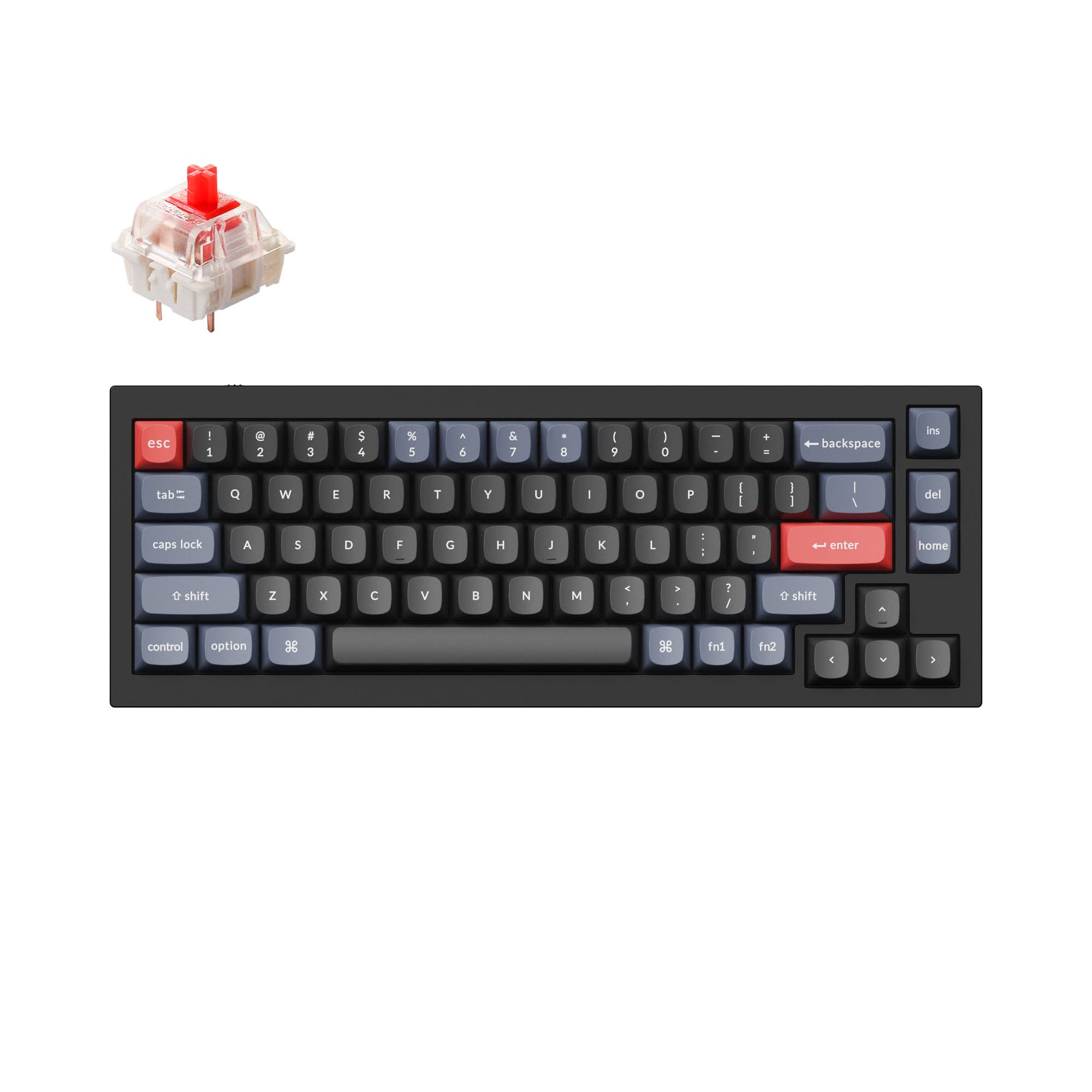
Ducky OK M 65
Wireless 65%
Build quality in the top 35% of 65% boards under $100.
- Triple connectivity with wired USB-C, Bluetooth, and 2.4 GHz wireless.
- Compact 65% layout saves desk space and is highly portable.
- VIA software support for easy key remapping and programming.
- North-facing LEDs. Cherry-profile keycaps can hit the switch housing.
- 65% layout. No function row and no numpad.
Get the
Ducky One 3 Pro Nazca
Wired 8K Full-Size
Build quality in the top 45% of 100% boards under $150.
- 8000 Hz polling rate for potentially lower input latency.
- Full-size 108-key layout includes a number pad and multimedia keys.
- South-facing RGB switches prevent keycap interference with Cherry profiles.
- South-facing LEDs. Shine-through legends stay dark, and some sculpted keycaps can clip the LED.
Your primary need dictates the choice. If you require a single, high-performance keyboard for a dedicated gaming or programming station and value ultra-low latency, the wired Ducky One 3 Pro Nazca is the focused tool. If you need flexibility, want to reduce cable clutter, frequently switch between devices, or have limited desk space, the wireless Ducky OKM 65 is the more versatile and portable daily driver.
The differences that matter
Skip the 40-row spec sheet. These are the specs that change how each board feels, sounds, and fits your desk.
Ducky OK M 65
Ducky One 3 Pro Nazca
Layout size
65%
100%
Connection
Bluetooth, 2.4 GHz, Wired
Wired
Wireless for several devices and wired for lower latency
Switch options
Clicky, Linear
Clicky, Linear, Tactile
Mount style
Gasket Mount
PCB Mount
Knob
Yes
No
- Ducky OK M 65
- Ducky One 3 Pro Nazca
- Performance
- 6188
- Build quality
- 7257
- Productivity
- 8363
- Customizability
- 7860
- Portability
- 8544
- Hot-swappable
- Sound dampening
- Keycaps: PBT
What will you mostly use it for?
The Ducky One 3 Pro Nazca wins for stationary, performance-centric uses like gaming and programming due to its high polling rate and full layout. The Ducky OKM 65 is the clear choice for mobile or space-constrained environments like travel and many offices, thanks to its wireless connectivity and small footprint. For modding and customization, the OKM 65 offers more accessible software and a gasket-mounted design.
Pick the Ducky One 3 Pro Nazca
- The One 3 Pro Nazca has a specified 8000 Hz polling rate for lower latency.
- It features N-key rollover, ensuring all pressed keys are registered.
- Its full-size layout includes dedicated arrow and navigation keys.
Ducky OK M 65 vs One 3 Pro Nazca specs
Every tracked spec, side by side. Rows marked with a dot differ between the boards.
12 of 21 specs differ
Ducky OK M 65
Ducky One 3 Pro Nazca
Switch options
Hot-swappable
Mount style
Sound dampening
Layout size
Layout standard
Ergonomics
Knob
Display
Media keys
Connection
Max polling rate
USB-C
Case material
Plate material
Keycaps
Backlight
VIA
N-key rollover
Mac & Windows
Released
Compare prices
Live prices from the stores we track, cheapest in-stock offer first.
Prices in USD are converted to your currency and can change at any time. KeebFinder may earn a commission when you buy through these links, at no extra cost to you.
Lowest price across stores, Amazon excluded.
- Check on Amazon
Amazon
Check price


Ducky OK M 65 vs One 3 Pro Nazca: your questions
The Ducky OKM 65 is designed for wireless use, offering both Bluetooth and 2.4 GHz connectivity alongside a wired USB-C mode. The One 3 Pro Nazca is a wired-only keyboard.
Yes, the Ducky One 3 Pro Nazca features a detachable USB-C cable. The listing specifies a USB-C to USB-A connection for the host side.
Yes. The Ducky OKM 65 supports VIA, which is a graphical software for remapping keys, creating macros, and adjusting lighting without flashing firmware.
The vendor description for the Ducky OKM 65 does not specify a polling rate. The One 3 Pro Nazca explicitly lists an 8000 Hz polling rate.
The Ducky OKM 65 is significantly more portable. It uses a compact 65% layout with 67 keys, while the One 3 Pro Nazca is a full-size keyboard with 108 keys.
Yes, both the Ducky OKM 65 and the One 3 Pro Nazca feature hot-swap sockets, allowing you to change switches without soldering.
Both keyboards use PBT keycaps in a Cherry profile. The OKM 65 uses double-shot PBT, while the One 3 Pro Nazca uses triple-shot PBT keycaps.
The OKM 65 has north-facing LEDs, which can cause interference with the legends on some Cherry-profile keycaps. The One 3 Pro Nazca uses south-facing LEDs to avoid this issue.
Both have sound dampening, but the materials differ. The OKM 65 lists five layers including poron, IXPE, PET, and silicone. The One 3 Pro Nazca uses dual-layer silicone and EVA foam.
The vendor listing for the One 3 Pro Nazca only confirms Windows compatibility. The OKM 65 explicitly lists both Mac and Windows compatibility with a hardware switch to toggle between modes.
Yes, the Ducky OKM 65 includes a programmable volume knob, as stated in its product description. The One 3 Pro Nazca description does not mention a knob.
Not sold on either?




Still torn?
Answer a few quick questions and the keyboard finder ranks 2,000+ boards by how you will actually use yours.