Epomaker Glyph vs Skyloong GK87 Pro SpartanCompact or TKL
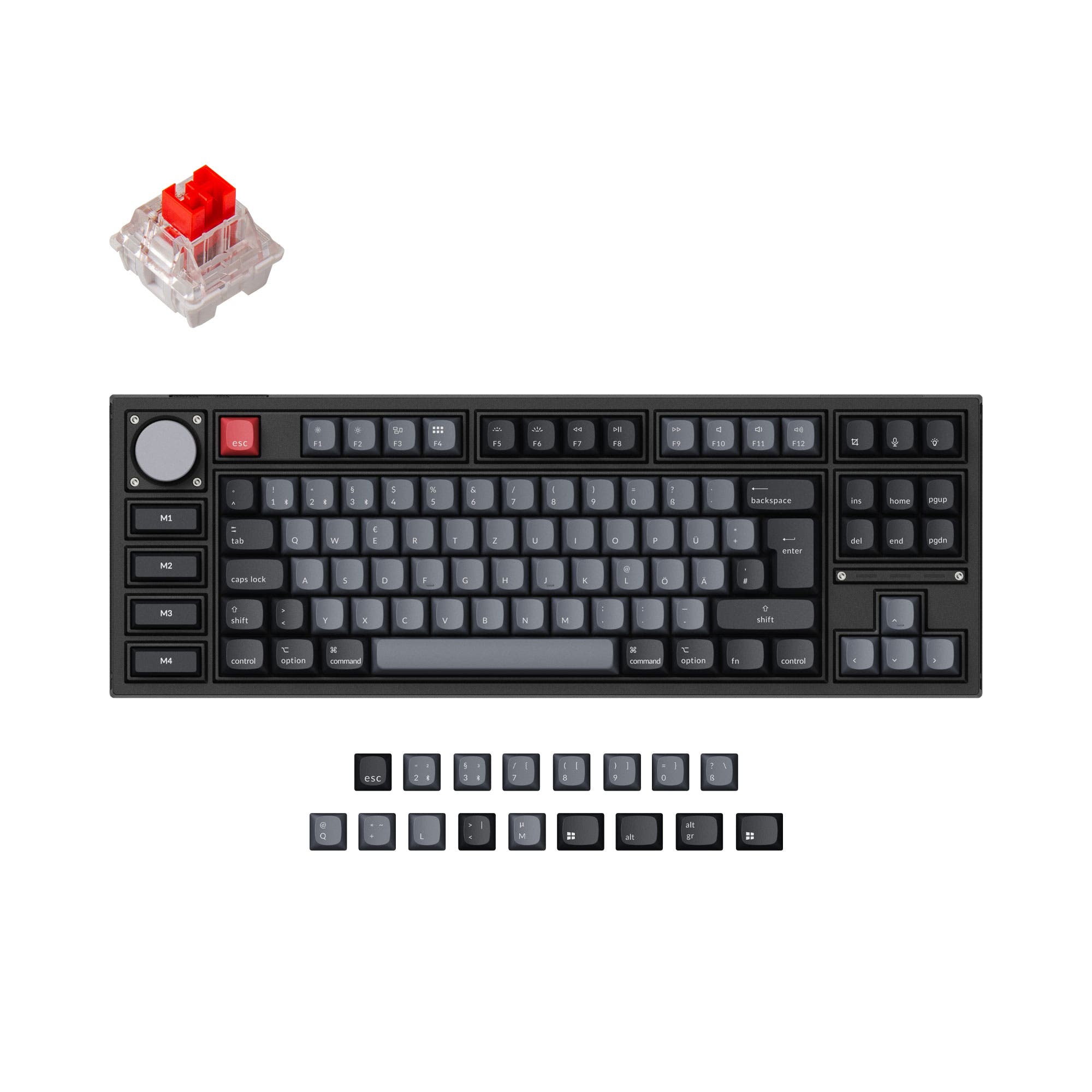
Choose the Glyph for its compact typewriter-style design and 8000mAh battery, or the GK87 Pro Spartan for its larger layout, aluminum case, and gasket mount.
KeebFinder may earn a commission when you buy through these links, at no extra cost to you.

3.9 · 20 reviews
from$139at Epomaker

No reviews
from$138at WhatGeek
Which one should you get?
Get the
Epomaker Glyph
Build quality in the bottom 45% of 75% boards under $150.
- Compact 75% ANSI layout with 83 keys and an 8000mAh battery.
- Top-mount design with five sound-dampening layers, including noise-absorbing foam and bottom silicone.
- TFT screen, rotary knob, and typewriter-style return lever that doubles as backspace.
- South-facing LEDs. Shine-through legends stay dark, and some sculpted keycaps can clip the LED.
- No numpad.
Get the
Skyloong GK87 Pro Spartan
- 87% ANSI layout with an aluminum case and gasket mount.
- Hot-swappable switches and knob module, with support for a customizable split-spacebar module.
- TFT screen, rotary knob, and Bluetooth, 2.4 GHz, and USB-C wired connectivity.
Choose the Epomaker Glyph if compactness, its 8000mAh battery, and its typewriter-style screen and controls are the priority. Choose the Skyloong GK87 Pro Spartan if you prefer an 87% layout, aluminum case, gasket mount, and modular knob and split-spacebar options. Both have hot-swappable switches and tri-mode connectivity, so the main decision is the Glyph’s compact feature set versus the GK87 Pro Spartan’s larger, more configurable layout.
The differences that matter
Skip the 40-row spec sheet. These are the specs that change how each board feels, sounds, and fits your desk.
Epomaker Glyph
Skyloong GK87 Pro Spartan
Layout size
75%
87%
Ergonomics
Standard
Split Spacebar
Case material
ABS
Aluminum
Mount style
Top Mount
Gasket Mount
Weight
1,178.8 g
1,200 g
Heavier boards stay planted and lighter ones travel
- Epomaker Glyph
- Skyloong GK87 Pro Spartan
- Performance
- 7778
- Build quality
- 6374
- Productivity
- 8485
- Customizability
- 7476
- Portability
- 9253
- Connection: Bluetooth, 2.4 GHz, Wired
- Hot-swappable
- Knob
- Display: TFT
- Sound dampening
- Keycaps: PBT
What will you mostly use it for?
The Glyph is the more travel-oriented option on layout and battery capacity, while the GK87 Pro Spartan provides more keys in its 87% format. The larger model also has the clearer edge for buyers who want an aluminum case or configurable split spacebar and knob modules. Gaming and programming are close calls because both offer tri-mode connectivity and hot-swapping. For content creation, the Glyph’s documented screen functions and media controls make its controls more clearly specified.
It's a tie
- Both support wired USB-C, 2.4 GHz wireless, Bluetooth, and N-key rollover.
- The Glyph has factory-lubed linear Wisteria V2 switches, while the GK87 Pro Spartan listing describes pre-lubed linear switch options.
Epomaker Glyph vs Skyloong GK87 Pro Spartan specs
Every tracked spec, side by side. Rows marked with a dot differ between the boards.
8 of 22 specs differ
Epomaker Glyph
Skyloong GK87 Pro Spartan
Switch options
Hot-swappable
Mount style
Sound dampening
Layout size
Layout standard
Ergonomics
Knob
Display
Connection
Battery
USB-C
Case material
Plate material
Keycaps
Weight
Dimensions
Typing angle
Backlight
N-key rollover
Mac & Windows
Released
Compare prices
Live prices from the stores we track, cheapest in-stock offer first.
Prices in USD are converted to your currency and can change at any time. KeebFinder may earn a commission when you buy through these links, at no extra cost to you.
Lowest price across stores, Amazon excluded.


- Check on Amazon
Amazon
Check price

Epomaker Glyph vs Skyloong GK87 Pro Spartan: your questions
The Glyph is a 75% keyboard with a typewriter-inspired design and an 8000mAh battery. The GK87 Pro Spartan uses an 87% layout with an aluminum case and gasket mount.
Neither listed layout includes a numpad: the Glyph is 75%, and the GK87 Pro Spartan is 87%. The Glyph’s compatibility notes explicitly identify the lack of a numpad.
The Glyph’s 75% layout is more compact than the GK87 Pro Spartan’s 87% layout. Their listed dimensions are 57 x 347 x 207 mm for the Glyph and 60 x 150 x 350 mm for the GK87 Pro Spartan.
Both support Bluetooth, 2.4 GHz wireless, and USB-C wired connectivity. Epomaker also lists an 8000mAh battery for the Glyph; a battery capacity is not listed for the GK87 Pro Spartan.
Yes, both keyboards are listed as hot-swappable. Epomaker specifies support for 3- and 5-pin switches on the Glyph, while the GK87 Pro Spartan vendor description also specifies 3- and 5-pin switches.
Both have a TFT screen and a knob. Epomaker describes the Glyph screen as showing status, time, and RGB control, with support for custom GIFs; its knob switches between media control and screen navigation.
The Glyph uses a top-mount structure with a five-layer sound-dampening stack. The GK87 Pro Spartan uses a shallow gasket structure with an all-in-one silicone pad and bottom foam.
The Glyph uses south-facing LEDs, and its compatibility notes warn that shine-through legends stay dark and some sculpted keycaps can clip the LEDs. No corresponding keycap compatibility rule is listed for the GK87 Pro Spartan.
Yes, its vendor description says it includes a split-spacebar module with 2.75U, 2.25U, and 1.25U sections. The Glyph’s listed features do not include a split-spacebar module.
The GK87 Pro Spartan is listed at 1200g, while the Glyph is listed at 1178.8g. The Glyph also has a stated 8000mAh battery, while the GK87 Pro Spartan listing gives no battery capacity.
Both product metadata listings specify Mac/Win support. The Glyph vendor description also names Android and iOS connectivity, while the GK87 Pro Spartan vendor description specifies Bluetooth, 2.4 GHz, and USB-C connections.
Both list N-key rollover and wired, 2.4 GHz, and Bluetooth connectivity, so those features do not clearly separate them for gaming. The Glyph comes with factory-lubed linear Wisteria V2 switches, while the GK87 Pro Spartan has listed linear switch options.
Not sold on either?


Still torn?
Answer a few quick questions and the keyboard finder ranks 2,000+ boards by how you will actually use yours.