Evoworks Evo80 vs Meletrix Zoom DYNA
Choose the Meletrix Zoom DYNA for its 8K wired polling and ISO option, or the Evo80 if you want a pre-built keyboard with included keycaps and a carrying case.
KeebFinder may earn a commission when you buy through these links, at no extra cost to you.

4.9 (60)4.9 · 60 reviews
from$169at Divinikey

No reviews
from$220at Meletrix
Which one should you get?
Get the
Evoworks Evo80
Build quality in the top 15% of 80% boards under $200.
- Pre-built, with switches and dye-sub PBT keycaps listed among the included items.
- Three connection options: USB-C wired, Bluetooth, and 2.4 GHz.
- Vendor lists five Poron foam layers plus a double-layer cotton bottom foam.
- South-facing LEDs. Shine-through legends stay dark, and some sculpted keycaps can clip the LED.
- No ISO layout. ISO-DE, UK, and other ISO variants are not offered.
Get the
Meletrix Zoom DYNA
Hall effect
Build quality in the top 15% of 80% boards under $300.
- Up to 8000 Hz polling over a wired connection and 4000 Hz over 2.4 GHz, according to the vendor.
- Supports ANSI and ISO layouts.
- Four mounting options, two PCB options, and three sound absorption options are listed by the vendor.
- Magnetic switches only. Standard MX switches will not fit.
- South-facing LEDs. Shine-through legends stay dark, and some sculpted keycaps can clip the LED.
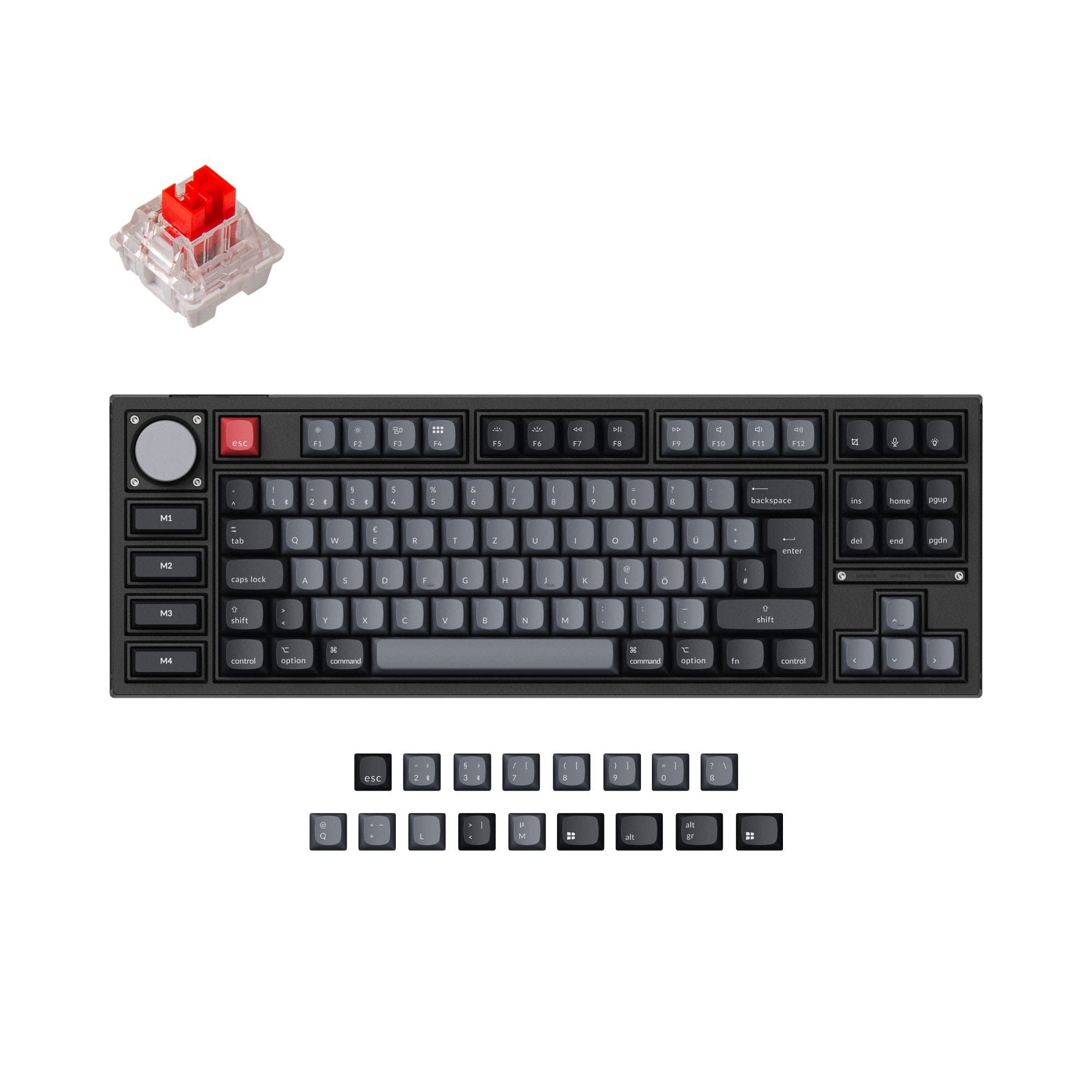
Choose the Zoom DYNA if high polling, ISO support, an OLED screen, and a configurable DIY build are priorities, and you are prepared to assemble it and supply switches and keycaps. Choose the Evo80 if you want a pre-built TKL with PBT keycaps, switches, and a carrying case included. Both offer Bluetooth, 2.4 GHz, USB-C, and VIA support, so the main decision is the DYNA's expanded feature set versus the Evo80's more complete package.
The differences that matter
Skip the 40-row spec sheet. These are the specs that change how each board feels, sounds, and fits your desk.
Evoworks Evo80
Meletrix Zoom DYNA
Hall effect (magnetic)
No
Yes
Adjustable actuation helps in games and not in normal typing
Max polling rate
1,000 Hz
8,000 Hz
Higher polling helps competitive FPS and does nothing for typing
Case material
Aluminum, Copper
Aluminum, Polycarbonate
Switch options
Linear
Clicky, Linear, Magnetic
Mount style
Plate Mount
Plate Mount, Top Mount
- Evoworks Evo80
- Meletrix Zoom DYNA
- Performance
- 7793
- Build quality
- 8080
- Productivity
- 8393
- Customizability
- 8283
- Portability
- 8788
- Layout size: 80%
- Connection: Bluetooth, 2.4 GHz, Wired
- Hot-swappable
- Battery: 8,000 mAh
- VIA
- Sound dampening
What will you mostly use it for?
The Zoom DYNA takes the lead for gaming, programming, modding, and content creation, mainly through its higher polling rate, ISO availability, and configurable kit features. The Evo80 is the more straightforward office and travel choice because it comes assembled with keycaps and switches, and its vendor lists a carrying case. Both provide wireless connectivity and VIA support, so the core distinction is how much setup and customization you want. The DYNA's extra features come with the need to supply switches and keycaps and assemble the board.
Pick the Meletrix Zoom DYNA
- The Zoom DYNA lists 8000 Hz polling, compared with 1000 Hz for the Evo80.
- The DYNA supports wired and 2.4 GHz connections, with vendor-listed polling rates of 8K wired and 4K over 2.4 GHz.
- The DYNA has Hall Effect and magnetic switch support, while its compatibility rule excludes standard MX switches.
Evoworks Evo80 vs Meletrix Zoom DYNA specs
Every tracked spec, side by side. Rows marked with a dot differ between the boards.
12 of 26 specs differ
Evoworks Evo80
Meletrix Zoom DYNA
Switch options
Hall effect (magnetic)
Hot-swappable
Mount style
Sound dampening
Screw-in stabilizers
Layout size
Layout standard
Ergonomics
Knob
Display
Connection
Max polling rate
Battery
USB-C
Case material
Plate material
Keycaps
Weight
Dimensions
Typing angle
Backlight
VIA
N-key rollover
Mac & Windows
Released
ISO layouts by store
Which stores sell ISO-DE, UK, and the other regional layouts.
Evoworks Evo80
No ISO layout at the stores we track.
Meletrix Zoom DYNA
Listed on the product, not split by store: ISO.
Compare prices
Live prices from the stores we track, cheapest in-stock offer first.
Prices in USD are converted to your currency and can change at any time. KeebFinder may earn a commission when you buy through these links, at no extra cost to you.
Lowest price across stores, Amazon excluded.




Evoworks Evo80 vs Meletrix Zoom DYNA: your questions
The Meletrix Zoom DYNA lists 8000 Hz polling over wired connection and 4000 Hz over 2.4 GHz. The Evoworks Evo80 lists 1000 Hz in wired and 2.4 GHz modes.
No, the vendor describes the Zoom DYNA as a barebones DIY kit that requires assembly. It does not include switches or keycaps, so those need to be obtained separately.
Yes, the Evo80 vendor listing says each assembled keyboard includes switches with spares and a set of keycaps. It specifies dye-sub PBT keycaps.
Yes, the Zoom DYNA supports ANSI and ISO layouts. The Evo80 is ANSI-only, so buyers who need an ISO layout should consider the DYNA.
No, the Zoom DYNA compatibility rule says it accepts magnetic switches only and standard MX switches will not fit. The product metadata also lists Hall Effect support.
The Evo80 is lighter at 1870 g, compared with the Zoom DYNA at 2000 g. Its vendor listing also includes a carrying case, while no carrying case is listed for the DYNA.
Yes, both list Bluetooth, 2.4 GHz, and wired USB-C connectivity. The Zoom DYNA vendor identifies its Bluetooth connection as Bluetooth 5.4.
The Zoom DYNA vendor lists four mounting systems and three sound absorption options, including Poron foam and a cork sandwich. The Evo80 vendor describes a butterfly leaf spring mechanism, a gasket, and multiple foam layers.
Yes, both product listings include VIA support. Both also list hot-swappable switches and N-key rollover.
The Zoom DYNA is listed with an OLED screen and knob support. The vendor also describes a modular design that allows the screen and knob to be adjusted.
Both have south-facing LEDs, and both compatibility notes warn that shine-through legends stay dark. The notes also caution that some sculpted keycaps can clip the LEDs.
Not sold on either?




Still torn?
Answer a few quick questions and the keyboard finder ranks 2,000+ boards by how you will actually use yours.