Filco Majestouch Luce60 vs Majestouch TKSPCompact Hotswap vs Split Numpad Combo
Choose the Luce60 for a compact, mod-friendly build with RGB, or the TKSP for a versatile, low-profile layout with a detachable numpad.
KeebFinder may earn a commission when you buy through these links, at no extra cost to you.


Which one should you get?
Get the
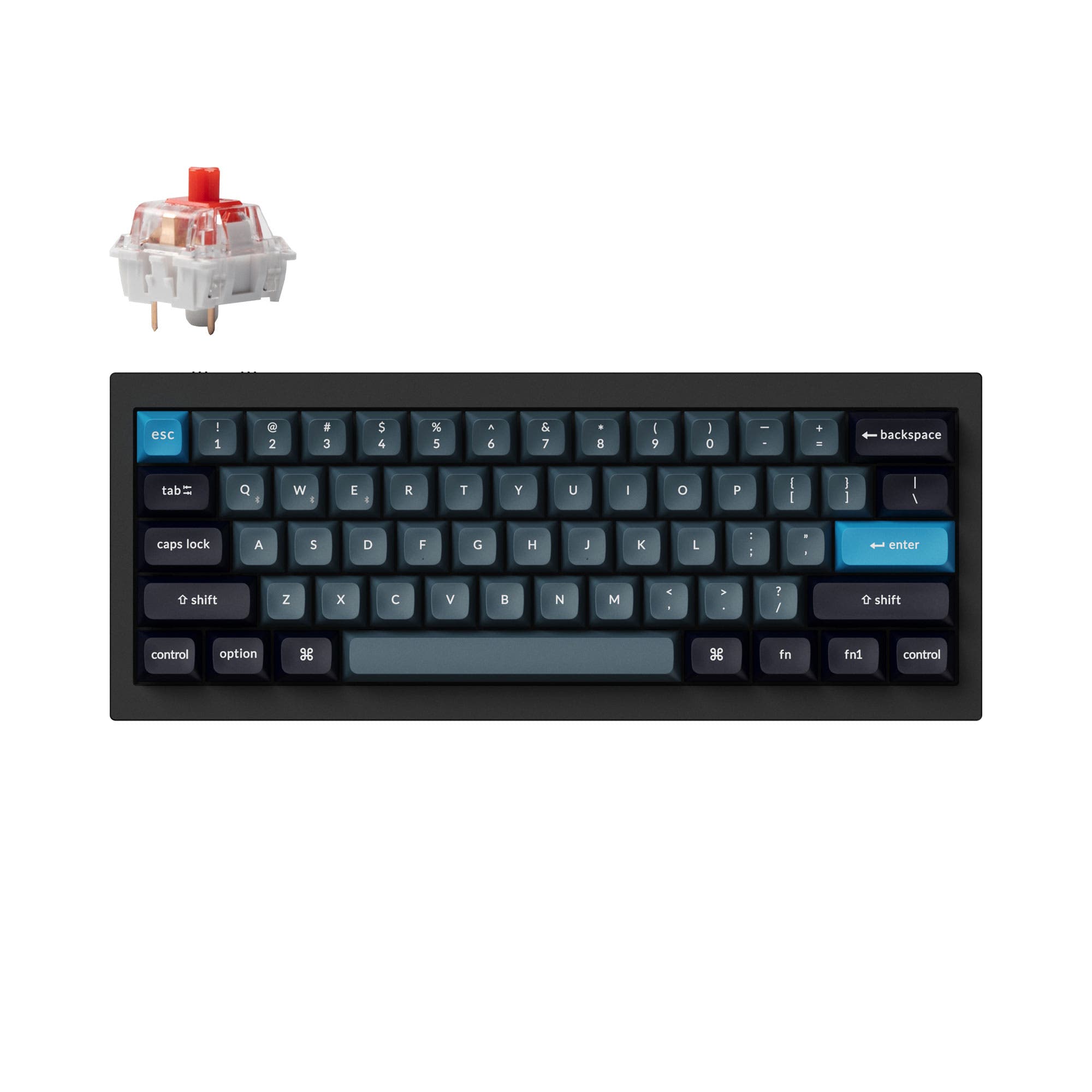
Filco Majestouch Luce60
Compact Hotswap
Build quality in the top 40% of 60% boards under $150.
- Hot-swappable PCB allows for easy switch customization.
- Includes a sound-absorbing silicone sheet for dampened acoustics.
- North-facing RGB backlighting with programmable profiles via Luce Assist software.
- North-facing LEDs. Cherry-profile keycaps can hit the switch housing.
- Compact layout only. No function row, dedicated arrow keys, or numpad.
Get the
Filco Majestouch TKSP
Split Numpad Combo
- Unique split, low-profile design with a detachable numpad for layout flexibility.
- Comes with PBT double-shot keycaps for better long-term durability.
- Includes dedicated multimedia keys for convenient media control.
- Magnetic switches only. Standard MX switches will not fit.
- Low-profile switches and keycaps only. Standard MX keycaps will not fit.
- South-facing LEDs. Shine-through legends stay dark, and some sculpted keycaps can clip the LED.
Your choice depends on your core need for customization versus layout. Pick the Filco Majestouch Luce60 if you want a modern, compact keyboard that's easy to modify with hotswap switches, RGB, and sound dampening. Choose the Filco Majestouch TKSP if you prefer a versatile, ergonomic split layout with a numpad, durable PBT keycaps, and a wider pre-selected switch choice, and you don't plan on modifying the switches.
The differences that matter
Skip the 40-row spec sheet. These are the specs that change how each board feels, sounds, and fits your desk.
Filco Majestouch Luce60
Filco Majestouch TKSP
Hall effect (magnetic)
No
Yes
Adjustable actuation helps in games and not in normal typing
Hot-swappable
Yes
No
Switch changes without soldering
Low profile
No
Yes
Ergonomics
Standard
Split
Switch options
Linear
Clicky, Linear, Silent, Tactile
- Filco Majestouch Luce60
- Filco Majestouch TKSP
- Performance
- 7167
- Build quality
- 6345
- Productivity
- 5659
- Customizability
- 5749
- Portability
- 7068
- Connection: Wired
- Mount style: Plate Mount
- Plate material: Aluminum
What will you mostly use it for?
The Luce60 wins for gaming, travel, and modding due to its compact hotswap design, RGB, and specified polling rate. The TKSP is better suited for office work and programming, thanks to its ergonomic split layout, included numpad, and durable PBT keycaps. For content creation, it's a tie, with each offering different useful features like programmable macros or dedicated media keys.
Pick the Filco Majestouch Luce60
- The Luce60 has a specified 1000Hz polling rate for lower latency.
- Its 60% size frees up more desk space for mouse movement.
- North-facing RGB backlighting is included for visual customization.
Filco Majestouch Luce60 vs Majestouch TKSP specs
Every tracked spec, side by side. Rows marked with a dot differ between the boards.
11 of 21 specs differ
Filco Majestouch Luce60
Filco Majestouch TKSP
Switch options
Hall effect (magnetic)
Hot-swappable
Mount style
Low profile
Sound dampening
Layout size
Layout standard
Ergonomics
Display
Media keys
Connection
Max polling rate
USB-C
Case material
Plate material
Keycaps
Backlight
N-key rollover
Mac & Windows
Released
Compare prices
Live prices from the stores we track, cheapest in-stock offer first.
Prices in USD are converted to your currency and can change at any time. KeebFinder may earn a commission when you buy through these links, at no extra cost to you.
Lowest price across stores, Amazon excluded.
- Check on Amazon
Amazon
Check price


Filco Majestouch Luce60 vs Majestouch TKSP: your questions
The Filco Majestouch Luce60 is hot-swappable, allowing you to change MX-compatible switches without soldering. The Filco Majestouch TKSP is not hot-swappable and has a soldered PCB.
Yes, the Filco Majestouch TKSP combo includes a separate Majestouch 2 numpad. You can connect it to use as a full-size layout or remove it to save space, as the main unit is a Tenkeyless (TKL) keyboard.
The Filco Majestouch Luce60 has north-facing RGB backlighting that is programmable through the Luce Assist software. The Filco Majestouch TKSP has no backlighting according to its vendor listing.
The Luce60 uses ABS keycaps. The TKSP uses PBT double-shot keycaps, which are generally more resistant to wear and shine over time compared to ABS.
No, both the Filco Majestouch Luce60 and the Filco Majestouch TKSP are wired-only keyboards. They do not have Bluetooth or wireless connectivity.
The Filco Majestouch TKSP is designed with ergonomics in mind, featuring a split layout and a low-profile design. The Luce60 has a standard, non-split 60% form factor.
The Luce60 can be programmed using the Filco Luce Assist software to create macros and remap keys across 10 profiles. The vendor description for the TKSP does not mention any software or reprogramming capabilities.
The Luce60 metadata lists it with linear switches. The TKSP offers a broader pre-built selection, including Cherry MX linear, tactile, clicky, and silent switches according to its metadata.
The Luce60 uses a detachable USB-C cable. The main TKL section of the TKSP has a non-detachable cable, though its separate numpad uses a Micro USB connection.
Yes, the Filco Luce60 includes a sound-absorbing silicone sheet sandwiched between the PCB and the aluminum top plate. The TKSP product description does not mention any integrated sound-dampening materials.
The Filco Luce60 is significantly more portable due to its 60% size (61 keys) and detachable USB-C cable. The TKSP is a larger combo with a TKL board and a separate numpad.
The Filco TKSP listing explicitly states Mac compatibility. The Luce60 listing confirms Windows compatibility, but a user review mentions successfully configuring it on a Mac using workaround software.
Not sold on either?




Still torn?
Answer a few quick questions and the keyboard finder ranks 2,000+ boards by how you will actually use yours.