Nuphy Gem80 vs Keychron Q65 Max80% vs 65% Layout Choice
Choose based on whether you need the dedicated function row and arrow keys of an 80% layout or the extreme compactness of a 65% board.
KeebFinder may earn a commission when you buy through these links, at no extra cost to you.


Which one should you get?
Get the
Nuphy Gem80
80%
Build quality in the top 10% of 80% boards under $200.
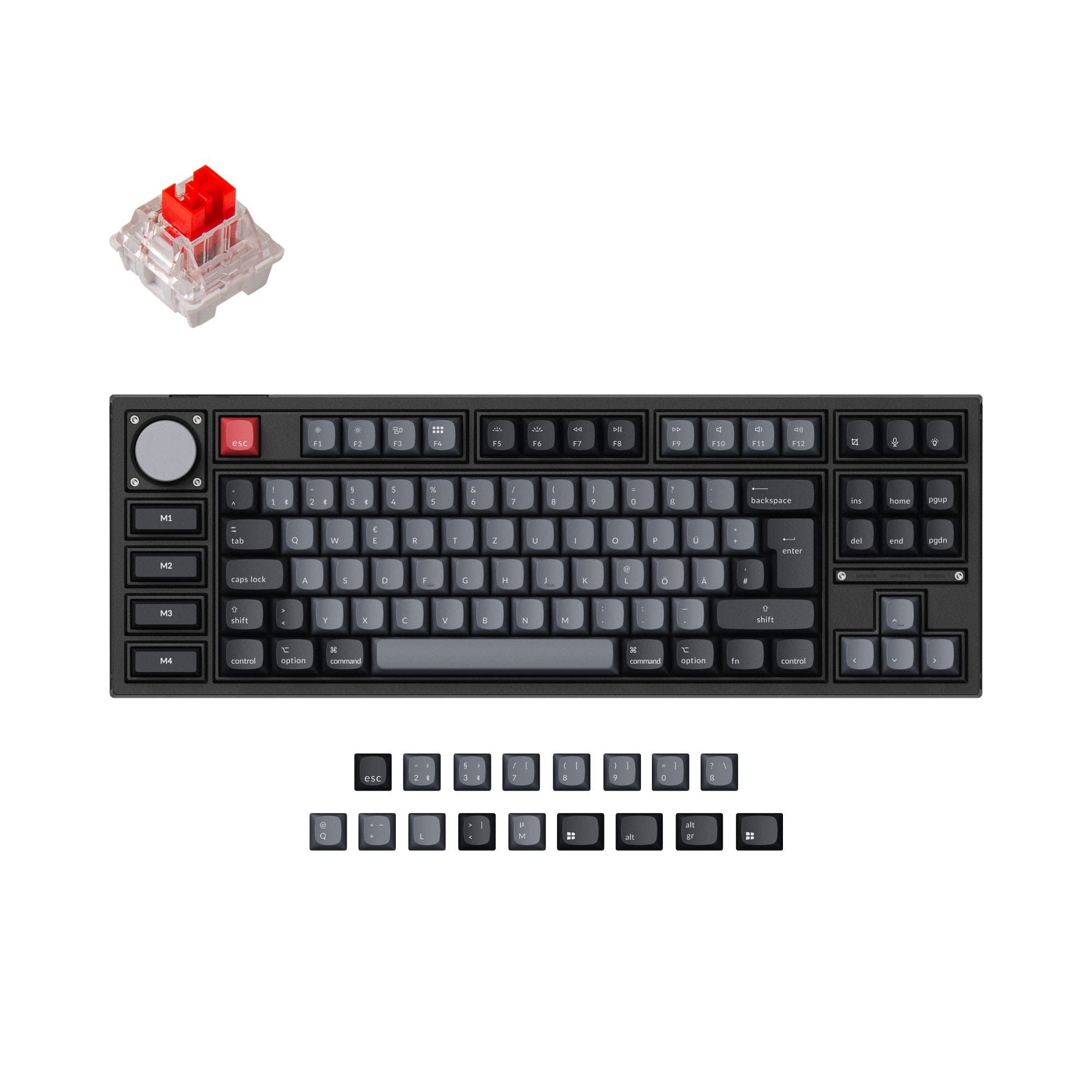
- Offers an 80% TKL layout with dedicated arrow and function keys.
- Features an innovative 'omni-mount' system for switching between gasket, top, and bottom mount styles.
- Lighter weight (1120g) and includes a polycarbonate bottom case for wireless signal propagation.
- South-facing LEDs. Shine-through legends stay dark, and some sculpted keycaps can clip the LED.
- No numpad.
Get the
Keychron Q65 Max
65% Layout Choice
Build quality in the top 10% of 65% boards under $300.
- Extremely compact 65% layout saves considerable desk space.
- Includes a programmable aluminum knob for macros and media control.
- Built with screw-in PCB stabilizers for improved tuning and stability.
- South-facing LEDs. Shine-through legends stay dark, and some sculpted keycaps can clip the LED.
- No ISO layout. ISO-DE, UK, and other ISO variants are not offered.
- 65% layout. No function row and no numpad.
Your primary need dictates the choice. If you cannot work without dedicated arrow and function keys, the Nuphy Gem80's 80% layout is the clear pick. If maximizing desk space is critical and you value the utility of a programmable knob, the Keychron Q65 Max's 65% form factor is compelling. Both are excellent foundations for customization, so also consider whether you prefer buying a complete board or enjoy selecting every component from scratch.
The differences that matter
Skip the 40-row spec sheet. These are the specs that change how each board feels, sounds, and fits your desk.
Nuphy Gem80
Keychron Q65 Max
Layout size
80%
65%
Case material
Aluminum, Polycarbonate
Aluminum
Switch options
Mechanical
Clicky, Linear, Tactile
Knob
No
Yes
Weight
1,120 g
2,420 g
Heavier boards stay planted and lighter ones travel
- Nuphy Gem80
- Keychron Q65 Max
- Performance
- 7978
- Build quality
- 8486
- Productivity
- 8893
- Customizability
- 9495
- Portability
- 7689
- Connection: Bluetooth, 2.4 GHz, Wired
- Hot-swappable
- Battery: 4,000 mAh
- Max polling rate: 1,000 Hz
- Mount style: Gasket Mount
- QMK
What will you mostly use it for?
The Nuphy Gem80 is the more versatile choice for productivity-focused tasks like office work, programming, and gaming due to its full TKL layout. The Keychron Q65 Max wins for travel and content creation, leveraging its smaller size and included programmable knob. For modding enthusiasts, both are exceptionally capable, offering different paths for customization, from mount styles to premium stabilizers.
Pick the Nuphy Gem80
- The 80% layout retains dedicated function keys often used for in-game macros or communication.
- It is significantly lighter at 1120g, making it easier to reposition on a desk.
- Both offer a 1000Hz polling rate in wireless 2.4GHz and wired modes.
Nuphy Gem80 vs Keychron Q65 Max specs
Every tracked spec, side by side. Rows marked with a dot differ between the boards.
13 of 27 specs differ
Nuphy Gem80
Keychron Q65 Max
Switch options
Hot-swappable
Mount style
Sound dampening
Screw-in stabilizers
Layout size
Layout standard
Ergonomics
Knob
Display
Media keys
Connection
Max polling rate
Battery
USB-C
Case material
Plate material
Keycaps
Weight
Dimensions
Typing angle
Backlight
QMK
VIA
N-key rollover
Mac & Windows
Released
ISO layouts by store
Which stores sell ISO-DE, UK, and the other regional layouts.
Nuphy Gem80
Input Gear
ISO-DE
Out of stockShips to you
Keychron Q65 Max
No ISO layout at the stores we track.
Compare prices
Live prices from the stores we track, cheapest in-stock offer first.
Prices in USD are converted to your currency and can change at any time. KeebFinder may earn a commission when you buy through these links, at no extra cost to you.
Lowest price across stores, Amazon excluded.





Nuphy Gem80 vs Keychron Q65 Max: your questions
The core difference is the layout size. The Nuphy Gem80 is an 80% (TKL) keyboard with 88 keys, including a function row and dedicated arrow keys. The Keychron Q65 Max is a 65% keyboard, which omits the function row and navigation cluster to achieve a much smaller footprint, requiring the use of layers for those keys.
Both keyboards offer a 1000Hz polling rate in their 2.4GHz wireless and wired modes, which is suitable for gaming. The Gem80 may have a slight edge for games that use function keys for macros, as they are directly accessible. Its lighter weight also makes it easier to move on a desk mat.
The Keychron Q65 Max is available in a 'Fully Assembled' version that includes Gateron Jupiter switches and KSA PBT keycaps. According to its product page, the Nuphy Gem80 is only sold as a 'barebone kit,' meaning you must purchase switches and keycaps separately.
Yes, both the Nuphy Gem80 and Keychron Q65 Max support the open-source QMK and VIA firmware. This allows for extensive key remapping, macro creation, and layer customization directly through a graphical interface or code.
The Keychron Q65 Max has a significantly smaller physical footprint (121mm x 363mm vs 141mm x 358mm), making it easier to fit in a bag. However, it is more than twice as heavy (2420g vs 1120g), which is a major trade-off for actual travel comfort.
The Keychron Q65 Max uses screw-in PCB stabilizers, which are generally considered more stable and easier to tune. The Nuphy Gem80 uses plate-mounted stabilizers, according to its technical specifications.
Only the Keychron Q65 Max includes a programmable aluminum rotary encoder (knob). The Nuphy Gem80 does not have a knob, based on the provided features and specifications.
According to Nuphy's description, the 'omni-mount' is a design that allows the user to change the keyboard's mounting style. With the included gasket and mount kit, users can configure the Gem80 as a gasket mount, top mount, or bottom mount keyboard to alter the typing feel and sound.
Both keyboards have a 4000mAh battery. Keychron's specs state up to 180 hours with backlight off and up to 100 hours at the lowest RGB brightness. Nuphy's lab tests show up to 330 hours with lights off and 24-45 hours with all lights on.
Yes, both the Nuphy Gem80 and Keychron Q65 Max list compatibility with macOS and Windows systems. The Keychron Q65 Max includes an extra set of keycaps for Mac, and the Gem80's vendor page mentions a system switch for toggling between modes.
Both are excellent platforms. The Gem80 emphasizes its six pre-installed sound mods and the ability to change mounting styles. The Q65 Max highlights its double gasket design with additional silicone pads and a combination of IXPE, PET, and latex foams. The best choice depends on whether you want to experiment with mount styles or prefer a foaming-focused approach.
Not sold on either?



Still torn?
Answer a few quick questions and the keyboard finder ranks 2,000+ boards by how you will actually use yours.