Nuphy Gem80 vs WOBKEY Crush 80 Reboot ProCustomization vs Battery
Choose the Nuphy Gem80 for deep hardware customization, or the WOBKEY Crush 80 for a long-lasting, pre-built wireless experience.


Which one should you get?
Get the
Nuphy Gem80
Customization
- Extensive customization with barebones kit, omni-mount system, and multiple optional plates (FR4, PC, POM, aluminum).
- Superior firmware support with both QMK and VIA compatibility for deep key remapping.
- Specified 1000Hz polling rate on wired and 2.4GHz wireless for responsive performance.
- Sold primarily as a barebones kit, requiring separate purchase of switches and keycaps for a complete keyboard.
- Smaller 4000mAh battery compared to the competition.
- Heavier focus on DIY assembly may be a barrier for users seeking a ready-to-use product.
Get the
WOBKEY Crush 80 Reboot Pro
Battery
- Massive 7500mAh battery promises significantly longer wireless operation.
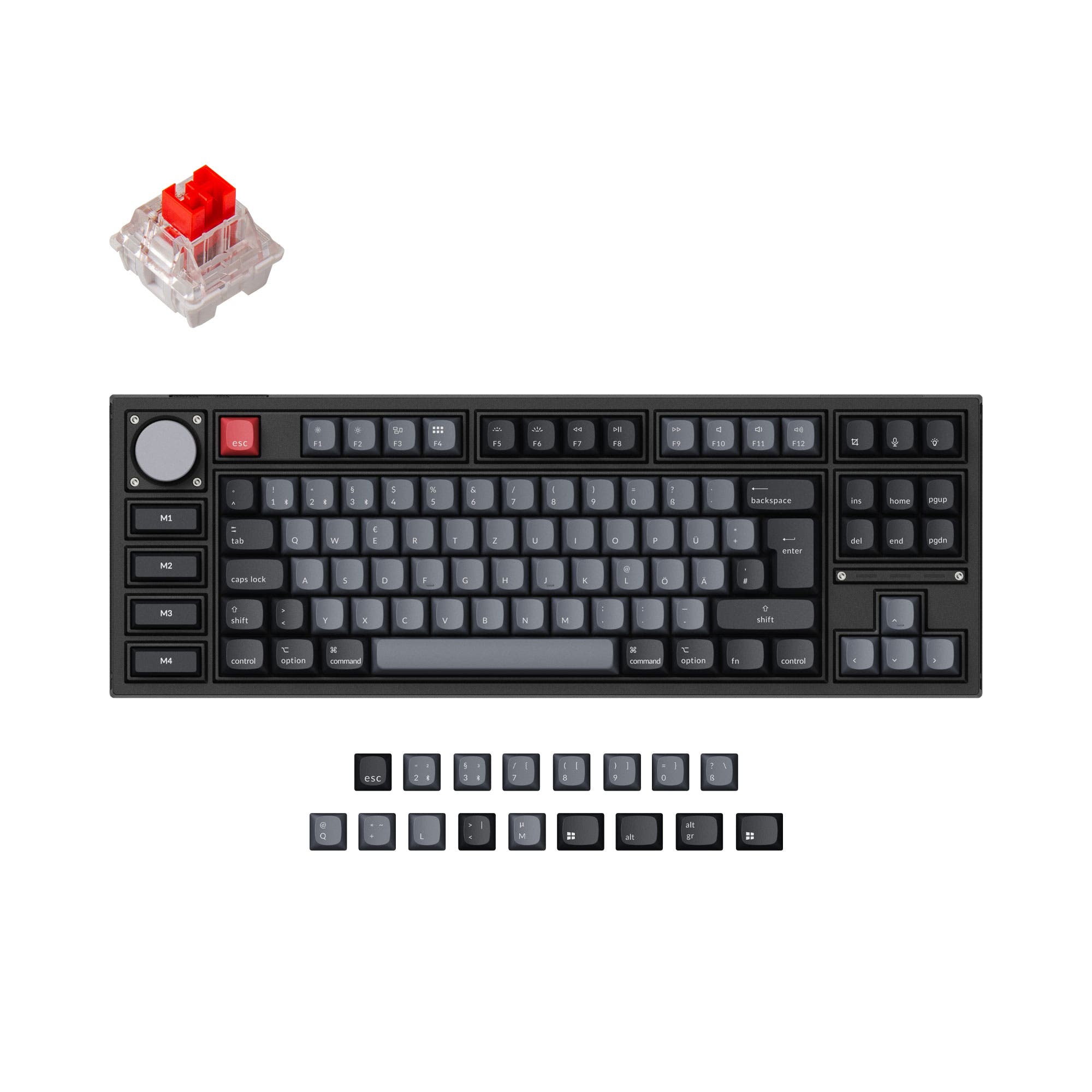
- Comes fully pre-built with dye-sub PBT keycaps and Kailh Cocoa switches installed.
- Includes a custom carrying case and features a toolless, ball-catch quick release case design.
- Lacks QMK firmware support, offering only VIA for customization.
- Uses a plate mount design, which typically offers less typing flex than a gasket mount.
- No user review score is available from the aggregated metadata, making community feedback less established.
Your priority should dictate the choice. If you enjoy building, tweaking sound, and demand maximum firmware control with QMK, the Nuphy Gem80 is the more capable platform. If you want a complete, long-lasting wireless keyboard ready to use out of the box with convenient travel features, the WOBKEY Crush 80 Reboot Pro is the more practical option. Both are competent tri-mode keyboards, but they serve different segments of the enthusiast market.
The differences that matter
Skip the 40-row spec sheet. These are the specs that change how each board feels, sounds, and fits your desk.
Nuphy Gem80
WOBKEY Crush 80 Reboot Pro
Battery
4,000 mAh
7,500 mAh
Ergonomics
Standard
Split Spacebar
Case material
Aluminum, Polycarbonate
Aluminum
Mount style
Gasket Mount
Plate Mount
Weight
1,120 g
1,500 g
- Nuphy Gem80
- WOBKEY Crush 80 Reboot Pro
- Performance
- 8078
- Build quality
- 8477
- Productivity
- 8891
- Customizability
- 9479
- Portability
- 7687
- Layout size: 80%
- Connection: Bluetooth, 2.4 GHz, Wired
- Hot-swappable
- VIA
- Sound dampening
What will you mostly use it for?
The Nuphy Gem80 is the clear choice for modders and programmers due to its barebones nature, QMK support, and hardware flexibility. For office work and travel, the WOBKEY Crush 80 Reboot Pro takes the lead with its massive battery, included carrying case, and pre-built convenience. Gamers may prefer the Gem80 for its specified high polling rate, while content creators have a balanced choice depending on whether they value deep customization or out-of-the-box readiness.
Pick the Nuphy Gem80
- The Gem80 specifies a 1000Hz polling rate for both wired and 2.4GHz wireless connections.
- Its vendor description highlights a Nordic wireless chip and STM32 MCU for minimized latency.
- It offers linear switch options like the Raspberry, which Nuphy states is designed for gamers.
Nuphy Gem80 vs WOBKEY Crush 80 Reboot Pro specs
Every tracked spec, side by side. Rows marked with a dot differ between the boards.
13 of 26 specs differ
Nuphy Gem80
WOBKEY Crush 80 Reboot Pro
Switch options
Hot-swappable
Mount style
Sound dampening
Screw-in stabilizers
Layout size
Layout standard
Ergonomics
Display
Media keys
Connection
Max polling rate
Battery
USB-C
Case material
Plate material
Keycaps
Weight
Dimensions
Typing angle
Backlight
QMK
VIA
N-key rollover
Mac & Windows
Released
Compare prices
Live prices from the stores we track, cheapest in-stock offer first.
Lowest price across stores, Amazon excluded.





Prices in USD are converted to your currency and can change at any time. KeebFinder may earn a commission when you buy through these links, at no extra cost to you.
Nuphy Gem80 vs WOBKEY Crush 80 Reboot Pro: your questions
The WOBKEY Crush 80 Reboot Pro has a larger 7500mAh battery, while the Nuphy Gem80 has a 4000mAh battery. Based on capacity alone, the Crush 80 should offer significantly longer wireless usage between charges.
No. The vendor description for the WOBKEY Crush 80 Reboot Pro only lists VIA support for programming. The Nuphy Gem80 supports both QMK and VIA firmware, which offers deeper, more advanced customization options.
No, the Nuphy Gem80 is primarily sold as a barebones kit. According to its vendor page, the kit includes the assembled PCB, sound mods, and stabilizers, but you must separately add your own switches and keycaps to complete it.
The omni-mount is a system that allows users to change the keyboard's mounting style. Nuphy states it lets you configure the Gem80 for top mount, gasket mount, or bottom mount feel and sound by using different included gasket and mount kits.
The Nuphy Gem80 lists a 1000Hz polling rate for its 2.4GHz wireless mode, which is a spec associated with low latency. Its vendor description also emphasizes a Nordic wireless chip and latency optimization. The WOBKEY Crush 80's wireless polling rate is not specified in the provided information.
Yes. The vendor description for the WOBKEY Crush 80 Reboot Pro explicitly states that it comes with a custom carrying case, which is a notable inclusion not mentioned for the Gem80.
The Nuphy Gem80 supports ANSI, ISO-DE, and ISO layouts according to its metadata. The WOBKEY Crush 80 Reboot Pro's metadata lists only ANSI, but its vendor description notes the PCB layout supports split spacebar and ISO layouts.
The Nuphy Gem80 uses plate-mounted stabilizers. The WOBKEY Crush 80 Reboot Pro includes WOB custom stabilizers, and its vendor description specifies they are screw-in stabilizers, which are generally preferred for modding.
The WOBKEY Crush 80 Reboot Pro is heavier at 1500 grams. The Nuphy Gem80 weighs 1120 grams. The Crush 80's greater weight is likely due to its all-aluminum case and larger battery.
The WOBKEY Crush 80 Reboot Pro comes with dye-sublimated, double-shot PBT keycaps pre-installed. PBT is a durable plastic known for resisting shine, and dye-sub printing is long-lasting, indicating a good quality stock set.
This is a case design feature mentioned in the vendor description. It allows for the top and bottom halves of the aluminum case to be separated and reassembled quickly without using any tools, which can be convenient for maintenance or modding.
Not sold on either?



Still torn?
Answer a few quick questions and the keyboard finder ranks 2,000+ boards by how you will actually use yours.