Realforce hololive GX1 Shishiro Botan vs MMkeyboard MM Class65 V2RGB or hot-swap
Choose the GX1 for Topre switches, adjustable actuation, and RGB; choose the MM Class65 V2 for hot-swap flexibility and a more compact layout.
KeebFinder may earn a commission when you buy through these links, at no extra cost to you.

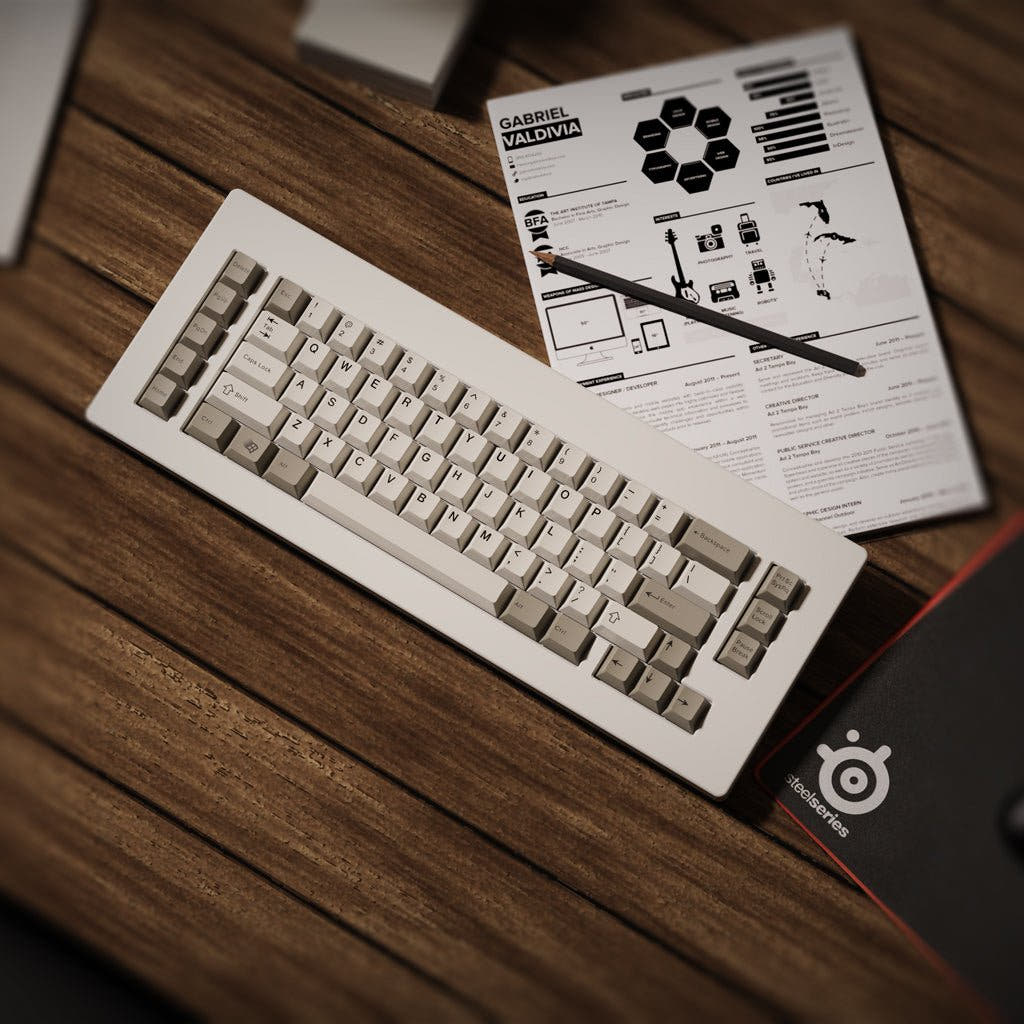
Which one should you get?
Get the
Realforce hololive GX1 Shishiro Botan
Build quality in the bottom 30% of 80% boards at any price.
- Topre 45g tactile capacitive switches.
- Dual APC provides 30 actuation-point levels between 0.1mm and 3.0mm.
- RGB backlighting, full N-key rollover, and a kill switch function.
- Switches are soldered. Swapping them means soldering.
- No numpad.
Get the
MMkeyboard MM Class65 V2
Hot-swappable
Build quality in the bottom 35% of 65% boards at any price.
- Hot-swappable switches.
- 6063 aluminum case with an internal brass weight.
- Vendor lists QMK support and VIA .json import.
- 65% layout. No function row and no numpad.
Pick the Realforce hololive GX1 Shishiro Botan if Topre switches, adjustable actuation, RGB, and a TKL layout match your priorities. Choose the MMkeyboard MM Class65 V2 if hot-swapping, a smaller layout, and the vendor-listed QMK and VIA support matter more. The main trade-off is the GX1's gaming-focused feature set versus the Class65 V2's customization flexibility.
The differences that matter
Skip the 40-row spec sheet. These are the specs that change how each board feels, sounds, and fits your desk.
Realforce hololive GX1 Shishiro Botan
MMkeyboard MM Class65 V2
Layout size
80%
65%
Hot-swappable
No
Yes
Switch changes without soldering
Case material
Plastic, Steel
Aluminum
Plate material
Aluminum
POM
Backlight
RGB
None
RGB for looks and low light rather than speed
- Realforce hololive GX1 Shishiro Botan
- MMkeyboard MM Class65 V2
- Performance
- 7549
- Build quality
- 5055
- Productivity
- 5253
- Customizability
- 4849
- Portability
- 5273
- Connection: Wired
- Layout standard: ANSI, ISO
- Keycaps: PBT
What will you mostly use it for?
The GX1 has the clearer gaming and content-creation feature set, particularly for buyers who want adjustable actuation, a kill switch function, or RGB. For programming, its TKL layout retains a function row, while the Class65 V2 is the more compact choice and has vendor-listed QMK and VIA support. The Class65 V2 is the stronger fit for switch swapping and keyboard customization. Both have plausible office appeal, with the choice mainly coming down to layout and feature preference.
Pick the Realforce hololive GX1 Shishiro Botan
- The GX1 has Topre 45g tactile capacitive switches and full N-key rollover.
- Its Dual APC adjusts the actuation point across 30 levels, and it includes a kill switch function.
- RGB backlighting is listed for the GX1, while the MM Class65 V2 has no RGB.
Realforce hololive GX1 Shishiro Botan vs MMkeyboard MM Class65 V2 specs
Every tracked spec, side by side. Rows marked with a dot differ between the boards.
7 of 17 specs differ
Realforce hololive GX1 Shishiro Botan
MMkeyboard MM Class65 V2
Hot-swappable
Mount style
Layout size
Layout standard
Ergonomics
Display
Connection
USB-C
Case material
Plate material
Keycaps
Weight
Dimensions
Typing angle
Backlight
N-key rollover
Released
Compare prices
Live prices from the stores we track, cheapest in-stock offer first.
Prices in USD are converted to your currency and can change at any time. KeebFinder may earn a commission when you buy through these links, at no extra cost to you.
Lowest price across stores, Amazon excluded.


- Check on Amazon
Amazon
Check price
ISO layouts by store
Which stores sell ISO-DE, UK, and the other regional layouts.
Realforce hololive GX1 Shishiro Botan
- MK
ISO
In stockShips to you
MMkeyboard MM Class65 V2
Listed on the product, not split by store: ISO.
Realforce hololive GX1 Shishiro Botan vs MMkeyboard MM Class65 V2: your questions
No. Its switches are soldered, so changing them requires soldering. The MM Class65 V2 is listed as hot-swappable.
Yes. Its Dual APC feature offers 30 actuation-point levels between 0.1mm and 3.0mm. The MM Class65 V2 description does not list an actuation adjustment feature.
The GX1 has Topre 45g tactile capacitive switches, full N-key rollover, adjustable actuation, and a kill switch function. The Class65 V2 is hot-swappable, but those gaming features are not listed for it.
No, its RGB field is listed as absent. The Realforce GX1 has RGB backlighting.
The MM Class65 V2 is the smaller layout at 65%, compared with the GX1's 80% TKL layout. The Class65 V2 is listed as 35 x 384 x 146 mm.
Neither has a numpad. The GX1 compatibility rules specify no numpad, and the Class65 V2's 65% layout is listed as having no numpad or function row.
The GX1 is an 80% TKL keyboard, while the Class65 V2 is a 65% layout with no function row. Choose the GX1 if a dedicated function row is important.
MMkeyboard's product description lists QMK support and VIA .json import for the Class65 V2. No corresponding QMK or VIA support is listed for the Realforce GX1.
The GX1 has an aluminum plate, steel frame, plastic case, and PBT keycaps. The Class65 V2 is listed with an aluminum case, POM plate, and PBT keycaps, while MMkeyboard also describes a brass internal weight.
Both are listed as wired-only keyboards with USB-C connectivity. Neither is listed as having wireless connectivity.
The MM Class65 V2 is hot-swappable, so it is the more suitable option for buyers who want to change switches without soldering. The GX1's switches are soldered, and changing them requires soldering.
Not sold on either?


Still torn?
Answer a few quick questions and the keyboard finder ranks 2,000+ boards by how you will actually use yours.