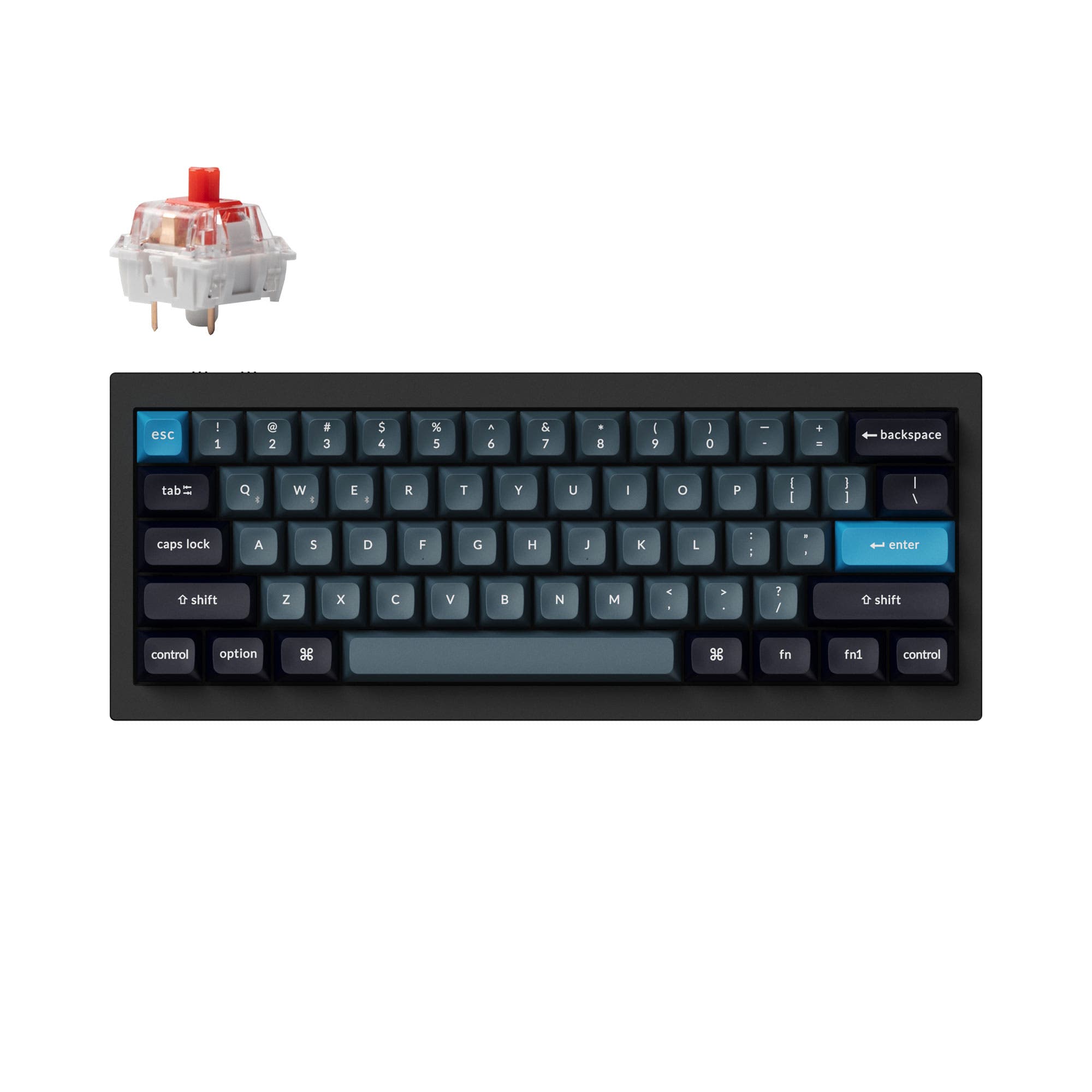
KBDFans Holy60 vs Nuxroskb Nexus60
RGB or Hall Effect
Get the Holy60 for RGB, VIA support and included sound-dampening foam, or the Nexus60 for Hall Effect switches and its PCBSnap mount design.
Prices checked Nov 20, 2026. KeebFinder may earn a commission when you buy through these links, at no extra cost to you.

Hall effect

Which one should you get?
Get the
KBDFans Holy60
VIA
Build quality in the top 15% of 60% boards under $150.
If you want
- Per-key RGB and underglow lighting.
- VIA support and an included foam kit with PCB and case foam.
- Cherry screw-in stabilizers are included.
Get the
Nuxroskb Nexus60
Hall effect
Build quality in the bottom 45% of 60% boards under $200.
If you want
- Hall Effect support for builds using magnetic switches.
- PCBSnap mount design with Nuxros x Geon PCBSnaps.
- USB-C interface and keyboard-side connection.
Rules this board out
- Magnetic switches only. Standard MX switches will not fit.
Bottom line
Choose the KBDFans Holy60 for per-key RGB, VIA support, included foam and Cherry screw-in stabilizers. Choose the Nuxroskb Nexus60 for Hall Effect support, PCBSnap mounting and a USB-C connection, provided you plan to use magnetic switches.
The differences that matter
- Hall effect (magnetic)
No
Yes
Adjustable actuation helps in games and not in normal typing - Case material
Aluminum
Aluminum, Polycarbonate
- VIA
Yes
No
GUI remapping without compiling firmware - Sound dampening
Yes
No
- Plate material
Aluminum, Polycarbonate
Aluminum, FR4
KeebFinder scores
How we score- KBDFans Holy60
- Nuxroskb Nexus60
- Performance
- 6152
- Build quality
- 8259
- Productivity
- 7049
- Customizability
- 8247
- Portability
- 6571
What they share
- Layout size: 60%
- Connection: Wired
- Hot-swappable
What will you mostly use it for?
For gaming, pick the Nuxroskb Nexus60
- Hall Effect support is a distinct feature of the Nexus60.
- The Holy60 has per-key RGB and underglow, but no Hall Effect feature is listed for it.
KBDFans Holy60 vs Nuxroskb Nexus60 specs
12 of 18 specs differ
 |  | |
| KBDFans Holy60$136 | Nuxroskb Nexus60$150 | |
|---|---|---|
| Typing & switches | ||
| Hall effect (magnetic) (differs) | No | Yes |
| Hot-swappable | Yes | Yes |
| Mount style (differs) | Tray Mount | Not specified |
| Sound dampening (differs) | Yes | No |
| Screw-in stabilizers (differs) | Yes | No |
| Layout | ||
| Layout size | 60% | 60% |
| Layout standard | ANSI | ANSI |
| Ergonomics | Standard | Standard |
| Display | None | None |
| Connectivity & battery | ||
| Connection | Wired | Wired |
| USB-C (differs) | No | Yes |
| Build & materials | ||
| Case material (differs) | Aluminum | Aluminum, Polycarbonate |
| Plate material (differs) | Aluminum, Polycarbonate | Aluminum, FR4 |
| Weight (differs) | 220 g | Not specified |
| Typing angle (differs) | 7° | Not specified |
| Backlight (differs) | RGB | None |
| Firmware & software | ||
| VIA (differs) | Yes | No |
| Extras | ||
| Released (differs) | 2024 | 2026 |
Compare prices
Prices in USD are converted to your currency and can change at any time. KeebFinder may earn a commission when you buy through these links, at no extra cost to you.
Lowest price across stores, Amazon excluded.
- Price now
- $136
- Lowest in range
- $136Aug 21
- Highest in range
- $171Aug 31
Price in USD
- Check on Amazon
AmazonGlobal
Check price


- Check on Amazon
AmazonGlobal
Check price