iBlancod YK75 vs YK75 Pro
Choose the YK75 Pro for RGB lighting and tactile switch options, or the standard YK75 for a lighter, more affordable entry point.
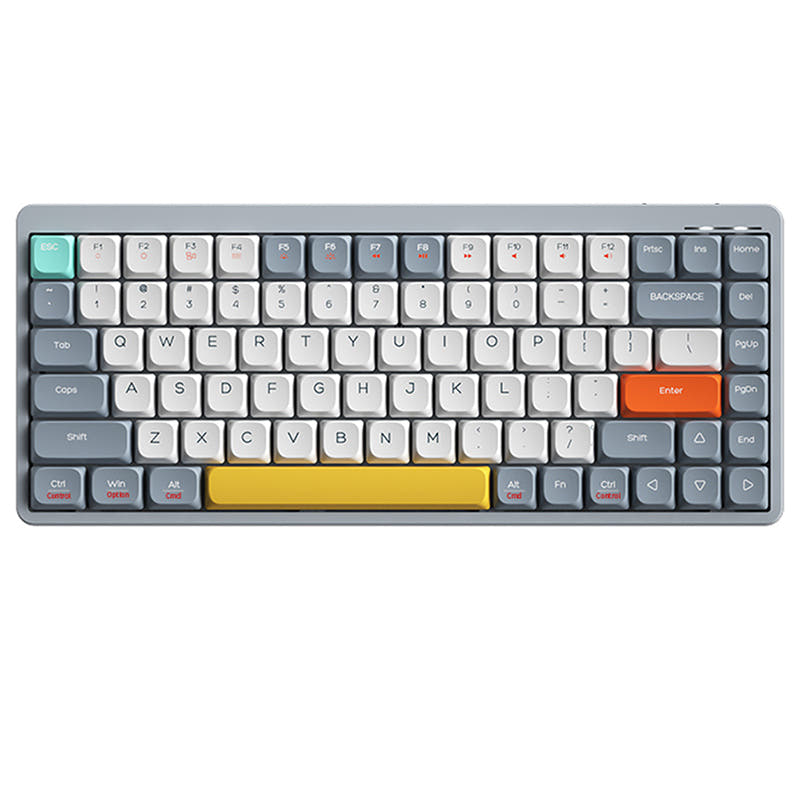
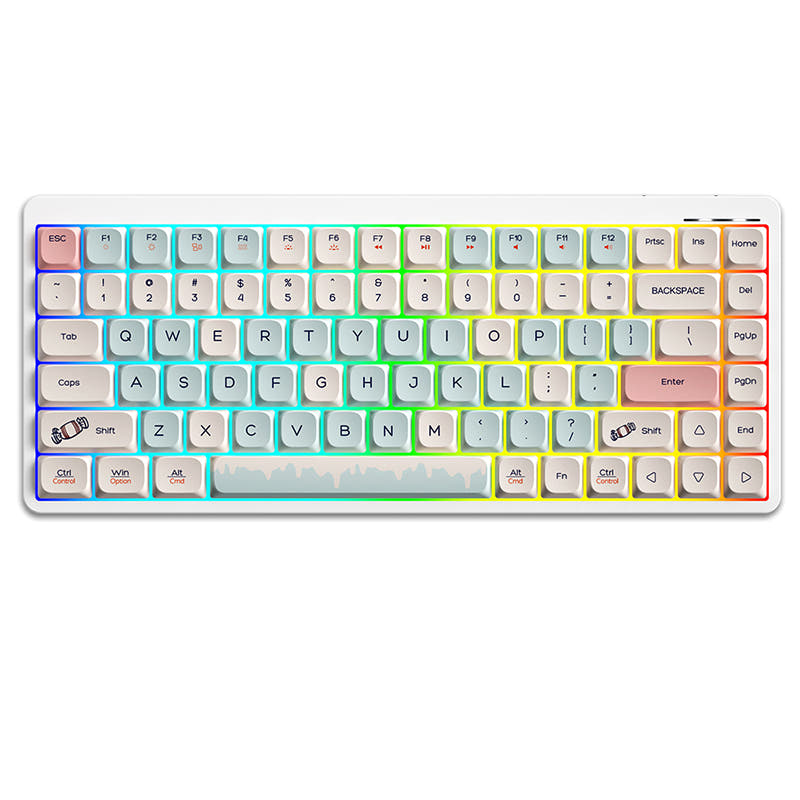
Which one should you get?
Get the
iBlancod YK75
N-key rollover
- Lower weight of 500g for easier portability.
- Includes three Mac-specific keycaps for dual-system users.
- More affordable price point for the core low-profile experience.
- No RGB backlighting.
- Vendor description lists only Outemu Low Profile Red (linear) switches.
- Does not include a keycap puller according to its package contents.
Get the
iBlancod YK75 Pro
- Features RGB backlighting with customizable effects.
- Offers a choice between linear Red and tactile Blue low-profile switches.
- Includes a keycap puller in the package.
- Higher cost relative to the standard model.
- Heavier at 700g, making it less portable.
- Vendor listing does not mention included Mac keycaps.
Select the iBlancod YK75 Pro if RGB lighting, a tactile switch option, and a keycap puller are worth the extra investment. Opt for the standard iBlancod YK75 if you prioritize a lighter keyboard, need Mac keycaps, and want to spend less while keeping the core low-profile, wireless, and hot-swappable features.
The differences that matter
Skip the 40-row spec sheet. These are the specs that change how each board feels, sounds, and fits your desk.
iBlancod YK75
iBlancod YK75 Pro
Weight
500 g
700 g
Backlight
None
RGB
N-key rollover
Yes
No
Dimensions
22 x 132 x 314 mm
22 x 314 x 132 mm
- iBlancod YK75
- iBlancod YK75 Pro
- Performance
- 6065
- Build quality
- 5860
- Productivity
- 6666
- Customizability
- 4963
- Portability
- 7880
- Layout size: 75%
- Connection: Bluetooth, 2.4 GHz, Wired
- Hot-swappable
- Battery: 1,850 mAh
- Low profile
- Case material: Aluminum
What will you mostly use it for?
The YK75 Pro takes slight leads in gaming and content creation due to its RGB lighting, and in modding due to included accessories and switch choice. The standard YK75 is the better pick for office use and travel, primarily because of its lower weight. For programming, the keyboards are evenly matched on core layout and hot-swap features.
Pick the iBlancod YK75 Pro
- The YK75 Pro includes RGB backlighting, which can be useful in low-light gaming environments.
- Both feature full anti-ghosting design for reliable keypress registration.
- Both offer the same triple-mode connectivity for low-latency 2.4GHz or wired use.
iBlancod YK75 vs YK75 Pro specs
Every tracked spec, side by side. Rows marked with a dot differ between the boards.
4 of 17 specs differ
iBlancod YK75
iBlancod YK75 Pro
Switch options
Hot-swappable
Low profile
Layout size
Layout standard
Ergonomics
Display
Connection
Battery
USB-C
Case material
Weight
Dimensions
Backlight
N-key rollover
Mac & Windows
Released
Compare prices
Live prices from the stores we track, cheapest in-stock offer first.
Lowest price across stores, Amazon excluded.


Prices in USD are converted to your currency and can change at any time. KeebFinder may earn a commission when you buy through these links, at no extra cost to you.
iBlancod YK75 vs YK75 Pro: your questions
The primary differences are lighting and switch options. The YK75 Pro adds RGB backlighting and offers a choice between linear Red and tactile Blue low-profile switches. The standard YK75 has no RGB and, according to its vendor page, comes with linear Red switches.
Yes. Both the YK75 and YK75 Pro models feature hot-swappable sockets, as confirmed in their specifications and vendor descriptions. This allows you to change the low-profile switches without soldering.
The standard YK75 may have an edge for Mac users. Its vendor description states it includes three Mac-specific keycaps for a fuss-free setup. Both keyboards support MacOS and Windows with a one-key system switch function.
The standard YK75 is significantly lighter. It weighs 500g, while the YK75 Pro weighs 700g. This makes the standard model more portable, though both share the same ultra-thin 22mm profile.
Both keyboards are listed with an identical 1850mAh battery capacity. Actual battery life will depend on usage patterns and, for the YK75 Pro, whether the RGB lighting is enabled.
Both the YK75 and YK75 Pro offer triple-mode connectivity. You can use them via a wired USB-C connection, Bluetooth, or a 2.4GHz wireless receiver for a stable connection.
According to the vendor page, the YK75 Pro offers a choice between Outemu Low Profile Red (linear) switches and Outemu Low Profile Blue (tactile) switches. You can select your preferred type at purchase.
The vendor description for the YK75 Pro states that multiple light effects can be designed and that you can customize the keyboard backlight. The standard YK75 does not have RGB lighting.
The standard YK75 is the more portable option. It is 200g lighter than the Pro model while sharing the same compact 75% layout and thin design. This makes it easier to carry in a bag.
The YK75 includes the keyboard, three Mac keycaps, and a user manual. The YK75 Pro includes the keyboard, a keycap puller, and a user manual, according to their respective package contents lists.
Both are designed as low-profile keyboards with keys closer to the palm, which the manufacturer states ensures a comfortable typing experience. The Pro model offers a choice of switch type, allowing you to pick a preferred feel.
Yes, both are suitable for gaming. They feature a full anti-ghosting design to ensure keypresses are registered accurately during combinations. The triple-mode connectivity allows for a low-latency 2.4GHz or wired connection.




Still torn?
Answer a few quick questions and the keyboard finder ranks 2,000+ boards by how you will actually use yours.