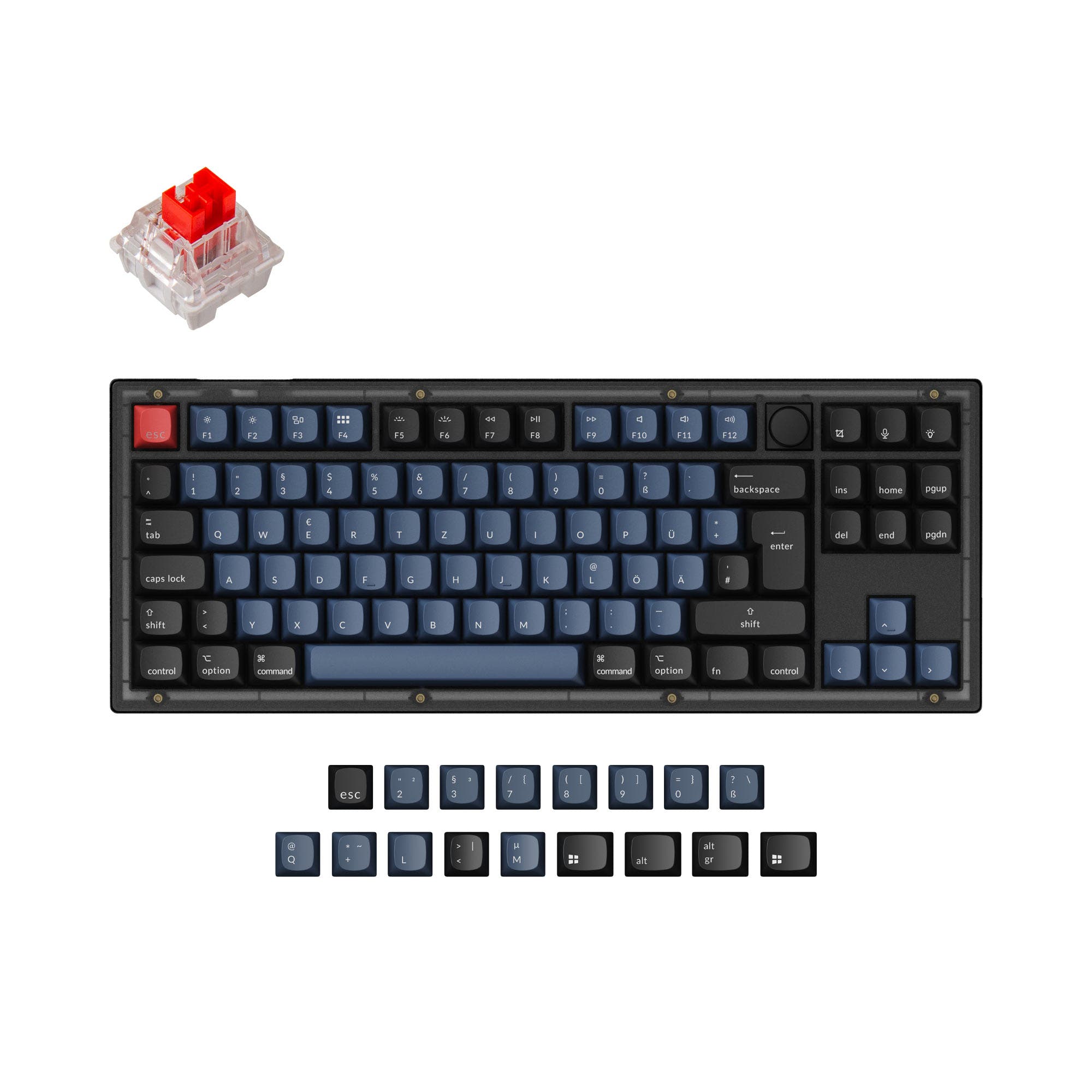
Keychron C1 Pro vs K8
Wired or Wireless
Choose the C1 Pro for QMK remapping, PBT keycaps and 8,000 Hz polling, or the K8 for Bluetooth use, a 4,000 mAh battery and broader regional layout options.
Prices checked Nov 28, 2026. KeebFinder may earn a commission when you buy through these links, at no extra cost to you.
Knob


Which one should you get?
Get the
Keychron C1 Pro
Knob
Build quality in the top 10% of 80% boards under $100.
If you want
- QMK and VIA support for key customization.
- PBT keycaps and sound-dampening components, including EPDM foam and a silicone bottom pad.
- An 8,000 Hz polling rate.
Rules this board out
- South-facing LEDs. Shine-through legends stay dark, and some sculpted keycaps can clip the LED.
- Missing ISO-UK, ISO-Nordic. The other board is sold in those layouts.
Get the
Keychron K8
Build quality in the top 45% of 80% boards under $100.
If you want
- Bluetooth and wired connectivity, plus a 4,000 mAh battery.
- Multimedia keys and regional layout options including ISO-UK, ISO-Nordic and JIS.
Rules this board out
- North-facing LEDs. Cherry-profile keycaps can hit the switch housing.
- Missing ISO-IT. The other board is sold in those layouts.
Bottom line
Get the Keychron C1 Pro for QMK and VIA customization, PBT keycaps, acoustic materials and its listed 8,000 Hz polling rate. Choose the Keychron K8 for Bluetooth operation, a 4,000 mAh battery, multimedia keys and broader listed regional layout choices. Check LED orientation against your preferred keycap profile before buying either board.
The differences that matter
- Connection
Wired
Bluetooth, Wired
Wireless for several devices and wired for lower latency - Case material
ABS, Plastic
Aluminum, Plastic
- Knob
Yes
No
- QMK
Yes
No
The deep option when you want to remap every key - VIA
Yes
No
GUI remapping without compiling firmware
KeebFinder scores
How we score- Keychron C1 Pro
- Keychron K8
- Performance
- 9160
- Build quality
- 8564
- Productivity
- 9864
- Customizability
- 9365
- Portability
- 5973
What they share
- Layout size: 80%
- Hot-swappable
- Switch options: Clicky, Linear, Tactile
- Mount style: Tray Mount
What will you mostly use it for?
For gaming, pick the Keychron C1 Pro
- The C1 Pro lists an 8,000 Hz polling rate, while the K8 has no polling rate listed.
- The C1 Pro's QMK support allows key remapping and macros, according to Keychron.
What owners say
Keychron C1 Pro
“My son loves it. Upgrade from an implosion cap version. Not used to the US layout but he it learning some python. Might as well use a US Keyboard”
“Looks great and sounds amazing but keys gets stuck/don’t work or double press too often. When I remove the key caps to clean, it still doesn’t fix the problem. Example, my 7 key doesn’t work when pressed and my G key when pressed wrotes two g’s instead of one.”
Keychron K8
“This keyboard is exactly was I was looking for. Great keystroke, ability to be used wirelessly and wired, backlight, Mac and Windows Key Caps for a great price”
Keychron C1 Pro vs K8 specs
19 of 27 specs differ
 |  | |
| Keychron C1 Pro$43 | Keychron K8$51 | |
|---|---|---|
| Typing & switches | ||
| Switch options | Clicky, Linear, Tactile | Clicky, Linear, Tactile |
| Hot-swappable | Yes | Yes |
| Mount style | Tray Mount | Tray Mount |
| Sound dampening (differs) | Yes | No |
| Screw-in stabilizers (differs) | Yes | No |
| Layout | ||
| Layout size | 80% | 80% |
| Layout standard (differs) | ANSI, ISO, ISO-DE, ISO-ES, ISO-IT | ANSI, ISO, ISO-DE, ISO-ES, ISO-Nordic, ISO-UK, JIS |
| Ergonomics | Standard | Standard |
| Knob (differs) | Yes | No |
| Display | None | None |
| Media keys (differs) | No | Yes |
| Connectivity & battery | ||
| Connection (differs) | Wired | Bluetooth, Wired |
| Max polling rate (differs) | 8,000 Hz | Not specified |
| Battery (differs) | Wired only | 4,000 mAh |
| USB-C | Yes | Yes |
| Build & materials | ||
| Case material (differs) | ABS, Plastic | Aluminum, Plastic |
| Plate material (differs) | Plastic | Not specified |
| Keycaps (differs) | PBT | ABS |
| Weight (differs) | 830 g | Not specified |
| Dimensions (differs) | 20 x 357 x 131 mm | Not specified |
| Typing angle (differs) | 11° | Not specified |
| Backlight (differs) | RGB, south-facing | RGB, north-facing |
| Firmware & software | ||
| QMK (differs) | Yes | No |
| VIA (differs) | Yes | No |
| N-key rollover (differs) | Yes | No |
| Mac & Windows | Yes | Yes |
| Extras | ||
| Released (differs) | 2023 | 2020 |
Compare prices
Prices in USD are converted to your currency and can change at any time. KeebFinder may earn a commission when you buy through these links, at no extra cost to you.
Lowest price across stores, Amazon excluded.
- Lowest price now
- $43
- Lowest in range
- $43Oct 7 at Keychron C1 Pro
- Highest in range
- $59Aug 29 at Keychron K8
Price in USD
- Check on Amazon
AmazonGlobal
Check price - Extra 5% off



- Check on Amazon
AmazonGlobal
Check price - Extra 5% off
ISO layouts by store
Keychron C1 Pro
- Go to Keychron (DE)
Keychron (DE)
ISO-DE, ISO-ES, ISO-IT
In stockDoes not ship to you
Keychron K8
- Go to Keychron
Keychron
ISO-DE, ISO-UK, ISO-Nordic
Out of stockShips to you - Go to Keychron (DE)
Keychron (DE)
ISO-DE, ISO-UK, ISO-ES
Out of stockDoes not ship to you