Keychron J2 HE vs J3 SEMagnetic 8K vs Wireless 96%
The decision hinges on whether you prioritize the J2 HE's 8000 Hz Hall Effect wired speed or the J3 SE's wireless freedom with a larger 96% layout.
KeebFinder may earn a commission when you buy through these links, at no extra cost to you.

1.0 (2)1.0 · 2 reviews
from$99at Keychron

5.0 (1)5.0 · 1 reviews
from$129at Keychron
Which one should you get?
Get the
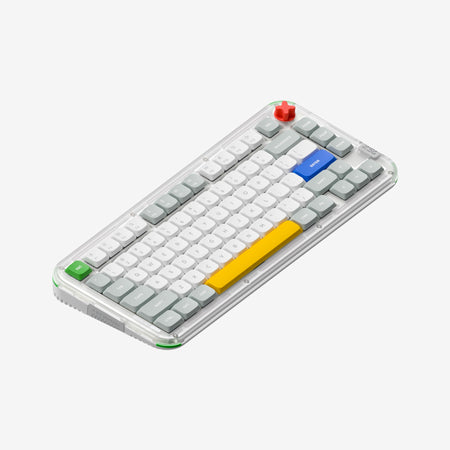
Keychron J2 HE
Magnetic 8K
Build quality in the top 10% of 75% boards under $100.
- 8000 Hz polling rate in wired mode with switchable 1000 Hz, 4000 Hz, and 8000 Hz settings in the Keychron Launcher web app.
- Hall Effect magnetic switches with adjustable actuation points, plus hot-swap support for compatible magnetic switches.
- Lighter 780g body and compact 75% footprint (332 x 140 mm) for smaller desks and travel.
- Magnetic switches only. Standard MX switches will not fit.
- North-facing LEDs. Cherry-profile keycaps can hit the switch housing.
- No numpad.
Get the
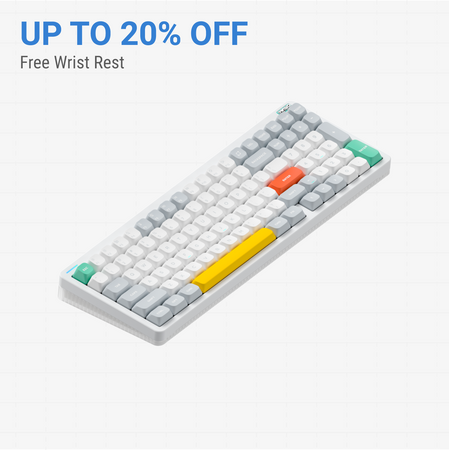
Keychron J3 SE
Wireless 96%
Build quality in the bottom 50% of 96% boards under $150.
- Bluetooth 5.2 with up to three devices plus 2.4 GHz and wired modes, covered by a 4000mAh battery rated up to 200 hours.
- 96% layout with 99 keys and 12 multimedia keys for number-heavy and editing work.
- QMK firmware and the Keychron Launcher web app, with the vendor listing Windows, Mac, and Linux support.
- North-facing LEDs. Cherry-profile keycaps can hit the switch housing.
- Compact full-size layout. The numpad is present, the gaps of a full-size board are not.
Pick the J2 HE if competitive gaming, adjustable actuation, and an 8000 Hz wired polling rate matter most, and you can live with a single cable. Pick the J3 SE if you need a 96% layout, Bluetooth multi-device switching, and a 4000mAh battery for a mixed work desk. The main trade-off is wired Hall Effect speed against wireless layout flexibility.
The differences that matter
Skip the 40-row spec sheet. These are the specs that change how each board feels, sounds, and fits your desk.
Keychron J2 HE
Keychron J3 SE
Layout size
75%
96%
Hall effect (magnetic)
Yes
No
Adjustable actuation helps in games and not in normal typing
Connection
Wired
Bluetooth, 2.4 GHz, Wired
Wireless for several devices and wired for lower latency
Max polling rate
8,000 Hz
1,000 Hz
Higher polling helps competitive FPS and does nothing for typing
Case material
Plastic
ABS
- Keychron J2 HE
- Keychron J3 SE
- Performance
- 8980
- Build quality
- 8368
- Productivity
- 8789
- Customizability
- 8986
- Portability
- 6156
- Hot-swappable
- Switch options: Clicky, Linear, Tactile
- QMK
- VIA
- Sound dampening
- Keycaps: PBT
What will you mostly use it for?
Gaming goes to the J2 HE because of its 8000 Hz polling rate and adjustable-actuation Hall Effect switches. Office and Programming both favor the J3 SE for its 96% layout, Bluetooth multi-device pairing, and battery life. Travel leans toward the smaller, lighter J2 HE despite its wired-only design. Modding is effectively a tie, since both boards are hot-swappable and support QMK, but they accept different switch types. Content Creation goes to the J3 SE for its 12 multimedia keys and wireless connectivity.
Pick the Keychron J2 HE
- The J2 HE runs an 8000 Hz polling rate in wired mode, with the vendor noting switchable 1000 Hz, 4000 Hz, and 8000 Hz settings in the Launcher web app.
- Hall Effect magnetic switches with adjustable actuation points support finer key response tuning than standard mechanical switches.
- The J3 SE tops out at 1000 Hz polling in 2.4 GHz and wired modes, and 125 Hz in Bluetooth mode.
What owners say
Ratings and quotes collected from verified store reviews, including the critical ones.
Keychron J2 HE
2 owner reviews
“Worked perfectly, best keyboard I've ever owned. For one hour. After that all RGB turned off, and the main function of the keyboard (Typing), no longer works. I can't type with it, the web launcher doesn't detect it either, just don't waste your money.”
Keychron J3 SE
1 owner reviews
“I love the keyboard! Everything was as expected but the keys are even smoother than I could have hoped for. I love the color, it matches exactly what was displayed on the website. Setup was very easy once I actually read the manual. I like that it gives you…”
Keychron J2 HE vs J3 SE specs
Every tracked spec, side by side. Rows marked with a dot differ between the boards.
11 of 27 specs differ
Keychron J2 HE
Keychron J3 SE
Switch options
Hall effect (magnetic)
Hot-swappable
Mount style
Sound dampening
Screw-in stabilizers
Layout size
Layout standard
Ergonomics
Display
Media keys
Connection
Max polling rate
Battery
USB-C
Case material
Plate material
Keycaps
Weight
Dimensions
Typing angle
Backlight
QMK
VIA
N-key rollover
Mac & Windows
Released
Compare prices
Live prices from the stores we track, cheapest in-stock offer first.
Prices in USD are converted to your currency and can change at any time. KeebFinder may earn a commission when you buy through these links, at no extra cost to you.
Lowest price across stores, Amazon excluded.


Keychron J2 HE vs J3 SE: your questions
No, the J2 HE is a wired-only keyboard using Type-C connectivity according to Keychron. It does ship with a Type-C cable and a Type-A to Type-C adapter. Buyers wanting Bluetooth or 2.4 GHz should look at the J3 SE instead.
The J2 HE runs an 8000 Hz polling rate in wired mode and can switch to 1000 Hz or 4000 Hz in the Keychron Launcher web app. The J3 SE reaches 1000 Hz in 2.4 GHz and wired modes, and drops to 125 Hz in Bluetooth mode. The gap matters most for competitive gaming.
Yes, the J3 SE uses a 96% layout with 99 keys, which includes a number pad in a more compact footprint than a full-size board. The J2 HE is a 75% layout and omits the number pad. Choose the J3 SE if spreadsheet or data entry work is a daily task.
Keychron lists Windows and macOS in the J2 HE specifications, and the fully assembled version ships with Windows keycaps. The vendor also notes the Launcher web app works with Windows. Mac users should confirm keycap and layout details before ordering.
The J3 SE is the more flexible programming board because it supports QMK firmware and the Launcher web app across Windows, Mac, and Linux. Its 96% layout also provides more keys for shortcuts and macro layers. The J2 HE is also QMK and VIA capable but stays tethered to one cable.
Yes, both the J2 HE and J3 SE are hot-swappable, but they accept different switch types. The J2 HE takes compatible Hall Effect magnetic switches, while the J3 SE accepts almost all 3-pin and 5-pin MX style mechanical switches. Check switch compatibility before buying replacements.
Keychron rates the J3 SE 4000mAh battery at up to 200 hours. Actual runtime will depend on backlight use and connection mode. The J2 HE has no battery because it is wired only.
The J2 HE is lighter at 780g and measures 332 x 140 mm, compared with 1145g and 406 x 139 mm for the J3 SE. Its 75% layout is also more compact. You will need to carry a Type-C cable since the J2 HE is wired only.
The J2 HE ships with pre-lubed Keychron Ultra-fast Lime Magnetic Switches made from POM material, with adjustable actuation points. These are Hall Effect magnetic switches, not standard mechanical switches. The J3 SE instead ships with Keychron Sakura Milk mechanical switches.
Yes, the J3 SE supports Bluetooth 5.2 with up to three devices plus a 2.4 GHz connection using the included Type-A receiver. It also supports wired use over USB-C. The J2 HE connects to one device over a single cable.
The J3 SE lists multiple acoustic foam layers including IXPE, PET, and EPDM per Keychron. The J2 HE uses sound-absorbing foam with a steel plate, which the vendor says provides responsive feedback. Both use double-shot PBT keycaps, though profiles differ.
The J2 HE can handle office work with its 75% layout and multimedia keys, but its wired-only design limits switching between devices. The J3 SE is more office-friendly thanks to Bluetooth multi-device pairing and its 96% layout with a number pad. Consider how many devices you rotate between each day.
Not sold on either?





Still torn?
Answer a few quick questions and the keyboard finder ranks 2,000+ boards by how you will actually use yours.