Keychron J5 vs Q5Wireless vs Full Metal Custom
Choose the Keychron J5 if you need wireless flexibility with a full-size layout, or the Keychron Q5 if you prioritize a premium all-metal build and deeper customization.
KeebFinder may earn a commission when you buy through these links, at no extra cost to you.

3.3 (4)3.3 · 4 reviews
from$59at Keychron
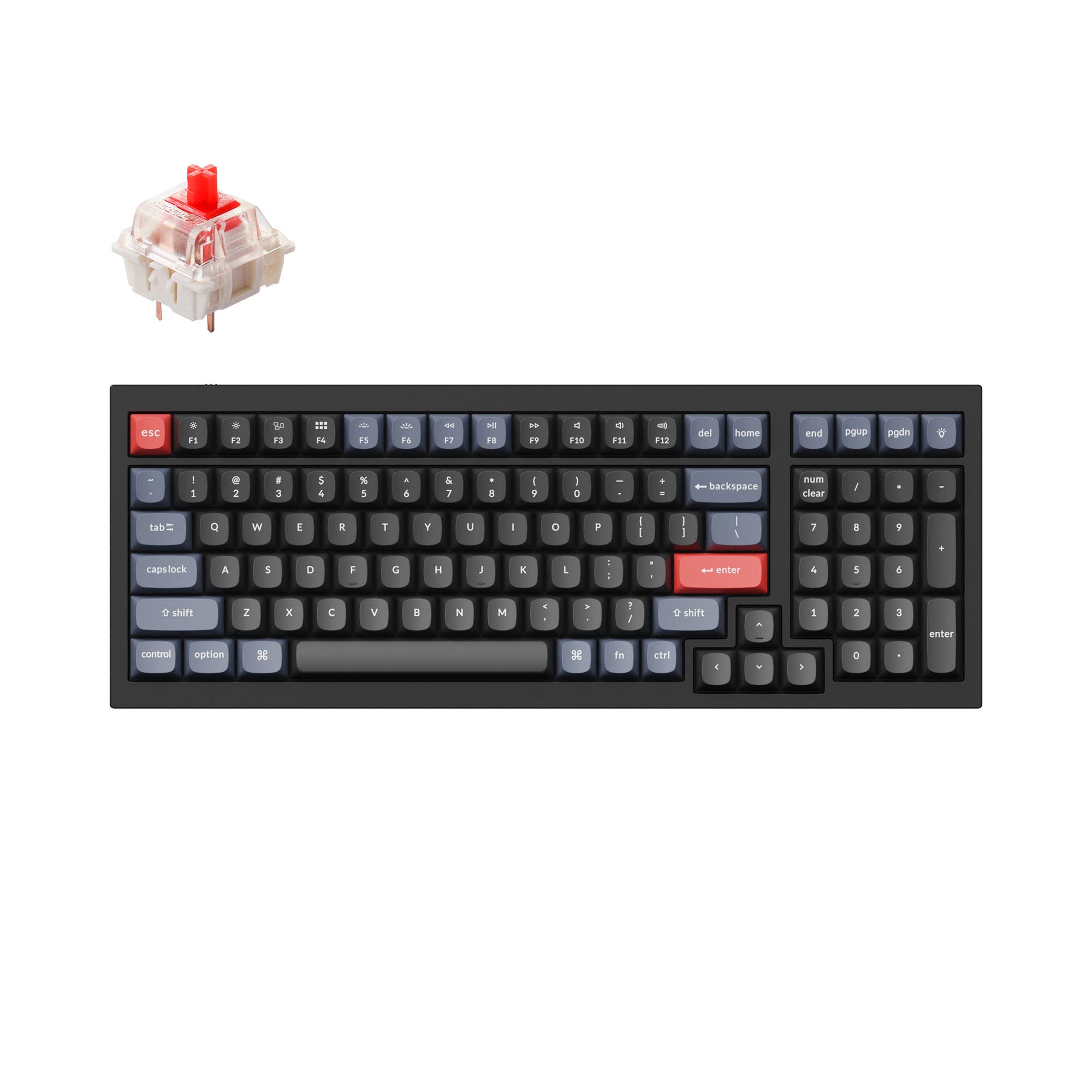
4.8 (17)4.8 · 17 reviews
from$119at Keychron
Which one should you get?
Get the
Keychron J5
Wireless
Build quality in the top 20% of 100% boards under $100.
- Wireless connectivity with 2.4 GHz, Bluetooth 5.2, and wired options
- Full-size (100%) layout with dedicated number pad
- Multiple layers of acoustic foam (IXPE, PET, EPDM) for quiet typing
- North-facing LEDs. Cherry-profile keycaps can hit the switch housing.
- No ISO layout. ISO-DE, UK, and other ISO variants are not offered.
Get the
Keychron Q5
Full Metal Custom
Build quality in the top 5% of 96% boards under $150.
- Full CNC machined 6063 aluminum body with premium finish
- Double gasket design with silicone pads for reduced resonance
- Programmable rotary knob for creative and productivity workflows
- South-facing LEDs. Shine-through legends stay dark, and some sculpted keycaps can clip the LED.
- Compact full-size layout. The numpad is present, the gaps of a full-size board are not.
If wireless freedom and a full-size layout are non-negotiable, go with the Keychron J5. It offers strong gaming performance and office productivity without cables. However, if you value a premium typing feel, a programmable knob, and a chassis built to last, the Keychron Q5 is the superior choice for modding, programming, and content creation.
The differences that matter
Skip the 40-row spec sheet. These are the specs that change how each board feels, sounds, and fits your desk.
Keychron J5
Keychron Q5
Layout size
100%
96%
Connection
Bluetooth, 2.4 GHz, Wired
Wired
Wireless for several devices and wired for lower latency
Case material
ABS
Aluminum
Knob
No
Yes
Weight
1,100 g
2,310 g
Heavier boards stay planted and lighter ones travel
- Keychron J5
- Keychron Q5
- Performance
- 8272
- Build quality
- 7189
- Productivity
- 8997
- Customizability
- 8898
- Portability
- 5446
- Hot-swappable
- Max polling rate: 1,000 Hz
- Switch options: Clicky, Linear, Tactile
- QMK
- VIA
- Sound dampening
What will you mostly use it for?
The J5 wins for travel and gaming due to its wireless connectivity and dedicated gaming features like LKP. The Q5 dominates in programming, modding, and content creation thanks to its gasket mount, programmable knob, and all-metal chassis. For office use, both are tied because each offers full layouts and software customization, but the choice depends on whether you value wireless or build quality.
Pick the Keychron J5
- Supports 2.4 GHz wireless with a 1000 Hz polling rate, ideal for low-latency gaming
- Last Key Priority (LKP) feature improves directional changes in games like Valorant
- Includes a plug-and-play Type-A receiver for quick setup
What owners say
Ratings and quotes collected from verified store reviews, including the critical ones.
Keychron J5
4 owner reviews
“Totally enjoying this keyboard. Weight gives a quality feel. Love north facing RGB and effects. Price is in a sweet spot. Happy that I didn’t allow lack of reviews to affect my decision. Highly recommended.”
“Constant random disconnects while on full charge. Even disconnects when hard wired. What’s the point of a gaming keyboard that disconnects you multiple times in a match?”
Keychron Q5
17 owner reviews
“I really like this keyboard. I have a couple of Q1s, and I like this layout better. The key caps on the silver gray model look terrific.”
Keychron J5 vs Q5 specs
Every tracked spec, side by side. Rows marked with a dot differ between the boards.
13 of 27 specs differ
Keychron J5
Keychron Q5
Switch options
Hot-swappable
Mount style
Sound dampening
Screw-in stabilizers
Layout size
Layout standard
Ergonomics
Knob
Display
Media keys
Connection
Max polling rate
Battery
USB-C
Case material
Plate material
Keycaps
Weight
Dimensions
Typing angle
Backlight
QMK
VIA
N-key rollover
Mac & Windows
Released
ISO layouts by store
Which stores sell ISO-DE, UK, and the other regional layouts.
Keychron J5
No ISO layout at the stores we track.
Keychron Q5
Keychron
ISO-DE, ISO-UK, ISO-Nordic, ISO-SW
In stockShips to you
Keychron (DE)
ISO-DE, ISO-UK, ISO-Nordic, ISO-SW
Out of stockDoes not ship to you
Compare prices
Live prices from the stores we track, cheapest in-stock offer first.
Prices in USD are converted to your currency and can change at any time. KeebFinder may earn a commission when you buy through these links, at no extra cost to you.
Lowest price across stores, Amazon excluded.



Keychron J5 vs Q5: your questions
The Keychron Q5 has a clearly superior build quality, featuring a full CNC machined 6063 aluminum case and double gasket design with silicone pads. The J5 uses a plastic case with a steel plate and multiple foam layers, which is good for the price but not on the same level as the all-metal Q5.
Yes, the Keychron J5 supports 2.4 GHz wireless with a 1000 Hz polling rate and includes a Last Key Priority feature for competitive games like Valorant. It also has a plug-and-play Type-A receiver and a storage slot in the keyboard.
Yes, the Keychron Q5 fully supports both QMK firmware and VIA software for remapping keys, creating macros, and customizing the programmable knob. It uses a powerful ARM Cortex-M4 STM32L432 MCU for flexible development.
The Keychron J5 is likely quieter out of the box due to its multiple layers of acoustic foam (IXPE, PET, and EPDM). The Q5's double gasket design also dampens sound but may have a deeper, more resonant tone due to the aluminum case.
Yes, the J5 comes with double-shot PBT keycaps in Cherry or MDA profile, which resist shine and fading. The Q5 (fully assembled version) uses OSA profile ABS backlight shine-through keycaps that offer a different feel and better backlight diffusion but may wear faster.
Yes, both keyboards support Mac and Windows systems. The Q5 includes a system toggle switch and extra keycaps for both OS. The J5 can be configured via Keychron Launcher for different layouts, but system-specific keycaps are not explicitly mentioned.
The Keychron J5 has a full 100% layout with a dedicated numeric keypad. The Q5 has a compact 96% layout that retains a number pad but in a more condensed form without gaps between clusters.
Yes, the Q5 supports hot-swappable switches with both 3-pin and 5-pin MX style mechanical switches. It also comes with screw-in PCB stabilizers that can be upgraded to third-party stabilizers.
The Keychron Q5 is significantly heavier at 2310g due to its full aluminum case. The J5 is much lighter, making it more portable, though an exact weight is not specified. This difference is critical for travel or desk space considerations.
No, the Keychron J5 does not include a rotary knob. Only the Keychron Q5 offers a programmable knob, which can be customized through VIA for tasks like volume control, zoom, or brush size adjustment.
Yes, Keychron offers the Q5 in barebone ISO versions without switches or keycaps. This allows modders to choose their own switches and keycaps from the start, while the J5 is only sold as a pre-built keyboard.
Both keyboards have RGB, but the J5 features north-facing RGB with over 22 settings and per-key and mix RGB modes. The Q5 uses south-facing RGB, which avoids interference with alternative keycap profiles and provides better illumination from the typist's angle.
Not sold on either?




Still torn?
Answer a few quick questions and the keyboard finder ranks 2,000+ boards by how you will actually use yours.