Keychron K2 Pro vs K6 Pro75% vs 65% Layout Comparison
Choose the K2 Pro for dedicated arrow and function keys, or the K6 Pro for maximum desk space savings.

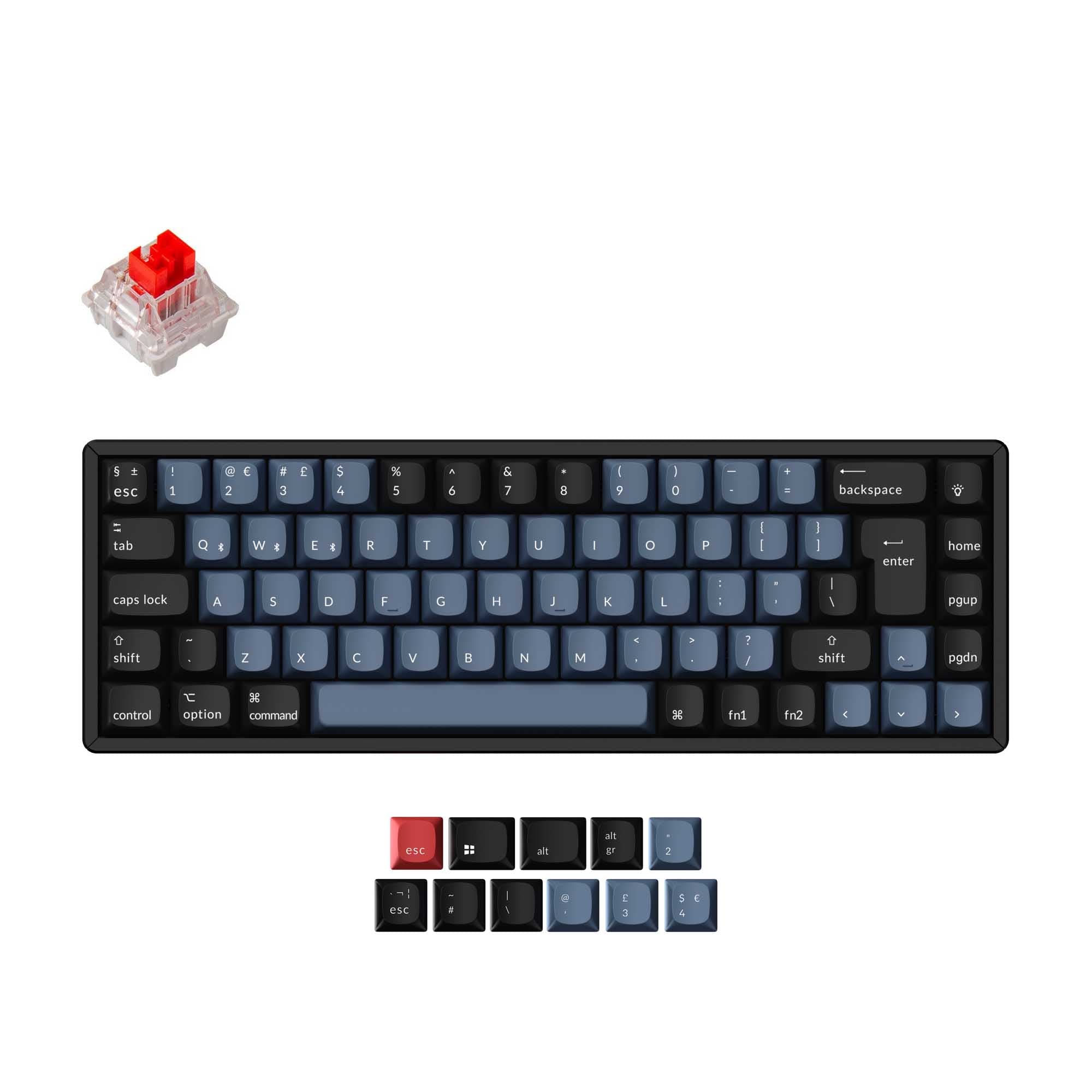
Which one should you get?
Get the
Keychron K2 Pro
75%
- 75% layout includes dedicated arrow keys, function row, and navigation cluster (Insert, Delete, etc.).
- Slightly heavier 1070g build may feel more substantial.
- Offers adjustable typing angles of 5°, 9.2°, and 12°.
- Larger and heavier than the K6 Pro, making it less portable.
- The non-hot-swappable 'Fully Assembled' version lacks sound-dampening foam and uses plate-mounted stabilizers.
- Requires more desk space due to its 75% footprint.
Get the
Keychron K6 Pro
65% Layout Comparison
- More compact 65% layout saves significant desk space.
- Lighter weight of 890g enhances portability.
- Offers adjustable typing angles of 3.5°, 8.5°, and 12°.
- Lacks dedicated arrow keys, function row, and navigation keys, requiring use of function layers.
- Smaller layout has a steeper learning curve for key combinations.
- Lower user review score based on a smaller sample size of ratings.
Your primary need dictates the choice. If you regularly use arrow keys, function shortcuts, or navigation keys for work or gaming, the Keychron K2 Pro's 75% layout is the practical choice. If saving every inch of desk space or maximizing portability is your top priority, and you are comfortable using layered key commands, the Keychron K6 Pro's 65% form factor is the better fit. Both are excellent, highly customizable platforms otherwise.
The differences that matter
Skip the 40-row spec sheet. These are the specs that change how each board feels, sounds, and fits your desk.
Keychron K2 Pro
Keychron K6 Pro
Layout size
75%
65%
Mount style
PCB Mount, Plate Mount, Tray Mount
PCB Mount, Tray Mount
Weight
1,070 g
890 g
Dimensions
25 x 317 x 122 mm
27 x 317 x 107 mm
Typing angle
5°
4°, 6°
- Keychron K2 Pro
- Keychron K6 Pro
- Performance
- 8274
- Build quality
- 9089
- Productivity
- 9591
- Customizability
- 9696
- Portability
- 7988
- Connection: Bluetooth, Wired
- Hot-swappable
- Battery: 4,000 mAh
- Max polling rate: 1,000 Hz
- Case material: ABS, Aluminum, Plastic
- Switch options: Clicky, Linear, Tactile
What will you mostly use it for?
The Keychron K2 Pro is the consistent winner for task-oriented use cases like office work, programming, and content creation due to its more complete key set. The Keychron K6 Pro takes the lead only for travel, where its smaller size and lower weight are decisive advantages. For gaming, the K2 Pro's dedicated arrows give it a slight edge, while both keyboards are equally capable for modding and customization.
Pick the Keychron K2 Pro
- The K2 Pro's 75% layout retains dedicated arrow keys, which are often used in-game for menus or controls.
- Its slightly heavier 1070g weight may provide more stability during intense use compared to the 890g K6 Pro.
- Both offer a 1000 Hz polling rate for responsive wired input.
What owners say
Ratings and quotes collected from verified store reviews, including the critical ones.
Keychron K2 Pro
16 owner reviews
“I have been using the keychron K2 V2 for more than a year so when this came out, I knew I had to get this. and boy I never imagined the smoothness and thock on this thing. I replaced the brown switches with lavender purples and it feels even better.”
Keychron K6 Pro
8 owner reviews
“This is my first serious mechanical keyboard. It sounds and feels great stock. You don't really need to mod it, but if you do, i think it will sounds amazing. 0 regrets, im very satisfied.”
“I received this item broken: switches, plate, box, stabilizers- everything was either broken or not assembled properly.”
Keychron K2 Pro vs K6 Pro specs
Every tracked spec, side by side. Rows marked with a dot differ between the boards.
5 of 26 specs differ
Keychron K2 Pro
Keychron K6 Pro
Switch options
Hot-swappable
Mount style
Sound dampening
Screw-in stabilizers
Layout size
Layout standard
Ergonomics
Display
Media keys
Connection
Max polling rate
Battery
USB-C
Case material
Plate material
Keycaps
Weight
Dimensions
Typing angle
Backlight
QMK
VIA
N-key rollover
Mac & Windows
Released
Compare prices
Live prices from the stores we track, cheapest in-stock offer first.
Lowest price across stores, Amazon excluded.




Prices in USD are converted to your currency and can change at any time. KeebFinder may earn a commission when you buy through these links, at no extra cost to you.
Keychron K2 Pro vs K6 Pro: your questions
The main difference is the layout size. The K2 Pro is a 75% keyboard, which keeps the function row, arrow keys, and a small navigation cluster. The K6 Pro is a 65% keyboard, which removes the function row and navigation cluster, offering a more compact footprint.
Most versions are. The Keychron K2 Pro listing notes that its 'Black - Fully Assembled' variant is not hot-swappable and lacks sound-dampening materials. All listed versions of the K6 Pro are hot-swappable. Always check the specific product variant before purchasing.
Yes, both keyboards are listed with Mac/Win support. According to the vendor descriptions, they include keycaps for both operating systems and can switch between them.
Both the Keychron K2 Pro and K6 Pro are equipped with a 4000mAh battery. The vendor descriptions do not specify exact battery life hours, as it depends on usage and backlight settings.
Yes, both keyboards support full programmability via the open-source QMK firmware and the Keychron Launcher web app, as stated in their vendor descriptions. This allows for key remapping, macros, and layer creation.
Yes, both models offer RGB backlighting options, as well as white backlight variants. The vendor pages specify they feature south-facing RGB LEDs, which prevent interference with Cherry-profile keycaps.
Both keyboards offer choices of Keychron's pre-lubed K Pro switches, including linear (Red), tactile (Brown, Banana), and clicky (Blue) types. Barebone versions without switches are also available.
According to the vendor pages, both models feature screw-in PCB stabilizers in their hot-swappable versions, which are preferred by modders for their stability. The K2 Pro's non-hot-swappable version uses plate-mounted stabilizers.
Both are designed for comfort with adjustable typing angles and OSA-profile keycaps. The K2 Pro offers angles of 5°, 9.2°, and 12°, while the K6 Pro offers 3.5°, 8.5°, and 12°. The choice may come down to personal preference for angle and the keycap profile.
The vendor descriptions list a 'Carrying Case' as a potential add-on item in the 'Frequently bought together' section, suggesting that a compatible case is available for purchase separately for both models.
Yes, both the K2 Pro and K6 Pro offer Bluetooth and wired USB-C connectivity. The vendor descriptions state they use Broadcom Bluetooth 5.1 and can connect to up to three devices.
Not sold on either?


Still torn?
Answer a few quick questions and the keyboard finder ranks 2,000+ boards by how you will actually use yours.