Keychron K4 HE vs Q6 ProMagnetic Gaming vs Premium Build
Choose the K4 HE for advanced gaming features and a compact layout, or the Q6 Pro for a premium, full-size typing experience with a gasket mount.

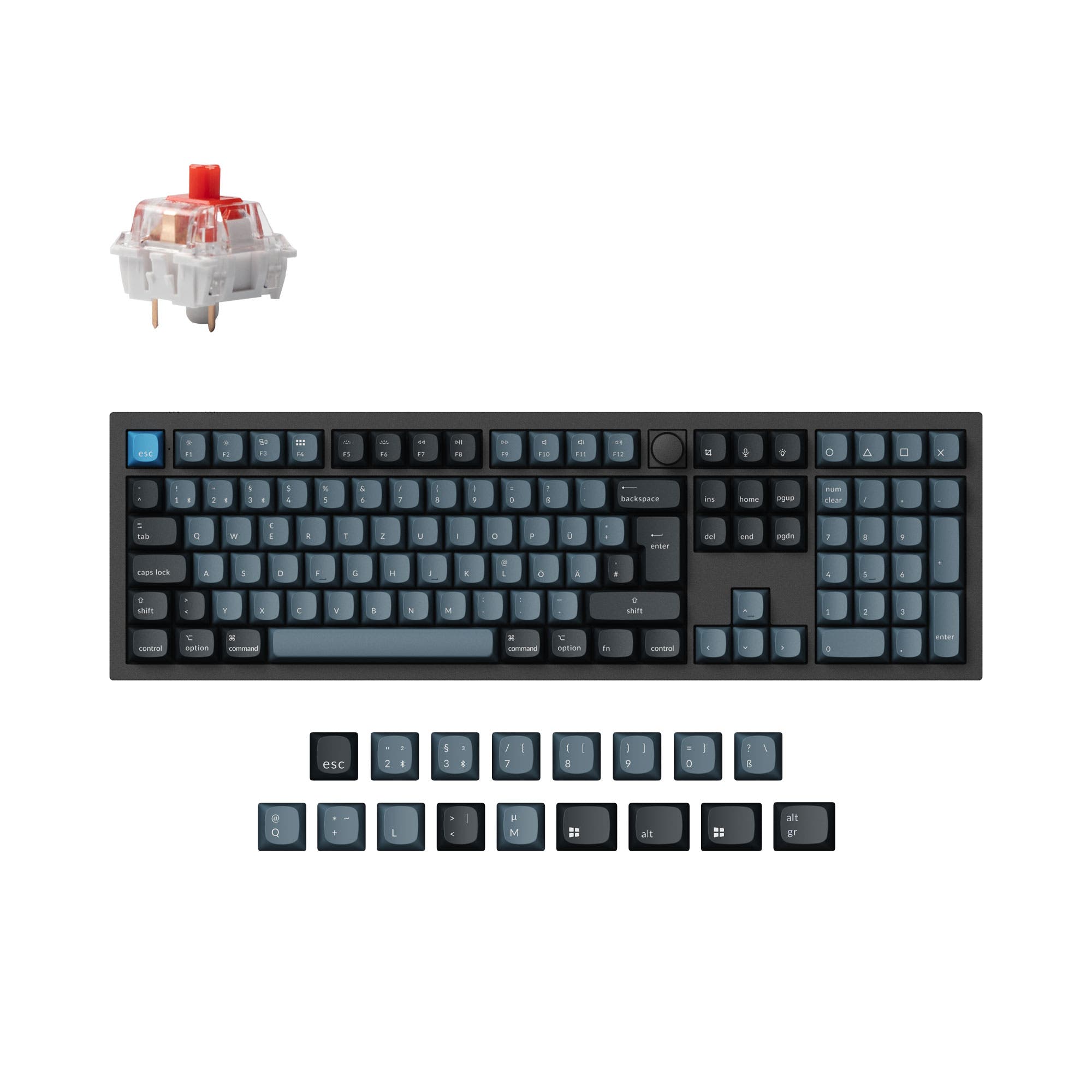
Which one should you get?
Get the
Keychron K4 HE
Magnetic Gaming
- Hall effect magnetic switches with adjustable actuation depth and Rapid Trigger for gaming.
- Includes a 2.4 GHz wireless connection alongside Bluetooth and wired modes.
- Compact 96% layout retains the number pad in a smaller footprint.
- Hot-swappable only for specific Gateron double-rail magnetic switches, limiting switch compatibility.
- Uses a tray mount design, which is typically less flexible than a gasket mount.
- Standard version uses plate-mounted stabilizers, which can be less stable than screw-in types.
Get the
Keychron Q6 Pro
Premium Build
- Full CNC-machined aluminum case with a double-gasket mount and polycarbonate plate for premium feel and sound.
- Hot-swappable PCB supports a wide range of 3-pin and 5-pin MX-style mechanical switches.
- Includes a programmable aluminum knob for media control or custom macros.
- Very heavy at 2160g and large with a 100% layout, making it less portable.
- Lacks a 2.4 GHz wireless dongle, offering only Bluetooth and wired connectivity.
- Wireless polling rate is listed at 90 Hz, which is lower than the K4 HE's wireless performance.
Your decision hinges on whether advanced switch technology or premium construction matters more. For competitive gaming features, wireless versatility with 2.4 GHz, and a space-saving design, the Keychron K4 HE is the compelling choice. If you prioritize a luxurious typing feel with a gasket mount, full-size layout, and broader mechanical switch compatibility for customization, the Keychron Q6 Pro is the superior board. Consider your primary use case and the trade-offs in portability and connectivity.
The differences that matter
Skip the 40-row spec sheet. These are the specs that change how each board feels, sounds, and fits your desk.
Keychron K4 HE
Keychron Q6 Pro
Layout size
96%
100%
Hall effect (magnetic)
Yes
No
Rapid trigger
Yes
No
Connection
Bluetooth, Wired, 2.4 GHz
Bluetooth, Wired
Case material
ABS, Aluminum, Plastic, Wood
Aluminum
- Keychron K4 HE
- Keychron Q6 Pro
- Performance
- 9282
- Build quality
- 8789
- Productivity
- 9498
- Customizability
- 8996
- Portability
- 5658
- Hot-swappable
- Battery: 4,000 mAh
- Max polling rate: 1,000 Hz
- QMK
- VIA
- Sound dampening
What will you mostly use it for?
The K4 HE is the clear choice for gamers and travelers, thanks to its magnetic switches and compact form. The Q6 Pro dominates for office work, modding, and content creation, offering a full layout, gasket mount, and programmable knob. For programming, both are equally capable due to their extensive software support and layout options. Your daily tasks will heavily influence which keyboard's specialty is more valuable.
Pick the Keychron K4 HE
- Features Hall effect magnetic switches with adjustable actuation points from 0.2 to 3.8 mm.
- Includes gaming-specific features like Rapid Trigger, Analog Mode, and Last Key Priority.
- Offers a 1000 Hz polling rate in both wired and 2.4 GHz wireless modes.
What owners say
Ratings and quotes collected from verified store reviews, including the critical ones.
Keychron K4 HE
10 owner reviews
“So far it have met my expectations for the use i wanted it for, had a small hic up the first day i started ysing it but got easily resolved with the provided user manual”
“The keyboard is smooth to the touch, and has the nice feel. For me, it's almost an ideal keyboard but the one thing that gets me and it's a hard issue is that when connected, it takes away input from my controller when I game, especially for live service…”
Keychron Q6 Pro
4 owner reviews
“This is my first mechanical keyboard, and I love it since I don't have to build it from scratch! Because it connect either via bluetooth or through a cable, I'm able to use it for work which is great (since my organization doesn't allow me to download…”
“The build quality is good—but only acceptable at this price point. The knob is slightly off-center, which is disappointing. The software is also underwhelming. After two years of use, I’ve noticed a recurring issue: the keyboard enters standby mode very…”
Keychron K4 HE vs Q6 Pro specs
Every tracked spec, side by side. Rows marked with a dot differ between the boards.
16 of 28 specs differ
Keychron K4 HE
Keychron Q6 Pro
Switch options
Hall effect (magnetic)
Rapid trigger
Hot-swappable
Mount style
Sound dampening
Screw-in stabilizers
Layout size
Layout standard
Ergonomics
Knob
Display
Connection
Max polling rate
Battery
USB-C
Case material
Plate material
Keycaps
Weight
Dimensions
Typing angle
Backlight
QMK
VIA
N-key rollover
Mac & Windows
Released
Compare prices
Live prices from the stores we track, cheapest in-stock offer first.
Lowest price across stores, Amazon excluded.



Prices in USD are converted to your currency and can change at any time. KeebFinder may earn a commission when you buy through these links, at no extra cost to you.
Keychron K4 HE vs Q6 Pro: your questions
The Keychron K4 HE uses Hall effect (magnetic) switches which have no physical contacts. Instead, they use TMR sensors to detect keypresses, allowing for features like adjustable actuation points and rapid trigger. The Q6 Pro uses standard mechanical switches like the Keychron K Pro series, which operate via physical contact.
The Keychron K4 HE is better for wireless gaming. It offers a 2.4 GHz wireless connection with a 1000 Hz polling rate, which is typically more responsive and stable for gaming than Bluetooth. The Q6 Pro only has Bluetooth wireless, with a listed polling rate of 90 Hz in wireless mode.
You can use Cherry MX switches in the Keychron Q6 Pro, as its hot-swap sockets are compatible with most 3-pin and 5-pin MX-style switches. You cannot use them in the K4 HE, as its hot-swap sockets are exclusively compatible with Gateron double-rail magnetic switches.
The Keychron K4 HE is significantly more portable. It is a 96% layout keyboard weighing about 1090g and measuring roughly 377mm in length. The Q6 Pro is a full-size keyboard weighing 2160g and measuring 446mm long, making it a stationary desktop board.
Yes, both the Keychron K4 HE and Q6 Pro are fully compatible with macOS and Windows. Each includes a system toggle switch and extra keycaps tailored for both operating systems.
The gasket mount on the Q6 Pro refers to a design where the plate holding the switches is suspended on silicone gaskets within the aluminum case. This, combined with its polycarbonate plate, aims to reduce metal-on-metal noise and create a more flexible, cushioned typing feel compared to a traditional tray mount.
Yes, but only on the Keychron K4 HE. Its Hall effect switches allow you to adjust the actuation point for each key from 0.2mm to 3.8mm via software. The Q6 Pro with standard mechanical switches has a fixed actuation point determined by the switch itself.
Based on manufacturer claims, the Keychron Q6 Pro has a longer potential battery life. Keychron states it can last up to 300 hours with Bluetooth and backlighting off. The K4 HE listing cites a lab test result of up to 110 hours of wireless working time.
It depends on the version. For the K4 HE, the Standard Version has shine-through Cherry profile keycaps. For the Q6 Pro, the ABS keycap version is shine-through, while the PBT keycap version is not. Both keyboards have south-facing (Q6 Pro) or north-facing (K4 HE) RGB LEDs.
Yes, both keyboards are fully programmable. They support the open-source QMK firmware and can be configured using the VIA software or Keychron's Launcher web app for key remapping, layers, and macros.
The Keychron K4 HE offers adjustable typing angles of 5°, 8°, and 11° using its feet. The Keychron Q6 Pro has a fixed 5.2° typing angle, as listed in its specifications.
Not sold on either?


Still torn?
Answer a few quick questions and the keyboard finder ranks 2,000+ boards by how you will actually use yours.