Keychron K5 Pro vs Q5Low-Profile Wireless or Gasket Wired
Pick the K5 Pro for low-profile wireless Bluetooth typing across multiple devices, or the Q5 for a heavy gasket-mounted aluminum board with a programmable knob and wired-only stability.
KeebFinder may earn a commission when you buy through these links, at no extra cost to you.

4.8 (8)4.8 · 8 reviews
from$135at Keychron (DE)
4.8 (17)4.8 · 17 reviews
from$119at Keychron
Which one should you get?
Get the
Keychron K5 Pro
Build quality in the top 15% of 100% boards under $150.
- Bluetooth 5.1 wireless with support for up to 3 devices plus USB-C wired mode.
- Low-profile Gateron switches that Keychron describes as 31% thinner than conventional switches.
- Double-shot PBT low-profile keycaps with LSA profile and a 2000mAh battery.
- Low-profile switches and keycaps only. Standard MX keycaps will not fit.
- North-facing LEDs. Cherry-profile keycaps can hit the switch housing.
Get the
Keychron Q5
Build quality in the top 5% of 96% boards under $150.
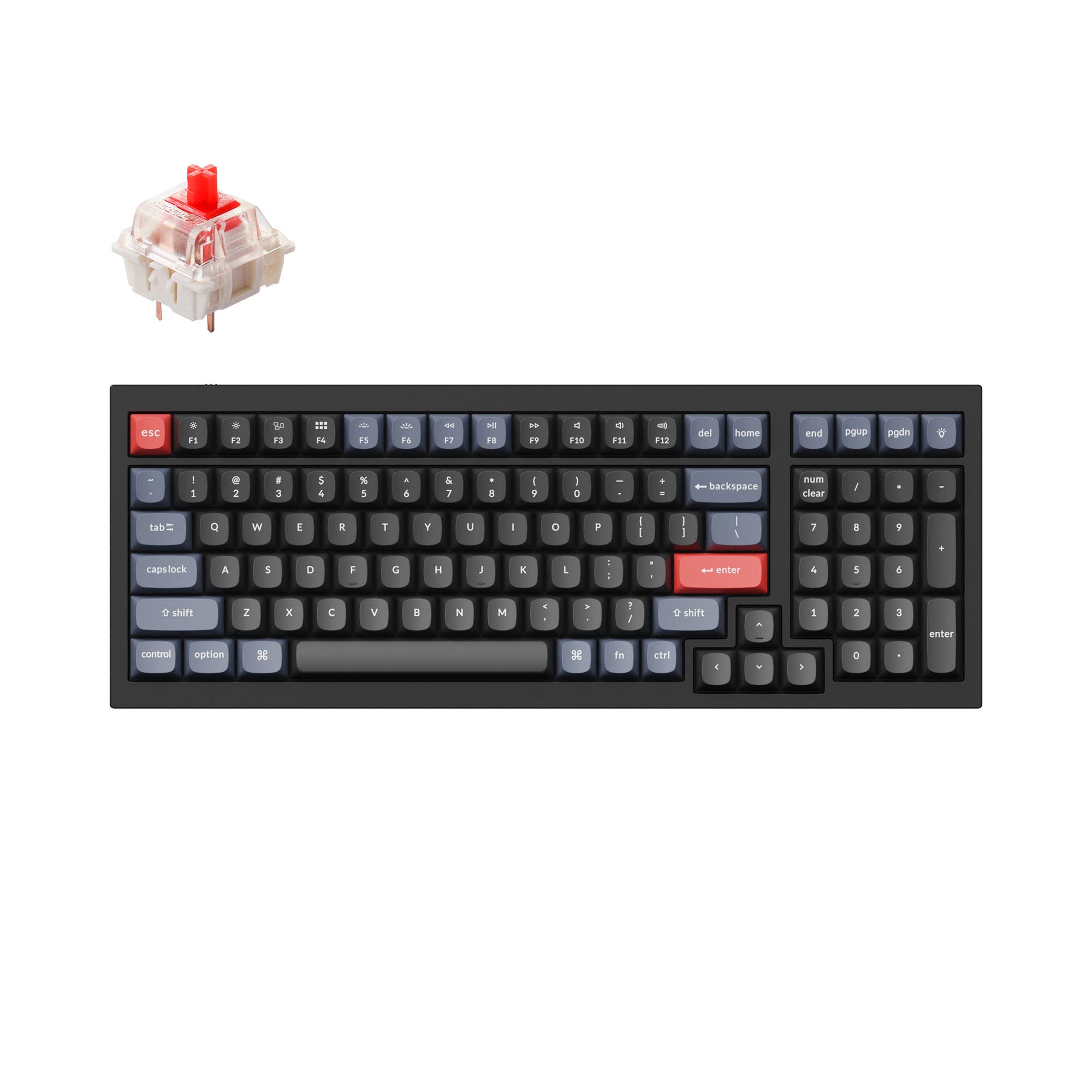
- Full CNC machined 6063 aluminum case with a double gasket design and silicone pads to reduce metal resonance.
- Barebone ISO kits in Carbon Black, Silver Grey, and Navy Blue, with or without a knob, for custom builds.
- Programmable rotary encoder for macros such as zoom, brush size, volume, and backlight hue via VIA.
- South-facing LEDs. Shine-through legends stay dark, and some sculpted keycaps can clip the LED.
- Missing ISO-FR, ISO-ES. The other board is sold in those layouts.
- Compact full-size layout. The numpad is present, the gaps of a full-size board are not.
Choose the K5 Pro if you need Bluetooth multi-device pairing, a 720g body, and a low-profile feel for switching between desk and bag. Choose the Q5 if your keyboard stays on one desk and you want a full CNC aluminum gasket-mounted build, a programmable knob, and barebone kit options for modding. The K5 Pro's wireless freedom is the main reason to accept its tray mount and lighter frame, while the Q5's structural density is the main reason to give up Bluetooth.
The differences that matter
Skip the 40-row spec sheet. These are the specs that change how each board feels, sounds, and fits your desk.
Keychron K5 Pro
Keychron Q5
Layout size
100%
96%
Connection
Bluetooth, Wired
Wired
Wireless for several devices and wired for lower latency
Low profile
Yes
No
Case material
ABS, Aluminum, Plastic
Aluminum
Mount style
Tray Mount
Gasket Mount, Plate Mount
- Keychron K5 Pro
- Keychron Q5
- Performance
- 7972
- Build quality
- 7889
- Productivity
- 8297
- Customizability
- 8998
- Portability
- 5546
- Hot-swappable
- Max polling rate: 1,000 Hz
- Switch options: Clicky, Linear, Tactile
- QMK
- VIA
- Keycaps: ABS, PBT
What will you mostly use it for?
The K5 Pro takes gaming, travel, and any scenario where wireless freedom and low weight matter, thanks to Bluetooth 5.1, a 2000mAh battery, and a 720g body. The Q5 wins office, programming, modding, and content creation because its CNC aluminum case, gasket mount, barebone options, and programmable knob support deeper customization and quieter desk use. Neither board is a universal pick: the K5 Pro trades heft and modding depth for portability, while the Q5 gives up wireless entirely. Buyers who split time between a desk and a bag should weigh the K5 Pro's Bluetooth against the Q5's structural rigidity. Those who mostly stay at one workstation will get more from the Q5's build and layout.
Pick the Keychron K5 Pro
- The K5 Pro lists a 1000 Hz polling rate over both wireless and wired modes, with N-key rollover in each mode.
- Low-profile Gateron switches shorten key travel distance for quicker actuation.
- Bluetooth 5.1 lets you connect up to 3 devices, useful for swapping between a PC and a console-adjacent setup.
What owners say
Ratings and quotes collected from verified store reviews, including the critical ones.
Keychron K5 Pro
8 owner reviews
“I love my new keyboard! It's the typing experience I've been seeking.”
Keychron Q5
17 owner reviews
“I really like this keyboard. I have a couple of Q1s, and I like this layout better. The key caps on the silver gray model look terrific.”
Keychron K5 Pro vs Q5 specs
Every tracked spec, side by side. Rows marked with a dot differ between the boards.
15 of 28 specs differ
Keychron K5 Pro
Keychron Q5
Switch options
Hot-swappable
Mount style
Low profile
Sound dampening
Screw-in stabilizers
Layout size
Layout standard
Ergonomics
Knob
Display
Media keys
Connection
Max polling rate
Battery
USB-C
Case material
Plate material
Keycaps
Weight
Dimensions
Typing angle
Backlight
QMK
VIA
N-key rollover
Mac & Windows
Released
ISO layouts by store
Which stores sell ISO-DE, UK, and the other regional layouts.
Keychron K5 Pro
Keychron
ISO-DE, ISO-UK, ISO-Nordic, ISO-FR, ISO-ES, ISO-SW
Out of stockShips to you
Keychron (DE)
ISO-DE, ISO-UK, ISO-Nordic, ISO-FR, ISO-ES, ISO-SW
In stockDoes not ship to you
Keychron Q5
Keychron
ISO-DE, ISO-UK, ISO-Nordic, ISO-SW
In stockShips to you
Keychron (DE)
ISO-DE, ISO-UK, ISO-Nordic, ISO-SW
Out of stockDoes not ship to you
Compare prices
Live prices from the stores we track, cheapest in-stock offer first.
Prices in USD are converted to your currency and can change at any time. KeebFinder may earn a commission when you buy through these links, at no extra cost to you.
Lowest price across stores, Amazon excluded.



Keychron K5 Pro vs Q5: your questions
Yes. The K5 Pro connects via Bluetooth 5.1 to up to 3 devices and also supports a USB Type-C wired connection. It has a 2000mAh battery for wireless use.
No. The Q5 is listed as wired only, using a Type-C connection. If you need wireless multi-device support, the K5 Pro is the board in this pair that offers it.
The Q5 uses a double gasket design with silicone pads between the top and bottom cases, which Keychron says reduces acoustic resonance and impact noise. The K5 Pro uses a tray mount with an ABS and aluminum frame, which is a simpler, lighter structure.
Yes, both are hot-swappable, but the details differ. The K5 Pro's hot-swap support applies to Gateron low-profile MX mechanical switches and, per Keychron, only to the RGB backlight hot-swappable version. The Q5's PCB supports both 3-pin and 5-pin MX mechanical switches.
The K5 Pro is the more travel-friendly option because it weighs 720g versus 2310g for the Q5 and offers Bluetooth wireless with a 2000mAh battery. Its low-profile Gateron switches, which Keychron describes as 31% thinner than conventional ones, also keep the board slim.
Yes, the Q5 is available in fully assembled knob and barebone knob versions. The rotary encoder can be programmed through VIA for actions such as zooming, adjusting brightness, changing brush size, or controlling volume.
The fully assembled Q5 ships with OSA profile ABS backlight shine-through keycaps, including Mac and Windows keycaps. The keyboard is also sold as a barebone kit if you prefer to supply your own keycaps.
Both list QMK firmware support and Keychron Launcher, the web app for key remapping and macros. Keychron states the K5 Pro works with macOS, Windows, and Linux, while the Q5 listing specifies macOS and Windows.
The K5 Pro uses a 100% full-size layout, while the Q5 uses a 96% layout that keeps the number pad and essential keys in a more compact footprint. The Q5 is narrower and shorter at 390mm by 145mm than the full-size K5 Pro.
Yes. The Q5 is offered as Barebone ISO and Barebone ISO Knob in Carbon Black, Silver Grey, and Navy Blue. That lets you choose your own switches and keycaps instead of the factory Gateron G Pro setup.
The fully assembled Q5 ships with factory pre-lubricated Gateron G Pro switches in Red or Brown options. The barebone versions ship without switches so you can install your own.
The Q5 weighs 2310g while the K5 Pro weighs 720g. The Q5's full CNC machined aluminum case makes it a desk-bound board that resists sliding, whereas the K5 Pro's lower weight makes it easier to move or pack.
Not sold on either?




Still torn?
Answer a few quick questions and the keyboard finder ranks 2,000+ boards by how you will actually use yours.