Keychron K6 Pro vs K6QMK Customization vs Budget Wireless
Choose the K6 Pro for deep firmware customization and a premium typing feel, or the K6 for a more affordable entry into a wireless 65% layout.
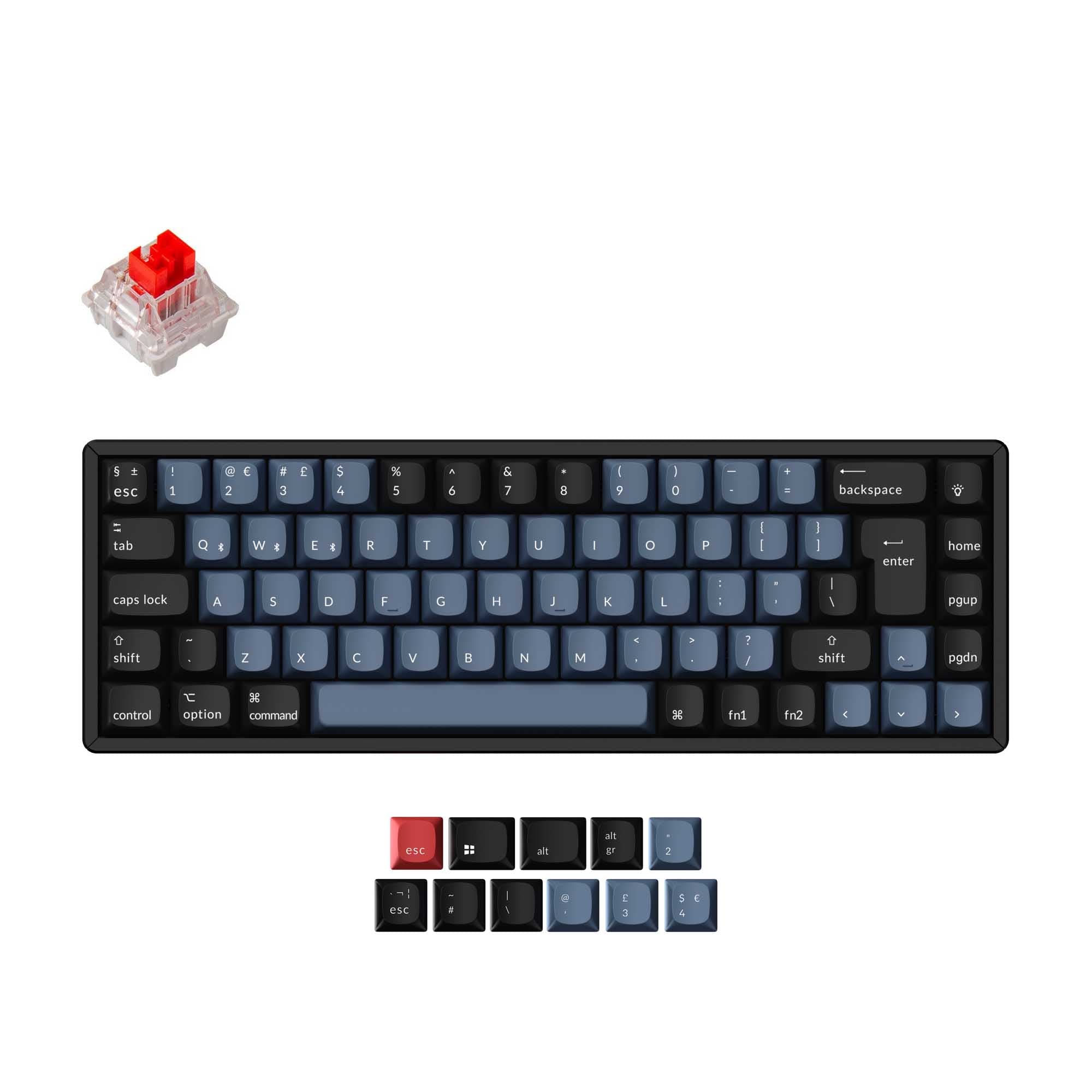

Which one should you get?
Get the
Keychron K6 Pro
QMK Customization
- Full QMK and VIA firmware support for deep key remapping and macros.
- Enhanced build with a steel plate, sound-absorbing foam, and silicone dampening pad.
- Features screw-in PCB stabilizers for a more stable typing feel on large keys.
- Tends to be more expensive than the standard K6.
- The vendor description mentions some users experienced initial firmware configuration challenges.
- Heavier at 890g, which may be less ideal for some portable use cases.
Get the
Keychron K6
Budget Wireless
- Generally available at a more affordable price point.
- Proven design with a high volume of positive user reviews.
- Includes essential features like hot-swappable options and Bluetooth multi-connect.
- Lacks advanced programmability via QMK or VIA firmware.
- Uses a plastic plate instead of steel, which may feel less solid.
- The vendor description does not mention integrated sound dampening foams or pads.
Your budget and desire for customization dictate the choice here. Invest in the Keychron K6 Pro if you plan to heavily modify your keyboard, create complex macros, or value a more premium, acoustically tuned typing experience. The standard Keychron K6 is a sensible buy if you primarily want a reliable, compact wireless keyboard with hot-swap capability and do not need programmable firmware layers.
The differences that matter
Skip the 40-row spec sheet. These are the specs that change how each board feels, sounds, and fits your desk.
Keychron K6 Pro
Keychron K6
Mount style
PCB Mount, Tray Mount
Plate Mount, Tray Mount
QMK
Yes
No
VIA
Yes
No
Sound dampening
Yes
No
Layout standard
ANSI, ISO, ISO-DE, ISO-ES, ISO-FR, ISO-SW, ISO-UK, JIS
ANSI, ISO, ISO-DE, ISO-Nordic, ISO-UK, JIS
- Keychron K6 Pro
- Keychron K6
- Performance
- 7455
- Build quality
- 8969
- Productivity
- 9158
- Customizability
- 9667
- Portability
- 8888
- Layout size: 65%
- Connection: Bluetooth, Wired
- Hot-swappable
- Battery: 4,000 mAh
- Case material: ABS, Aluminum, Plastic
- Switch options: Clicky, Linear, Tactile
What will you mostly use it for?
The K6 Pro is the clear choice for technical users in gaming, programming, modding, and content creation due to its programmable firmware and enhanced build. For general office use and travel, both keyboards are equally capable, sharing core wireless and compact features. The standard K6 remains a competent option if your needs don't extend to advanced customization.
Pick the Keychron K6 Pro
- The K6 Pro has a specified 1000 Hz polling rate for potentially lower latency.
- Its steel plate and screw-in stabilizers may provide a more consistent, stable feel.
- South-facing RGB on the K6 Pro avoids interference with Cherry-profile keycaps.
What owners say
Ratings and quotes collected from verified store reviews, including the critical ones.
Keychron K6 Pro
8 owner reviews
“This is my first serious mechanical keyboard. It sounds and feels great stock. You don't really need to mod it, but if you do, i think it will sounds amazing. 0 regrets, im very satisfied.”
“I received this item broken: switches, plate, box, stabilizers- everything was either broken or not assembled properly.”
Keychron K6
507 owner reviews
“I’m a copywriter, so I spend a lot of time typing. This keyboard is great! I would have the IT layout! With è, à, ò and so on… But, as I’ve said, great product!”
Keychron K6 Pro vs K6 specs
Every tracked spec, side by side. Rows marked with a dot differ between the boards.
9 of 26 specs differ
Keychron K6 Pro
Keychron K6
Switch options
Hot-swappable
Mount style
Sound dampening
Screw-in stabilizers
Layout size
Layout standard
Ergonomics
Display
Media keys
Connection
Max polling rate
Battery
USB-C
Case material
Plate material
Keycaps
Weight
Dimensions
Typing angle
Backlight
QMK
VIA
N-key rollover
Mac & Windows
Released
Compare prices
Live prices from the stores we track, cheapest in-stock offer first.
Lowest price across stores, Amazon excluded.




Prices in USD are converted to your currency and can change at any time. KeebFinder may earn a commission when you buy through these links, at no extra cost to you.
Keychron K6 Pro vs K6: your questions
The primary difference is firmware and build. The K6 Pro supports QMK and VIA for extensive key reprogramming and includes a steel plate, sound dampening foam, and screw-in stabilizers. The standard K6 is a more basic wireless keyboard without these advanced customization and acoustic features.
The vendor description for the Keychron K6 does not mention QMK, VIA, or any software for key remapping. Its programmability appears limited to the standard function layers described in its manual. For full key remapping, the K6 Pro is the required model.
Yes, both the Keychron K6 and K6 Pro are available in hot-swappable versions, allowing you to change MX-style switches without soldering. The K6 Pro's vendor page specifies compatibility with both 3-pin and 5-pin switches.
The K6 Pro is designed for a better typing sound out of the box. According to its description, it includes added sound-absorbing foam and a thick silicone dampening bottom pad to create a more peaceful acoustic profile compared to the K6, which does not mention these materials.
Yes. Both keyboards include keycaps for both macOS and Windows layouts, and their vendor descriptions state full compatibility with both operating systems.
Both keyboards are listed with a 4000mAh battery. The K6 vendor page claims up to 240 hours of use with the backlight off. The K6 Pro does not specify a runtime estimate in the provided description.
The K6 Pro comes with OSA profile double-shot PBT keycaps. The vendor description for the standard K6 does not specify the keycap profile or material, though the metadata lists PBT and ABS as options.
The K6 Pro is available in both plastic and aluminum frame versions, as shown in its version options. The standard K6 also offers both aluminum and plastic case material options.
They are similarly portable, sharing a 65% layout and a width of 317mm. The K6 Pro is heavier at 890g, while the K6's weight is not specified, which could be a factor for some users.
You can physically install them on both, but interference may occur. The K6 Pro uses south-facing RGB LEDs specifically to avoid interference with Cherry-profile keycaps. The standard K6 offers both north-facing and south-facing RGB options, so interference would depend on the specific version you choose.
The K6 Pro has a specified 1000 Hz polling rate. The polling rate for the standard Keychron K6 is not stated in the provided specifications, so a direct comparison cannot be made.
Not sold on either?


Still torn?
Answer a few quick questions and the keyboard finder ranks 2,000+ boards by how you will actually use yours.