Keychron K6 Pro vs K7 Pro
MX or Low Profile?
Choose the K6 Pro for its sound-dampening layers, screw-in stabilizers, and broad MX switch options, or the K7 Pro for its low-profile design, lower weight, and ISO-Nordic layout.
Prices checked Nov 25, 2026. KeebFinder may earn a commission when you buy through these links, at no extra cost to you.
Battery
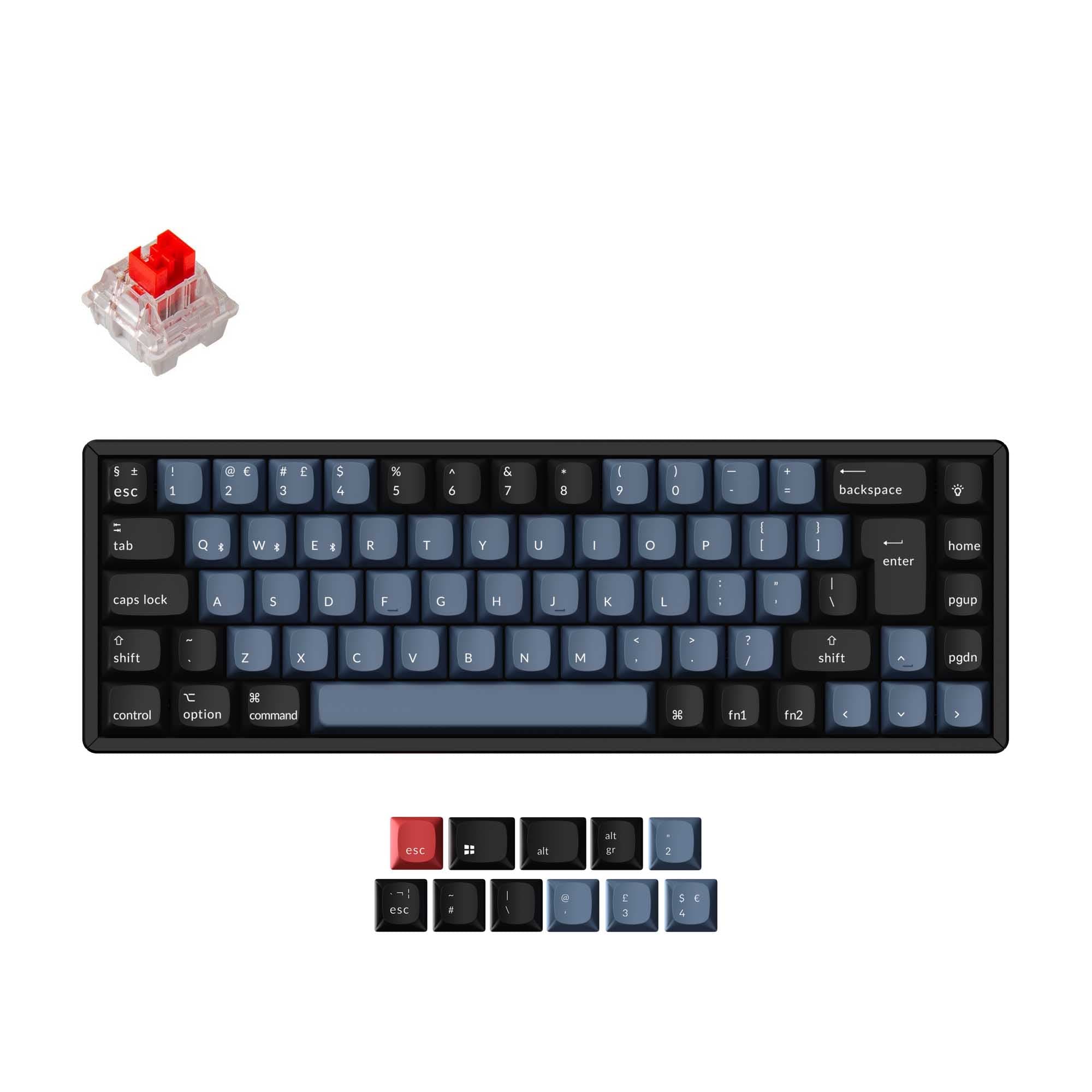

Which one should you get?
Get the
Keychron K6 Pro
Battery
Build quality in the top 10% of 65% boards under $100.
If you want
- Sound-absorbing foam and a thick silicone dampening bottom pad.
- PCB-mounted screw-in stabilizers, with support for third-party screw-in PCB stabilizers.
- Hot-swap support for almost all 3-pin and 5-pin MX-style mechanical switches, plus a barebone option.
Rules this board out
- South-facing LEDs. Shine-through legends stay dark, and some sculpted keycaps can clip the LED.
- Missing ISO-Nordic. The other board is sold in those layouts.
Get the
Keychron K7 Pro
Build quality in the top 25% of 65% boards under $100.
If you want
- Low-profile design with a listed weight of 436g and dimensions of 18 x 306 x 98 mm.
- ISO-Nordic layout availability.
Rules this board out
- Low-profile switches and keycaps only. Standard MX keycaps will not fit.
- North-facing LEDs. Cherry-profile keycaps can hit the switch housing.
- Missing ISO-FR, ISO-ES, ISO-SW. The other board is sold in those layouts.
Bottom line
Get the K6 Pro for sound-dampening layers, screw-in stabilizers, and broader MX-style switch compatibility. Choose the K7 Pro for its low-profile format, lower weight, and ISO-Nordic availability. Check the keycap and regional-layout restrictions before choosing either board.
The differences that matter
- Battery
4,000 mAh
1,550 mAh
A larger battery means fewer cables during the day - Low profile
No
Yes
- Mount style
PCB Mount, Tray Mount
Tray Mount
- Weight
890 g
436 g
Heavier boards stay planted and lighter ones travel - Sound dampening
Yes
No
KeebFinder scores
How we score- Keychron K6 Pro
- Keychron K7 Pro
- Performance
- 7272
- Build quality
- 8979
- Productivity
- 9172
- Customizability
- 9687
- Portability
- 8785
What they share
- Layout size: 65%
- Connection: Bluetooth, Wired
- Hot-swappable
- Max polling rate: 1,000 Hz
- Case material: ABS, Aluminum, Plastic
- Switch options: Clicky, Linear, Tactile
What will you mostly use it for?
For gaming, pick the Keychron K6 Pro
- Both list a 1000 Hz polling rate, while the K6 Pro has no polling-rate advantage established here.
- The K6 Pro supports almost all 3-pin and 5-pin MX-style switches, giving switch choices beyond the K7 Pro's low-profile Gateron compatibility.
- The K7 Pro is a low-profile alternative for players who prefer that switch format.
What owners say
Keychron K6 Pro
“This is my first serious mechanical keyboard. It sounds and feels great stock. You don't really need to mod it, but if you do, i think it will sounds amazing. 0 regrets, im very satisfied.”
“I received this item broken: switches, plate, box, stabilizers- everything was either broken or not assembled properly.”
Keychron K7 Pro
“Love the keyboard, clean design, excellent functionality and the keycaps have a nice feel. Support also helpful and prompt.”
Keychron K6 Pro vs K7 Pro specs
12 of 27 specs differ
 |  | |
| Keychron K6 Pro$62 | Keychron K7 Pro$73 | |
|---|---|---|
| Typing & switches | ||
| Switch options | Clicky, Linear, Tactile | Clicky, Linear, Tactile |
| Hot-swappable | Yes | Yes |
| Mount style (differs) | PCB Mount, Tray Mount | Tray Mount |
| Low profile (differs) | No | Yes |
| Sound dampening (differs) | Yes | No |
| Screw-in stabilizers (differs) | Yes | No |
| Layout | ||
| Layout size | 65% | 65% |
| Layout standard (differs) | ANSI, ISO, ISO-DE, ISO-ES, ISO-FR, ISO-SW, ISO-UK, JIS | ANSI, ISO, ISO-DE, ISO-Nordic, ISO-UK, JIS |
| Ergonomics | Standard | Standard |
| Display | None | None |
| Media keys | Yes | Yes |
| Connectivity & battery | ||
| Connection | Bluetooth, Wired | Bluetooth, Wired |
| Max polling rate | 1,000 Hz | 1,000 Hz |
| Battery (differs) | 4,000 mAhBest | 1,550 mAh |
| USB-C | Yes | Yes |
| Build & materials | ||
| Case material | ABS, Aluminum, Plastic | ABS, Aluminum, Plastic |
| Plate material (differs) | Steel | Not specified |
| Keycaps | ABS, PBT | ABS, PBT |
| Weight (differs) | 890 g | 436 g |
| Dimensions (differs) | 27 x 317 x 107 mm | 18 x 306 x 98 mm |
| Typing angle (differs) | 4°, 6° | Not specified |
| Backlight (differs) | RGB, south-facing | RGB, north-facing |
| Firmware & software | ||
| QMK | Yes | Yes |
| VIA | Yes | Yes |
| N-key rollover | Yes | Yes |
| Mac & Windows | Yes | Yes |
| Extras | ||
| Released (differs) | 2022 | 2023 |
Compare prices
Prices in USD are converted to your currency and can change at any time. KeebFinder may earn a commission when you buy through these links, at no extra cost to you.
Lowest price across stores, Amazon excluded.
- Lowest price now
- $62
- Lowest in range
- $62Nov 20 at Keychron K6 Pro
- Highest in range
- $83Aug 26 at Keychron K7 Pro
Price in USD
- Check on Amazon
AmazonGlobal
Check price - Extra 5% off



- Check on Amazon
AmazonGlobal
Check price - Extra 5% off

ISO layouts by store
Keychron K6 Pro
- Go to Keychron
Keychron
ISO-DE, ISO-UK, ISO-FR, ISO-ES, ISO-SW
In stockShips to you - Go to Keychron (DE)
Keychron (DE)
ISO-DE, ISO-UK, ISO-FR, ISO-ES, ISO-SW
In stockDoes not ship to you
Keychron K7 Pro
- Go to Keychron
Keychron
ISO-DE, ISO-UK, ISO-Nordic
In stockShips to you - Go to Keychron (DE)
Keychron (DE)
ISO-DE, ISO-UK, ISO-Nordic
Out of stockDoes not ship to you


