Keychron Q1 Pro vs Lemokey P1
Choose the Q1 Pro for superior typing feel and wireless flexibility, or the P1 for a more affordable, gaming-focused build with better acoustic foam out of the box.
KeebFinder may earn a commission when you buy through these links, at no extra cost to you.
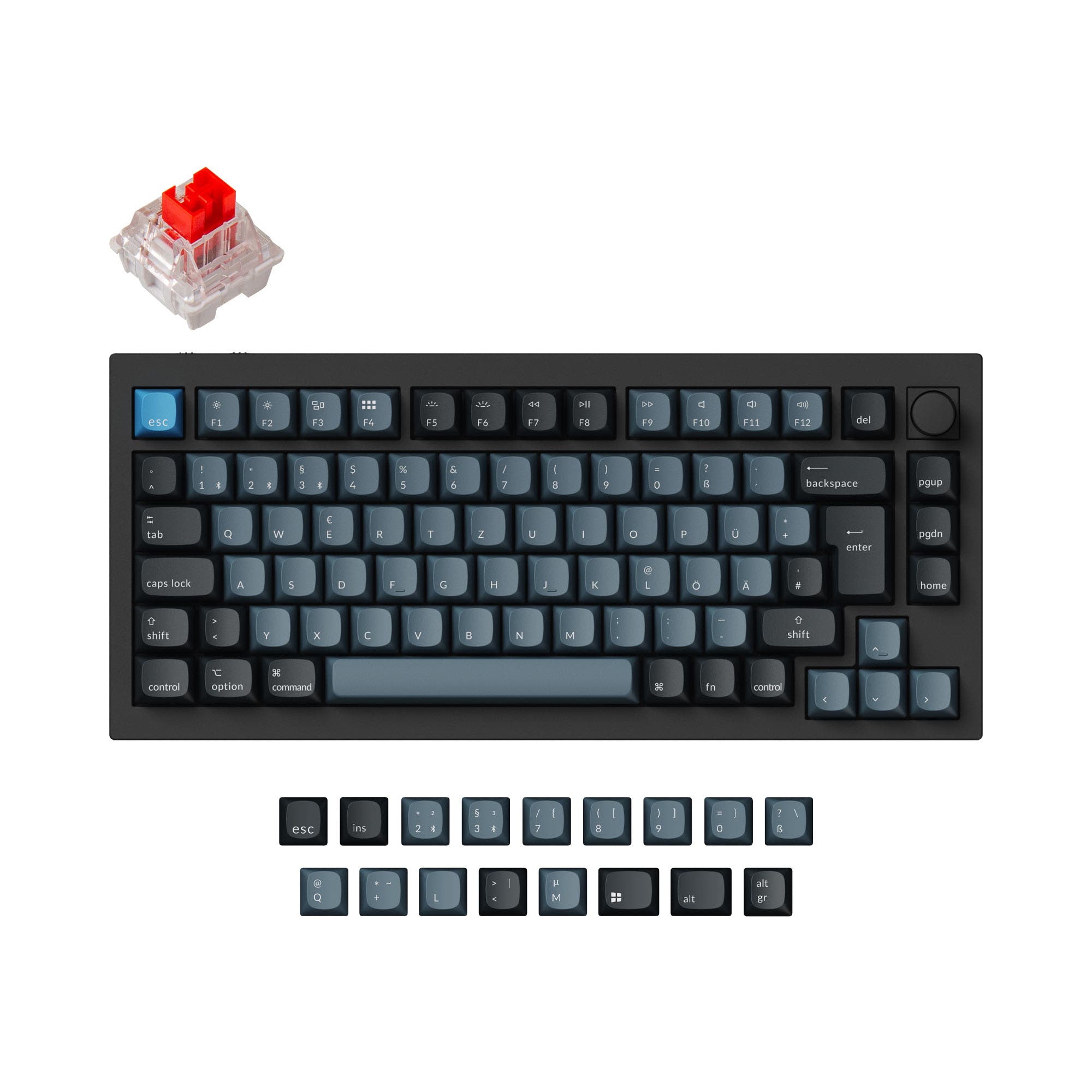
5.0 (15)5.0 · 15 reviews
from$149at Keychron

5.0 (10)5.0 · 10 reviews
from$104at Keychron
Which one should you get?
Get the
Keychron Q1 Pro
Build quality in the top 5% of 75% boards under $150.
- Double-gasket design with silicone pads for reduced acoustic resonance and a cushioned typing feel.
- Wider variety of layout standards, including multiple ISO variants.
- Available in both ABS and PBT keycap materials, with unique KSA profile keycaps in the fully assembled version.
- South-facing LEDs. Shine-through legends stay dark, and some sculpted keycaps can clip the LED.
- Missing ISO-Nordic. The other board is sold in those layouts.
Get the
Keychron Lemokey P1
Build quality in the top 5% of 75% boards under $150.
- Lower price point, offering a more budget-friendly entry to a premium aluminum keyboard.
- Enhanced acoustic foam (IXPE, PET, absorbing foam) provides dampened sound out of the box.
- Exclusive Keychron Super switches with a new mold and a 50 million click lifespan.
- South-facing LEDs. Shine-through legends stay dark, and some sculpted keycaps can clip the LED.
Your choice between the Keychron Q1 Pro and Lemokey P1 hinges on your primary use case and budget. If you prioritize a quieter, more cushioned typing experience with longer battery life for office or travel, the Q1 Pro is the better investment. However, if you are a gamer looking for a more affordable option with enhanced acoustic dampening and a focus on performance, the Lemokey P1 offers excellent value without sacrificing build quality.
The differences that matter
Skip the 40-row spec sheet. These are the specs that change how each board feels, sounds, and fits your desk.
Keychron Q1 Pro
Keychron Lemokey P1
Connection
Bluetooth, Wired, 2.4 GHz
Bluetooth, 2.4 GHz, Wired
Wireless for several devices and wired for lower latency
Mount style
Gasket Mount, Plate Mount
Gasket Mount
Weight
1,825 g
1,650 g
Heavier boards stay planted and lighter ones travel
Layout standard
ANSI, ISO, ISO-DE, ISO-ES, ISO-FR, ISO-SW, ISO-UK
ANSI, ISO, ISO-DE, ISO-ES, ISO-FR, ISO-Nordic, ISO-SW, ISO-UK
ISO and JIS exist so regional layouts fit
Keycaps
ABS, PBT
PBT
- Keychron Q1 Pro
- Keychron Lemokey P1
- Performance
- 8281
- Build quality
- 9088
- Productivity
- 9897
- Customizability
- 9896
- Portability
- 8281
- Layout size: 75%
- Hot-swappable
- Battery: 4,000 mAh
- Max polling rate: 1,000 Hz
- Case material: Aluminum
- Switch options: Clicky, Linear, Tactile
What will you mostly use it for?
The Lemokey P1 wins the gaming category due to its targeted feature set, including enhanced acoustic foam and exclusive switches. The Q1 Pro prevails in office and programming use cases, where its double-gasket design and superior battery life offer a quieter and more comfortable experience. For travel, the Q1 Pro's longer battery life gives it a clear advantage. Modders will find the Q1 Pro more flexible. In content creation, the two are evenly matched, both offering programmable knobs and extensive macro support.
Pick the Keychron Lemokey P1
- Lemokey P1 is marketed as a gaming keyboard with features like enhanced acoustic foam (IXPE, PET, absorbing foam) to dampen sound.
- P1 features exclusive Keychron Super switches with a 50 million click lifespan and a new mold for precision.
- P1 offers a mirror-polish finish and a 6 degree typing angle, which may appeal to gamers.
- Both offer 1000 Hz polling rate, but P1 is specifically designed with gamers in mind.
What owners say
Ratings and quotes collected from verified store reviews, including the critical ones.
Keychron Q1 Pro
15 owner reviews
“The Q1 Pro is the second keyboard I bought from Keychron. The basic materials are very good and she looks amazing. The only thing that is not perfect is the sound. I think she will be perfect with a simple adaption of foam and lubed switches. But the Q1 is…”
Keychron Lemokey P1
10 owner reviews
“Love the keyboard, i got the red switches, i also got a silicon palm rest, feels super nice, super high quality, super heavy. No complaints It looks great with any setup, my friends were shocked when they found out the price.”
Keychron Q1 Pro vs Lemokey P1 specs
Every tracked spec, side by side. Rows marked with a dot differ between the boards.
9 of 27 specs differ
Keychron Q1 Pro
Keychron Lemokey P1
Switch options
Hot-swappable
Mount style
Sound dampening
Screw-in stabilizers
Layout size
Layout standard
Ergonomics
Knob
Display
Media keys
Connection
Max polling rate
Battery
USB-C
Case material
Plate material
Keycaps
Weight
Dimensions
Typing angle
Backlight
QMK
VIA
N-key rollover
Mac & Windows
Released
ISO layouts by store
Which stores sell ISO-DE, UK, and the other regional layouts.
Keychron Q1 Pro
Keychron
ISO-DE, ISO-UK, ISO-FR, ISO-ES, ISO-SW
In stockShips to you
Keychron (DE)
ISO-DE, ISO-UK, ISO-FR, ISO-ES, ISO-SW
Out of stockDoes not ship to you
Keychron Lemokey P1
Keychron
ISO-DE, ISO-UK, ISO-Nordic, ISO-SW
In stockShips to you
Keychron (DE)
ISO
In stockDoes not ship to you
Keychron (DE)
ISO-DE, ISO-UK, ISO-Nordic, ISO-SW
In stockDoes not ship to you
Compare prices
Live prices from the stores we track, cheapest in-stock offer first.
Prices in USD are converted to your currency and can change at any time. KeebFinder may earn a commission when you buy through these links, at no extra cost to you.
Lowest price across stores, Amazon excluded.



Keychron Q1 Pro vs Lemokey P1: your questions
The Q1 Pro uses a double-gasket design with silicone pads to reduce metal resonance, offering a cushioned and quieter typing experience. The Lemokey P1 uses a standard gasket mount with enhanced acoustic foam (IXPE, PET) to dampen sound and vibration. Your preference will depend on which acoustic profile you prefer.
The Lemokey P1 is marketed specifically as a gaming keyboard and includes features like exclusive Keychron Super switches with a 50 million click lifespan and enhanced acoustic foam. Both keyboards offer a 1000 Hz polling rate in wired mode and 90 Hz over Bluetooth, but the P1's design is more focused on gaming performance.
Yes, both the Keychron Q1 Pro and the Lemokey P1 support QMK and VIA firmware. This allows for extensive key remapping, macro creation, and customization. The Q1 Pro also works with the Keychron Launcher web app, while the P1 uses the Lemokey Launcher web app.
Both keyboards feature a full CNC machined 6063 aluminum case and a PC plate. The Q1 Pro uses a double-gasket design, while the P1 focuses on enhanced acoustic dampening with layers of IXPE, PET, and absorbing foam. The P1 also has a mirror-polish strip on the back.
According to manufacturer specs, the Keychron Q1 Pro offers up to 300 hours of Bluetooth use with the backlight off, while the Lemokey P1 Pro offers up to 200 hours under the same conditions. Both have a 4000mAh battery.
Yes, both the Keychron Q1 Pro and the Lemokey P1 are available in barebones versions. The barebones version does not include keycaps or switches, allowing you to fully customize your build from the start.
The Keychron Q1 Pro offers a wider range of layout standards including ISO-DE, ISO-UK, ISO-FR, ISO-ES, and ISO-SW. The Lemokey P1 offers ANSI and several ISO layouts, but not as many regional variants as the Q1 Pro.
The Q1 Pro comes with Keychron K Pro switches (Red, Brown, Banana), which are factory pre-lubed. The Lemokey P1 comes with exclusive Keychron Super switches (Red, Brown, Banana) which feature a new mold design and a 50 million click lifespan.
No, the Q1 Pro comes with unique KSA (Keychron spherical-angle) profile double-shot PBT keycaps, while the Lemokey P1 comes with Cherry profile double-shot PBT keycaps. Both are durable and oil-resistant, but they have different profiles for a distinct typing feel.
The Lemokey P1 Pro version weighs about 1650g, while the Q1 Pro weighs in the range of 1736g to 1825g. The Q1 Pro is slightly heavier, but both are substantial aluminum keyboards and not designed for frequent travel. The Q1 Pro has a significant advantage in battery life for portable use.
No, neither the Keychron Q1 Pro nor the Lemokey P1 features a screen. Both keyboards rely on their programmable keys, knobs, and RGB lighting for feedback and customization.
Not sold on either?


Still torn?
Answer a few quick questions and the keyboard finder ranks 2,000+ boards by how you will actually use yours.