Keychron Q12 HE vs Q13 MaxSouthpaw Gaming or Alice Ergo?
Choose the Q12 HE if you want magnetic rapid trigger gaming features; choose the Q13 Max if you prefer an ergonomic Alice layout and traditional hot-swap switches.


Which one should you get?
Get the
Keychron Q12 HE
Hall effect
- Hall Effect magnetic switches with adjustable actuation (0.2-3.8 mm) and 0.1 mm sensitivity for rapid trigger.
- Southpaw (left-handed numpad) layout provides more mouse space for right-handed users.
- Analog Mode support for variable input control, enhancing racing and simulation games.
- Only compatible with Gateron double-rail magnetic switches, severely limiting aftermarket switch options.
- Aluminum plate is less flexible and offers a stiffer typing feel compared to PC plate options.
- Smaller community due to niche southpaw layout and magnetic switch compatibility.
Get the
Keychron Q13 Max
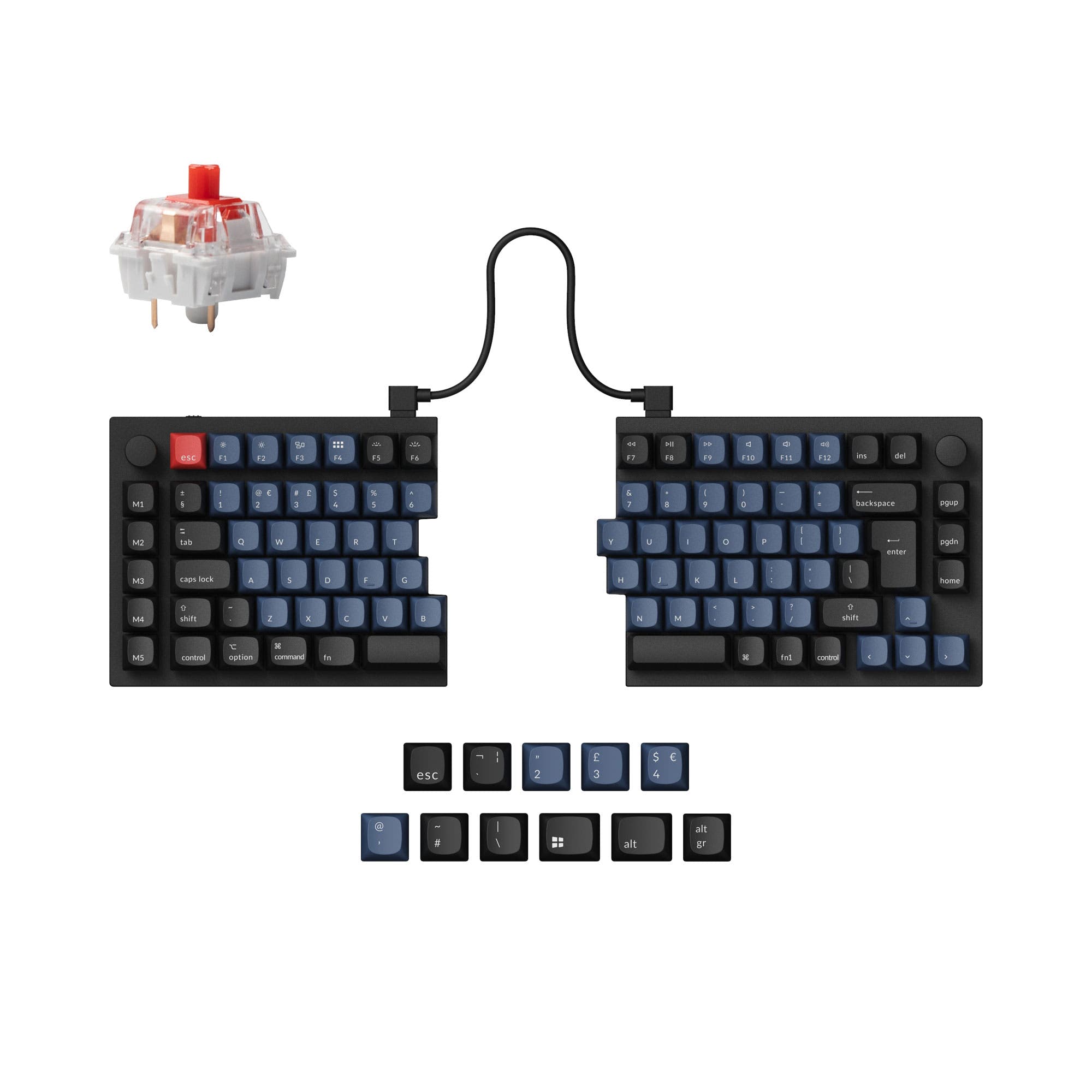
- Ergonomic Alice layout with split spacebar reduces hand strain for long typing sessions.
- Compatible with almost all 3pin and 5pin MX style mechanical switches, offering vast customization.
- Premium acoustic foam layering (IXPE, PET, Latex) for an excellent sound profile out of the box.
- Heavier and larger than the Q12 HE, making it less portable.
- Does not support Hall Effect switches or rapid trigger features for competitive gaming.
- Standard staggered layout means less mouse space for gamers who frequently use the numpad.
If you are a gamer who values rapid trigger, adjustable actuation, and a southpaw layout for mouse room, the Keychron Q12 HE is the clear choice. If you spend most of your day typing and prioritize ergonomic comfort, sound quality, and the ability to use any MX-style switch, the Keychron Q13 Max with its Alice layout is the better fit. Both are premium, heavy, wireless keyboards with outstanding build quality, so your deciding factor should be switch ecosystem and layout preference.
The differences that matter
Skip the 40-row spec sheet. These are the specs that change how each board feels, sounds, and fits your desk.
Keychron Q12 HE
Keychron Q13 Max
Hall effect (magnetic)
Yes
No
Rapid trigger
Yes
No
Ergonomics
Southpaw
Alice, Split Spacebar
Switch options
Clicky, Linear, Magnetic, Tactile
Clicky, Linear, Tactile
Mount style
Gasket Mount, Plate Mount
Gasket Mount
- Keychron Q12 HE
- Keychron Q13 Max
- Performance
- 9381
- Build quality
- 8587
- Productivity
- 9795
- Customizability
- 9396
- Portability
- 5551
- Layout size: 96%
- Connection: Bluetooth, 2.4 GHz, Wired
- Hot-swappable
- Battery: 4,000 mAh
- Max polling rate: 1,000 Hz
- Case material: Aluminum
What will you mostly use it for?
The Q12 HE wins decisively for gaming thanks to its advanced Hall Effect switches and southpaw layout that frees up mouse space. The Q13 Max takes the lead for office, programming, and modding use cases due to its ergonomic Alice layout, traditional hot-swap switch compatibility, and superior acoustic foam layering. The Q12 HE is the lighter and more portable of the two, while the Q13 Max is heavier but offers a more customizable switch ecosystem. For content creators with heavy number entry, the Q12 HE's southpaw numpad is a distinct advantage.
Pick the Keychron Q12 HE
- Hall Effect Gateron double-rail magnetic switches with adjustable actuation points from 0.2 to 3.8 mm for rapid trigger.
- Dynamic Rapid Trigger activates keys based on travel distance rather than fixed points.
- Support for 4-in-1 action keys and Analog Mode for variable input control in games.
- Southpaw layout leaves more mouse room for right-handed gamers.
What owners say
Ratings and quotes collected from verified store reviews, including the critical ones.
Keychron Q12 HE
2 owner reviews
“Unbelievable Keyboard!! However, not being able to replace switches and little room in case for modding, tape mod foam mod etc is a minor flaw to an excellent product.”
Keychron Q13 Max
10 owner reviews
“Feels very solid and looks great. Tactile and functional”
Keychron Q12 HE vs Q13 Max specs
Every tracked spec, side by side. Rows marked with a dot differ between the boards.
11 of 29 specs differ
Keychron Q12 HE
Keychron Q13 Max
Switch options
Hall effect (magnetic)
Rapid trigger
Hot-swappable
Mount style
Sound dampening
Screw-in stabilizers
Layout size
Layout standard
Ergonomics
Knob
Display
Media keys
Connection
Max polling rate
Battery
USB-C
Case material
Plate material
Keycaps
Weight
Dimensions
Typing angle
Backlight
QMK
VIA
N-key rollover
Mac & Windows
Released
Compare prices
Live prices from the stores we track, cheapest in-stock offer first.
Lowest price across stores, Amazon excluded.



Prices in USD are converted to your currency and can change at any time. KeebFinder may earn a commission when you buy through these links, at no extra cost to you.
Keychron Q12 HE vs Q13 Max: your questions
No, the Q12 HE is only compatible with Gateron double-rail magnetic switches as confirmed by the vendor. It does not support standard 3-pin or 5-pin MX style mechanical switches due to the Hall Effect sensor technology used in its PCB.
No, the Q13 Max is a traditional mechanical keyboard that only supports 3-pin and 5pin MX style mechanical switches. It does not have the Hall Effect sensors or PCB design needed for magnetic switches like those found in the Q12 HE.
The Q13 Max is generally regarded as having superior sound out of the box due to its extensive acoustic foam layering including IXPE, PET, and Latex. The Q12 HE also includes sound dampening but uses a different configuration and an aluminum plate that produces a stiffer, potentially louder sound.
Yes, both keyboards support QMK firmware and the Keychron Launcher web app for remapping keys, creating macros, and customizing shortcuts. Both feature an ARM Cortex-M4 MCU with 256KB flash memory for ample programming space.
The Q12 HE with its southpaw (left-handed numpad) layout is the better choice for left-handed users, as it places the number pad on the left side. However, the vendor notes this layout also benefits right-handed users by leaving more room for the mouse.
Both keyboards have a 4000mAh rechargeable battery. The Q13 Max vendor states up to 300 hours with backlight off and up to 100 hours with RGB at lowest brightness. The Q12 HE vendor states up to 100 hours with backlight off. Actual life varies by usage.
No, both keyboards use double-shot PBT keycaps that are not shine-through. The Q12 HE uses OSA profile while the Q13 Max uses KSA profile. Both have south-facing RGB LEDs that illuminate from underneath the keycaps rather than through the legends.
Yes, the Q13 Max is available as a barebone knob version which does not include keycaps or switches. This option is ideal for builders who want to supply their own components. The Q12 HE is only sold as a fully assembled unit.
The Q13 Max has a more flexible typing feel due to its polycarbonate (PC) plate and double-gasket mount design. The Q12 HE uses an aluminum plate which is stiffer and offers less flex, resulting in a firmer typing experience.
Yes, both keyboards include a system toggle switch and an additional set of customized keycaps for both macOS and Windows. They can save two different layouts, one for each operating system, making switching between platforms seamless.
Yes, the Q12 HE supports Analog Mode which detects how far a key is pressed and translates that into variable inputs. This is ideal for racing games, flight simulators, and other titles where fine pressure control provides an advantage.
The Alice layout provides a more natural hand and wrist position by staggering the keys in a subtle split design. This reduces ulnar deviation and can significantly decrease wrist strain and fatigue during long typing or programming sessions.
Not sold on either?





Still torn?
Answer a few quick questions and the keyboard finder ranks 2,000+ boards by how you will actually use yours.