Keychron Q3 HE vs Q4 HETKL or 60% Hall Effect?
Choose the Q3 HE for its TKL layout and higher polling rate, or the Q4 HE if you need maximum desk space and portability.
KeebFinder may earn a commission when you buy through these links, at no extra cost to you.

5.0 (8)5.0 · 8 reviews
from$224at MK

5.0 (2)5.0 · 2 reviews
from$219at MK
Which one should you get?
Get the
Keychron Q3 HE
polling rate
Build quality in the top 5% of 80% boards under $300.
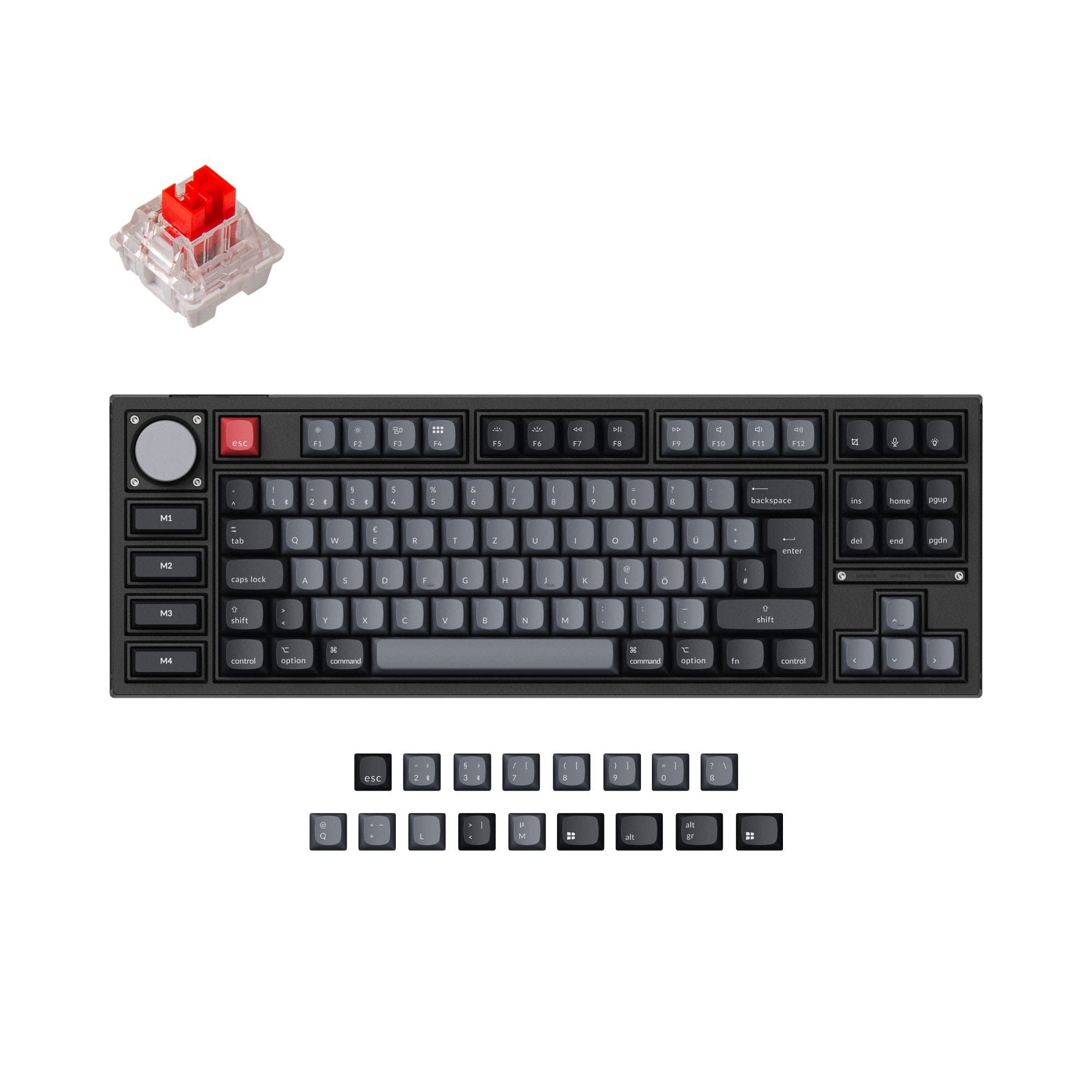
- TKL layout with dedicated arrow keys, function row, and navigation cluster improves workflow efficiency.
- Metal knob provides convenient physical control for volume or other functions.
- 8000 Hz polling rate in wired mode offers a responsiveness advantage for competitive gaming.
- Magnetic switches only. Standard MX switches will not fit.
- South-facing LEDs. Shine-through legends stay dark, and some sculpted keycaps can clip the LED.
- No numpad.
Get the
Keychron Q4 HE
Build quality in the top 10% of 60% boards under $300.
- Ultra-compact 60% layout (303mm length) maximizes desk space and portability.
- Lighter weight at 1415g, making it significantly easier to carry in a bag.
- Includes acoustic foam, PET film, and Latex for sound dampening out of the box.
- Magnetic switches only. Standard MX switches will not fit.
- South-facing LEDs. Shine-through legends stay dark, and some sculpted keycaps can clip the LED.
- No ISO layout. ISO-DE, UK, and other ISO variants are not offered.
- Compact layout only. No function row, dedicated arrow keys, or numpad.
Your decision comes down to layout and ergonomics. Choose the Keychron Q3 HE if you need the efficiency and comfort of a full TKL layout with dedicated navigation keys and a knob, and you have the desk space to accommodate it. Choose the Keychron Q4 HE if your priority is a minimalist, travel-friendly setup and you are comfortable navigating with function layers.
The differences that matter
Skip the 40-row spec sheet. These are the specs that change how each board feels, sounds, and fits your desk.
Keychron Q3 HE
Keychron Q4 HE
Layout size
80%
60%
Max polling rate
8,000 Hz
1,000 Hz
Higher polling helps competitive FPS and does nothing for typing
Case material
Aluminum, Metal
Aluminum
Weight
1,775 g
1,415 g
Heavier boards stay planted and lighter ones travel
Layout standard
ANSI, ISO, ISO-DE, ISO-Nordic, ISO-SW, ISO-UK
ANSI
ISO and JIS exist so regional layouts fit
- Keychron Q3 HE
- Keychron Q4 HE
- Performance
- 10091
- Build quality
- 8885
- Productivity
- 9794
- Customizability
- 9891
- Portability
- 7890
- Hall effect (magnetic)
- Rapid trigger
- Connection: Bluetooth, 2.4 GHz, Wired
- Hot-swappable
- Battery: 4,000 mAh
- Switch options: Clicky, Linear, Magnetic, Tactile
What will you mostly use it for?
The Keychron Q3 HE wins for most productivity-focused use cases like office, programming, and content creation, thanks to its TKL layout and dedicated navigation keys. For pure gaming, the Q3 HE also takes the lead due to its higher advertised 8000 Hz polling rate, though the Q4 HE shares the same rapid trigger and switch technology. The Q4 HE is the clear choice for travel because of its smaller footprint and lower weight. For modding purposes, both keyboards offer similar flexibility, making it a tie.
Pick the Keychron Q3 HE
- Features an 8000 Hz polling rate in wired mode according to metadata, offering lower potential latency for competitive play.
- The TKL layout provides dedicated function and navigation keys without taking up excessive desk space.
- Includes a knob which can be mapped for volume or in-game controls.
What owners say
Ratings and quotes collected from verified store reviews, including the critical ones.
Keychron Q3 HE
8 owner reviews
“I am loving this kb, the rapid trigger is solid and the sound is surprisingly great for linear switches. Finally, I can jiggle peek correctly all the time without my kb holding me off. The keyboard looks and feels great!”
Keychron Q4 HE
2 owner reviews
Keychron Q3 HE vs Q4 HE specs
Every tracked spec, side by side. Rows marked with a dot differ between the boards.
9 of 29 specs differ
Keychron Q3 HE
Keychron Q4 HE
Switch options
Hall effect (magnetic)
Rapid trigger
Hot-swappable
Mount style
Sound dampening
Screw-in stabilizers
Layout size
Layout standard
Ergonomics
Knob
Display
Media keys
Connection
Max polling rate
Battery
USB-C
Case material
Plate material
Keycaps
Weight
Dimensions
Typing angle
Backlight
QMK
VIA
N-key rollover
Mac & Windows
Released
Compare prices
Live prices from the stores we track, cheapest in-stock offer first.
Prices in USD are converted to your currency and can change at any time. KeebFinder may earn a commission when you buy through these links, at no extra cost to you.
Lowest price across stores, Amazon excluded.



ISO layouts by store
Which stores sell ISO-DE, UK, and the other regional layouts.
Keychron Q3 HE
- Keychron
ISO-DE, ISO-UK, ISO-Nordic, ISO-SW
Out of stockShips to you
- Keychron (DE)
ISO-DE, ISO-UK, ISO-SW
In stockDoes not ship to you
Keychron Q4 HE
No ISO layout at the stores we track.
Keychron Q3 HE vs Q4 HE: your questions
The Keychron Q3 HE has an edge for competitive gaming due to its 8000 Hz polling rate in wired mode, which can offer lower latency. However, both keyboards share the same Gateron Double-Rail magnetic switches, rapid trigger, and adjustable actuation points, so the core gaming performance is very similar.
Yes, both the Q3 HE and Q4 HE use Gateron Double-Rail magnetic switches. They are hot-swappable but are only compatible with this specific type of magnetic switch sold on the Keychron website, not other brands like Gateron Magnetic Jade or KS-20 switches.
No, the Q4 HE is a 60% keyboard and does not have dedicated arrow keys. You will need to use a secondary function layer to access arrow keys, which can be customized with the QMK or Keychron Launcher software.
Both keyboards are built with a 6063 aluminum case and an aluminum plate, offering a premium feel and durability. The Q3 HE uses a double-gasket design with a removable acoustic pad, while the Q4 HE uses a double-gasket design with acoustic foam, PET film, and Latex for sound dampening.
Yes, the Q3 HE supports 2.4 GHz wireless connection with a 1000 Hz polling rate, as well as Bluetooth 5.2. It can also be used wired via USB-C for the highest polling rate of 8000 Hz according to metadata.
The Q4 HE comes with OSA (OEM Spherical Angled) profile double-shot PBT keycaps. These keycaps are not shine-through, but the keyboard has south-facing RGB LEDs for backlighting.
Yes, the Q3 HE supports both QMK open-source firmware and VIA software for remapping keys, creating macros, and adjusting settings like actuation points. It can also be configured using the Keychron Launcher web app.
The Keychron Q4 HE is more portable due to its 60% form factor (303mm length) and lighter weight (1415g) compared to the Q3 HE (365mm length, 1775g). Both have a 4000mAh battery, providing similar wireless runtime.
Analog Mode on the Q4 HE allows for variable input based on how far you press a key, similar to a game controller joystick. This is useful for racing games or any application where nuanced control is desired.
Yes, both keyboards are designed with a system toggle and include additional keycaps for both macOS and Windows. You can save two different layouts on the keyboard, one for each operating system.
The Q3 HE has a 4000 mAh rechargeable battery. With the backlighting turned off, the vendor states the wireless working time is up to 100 hours.
Not sold on either?




Still torn?
Answer a few quick questions and the keyboard finder ranks 2,000+ boards by how you will actually use yours.