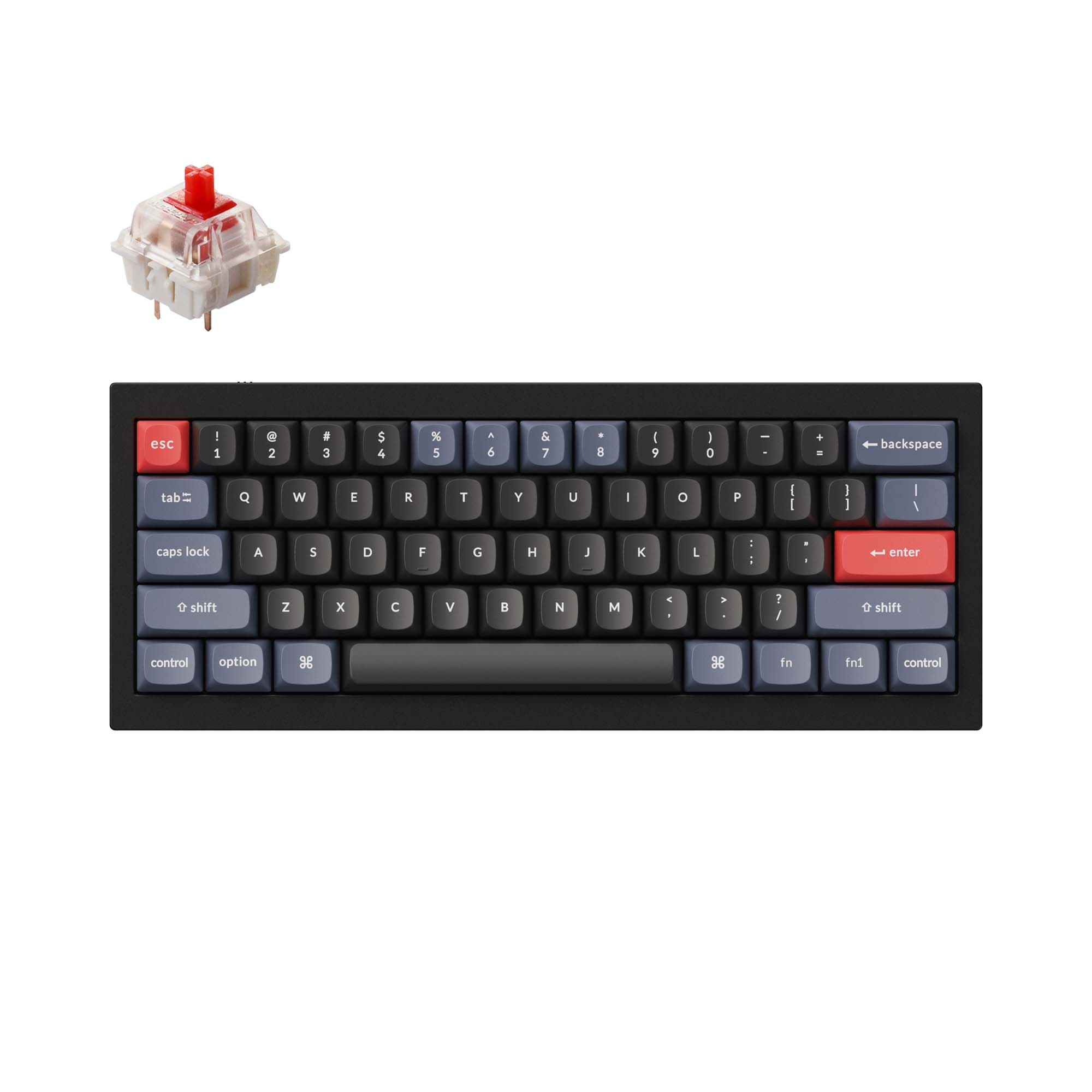
Keychron Q4 Pro vs Qwertykeys Neo65
RGB or 2.4GHz Wireless
Get the Keychron Q4 Pro for south-facing RGB, QMK support and its 4000mAh battery, or the Qwertykeys Neo65 for 2.4GHz wireless, a 65% layout and dual mounting.
Prices checked Nov 23, 2026. KeebFinder may earn a commission when you buy through these links, at no extra cost to you.
Battery

Which one should you get?
Get the
Keychron Q4 Pro
Battery
Build quality in the top 10% of 60% boards under $150.
If you want
- QMK support alongside VIA compatibility.
- South-facing RGB backlighting.
- A 4000mAh battery and stated Mac and Windows support.
Rules this board out
- South-facing LEDs. Shine-through legends stay dark, and some sculpted keycaps can clip the LED.
- Compact layout only. No function row, dedicated arrow keys, or numpad.
Get the
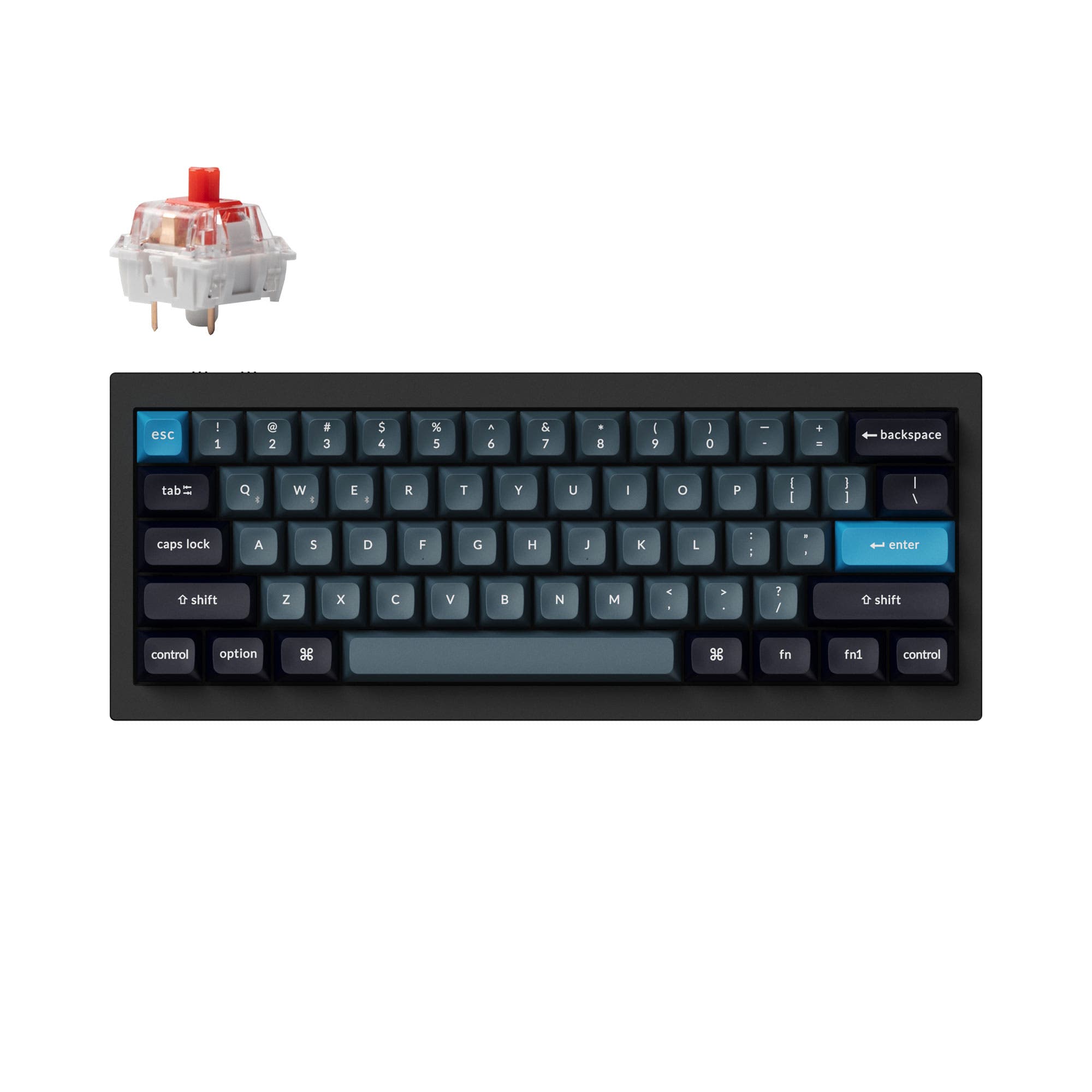
Qwertykeys Neo65
Build quality in the top 10% of 65% boards under $150.
If you want
- Tri-mode connectivity includes 2.4GHz wireless.
- Dual mounting offers PCB gasket and isolated top mount options.
- The vendor kit lists a carrying case, screwdriver and keycap and switch puller.
Rules this board out
- 65% layout. No function row and no numpad.
Bottom line
Choose the Q4 Pro for QMK, south-facing RGB and its larger listed battery, features the Neo65 does not list. Choose the Neo65 for 2.4GHz wireless, dual mounting and its included carrying case, features not listed for the Q4 Pro. The Q4 Pro's 60% layout also omits dedicated arrow keys, while the Neo65's 65% layout omits the function row and numpad.
The differences that matter
- Layout size
60%
65%
- Connection
Bluetooth, Wired
Bluetooth, 2.4 GHz, Wired
Wireless for several devices and wired for lower latency - Battery
4,000 mAh
2,200 mAh
A larger battery means fewer cables during the day - Case material
Aluminum
Aluminum, Brass, Copper
- Mount style
Gasket Mount
PCB Mount
KeebFinder scores
How we score- Keychron Q4 Pro
- Qwertykeys Neo65
- Performance
- 7557
- Build quality
- 8787
- Productivity
- 9163
- Customizability
- 9468
- Portability
- 8986
What they share
- Hot-swappable
- Max polling rate: 1,000 Hz
- VIA
- Sound dampening
- Layout standard: ANSI, ISO
What will you mostly use it for?
For gaming, pick the Keychron Q4 Pro
- The Q4 Pro lists a 1000 Hz polling rate and south-facing RGB.
- Its vendor description specifies 1000 Hz polling when wired, while the Neo65 listing also gives 1000 Hz without a mode distinction.
What owners say
Keychron Q4 Pro
“Keyboard 👍 It sounds really nice especially with glarses cherry mx purple switches and new keycaps :)”
Qwertykeys Neo65
“The favorite keyboard in my collection, those of us who are dedicated to building mechanical keyboards are essential to have a gem from the Neo series in all its models, greetings.”
Keychron Q4 Pro vs Qwertykeys Neo65 specs
16 of 25 specs differ
 |  | |
| Keychron Q4 Pro$125 | Qwertykeys Neo65$125 | |
|---|---|---|
| Typing & switches | ||
| Switch options (differs) | Clicky, Linear, Tactile | Not specified |
| Hot-swappable | Yes | Yes |
| Mount style (differs) | Gasket Mount | PCB Mount |
| Sound dampening | Yes | Yes |
| Screw-in stabilizers (differs) | Yes | No |
| Layout | ||
| Layout size (differs) | 60% | 65% |
| Layout standard | ANSI, ISO | ANSI, ISO |
| Ergonomics | Standard | Standard |
| Display | None | None |
| Connectivity & battery | ||
| Connection (differs) | Bluetooth, Wired | Bluetooth, 2.4 GHz, Wired |
| Max polling rate | 1,000 Hz | 1,000 Hz |
| Battery (differs) | 4,000 mAhBest | 2,200 mAh |
| USB-C | Yes | Yes |
| Build & materials | ||
| Case material (differs) | Aluminum | Aluminum, Brass, Copper |
| Plate material (differs) | Polycarbonate | Aluminum, CarbonFiber, Plastic, Polycarbonate |
| Keycaps (differs) | PBT | Not specified |
| Weight (differs) | 1,351 g | 2,500 g |
| Dimensions (differs) | 21 x 121 x 303 mm | 19 x 292 x 109 mm |
| Typing angle (differs) | 7° | 8° |
| Backlight (differs) | RGB, south-facing | None |
| Firmware & software | ||
| QMK (differs) | Yes | No |
| VIA | Yes | Yes |
| N-key rollover | Yes | Yes |
| Mac & Windows (differs) | Yes | No |
| Extras | ||
| Released (differs) | 2023 | 2025 |
Compare prices
Prices in USD are converted to your currency and can change at any time. KeebFinder may earn a commission when you buy through these links, at no extra cost to you.
Lowest price across stores, Amazon excluded.
- Lowest price now
- $125
- Lowest in range
- $125Aug 25 at Qwertykeys Neo65
- Highest in range
- $143Aug 25 at Keychron Q4 Pro
Price in USD
- Check on Amazon
AmazonGlobal
Check price - Extra 5% off


- Check on Amazon
AmazonGlobal
Check price - Extra 5% off

ISO layouts by store
Keychron Q4 Pro
- Go to Keychron
Keychron
ISO
In stockShips to you - Go to Keychron (DE)
Keychron (DE)
ISO
Out of stockDoes not ship to you
Qwertykeys Neo65
Listed on the product, not split by store: ISO.