Keychron Q5 vs Q6 Pro96% vs Full-Size Wireless Choice
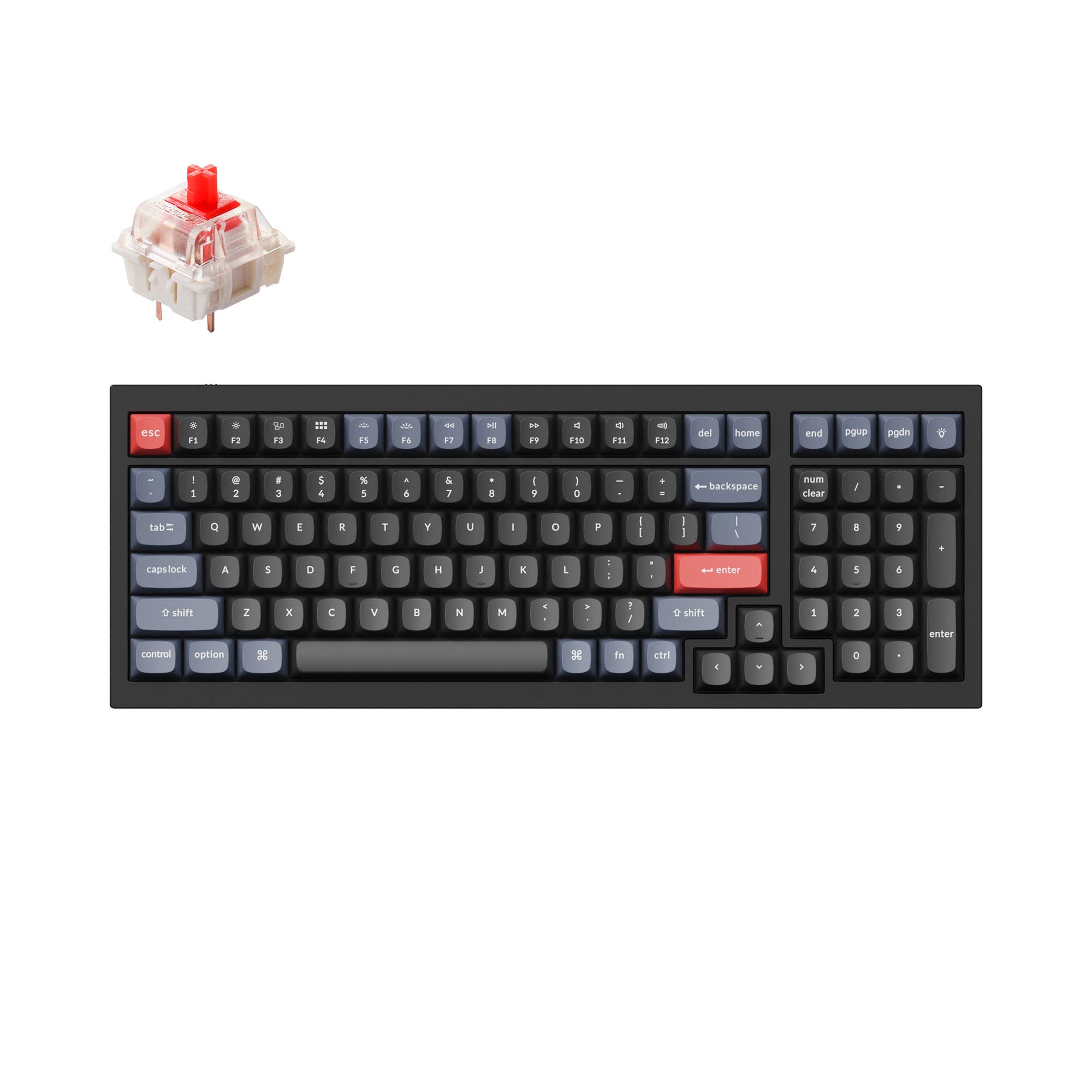
Choose the Keychron Q5 for its compact 96% layout and steel plate if you don't need wireless, or the Q6 Pro for its full-size layout, Bluetooth connectivity, and polycarbonate plate.
KeebFinder may earn a commission when you buy through these links, at no extra cost to you.
4.8 (17)4.8 · 17 reviews
from$119at Keychron

4.3 (4)4.3 · 4 reviews
from$159at Keychron
90-day lowLowest price in 90 days
Which one should you get?
Get the
Keychron Q5
96%
Build quality in the top 5% of 96% boards under $150.
- Compact 96% layout with a steel plate provides a stiff, responsive typing feel.
- Fully wired USB-C connection ensures maximum latency consistency for competitive gaming.
- Available in multiple barebone and fully assembled variants, including knob and non-knob options.
- South-facing LEDs. Shine-through legends stay dark, and some sculpted keycaps can clip the LED.
- Missing ISO-FR, ISO-ES. The other board is sold in those layouts.
- Compact full-size layout. The numpad is present, the gaps of a full-size board are not.
Get the
Keychron Q6 Pro
Full-Size Wireless Choice
Build quality in the top 5% of 100% boards under $200.
- Full-size 100% layout includes a dedicated number pad essential for data-heavy tasks.
- Bluetooth 5.1 wireless supports up to three devices and includes a 4000mAh battery for extended use.
- Polycarbonate plate combined with double-gasket design offers a softer, quieter typing experience.
- South-facing LEDs. Shine-through legends stay dark, and some sculpted keycaps can clip the LED.
- Missing ISO-SW. The other board is sold in those layouts.
The Keychron Q5 is the better choice if you prioritize a compact design, a stiffer typing feel from a steel plate, and do not need wireless connectivity. It is also more budget-friendly and offers more barebone kit options for modders. The Keychron Q6 Pro is the superior pick if you require a dedicated number pad and the convenience of Bluetooth wireless for a cleaner desk. Its polycarbonate plate and PBT keycaps also contribute to a more refined typing experience out of the box. Ultimately, your decision should be guided by whether a full-size layout and wireless freedom outweigh the benefits of a more compact, wired-only keyboard.
The differences that matter
Skip the 40-row spec sheet. These are the specs that change how each board feels, sounds, and fits your desk.
Keychron Q5
Keychron Q6 Pro
Layout size
96%
100%
Connection
Wired
Bluetooth, Wired
Wireless for several devices and wired for lower latency
Mount style
Gasket Mount, Plate Mount
Gasket Mount
Weight
2,310 g
2,160 g
Heavier boards stay planted and lighter ones travel
Layout standard
ANSI, ISO, ISO-DE, ISO-Nordic, ISO-SW, ISO-UK
ANSI, ISO, ISO-DE, ISO-ES, ISO-FR, ISO-Nordic, ISO-UK
ISO and JIS exist so regional layouts fit
- Keychron Q5
- Keychron Q6 Pro
- Performance
- 7282
- Build quality
- 8989
- Productivity
- 9798
- Customizability
- 9896
- Portability
- 4657
- Hot-swappable
- Max polling rate: 1,000 Hz
- Case material: Aluminum
- Switch options: Clicky, Linear, Tactile
- Knob
- QMK
What will you mostly use it for?
For gaming, the wired Keychron Q5 with its steel plate takes the edge due to consistent latency and a firmer feel. The Q6 Pro wins for office and content creation, as its full-size layout and Bluetooth wireless are superior for productivity and multi-device workflows. Programming is a tie since both offer identical QMK/VIA support and the choice depends on desk space vs. full-size preference. Travelers and modders will prefer the smaller, more flexible Q5, while content creators benefit from the Q6 Pro's number pad and wireless freedom. Overall, the decision hinges on whether you need a number pad and wireless connectivity or prioritize a more compact footprint.
Pick the Keychron Q5
- Wired-only connection ensures a consistent 1000 Hz polling rate with no latency variance.
- Steel plate provides a stiffer, more responsive feel preferred for fast-paced gaming.
- Lower price point leaves room in the budget for aftermarket gaming keycaps or switches.
What owners say
Ratings and quotes collected from verified store reviews, including the critical ones.
Keychron Q5
17 owner reviews
“I really like this keyboard. I have a couple of Q1s, and I like this layout better. The key caps on the silver gray model look terrific.”
Keychron Q6 Pro
4 owner reviews
“This is my first mechanical keyboard, and I love it since I don't have to build it from scratch! Because it connect either via bluetooth or through a cable, I'm able to use it for work which is great (since my organization doesn't allow me to download…”
“The build quality is good—but only acceptable at this price point. The knob is slightly off-center, which is disappointing. The software is also underwhelming. After two years of use, I’ve noticed a recurring issue: the keyboard enters standby mode very…”
Keychron Q5 vs Q6 Pro specs
Every tracked spec, side by side. Rows marked with a dot differ between the boards.
10 of 27 specs differ
Keychron Q5
Keychron Q6 Pro
Switch options
Hot-swappable
Mount style
Sound dampening
Screw-in stabilizers
Layout size
Layout standard
Ergonomics
Knob
Display
Media keys
Connection
Max polling rate
Battery
USB-C
Case material
Plate material
Keycaps
Weight
Dimensions
Typing angle
Backlight
QMK
VIA
N-key rollover
Mac & Windows
Released
ISO layouts by store
Which stores sell ISO-DE, UK, and the other regional layouts.
Keychron Q5
Keychron
ISO-DE, ISO-UK, ISO-Nordic, ISO-SW
In stockShips to you
Keychron (DE)
ISO-DE, ISO-UK, ISO-Nordic, ISO-SW
Out of stockDoes not ship to you
Keychron Q6 Pro
Keychron
ISO-DE, ISO-UK, ISO-Nordic, ISO-FR, ISO-ES
Out of stockShips to you
Keychron (DE)
ISO-DE, ISO-UK, ISO-FR, ISO-ES
Out of stockDoes not ship to you
Keychron (DE)
ISO
Out of stockDoes not ship to you
Compare prices
Live prices from the stores we track, cheapest in-stock offer first.
Prices in USD are converted to your currency and can change at any time. KeebFinder may earn a commission when you buy through these links, at no extra cost to you.
Lowest price across stores, Amazon excluded.



Keychron Q5 vs Q6 Pro: your questions
Both keyboards offer excellent typing experiences thanks to their full CNC machined aluminum cases and double-gasket designs. The Keychron Q5 uses a steel plate which provides a stiffer, more responsive feel, while the Q6 Pro uses a polycarbonate plate that gives a softer, more flexible typing experience. The Q6 Pro also comes with more durable PBT keycaps compared to the Q5's ABS keycaps.
Yes, the Keychron Q6 Pro supports both Bluetooth wireless and USB-C wired connections. The vendor states it has a reliable USB Type-C wired connection available when needed. In wired mode, it achieves a 1000 Hz polling rate, while wireless mode operates at 90 Hz.
Both keyboards feature south-facing RGB LEDs that are designed to illuminate the keyboard backlight well and are compatible with OEM or Cherry-profile keycaps. The Keychron Q5 includes OSA profile ABS backlight shine-through keycaps, which allow the RGB to shine through the legends more effectively. The Q6 Pro uses KSA dual-shot PBT keycaps that are not shine-through.
Yes, the Keychron Q5 has hot-swappable sockets mounted on the PCB that support both 3-pin and 5-pin MX mechanical switches. This allows you to install or change switches without any soldering, making customization easy.
The Keychron Q6 Pro fully assembled version is available with Keychron K Pro switches, including Red (linear), Brown (tactile), and Banana (early tactile bump) options. The barebone version does not include switches, giving you the freedom to install your own.
Both keyboards feature Keychron's double-gasket design, which adds silicone pads between the top and bottom cases to reduce acoustic resonance and metal noise. The Keychron Q5 uses a steel plate with this design, while the Q6 Pro uses a flexible polycarbonate plate, which according to the vendor further improves the overall typing sound and flexibility.
Both are excellent for programming as they offer full QMK and VIA support for remapping keys, creating macros, and customizing the knob. The Keychron Q5's compact 96% layout saves desk space, while the Q6 Pro's full-size layout includes a dedicated number pad for quick data entry. The choice comes down to personal preference for layout size and whether you need wireless.
The Keychron Q6 Pro is equipped with a 4000 mAh rechargeable li-polymer battery. According to the vendor, it can last up to 100 hours with RGB on at the lowest brightness, or up to 300 hours with the backlight completely off. Actual battery life may vary depending on usage.
The Keychron Q5 fully assembled version weighs approximately 2310 grams, while the Q6 Pro fully assembled version weighs about 2160 grams. Despite the Q6 Pro being longer (446 mm vs 390 mm), it is slightly lighter due to its polycarbonate plate compared to the Q5's steel plate.
Yes, both the Keychron Q5 and Q6 Pro are designed with Mac users in mind while retaining full compatibility with Windows. Each comes with a system toggle switch and an additional set of customized keycaps for both operating systems. You can also save two different key layouts on the keyboard, one for each system.
The Keychron Q5 is more portable due to its compact 96% layout and shorter length of 390 mm, making it easier to fit in most bags. While it is slightly heavier at 2310 grams, its smaller footprint compensates. The Q5 being wired-only also means one less battery to charge during travel.
Both keyboards are available with a programmable knob, though it varies by specific variant. The Keychron Q5 offers both knob and non-knob versions in its barebone and fully assembled kits. The Q6 Pro, based on the vendor listing, also offers a fully assembled knob and a barebone knob version.
Not sold on either?




Still torn?
Answer a few quick questions and the keyboard finder ranks 2,000+ boards by how you will actually use yours.