Keychron Q6 Pro vs Q6 Ultra
Choose the Q6 Ultra if you demand the lowest latency for competitive gaming; pick the Q6 Pro for better value, proven QMK support, and superior build quality reviews.
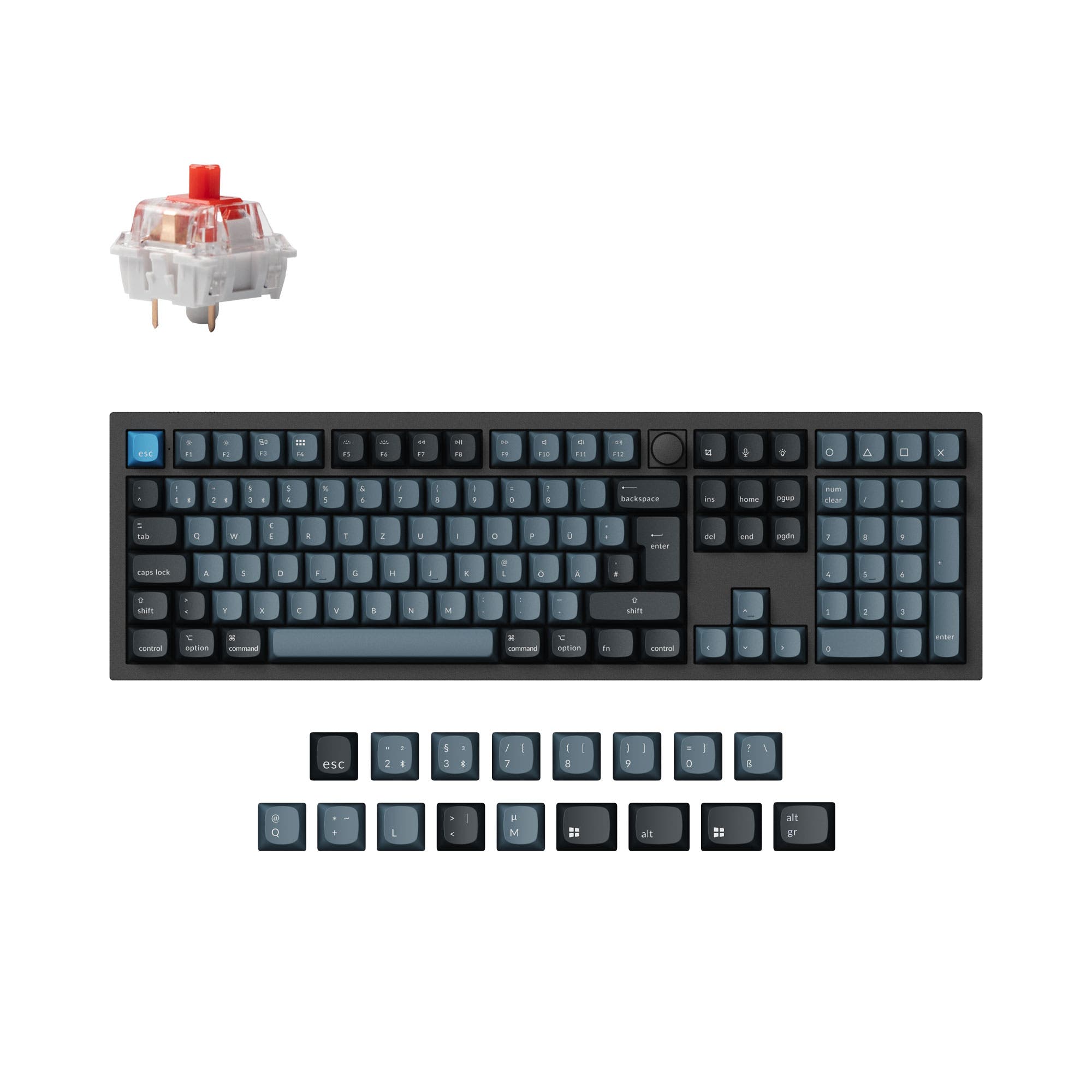

Which one should you get?
Get the
Keychron Q6 Pro
VIA
- QMK/VIA firmware support enables deep key remapping and macros without downloading software.
- Available as a barebones kit for users who want to supply their own switches and keycaps.
- Double-gasket design with silicone pads reduces metal acoustic resonance for a refined typing sound.
- Wireless polling rate is limited to 90 Hz, not ideal for competitive gaming wirelessly.
- No 2.4 GHz connectivity option; relies solely on Bluetooth or wired for wireless use.
- One user reports quick standby mode causing missed keystrokes and lack of dedicated status indicators.
Get the
Keychron Q6 Ultra
polling rate
- 8000 Hz polling rate on both 2.4 GHz and wired modes sets a new standard for input latency.
- Includes a 2.4 GHz dongle for a stable, interference-free wireless connection in addition to Bluetooth 5.3.
- Eight layers of acoustic foam (IXPE, PET, latex, etc.) for a highly dampened and controlled keystroke sound.
- Uses ZMK firmware instead of QMK, which has a smaller community and may lack some advanced features for some users.
- Not available as a barebones kit; only sold as a fully assembled unit, limiting enthusiast upgrade paths.
- One user reports Bluetooth sleep issues with the numpad and a physical switch problem, and firmware update complications.
Your decision hinges on whether raw gaming performance or long-term flexibility matters more. The Keychron Q6 Ultra delivers a future-proof 8K polling rate and 2.4 GHz connectivity for competitive players who want every millisecond advantage. The Keychron Q6 Pro counters with proven QMK/VIA firmware, a barebones option for modders, and a more favorable price-to-feature ratio backed by stronger user reviews. For most users who value customization and value, we recommend the Q6 Pro; only choose the Ultra if you specifically need the fastest wireless polling available.
The differences that matter
Skip the 40-row spec sheet. These are the specs that change how each board feels, sounds, and fits your desk.
Keychron Q6 Pro
Keychron Q6 Ultra
Connection
Bluetooth, Wired
Bluetooth, 2.4 GHz, Wired
Max polling rate
1,000 Hz
8,000 Hz
Mount style
Gasket Mount
Gasket Mount, Plate Mount
Weight
2,160 g
2,238 g
VIA
Yes
No
- Keychron Q6 Pro
- Keychron Q6 Ultra
- Performance
- 8290
- Build quality
- 8980
- Productivity
- 9893
- Customizability
- 9683
- Portability
- 5855
- Layout size: 100%
- Hot-swappable
- Battery: 4,000 mAh
- Case material: Aluminum
- Switch options: Clicky, Linear, Tactile
- Knob
What will you mostly use it for?
The Q6 Ultra wins the gaming category thanks to its 8000 Hz polling and 2.4 GHz wireless, a clear advantage for latency-sensitive users. The Q6 Pro takes the lead in office, programming, and modding use cases due to its mature QMK/VIA firmware support, barebones availability, and lower cost. Both are tied for travel and content creation as their full-size form factors and similar wireless capabilities offer comparable experiences. Across all categories, the Q6 Pro's higher customizability score and better user reviews make it the more versatile choice unless bleeding-edge performance is the priority.
Pick the Keychron Q6 Ultra
- Q6 Ultra offers 8000 Hz polling in both 2.4 GHz and wired modes for lower input lag.
- Includes dedicated 2.4 GHz wireless for a stable, low-latency connection without Bluetooth interference.
- Q6 Pro is limited to 1000 Hz wired and 90 Hz wireless, which is adequate but not competitive-tier.
What owners say
Ratings and quotes collected from verified store reviews, including the critical ones.
Keychron Q6 Pro
4 owner reviews
“This is my first mechanical keyboard, and I love it since I don't have to build it from scratch! Because it connect either via bluetooth or through a cable, I'm able to use it for work which is great (since my organization doesn't allow me to download…”
“The build quality is good—but only acceptable at this price point. The knob is slightly off-center, which is disappointing. The software is also underwhelming. After two years of use, I’ve noticed a recurring issue: the keyboard enters standby mode very…”
Keychron Q6 Ultra
10 owner reviews
“AMAZING!! I Love it!! It lights up, battery last about 3 - 4 weeks or so. Sounds great. Its solid which is a bonus. Best investment and back it all the way”
“After putting up with Razer for too long, I decided to get something else, and most people seemed to be saying that keychron has great stuff. So I bought this keyboard back in January. First, the build quality seems really good. You could probably use it as a…”
Keychron Q6 Pro vs Q6 Ultra specs
Every tracked spec, side by side. Rows marked with a dot differ between the boards.
10 of 27 specs differ
Keychron Q6 Pro
Keychron Q6 Ultra
Switch options
Hot-swappable
Mount style
Sound dampening
Screw-in stabilizers
Layout size
Layout standard
Ergonomics
Knob
Display
Media keys
Connection
Max polling rate
Battery
USB-C
Case material
Plate material
Keycaps
Weight
Dimensions
Typing angle
Backlight
QMK
VIA
N-key rollover
Mac & Windows
Released
Compare prices
Live prices from the stores we track, cheapest in-stock offer first.
Lowest price across stores, Amazon excluded.



Prices in USD are converted to your currency and can change at any time. KeebFinder may earn a commission when you buy through these links, at no extra cost to you.
Keychron Q6 Pro vs Q6 Ultra: your questions
The main difference is connectivity and polling performance. The Q6 Ultra supports 2.4 GHz wireless and an 8000 Hz polling rate in both wired and 2.4 GHz modes, while the Q6 Pro uses Bluetooth 5.1 and caps at 1000 Hz wired and 90 Hz wireless. The Ultra also uses ZMK firmware, whereas the Pro uses QMK/VIA.
The Q6 Ultra has better battery life, offering up to 660 hours with the backlight off compared to the Q6 Pro's up to 300 hours. Both have a 4000 mAh battery, but the Ultra's more efficient ZMK firmware and chipset extend runtime significantly.
The Q6 Pro is available as a barebones kit, meaning you can buy the board without switches or keycaps and install your own. The Q6 Ultra is only sold as a fully assembled keyboard, so you cannot build it from scratch without purchasing a full unit and swapping parts.
No, the Q6 Ultra uses ZMK firmware instead of QMK. Both support the Keychron Launcher web app for remapping and customization, but ZMK has a different feature set and community. The Q6 Pro's QMK firmware offers more mature open-source support.
The Q6 Ultra is better for gaming due to its 8000 Hz polling rate in both wired and 2.4 GHz wireless modes, which provides lower input lag. The Q6 Pro's 1000 Hz wired and 90 Hz wireless polling rates are adequate for most casual gaming but not competitive tier.
Both keyboards come with KSA profile double-shot PBT keycaps that are oil-resistant and durable. The Q6 Pro lists both ABS and PBT as keycap material options, while the Q6 Ultra specifies only PBT. Both include Mac and Windows keycap sets.
The Q6 Pro connects wirelessly via Bluetooth 5.1 only, while the Q6 Ultra offers Bluetooth 5.3 and a dedicated 2.4 GHz connection with a dongle for lower-latency wireless. The Q6 Ultra also provides more robust connection options for competitive gaming and multitasking across three devices.
Yes, both the Q6 Pro and Q6 Ultra include a knob (the Ultra describes an 'All New Knob Design') and multi-media key support. The Q6 Pro is available as a knob version or barebones, and the Q6 Ultra comes fully assembled with a knob.
The Q6 Ultra is slightly heavier at 2238g compared to the Q6 Pro's 2160g. Both have identical width (137mm) and length (446mm), but the Q6 Ultra is taller at 31mm back height versus the Pro's 20.1mm. Both are full-size, full-metal keyboards not suited for portability.
The Q6 Pro has a higher build quality score (88.3/100) and an average user rating of 4.42/5 from 11 reviews. The Q6 Ultra scores lower at 73.6/100 for build quality with a 3.5/5 average from only 2 reviews. User feedback on the Ultra includes reports of switch and firmware issues.
The Q6 Ultra is worth the higher price if you need the 8000 Hz polling rate and 2.4 GHz wireless for competitive gaming or latency-sensitive work. If you value software flexibility, a lower cost, and a proven track record with more modding options, the Q6 Pro offers better value per dollar.
Yes, both the Q6 Pro and Q6 Ultra are designed for Mac and Windows. They include a system toggle switch on the keyboard and come with additional sets of customized keycaps for both macOS and Windows layouts, allowing you to save two different layouts on the board.
Not sold on either?


Still torn?
Answer a few quick questions and the keyboard finder ranks 2,000+ boards by how you will actually use yours.