Keychron Q8 Max vs Q9Alice 65% Wireless vs 40% Wired
The Q8 Max wins on wireless freedom, fuller layout and case acoustics, while the Q9 wins on desk footprint and lower outlay for a wired 40% experiment.
KeebFinder may earn a commission when you buy through these links, at no extra cost to you.

5.0 (8)5.0 · 8 reviews
from$219at Keychron

4.7 (6)4.7 · 6 reviews
from$59at Keychron
Which one should you get?
Get the
Keychron Q8 Max
Alice 65% Wireless
Build quality in the top 5% of 65% boards under $300.
- Triple connectivity with 2.4 GHz, Bluetooth for up to three devices and wired USB-C.
- 4000 mAh battery rated up to 180 hours with backlight off and up to 100 hours at lowest RGB brightness.
- CNC machined 6063 aluminum body with double-gasket design and PC plate for a softer, damped typing feel.
- South-facing LEDs. Shine-through legends stay dark, and some sculpted keycaps can clip the LED.
- No ISO layout. ISO-DE, UK, and other ISO variants are not offered.
- 65% layout. No function row and no numpad.
Get the
Keychron Q9
40% Wired
Build quality in the top 5% of 40% boards under $150.
- Compact 40% footprint at 94.1 mm by 326 mm and 1050 g, easier to store or carry than the Q8 Max.
- Full CNC machined aluminum body with double-gasket design and a steel plate for a firm typing feel.
- Available in ANSI and ISO layouts, including barebone ISO versions, which helps European buyers.
- South-facing LEDs. Shine-through legends stay dark, and some sculpted keycaps can clip the LED.
- Compact layout only. No function row, dedicated arrow keys, or numpad.
Choose the Q8 Max if you want one board for desk work and occasional wireless use, its 2.4 GHz and Bluetooth modes, 4000 mAh battery, 65% Alice layout and PC plate make it the more flexible daily driver. Choose the Q9 if desk space, weight and a lower outlay matter more than wireless, and you are willing to build a 40% keymap in QMK or VIA. Neither is a universal pick, the decision hinges on whether wireless connectivity and a fuller key set outweigh a much smaller wired footprint.
The differences that matter
Skip the 40-row spec sheet. These are the specs that change how each board feels, sounds, and fits your desk.
Keychron Q8 Max
Keychron Q9
Layout size
65%
40%
Connection
Bluetooth, 2.4 GHz, Wired
Wired
Wireless for several devices and wired for lower latency
Ergonomics
Alice
Split Spacebar
Mount style
Gasket Mount, Plate Mount
Gasket Mount, PCB Mount, Plate Mount
Weight
1,745 g
1,050 g
Heavier boards stay planted and lighter ones travel
- Keychron Q8 Max
- Keychron Q9
- Performance
- 7865
- Build quality
- 8991
- Productivity
- 9794
- Customizability
- 9896
- Portability
- 8970
- Hot-swappable
- Max polling rate: 1,000 Hz
- Case material: Aluminum
- Switch options: Clicky, Linear, Tactile
- Knob
- QMK
What will you mostly use it for?
The Q8 Max takes the everyday categories where wireless freedom, a fuller key set and a softer plate matter. The Q9 takes travel on size and weight and content creation on its programmable knob and optional split spacebar. Modding is close because both share hot-swap sockets, QMK and VIA, and screw-in stabilizers. Buyers who mainly work at one desk will feel the Q8 Max advantages most, while those who move around or want a compact macro surface will lean to the Q9.
Pick the Keychron Q8 Max
- The Q8 Max lists 1000 Hz polling on 2.4 GHz and wired, plus wired 1000 Hz on the Q9, so latency class is similar, but the Q8 Max adds a 2.4 GHz wireless mode.
- The Q8 Max provides N-key rollover in wireless and wired modes, which helps with simultaneous key presses.
- The Q8 Max has a 65% layout with dedicated arrow and navigation keys, useful for games that use those keys.
What owners say
Ratings and quotes collected from verified store reviews, including the critical ones.
Keychron Q8 Max
8 owner reviews
“An amazing keyboard for the money! The build quality is immaculate and the keycaps and switches are just fantastic. I was very pleasantly surprised with the included keycaps and I like the KSA profile much better than I expected to.”
Keychron Q9
6 owner reviews
“Love the keyboard and goes well with the switches i got. Size was bigger than expected but weight is truly high quality Could do with a force break mod though as it is a little pingy”
Keychron Q8 Max vs Q9 specs
Every tracked spec, side by side. Rows marked with a dot differ between the boards.
11 of 27 specs differ
Keychron Q8 Max
Keychron Q9
Switch options
Hot-swappable
Mount style
Sound dampening
Screw-in stabilizers
Layout size
Layout standard
Ergonomics
Knob
Display
Media keys
Connection
Max polling rate
Battery
USB-C
Case material
Plate material
Keycaps
Weight
Dimensions
Typing angle
Backlight
QMK
VIA
N-key rollover
Mac & Windows
Released
ISO layouts by store
Which stores sell ISO-DE, UK, and the other regional layouts.
Keychron Q8 Max
No ISO layout at the stores we track.
Keychron Q9
Input Gear
ISO
In stockShips to you
Input Gear
ISO
In stockShips to you
Keychron
ISO
In stockShips to you
Keychron (DE)
ISO
Out of stockDoes not ship to you
Compare prices
Live prices from the stores we track, cheapest in-stock offer first.
Prices in USD are converted to your currency and can change at any time. KeebFinder may earn a commission when you buy through these links, at no extra cost to you.
Lowest price across stores, Amazon excluded.




Keychron Q8 Max vs Q9: your questions
Yes, Keychron lists 2.4 GHz, Bluetooth for up to three devices and wired USB-C on the Q8 Max. The 2.4 GHz and wired modes run at 1000 Hz polling, while Bluetooth is listed at 90 Hz.
No, the Q9 is wired-only over Type-C. Keychron lists a 1000 Hz polling rate for it, and the box includes a Type-C cable plus a Type-A to Type-C adapter.
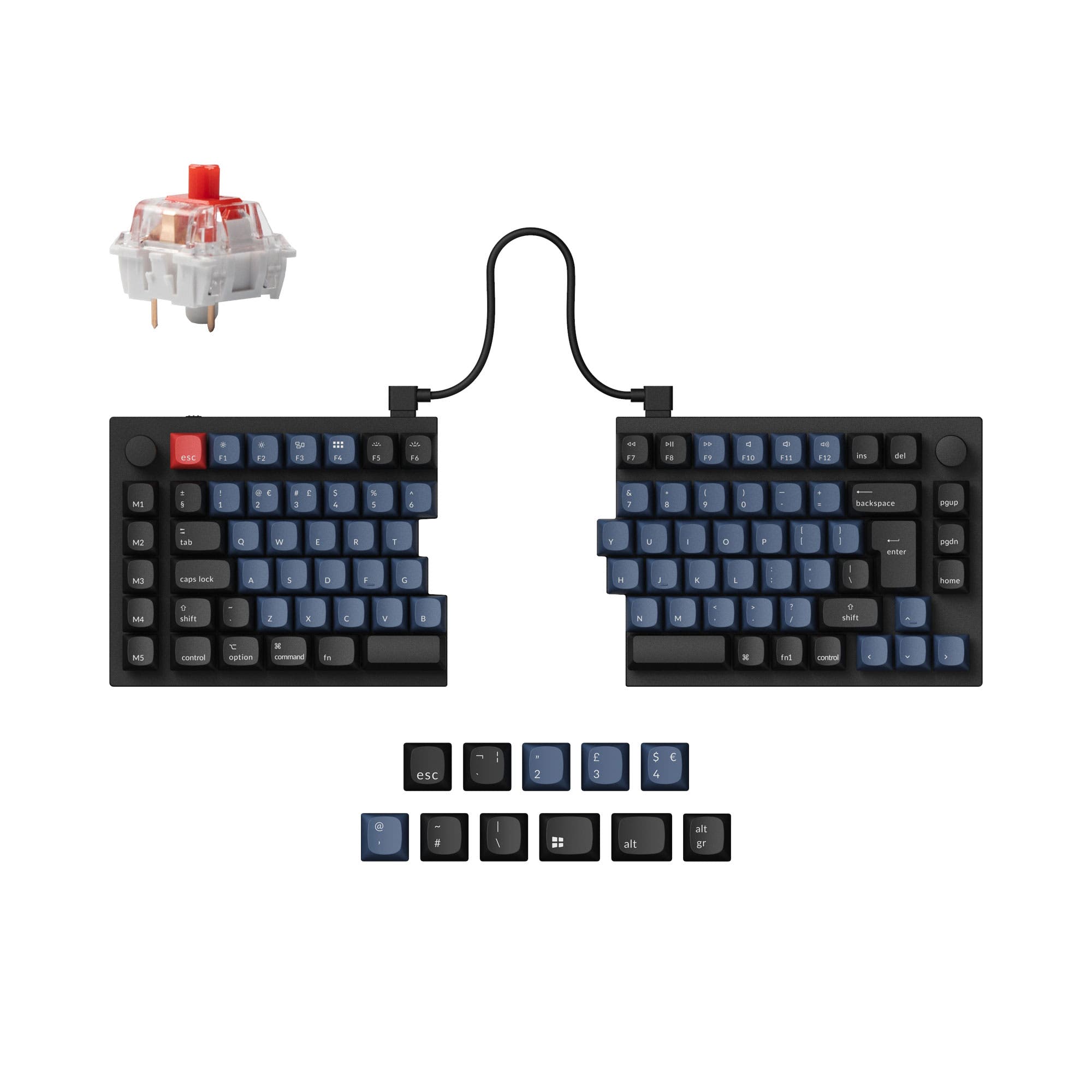
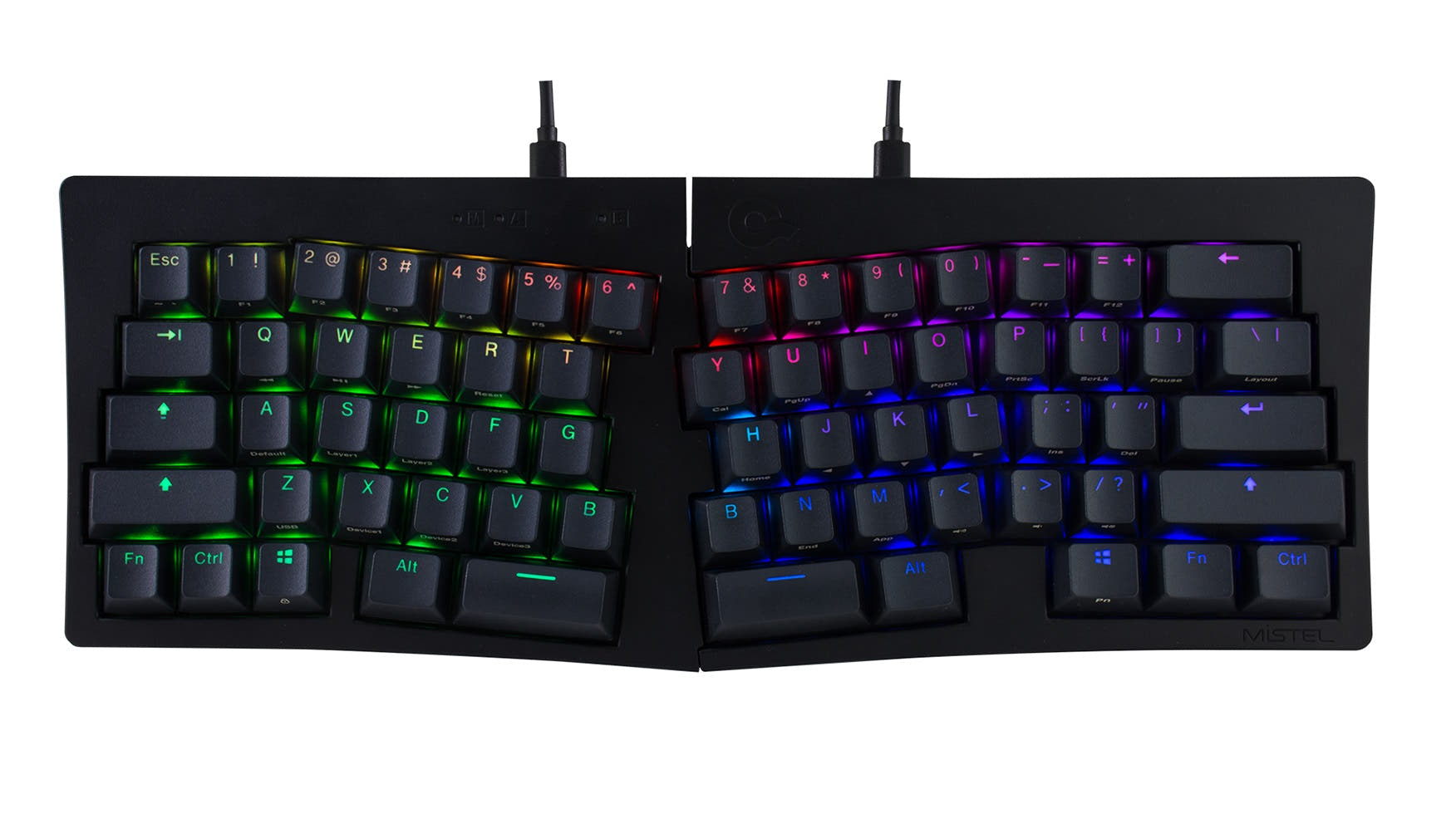
The Q8 Max uses a 65% Alice ergonomic layout with a knob and a fuller key set, while the Q9 is a 40% board with far fewer keys and optional split spacebar on the Plus Version. The Q9 relies more on layers and remapping for keys like Backspace.
Yes, both the Q8 Max and Q9 are hot-swappable and accept 3-pin and 5-pin MX-style mechanical switches without soldering. The Q8 Max ships with Gateron Jupiter switches in the fully assembled version, while the Q9 uses Gateron G Pro or Keychron K Pro depending on version.
Keychron rates the 4000 mAh battery at up to 180 hours with the backlight off and up to 100 hours with RGB at the lowest brightness. Actual runtime depends on wireless mode, RGB settings and usage.
The Q9 is smaller and lighter at 94.1 mm by 326 mm and 1050 g, against 136 mm by 358 mm and 1745 g for the Q8 Max. The Q9 is also wired-only, so you do not need to manage a battery, though the Q8 Max offers wireless convenience.
Yes, both list QMK firmware and VIA support, and Keychron points to its Launcher web app for key remapping and macros. Keychron notes the Launcher works best in the latest Chrome, Opera or Edge and requires a wired connection.
The Q8 Max uses a polycarbonate plate, while the Q9 uses a steel plate. Both use a double-gasket design with silicone pads between the top and bottom cases to reduce metal resonance.
Yes, Keychron lists ANSI and ISO layouts for the Q9, including barebone ISO and barebone ISO knob versions. The Q8 Max is listed as ANSI only.
Both are available with a knob, and the Q9 description highlights VIA-based knob customization for macros such as zoom, brightness, brush size or clip selection. The Q8 Max also lists knob support across its fully assembled and barebone knob options.
No, Keychron states that both use double-shot PBT keycaps that are not shine-through. The Q8 Max uses a KSA profile and the Q9 uses an OSA profile, both with south-facing RGB.
The Q9 is the actual 40% option, so it is the one to consider if you want to try that format, though its base layer needs remapping through Keychron Launcher for keys like Backspace. The Q8 Max is a 65% Alice board and keeps more keys, so it is a gentler step if you are unsure about a 40% layout.
Not sold on either?





Still torn?
Answer a few quick questions and the keyboard finder ranks 2,000+ boards by how you will actually use yours.