Keychron R3 vs R6TKL vs Full-Size Keyboard Comparison
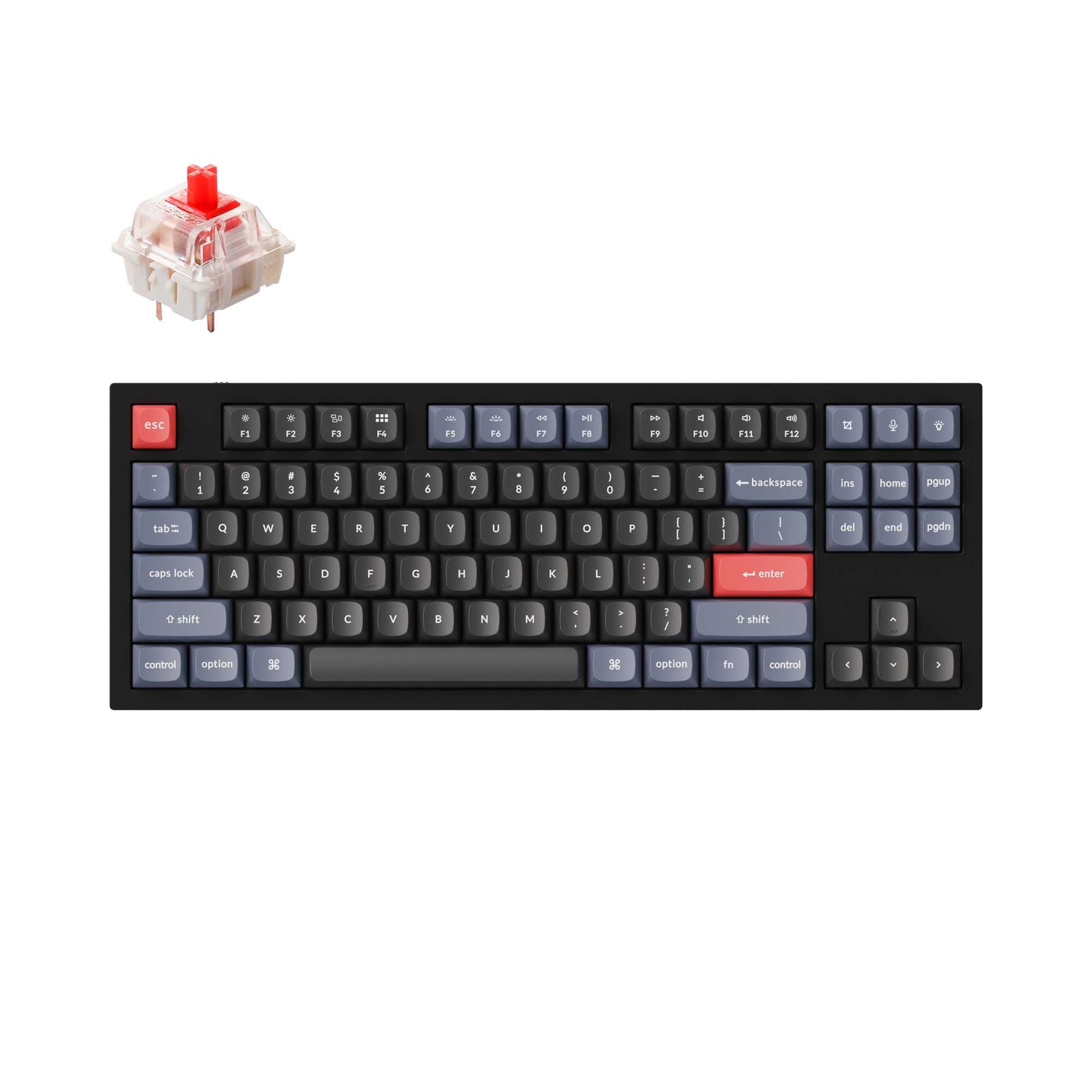
Choose the Keychron R6 for a dedicated numpad and enhanced features, or the R3 for a more compact desk footprint.


Which one should you get?
Get the
Keychron R3
TKL
- More compact TKL (80%) layout saves valuable desk space.
- Includes the same enhanced acoustic foam package (IXPE, EPDM, silicone, PET) as the R6.
- Offers triple-mode connectivity (wired, Bluetooth 5.3, 2.4GHz) and connects to up to 3 devices.
- Lacks a dedicated numpad, which can be a drawback for data entry.
- The vendor description does not mention a dedicated connectivity toggle switch.
Get the
Keychron R6
Full-Size Keyboard Comparison
- Full-size 100% layout includes a dedicated numpad for data entry and shortcuts.
- Features a dedicated connectivity toggle switch above the numpad for easy mode switching.
- Includes the enhanced acoustic foam package for sound dampening.
- Larger footprint requires more desk space than a TKL layout.
- Typically carries a higher price point than the more compact R3.
Select the Keychron R6 if your daily tasks involve frequent number entry or you prefer a complete, traditional keyboard layout. Opt for the Keychron R3 if you value a cleaner, more space-efficient desk setup and do not require a numpad. Both are equally capable in terms of wireless performance, customization, and build quality.
The differences that matter
Skip the 40-row spec sheet. These are the specs that change how each board feels, sounds, and fits your desk.
Keychron R3
Keychron R6
Layout size
80%
100%
Hot-swappable
No
Yes
Sound dampening
No
Yes
Backlight
None
RGB, south-facing
N-key rollover
No
Yes
- Keychron R3
- Keychron R6
- Performance
- 4479
- Build quality
- 5263
- Productivity
- 4683
- Customizability
- 4878
- Portability
- 5054
- Battery: 4,000 mAh
- Switch options: Linear, Tactile
- QMK
What will you mostly use it for?
The Keychron R6 is the clear choice for office work and content creation where a numpad is essential. The Keychron R3 wins for travel and programming where desk space is at a premium. For gaming and modding, the keyboards are functionally tied, offering identical core performance and customization features. Your primary workflow and spatial constraints will determine the better fit.
It's a tie
- Both offer a 1000Hz polling rate in wired and 2.4GHz modes for responsive input.
- Both feature N-key rollover to prevent ghosting during key presses.
- Both have south-facing RGB lighting and hot-swappable sockets for switch customization.
Keychron R3 vs R6 specs
Every tracked spec, side by side. Rows marked with a dot differ between the boards.
7 of 20 specs differ
Keychron R3
Keychron R6
Switch options
Hot-swappable
Mount style
Sound dampening
Layout size
Layout standard
Ergonomics
Display
Media keys
Connection
Max polling rate
Battery
USB-C
Case material
Keycaps
Backlight
QMK
N-key rollover
Mac & Windows
Released
Compare prices
Live prices from the stores we track, cheapest in-stock offer first.
Lowest price across stores, Amazon excluded.



Prices in USD are converted to your currency and can change at any time. KeebFinder may earn a commission when you buy through these links, at no extra cost to you.
Keychron R3 vs R6: your questions
The primary difference is the layout size. The R3 is a Tenkeyless (TKL) keyboard with 84 keys, while the R6 is a full-size keyboard with 104 keys, including a dedicated numpad. The R6 also specifically mentions a physical connectivity toggle above its numpad.
Yes. According to the vendor descriptions, both the Keychron R3 and R6 feature hot-swappable sockets. This allows you to easily change the mechanical switches without soldering.
Yes. Both keyboards are listed as compatible with Windows, Mac, and Linux operating systems. The product descriptions note they include a key sequence to toggle between Windows and Mac layouts and come with keycaps for both systems.
Both models feature what Keychron calls an enhanced acoustic foam package. According to the vendor pages, this includes IXPE foam, EPDM foam, a silicone bottom pad, and PET film to reduce typing noise and improve acoustics.
Both keyboards are equipped with a 4000mAh rechargeable battery. The vendor descriptions do not provide estimated battery life hours, as this depends on usage patterns, backlight brightness, and connection mode.
Yes. Both keyboards support programming via QMK/VIA and the Keychron Launcher software. This allows for extensive key remapping, macro creation, and layer configuration.
Both the R3 and R6 offer triple-mode connectivity. You can use them with a wired USB-C connection, a 2.4GHz wireless dongle with a 1000Hz polling rate, or via Bluetooth 5.3, connecting to up to three devices.
Both keyboards come with double-shot PBT keycaps in a Cherry profile. PBT plastic is known for its durability and resistance to shine, while the Cherry profile is a popular middle-ground shape for typing.
Yes. The vendor descriptions for both the Keychron R3 and R6 specify south-facing RGB LEDs. This orientation is often preferred as it improves compatibility with Cherry-profile keycaps and can reduce glare.
The Keychron R3 is better for a small desk due to its Tenkeyless (TKL) layout. By omitting the numpad, it has a significantly smaller footprint, freeing up space for your mouse or other desk accessories compared to the full-size R6.
Yes. The vendor specifications list a maximum polling rate of 1000Hz for both the Keychron R3 and R6. The R6 description explicitly states this rate applies in both wired and 2.4GHz wireless modes.
Not sold on either?


Still torn?
Answer a few quick questions and the keyboard finder ranks 2,000+ boards by how you will actually use yours.