Not sure which keyboard to choose? Try the Keyboard Finder now!

Compare X-Bows X Bows Crystal vs X Bows Lite Differences Side by Side

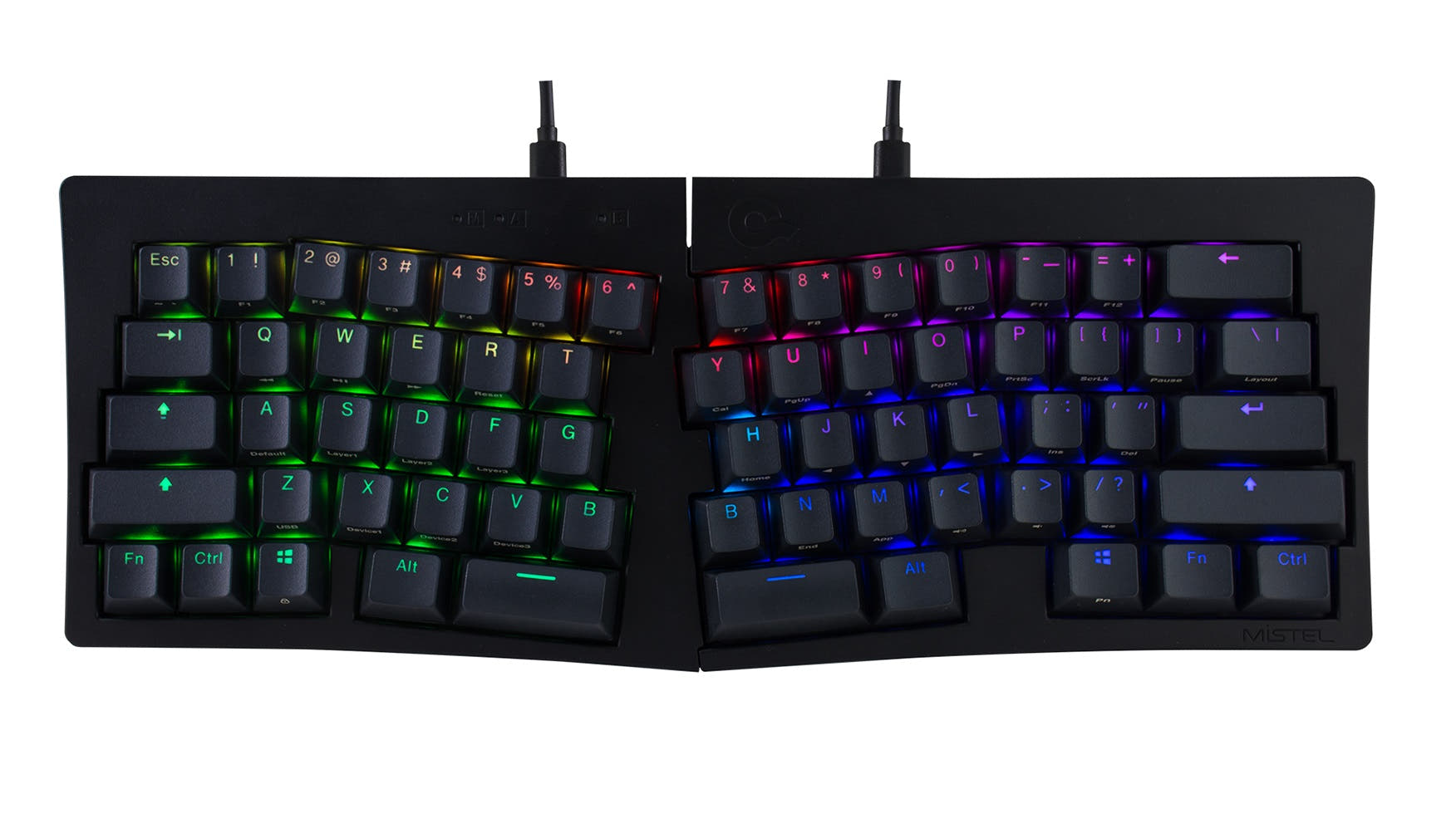
This comparison is for users considering X-Bows' unique radial-columnar ergonomic layout but are torn between the flagship and entry-level models. The decision hinges on whether you value premium features like wireless connectivity and hot-swappable switches, or prioritize a lower cost to access the core ergonomic benefits. Both share the same patented split Alice layout, 70% size, and 6-degree typing angle, making the choice about features versus value.

64
X-Bows® Crystal | Transparent Wireless Ergonomic Mechanical Keyboard
X-Bows® Lite Ergonomic Mechanical Keyboard

Select a keyboard to compare

0.0 (0)
0.0 (0)
  • Supports hot-swappable switches
  • Supports QMK firmware
  • Supports Bluetooth, Wired, Wireless connectivity
  • Made with a Acrylic case
  • Offers Yes, Rgb RGB lighting
  • Supports Wired, Wired only connectivity
  • Made with a Copper, Aluminum case
  • Features ABS keycaps
  • Offers Yes, White RGB lighting
Scores
  • Performance: 64.4
  • Build Quality: 54.3
  • Productivity: 67.6
  • Customizability: 73
  • Portability: 79.3
Scores
  • Performance: 46.1
  • Build Quality: 63
  • Productivity: 50.6
  • Customizability: 44.4
  • Portability: 57.6
Name
X-Bows X Bows Crystal
Name
X-Bows X Bows Lite
Release year
2025
Release year
2025
Switch Options
Clicky, Tactile, Linear, Silent
Switch Options
Clicky, Tactile, Linear, Silent
Profile
Normal Profile
Profile
Normal Profile
Hot Swappable
 
Hot Swappable
 
Layout Size
70%
Layout Size
70%
Layout Standard
ANSI
Layout Standard
ANSI
Layout Ergonomics
Alice
Layout Ergonomics
Alice
Knob Support
 
Knob Support
 
Display Support
 
Display Support
 
Mac/Win Support
 
Mac/Win Support
 
Multi-Media Keys
 
Multi-Media Keys
 
USB-C
 
USB-C
 
USB passthrough
 
USB passthrough
 
Connection
Bluetooth, Wired, Wireless
Connection
Wired, Wired only
Polling Rate
-
Polling Rate
-
Battery capacity
-
Battery capacity
-
Hall Effect Support
 
Hall Effect Support
 
QMK Support
 
QMK Support
 
VIA Support
 
VIA Support
 
VIAL Support
 
VIAL Support
 
N-Key Rollover
 
N-Key Rollover
 
Rapid Trigger
 
Rapid Trigger
 
Mount Style
-
Mount Style
-
Screw in Stabilizers
 
Screw in Stabilizers
 
Sound Dampening
 
Sound Dampening
 
Backlight
 
Rgb
Backlight
 
White
Case Colors
Case Colors
Case Material
Acrylic
Case Material
Copper, Aluminum
Keycaps Material
-
Keycaps Material
ABS
Dimensions
-
Dimensions
-
Weight
-
Weight
-
*Something incorrect or missing? Please
let me know
!
Show more

Pros and Trade-offs

Your budget and need for advanced features dictate this choice. If you want the flexibility to customize switches, program layers deeply with QMK, and work wirelessly across devices, the X-Bows Crystal is worth the investment. If your primary goal is to experience the ergonomic layout at the lowest cost with a solid, lightweight build, the X-Bows Lite is the practical pick. Both require an adaptation period but share the same core goal of reducing typing strain.

X-Bows X Bows Crystal

  • +Offers wireless Bluetooth 5.0 connectivity with multi-device pairing.
  • +Features hot-swappable sockets for easy switch customization.
  • +Includes a transparent acrylic gasket-mounted case for a unique look and dampened feel.
  • +Supports QMK firmware for advanced programmability.
  • +Comes with per-key RGB backlighting.

  • Significantly heavier at 1750g, reducing portability.
  • Commands a higher price point than the Lite model.
  • The acrylic case material may be less durable than metal alternatives.

X-Bows X Bows Lite

  • +More affordable entry point into the X-Bows ergonomic layout.
  • +Lighter weight of 690g improves portability.
  • +Features a rigid aluminum alloy top panel for stability.
  • +Includes a professional white LED backlight.

  • Lacks wireless connectivity, being wired-only.
  • Switches are not hot-swappable, limiting customization.
  • Does not support QMK firmware, relying on dedicated software instead.
  • Uses ABS keycaps, which may develop shine over time.

Which Keyboard Is Better for Your Needs?

The X-Bows Crystal is the clear choice for users who prioritize customization, wireless freedom, and a premium typing experience, winning in Gaming, Programming, Modding, and Content Creation. The X-Bows Lite takes the lead for Travel due to its lighter weight and simpler wired connection. For general Office use, the decision is a tie, as both deliver the fundamental ergonomic benefits at different price points.

GamingX-Bows X Bows Crystal
  • The Crystal offers wireless connectivity for a cleaner desk setup.
  • Its hot-swappable sockets allow for switch customization to preferred gaming switches.
  • Per-key RGB lighting is listed as a feature for visual customization.
OfficeTie
  • Both offer the same core ergonomic layout aimed at reducing strain during long typing sessions.
  • The Lite has a professional white backlight suitable for office environments.
  • The Crystal's wireless capability can reduce cable clutter in shared or multi-device setups.
ProgrammingX-Bows X Bows Crystal
  • The Crystal supports QMK firmware for deep key remapping and macro programming.
  • Hot-swappable switches let programmers tailor the typing feel for long coding sessions.
  • The ability to connect to multiple devices via Bluetooth can streamline workflows across machines.
TravelX-Bows X Bows Lite
  • The Lite is significantly lighter at 690g compared to the Crystal's 1750g.
  • Its wired-only connection means no need to manage a battery while on the go.
  • The vendor description notes its hybrid aluminum/ABS construction is designed for portability.
ModdingX-Bows X Bows Crystal
  • The Crystal features hot-swappable sockets compatible with 3-pin and 5-pin switches.
  • It uses a transparent acrylic gasket-mounted case, which is designed to showcase internal components.
  • QMK firmware support allows for extensive software-level customization.
Content CreationX-Bows X Bows Crystal
  • The Crystal's per-key RGB lighting and transparent acrylic chassis are highlighted for aesthetic workspace customization.
  • Wireless connectivity and multi-device pairing support a fluid workflow across a PC, Mac, and tablet.
  • Programmable layers and macros via QMK can streamline creative software shortcuts.

Frequently Asked Questions (FAQ)


Discover similar products

You might also like similar products in that price range:

97
$239
Keychron Q10 Max (Alice Layout) QMK/VIA Wireless Custom Mechanical Keyboard
Keychron Q10 Max Alice
75%,
Hotswap,
Wireless,
Wired,
RGB,
Knob,
VIA,
QMK,
Alu case,
Gasket Mount

93
$99
Keychron V8 Max (Alice Layout) QMK Custom Mechanical Keyboard
Keychron V8 Max Alice
65%,
Hotswap,
Wireless,
Wired,
RGB,
Knob,
VIA,
QMK,
Gasket Mount

95
$219
Keychron Q8 Max (Alice Layout) QMK/VIA Wireless Custom Mechanical Keyboard
Keychron Q8 Max Alice
65%,
Hotswap,
Wireless,
Wired,
RGB,
Knob,
VIA,
QMK,
Alu case,
Gasket Mount

95
$104
Keychron V10 Max (Alice Layout) QMK/VIA Wireless Custom Mechanical Keyboard
Keychron V10 Max Alice
75%,
Hotswap,
Wireless,
Wired,
RGB,
Knob,
VIA,
QMK,
HE,
Gasket Mount

67
$230
Boomerang
KBDFans YDKB Boomerang
60%,
Hotswap,
Wired,
VIA,
Alu case,
Gasket Mount

89
$99
Keychron K15 Max (Alice Layout) QMK Wireless Custom Mechanical Keyboard
Keychron K15 Max Alice
75%,
Hotswap,
Wireless,
Wired,
RGB/ White LEDs,
VIA,
QMK,
Alu case,
PCB Mount

71
$89
A72 68% Ergonomic Alice Layout Mechanical Keyboard
Royal Kludge A72 Alice
65%,
Hotswap,
Wireless,
Wired,
RGB,
Knob,
Gasket Mount

98
$219
Keychron Q3 HE QMK Wireless Custom Keyboard ISO Layout Collection
Keychron Q3 HE
80%,
Hotswap,
Wireless,
Wired,
RGB/ White LEDs,
Knob,
VIA,
QMK,
HE,
Rapid trigger,
Metal case,
Gasket Mount

83
$89
[In Stock] CK Alice Ergonomics Wired Mechanical Keyboard Kit
CK Alice
80%,
Wired,
RGB,
VIA,
QMK,
HE,
Gasket Mount