Nuphy Halo IO Series vs Node75 Low ProfileRGB Showpiece vs Compact Touch
Choose the Halo V2 IO for extensive RGB and macro customization, or the Node75 for a more portable, minimalist design with a unique touch zone.
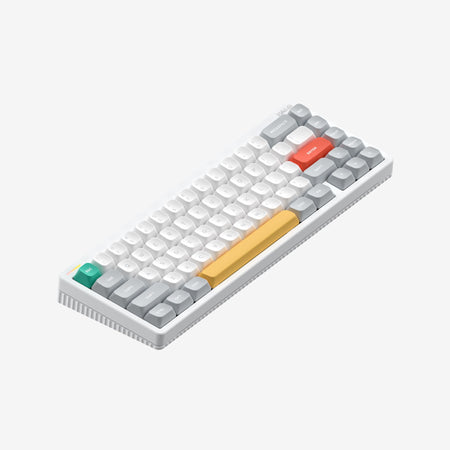

Which one should you get?
Get the
Nuphy Halo IO Series
RGB Showpiece
- Comprehensive RGB lighting with a customizable light bar and per-key backlighting.
- Web-based NuPhyIO 2.0 software for advanced key remapping, macro recording, and light effect tuning.
- Includes accessories like a two-stage foot stand and an exclusive dust cover.
- Heavier at 1000g and with larger cubic dimensions, making it less portable.
- Lacks the touch-sensitive input zone found on the Node75.
- Vendor description does not mention specific switch options like linear or tactile, only color names.
Get the
Nuphy Node75 Low Profile
Compact Touch
- Compact 75% layout saves valuable desk space.
- Features a unique touch zone for slide, tap, and double-tap gesture controls.
- Lighter weight of 827g and slimmer profile aid portability.
- No RGB backlighting, only dot-matrixed LEDs in the touch zone according to the description.
- Smaller 3000mAh battery compared to the Halo V2 IO.
- Vendor description does not detail any companion software for customization.
Your priority dictates the choice. If you want a visually striking centerpiece for your desk with deep software customization for lights and macros, the Nuphy Halo V2 IO is the clear option. If you prefer a cleaner, space-saving keyboard with a novel touch interface and easier portability, the Nuphy Node75 is the better fit. Both deliver quality wireless typing with gasket mounts.
The differences that matter
Skip the 40-row spec sheet. These are the specs that change how each board feels, sounds, and fits your desk.
Nuphy Halo IO Series
Nuphy Node75 Low Profile
Layout size
65%
75%
Battery
4,000 mAh
3,000 mAh
Low profile
No
Yes
Case material
Aluminum, Plastic
ABS
Switch options
Mechanical
Clicky, Linear
- Nuphy Halo IO Series
- Nuphy Node75 Low Profile
- Performance
- 7849
- Build quality
- 7859
- Productivity
- 9153
- Customizability
- 7945
- Portability
- 9879
- Connection: Bluetooth, 2.4 GHz, Wired
- Hot-swappable
- Max polling rate: 1,000 Hz
- Mount style: Gasket Mount
- Keycaps: PBT
What will you mostly use it for?
The Halo V2 IO wins for gaming and content creation due to its RGB features and powerful customization software, while the Node75 is better suited for office use and travel thanks to its compact, quiet design. For programming, both are equally capable with their shared hot-swap and gasket mount features. Modders will find more to tinker with on the Halo V2 IO through its dedicated software suite.
Pick the Nuphy Halo IO Series
- Includes RGB backlighting for per-key lighting effects.
- Features a 1000Hz polling rate for responsive input.
- Vendor description highlights multi-device support for switching between gaming and other tasks.
Nuphy Halo IO Series vs Node75 Low Profile specs
Every tracked spec, side by side. Rows marked with a dot differ between the boards.
14 of 26 specs differ
Nuphy Halo IO Series
Nuphy Node75 Low Profile
Switch options
Hot-swappable
Mount style
Low profile
Sound dampening
Screw-in stabilizers
Layout size
Layout standard
Ergonomics
Knob
Display
Media keys
Connection
Max polling rate
Battery
USB-C
Case material
Plate material
Keycaps
Weight
Dimensions
Typing angle
Backlight
N-key rollover
Mac & Windows
Released
Compare prices
Live prices from the stores we track, cheapest in-stock offer first.
Lowest price across stores, Amazon excluded.



Prices in USD are converted to your currency and can change at any time. KeebFinder may earn a commission when you buy through these links, at no extra cost to you.
Nuphy Halo IO Series vs Node75 Low Profile: your questions
The Nuphy Halo V2 IO features full RGB backlighting and a separate customizable RGB light bar on its side. The Node75 does not have per-key RGB, but its touch zone uses dot-matrixed LEDs for feedback.
Yes, the Nuphy Node75 features a touch zone. According to the vendor, you can slide, tap, or double-tap this zone to execute various functions, with dot-matrixed LEDs providing visual feedback.
Yes, both keyboards are listed as hot-swappable. This allows you to change the mechanical switches without soldering, offering flexibility in typing feel and sound.
The Halo V2 IO has a larger 4000mAh battery, while the Node75 has a 3000mAh battery. The Halo's vendor description claims up to 1200 hours of battery life with lighting, suggesting longer potential runtime.
Yes. The Halo V2 IO listing includes Mac/Win support, and its vendor description mentions a dedicated Win/Mac mode switch and OS-specific keycaps for easier transition between operating systems.
The Node75 uses a 75% layout, which is compact and saves space. The Halo V2 IO has a standard full layout and is notably heavier at 1000g compared to the Node75's 827g, making the Node75 more portable.
The Node75 offers a 'Blush' switch option described as smooth and quiet. The Halo V2 IO also has a 'Blush Max' switch that uses a silicone silencer for nearly silent keystrokes, so both can be configured for quiet use.
The vendor description for the Node75 does not mention any companion software for key remapping or macro creation. The Halo V2 IO, in contrast, is promoted with its web-based NuPhyIO 2.0 software for extensive customization.
The Node75 uses PBT keycaps. The Halo V2 IO uses proprietary mSA profile keycaps, which are described as having large, round surfaces for ergonomics, and they are shine-through for its RGB lighting.
The vendor description for the Halo V2 IO mentions Twotone wrist rests are available as part of its accessory ecosystem, but it does not state they are included in the box. The Node75 description does not mention a wrist rest.
Both the Nuphy Halo V2 IO and the Node75 have a 1000Hz polling rate. This provides a 1ms report rate, which is standard for responsive gaming and general use.
The Node75 vendor description specifies Red (linear), Blush (linear quiet), and Brown (tactile) nano switches. The Halo V2 IO description mentions Red Max, Blush Max, and Brown Max switches by color, but does not explicitly detail their type beyond the Blush being silent.
Not sold on either?




Still torn?
Answer a few quick questions and the keyboard finder ranks 2,000+ boards by how you will actually use yours.