Nuphy Halo IO Series vs WH80 Gaming KeyboardRGB Hot-Swap vs 8K Hall Effect
Choose the Halo V2 IO for customization and multi-device use, or the WH80 for its high-speed Hall effect switches and 8K polling rate.
KeebFinder may earn a commission when you buy through these links, at no extra cost to you.
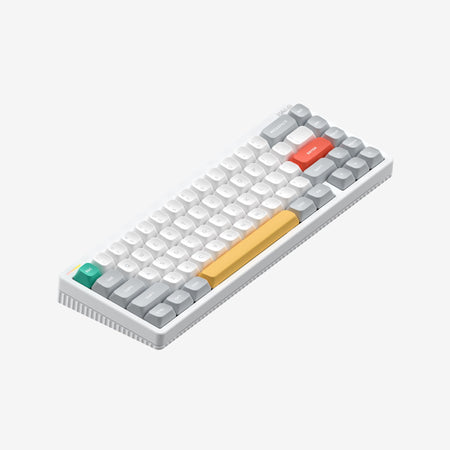
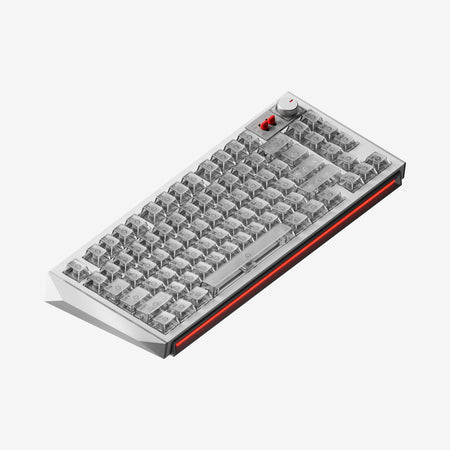
Which one should you get?
Get the
Nuphy Halo IO Series
RGB Hot-Swap
Build quality in the top 25% of 65% boards under $150.
- Hot-swappable PCB for easy switch customization.
- Wireless connectivity with multi-device pairing (up to 4 devices).
- Large 4000mAh battery with claimed 1200-hour life.
- South-facing LEDs. Shine-through legends stay dark, and some sculpted keycaps can clip the LED.
- 65% layout. No function row and no numpad.
Get the
Nuphy WH80 Gaming Keyboard
8K Hall Effect
Build quality in the top 40% of 80% boards under $300.
- High 8000 Hz polling rate for reduced input latency.
- Features Hall effect magnetic switches for precise, adjustable actuation.
- Switches are co-developed with Gateron, described as a major evolution for smoother travel.
- Magnetic switches only. Standard MX switches will not fit.
- South-facing LEDs. Shine-through legends stay dark, and some sculpted keycaps can clip the LED.
- No numpad.
Your primary need dictates the choice. For a daily driver that balances work, customization, and wireless convenience, the Nuphy Halo V2 IO is the more versatile option. If your sole focus is maximizing gaming performance with the lowest possible latency and the consistency of magnetic switches, the Nuphy WH80 is the specialized tool, albeit with fewer general-use features.
The differences that matter
Skip the 40-row spec sheet. These are the specs that change how each board feels, sounds, and fits your desk.
Nuphy Halo IO Series
Nuphy WH80 Gaming Keyboard
Layout size
65%
80%
Hall effect (magnetic)
No
Yes
Adjustable actuation helps in games and not in normal typing
Rapid trigger
No
Yes
Faster resets help in games and not in normal typing
Battery
4,000 mAh
8,000 mAh
A larger battery means fewer cables during the day
Max polling rate
1,000 Hz
8,000 Hz
Higher polling helps competitive FPS and does nothing for typing
- Nuphy Halo IO Series
- Nuphy WH80 Gaming Keyboard
- Performance
- 7898
- Build quality
- 7765
- Productivity
- 9190
- Customizability
- 7977
- Portability
- 9888
- Connection: Bluetooth, 2.4 GHz, Wired
- Hot-swappable
- Mount style: Gasket Mount
- Knob
- Sound dampening
- Keycaps: PBT
What will you mostly use it for?
The Halo V2 IO wins in most productivity and customization scenarios due to its wireless versatility, hot-swap sockets, and software features. The WH80 is the clear choice for competitive gaming, leveraging its high polling rate and Hall effect switches. For travel, neither has a distinct advantage as portability specifics are not highlighted.
Pick the Nuphy WH80 Gaming Keyboard
- The WH80 has a specified 8000 Hz polling rate for lower latency.
- It features Hall effect (magnetic) switches, which the manufacturer states offer 0.005mm actuation precision and 0.1ms delay.
- The vendor description positions it as a dedicated gaming keyboard.
Nuphy Halo IO Series vs WH80 Gaming Keyboard specs
Every tracked spec, side by side. Rows marked with a dot differ between the boards.
11 of 27 specs differ
Nuphy Halo IO Series
Nuphy WH80 Gaming Keyboard
Switch options
Hall effect (magnetic)
Rapid trigger
Hot-swappable
Mount style
Sound dampening
Screw-in stabilizers
Layout size
Layout standard
Ergonomics
Knob
Display
Media keys
Connection
Max polling rate
Battery
USB-C
Case material
Plate material
Keycaps
Weight
Dimensions
Typing angle
Backlight
N-key rollover
Mac & Windows
Released
Compare prices
Live prices from the stores we track, cheapest in-stock offer first.
Prices in USD are converted to your currency and can change at any time. KeebFinder may earn a commission when you buy through these links, at no extra cost to you.
Lowest price across stores, Amazon excluded.


Nuphy Halo IO Series vs WH80 Gaming Keyboard: your questions
No, the Nuphy WH80 is not listed as hot-swappable. It comes with soldered Hall effect magnetic switches co-developed with Gateron, which limits easy switch replacement compared to the hot-swappable Halo V2 IO.
No, the Halo V2 IO does not use Hall effect switches. It uses Nuphy's proprietary 'Max' series mechanical switches, such as the Red Max or Blush Max, which are available in linear and silent tactile variants.
The Nuphy Halo V2 IO is the wireless option. It supports 2.4 GHz wireless connectivity and can pair with multiple devices. The WH80's specifications do not mention any wireless capability, indicating it is a wired-only keyboard.
The Nuphy Halo V2 IO has a 1000 Hz polling rate. The Nuphy WH80 has a significantly higher 8000 Hz polling rate, which the manufacturer claims contributes to a 0.1ms delay for competitive gaming.
Yes. The Halo V2 IO features per-key RGB backlighting and a side light band. Customization is managed through the NuPhyIO web-based software, which allows you to create and tune lighting effects.
Yes, the WH80 product listing includes 'Sound Dampening' as an extra feature. Its vendor description also mentions a 'full stack of sound mods' paired with its gasket mount for an improved acoustic experience.
The Nuphy Halo V2 IO has a 4000mAh battery. According to the vendor, this provides up to 1200 hours of use with lighting on. The WH80 does not have a battery listed, as it appears to be a wired-only keyboard.
The Halo V2 IO explicitly lists Mac/Win support, including a physical mode switch and dedicated OS keycaps. The WH80's compatibility is not specified in the provided information, so its OS support is not confirmed.
Both the Nuphy Halo V2 IO and the WH80 use a gasket mount style. This design typically aims to provide a softer, more cushioned typing feel by isolating the plate from the case.
Both keyboards can be configured using NuPhy's proprietary software, NuPhyIO. The vendor describes it as a web-based, user-friendly application for remapping keys, creating macros, and customizing lighting on supported models.
The Halo V2 IO is generally more suitable for office work. Its wireless capability reduces cable clutter, the multi-device support is useful for multitasking, and the optional silent Blush Max switches can provide a quieter typing experience.
Not sold on either?

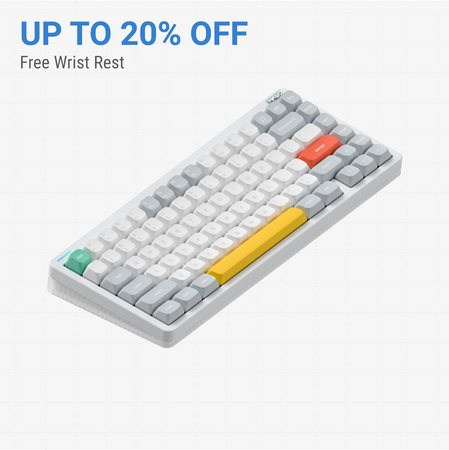
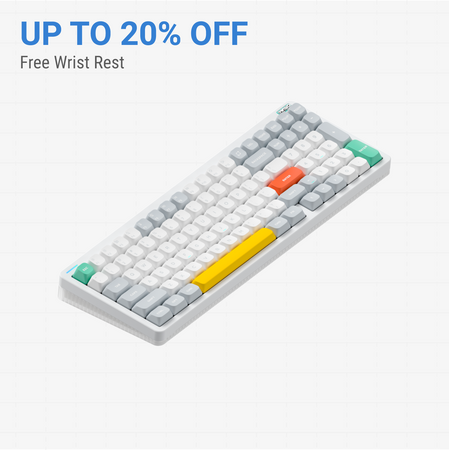


Still torn?
Answer a few quick questions and the keyboard finder ranks 2,000+ boards by how you will actually use yours.