KBDFans TOFU60 V3 vs TOFU65 V360% vs 65% Layout Choice
Choose the TOFU60 V3 for maximum performance customization with Hall Effect switches, or the TOFU65 V3 for dedicated arrow keys in a compact form.

5.0 · 3 reviews
from$53at KBDfans
90-day lowLowest price in 90 days

Which one should you get?
Get the
KBDFans TOFU60 V3
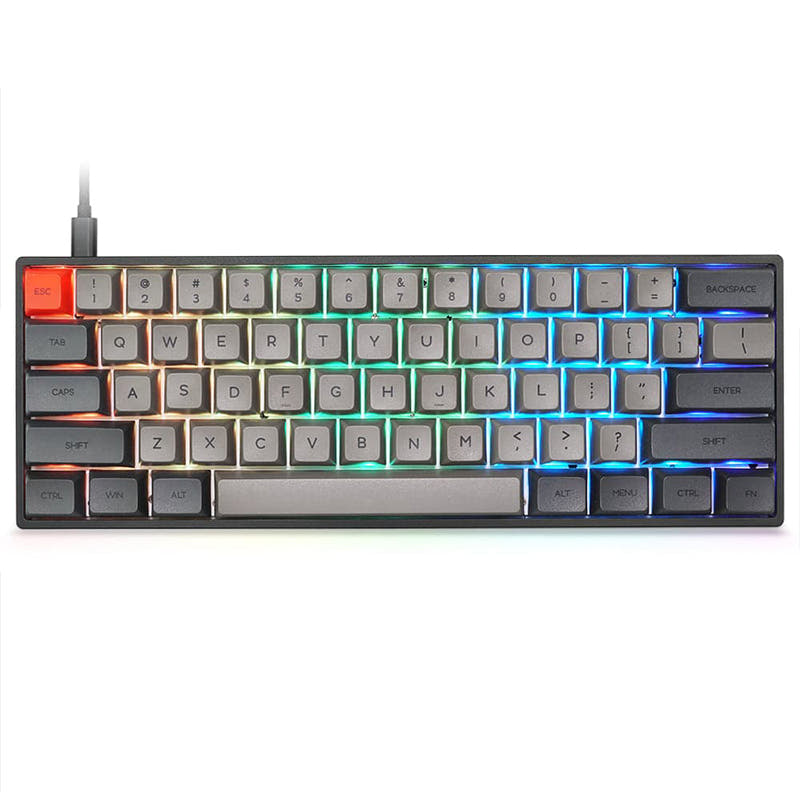
60%
- Includes a dedicated Hall Effect PCB option for magnetic switches with ultra-low latency.
- Features per-key RGB lighting for customization and visual layer indication.
- Offers four PCB choices (solder, hotswap, dual-mode hotswap, HE) for maximum build flexibility.
- Lacks dedicated arrow keys, requiring a layer toggle for navigation.
- The WK, WKL, and HHKB layout options may limit keycap set compatibility for some users.
- The Hall Effect PCB is listed as only working with WK (Windows Key) case layouts.
Get the
KBDFans TOFU65 V3
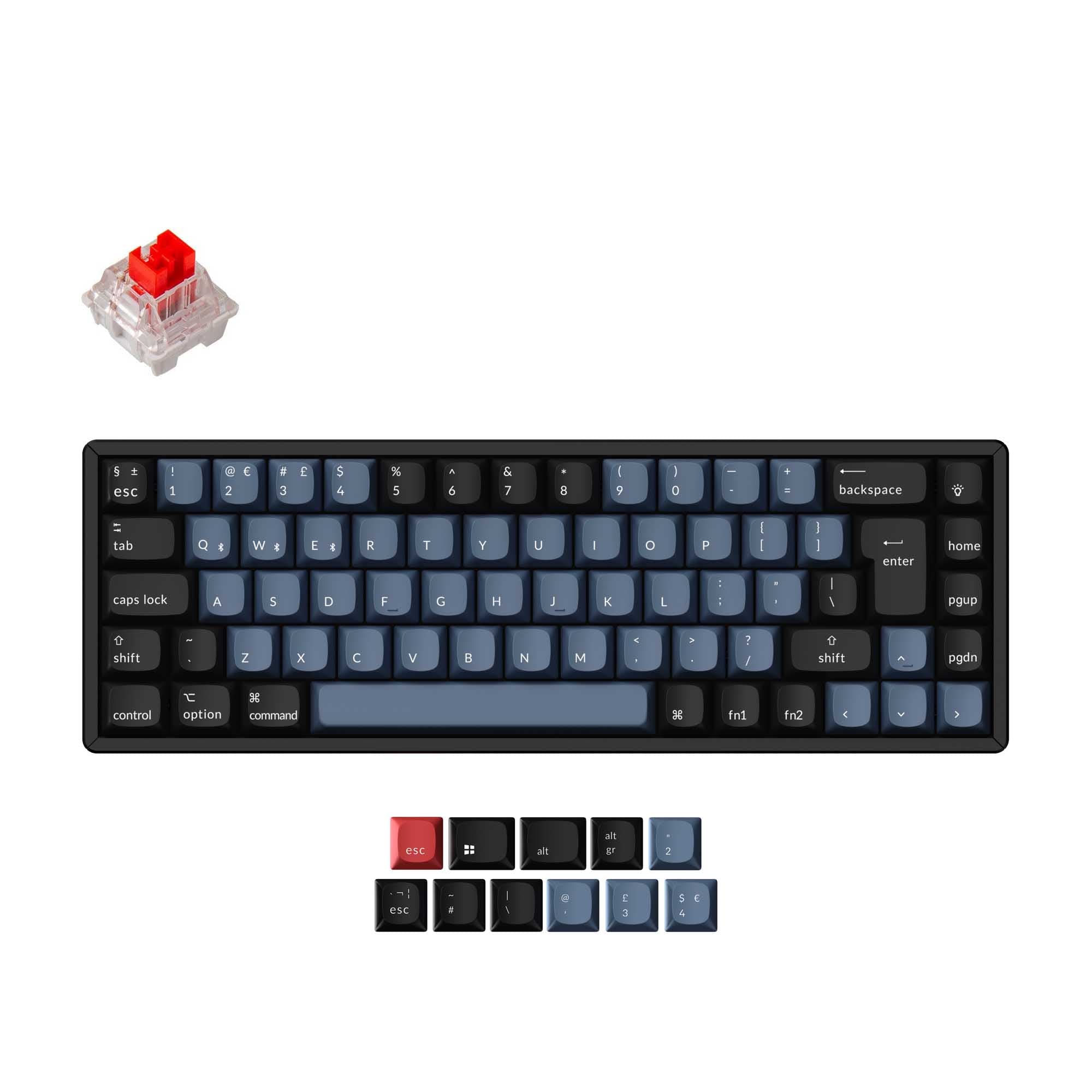
65% Layout Choice
- 65% layout includes dedicated arrow keys and additional navigation keys for greater out-of-the-box utility.
- Shares the same high-quality material options: aluminum, copper, and steel cases.
- Offers hot-swappable, solderable, and dual-mode PCB options with VIA/VIAL support.
- Does not include a dedicated Hall Effect PCB option according to its listed specs.
- Lacks per-key RGB lighting, which is listed as 'No' in the metadata.
- Slightly larger footprint than the 60% model, though still compact.
Your primary need dictates the choice. If you want to experiment with or prioritize the absolute lowest latency from Hall Effect magnetic switches, the TOFU60 V3 is the clear pick. If you prefer a more immediately usable layout with dedicated arrow keys and can forgo RGB and advanced switch types, the TOFU65 V3 is the more practical daily driver. Both are exceptional platforms for customization.
The differences that matter
Skip the 40-row spec sheet. These are the specs that change how each board feels, sounds, and fits your desk.
KBDFans TOFU60 V3
KBDFans TOFU65 V3
Layout size
60%
65%
Connection
Wired, Bluetooth
Bluetooth, Wired
Mount style
Gasket Mount
Gasket Mount, Top Mount
Backlight
RGB
None
Mac & Windows
No
Yes
- KBDFans TOFU60 V3
- KBDFans TOFU65 V3
- Performance
- 8781
- Build quality
- 9092
- Productivity
- 6582
- Customizability
- 8582
- Portability
- 7785
- Hall effect (magnetic)
- Hot-swappable
- Battery: 1,000 mAh
- Max polling rate: 8,000 Hz
- Case material: Aluminum, Copper, Steel
- VIA
What will you mostly use it for?
The TOFU65 V3 is the more practical choice for general productivity, winning in Office and Programming due to its dedicated arrow keys. The TOFU60 V3 excels in specialized performance for Gaming and offers greater depth for Modding, particularly with its Hall Effect PCB. For Travel, the 60% size has a slight edge in portability, while Content Creation needs are split between the 65%'s navigation and the 60%'s RGB lighting.
Pick the KBDFans TOFU60 V3
- The TOFU60 V3 offers a dedicated Hall Effect PCB option for ultra-low latency magnetic switches.
- Its vendor page cites latencies as low as 0.125ms for magnetic switches.
- Both support an 8000 Hz polling rate, but the 60% model has a confirmed path to achieve it with magnetic switches.
What owners say
Ratings and quotes collected from verified store reviews, including the critical ones.
KBDFans TOFU60 V3
3 owner reviews
“Fantastic update to a classic board! I ordered a silver top & textured red bottom and accidentally received a raw textured bottom! Thankfully they took care of that!”
KBDFans TOFU65 V3
No owner reviews collected yet.
KBDFans TOFU60 V3 vs TOFU65 V3 specs
Every tracked spec, side by side. Rows marked with a dot differ between the boards.
7 of 21 specs differ
KBDFans TOFU60 V3
KBDFans TOFU65 V3
Switch options
Hall effect (magnetic)
Hot-swappable
Mount style
Sound dampening
Layout size
Layout standard
Ergonomics
Display
Connection
Max polling rate
Battery
USB-C
Case material
Plate material
Typing angle
Backlight
VIA
VIAL
Mac & Windows
Released
Compare prices
Live prices from the stores we track, cheapest in-stock offer first.
Lowest price across stores, Amazon excluded.




Prices in USD are converted to your currency and can change at any time. KeebFinder may earn a commission when you buy through these links, at no extra cost to you.
KBDFans TOFU60 V3 vs TOFU65 V3: your questions
The core difference is the layout size. The TOFU60 V3 is a 60% keyboard without dedicated arrow keys, while the TOFU65 V3 is a 65% keyboard that includes arrow keys and a few additional navigation keys. A significant technical difference is that the 60% model offers a dedicated Hall Effect PCB option, which the 65% model's listed specifications do not include.
Yes, both the TOFU60 V3 and TOFU65 V3 support dual-mode connectivity, which includes both a wired USB connection and Bluetooth wireless. The vendor descriptions for both state their firmware is based on an open-source solution and does not include a 2.4GHz wireless mode.
The product specifications for the TOFU65 V3 list three PCB options: solder, wired hotswap, and dual-mode hotswap. A dedicated Hall Effect PCB is not listed among its options. Therefore, using standard magnetic switches would likely require a compatible hotswap PCB from a third party, not the included options.
According to the vendor's FAQ for the TOFU60 V3, the latency for magnetic switches on its Hall Effect PCB is 0.125ms. The latency for standard MX-style switches is listed as 1.25ms. The vendor notes that wireless latency in dual-mode will be slightly higher than in wired mode.
No, both the TOFU60 V3 and TOFU65 V3 are sold as DIY kits or barebones kits. The listed contents include the case, PCB, plate, gaskets, foam, weight bars, and a carrying case, but not keycaps or switches. You must purchase those separately to complete the build.
Both keyboards support VIA and VIAL for graphical key remapping and macro programming without needing to flash firmware. The vendor descriptions for both mention support for AVA, VIAL, and VIA on their standard PCBs, and the dual-mode PCBs use ZMK firmware.
Both keyboards offer a choice between two mounting styles: a PCB Gasket mount for a soft, bouncy typing feel, and a Top Mount. The kits include the necessary silicone gaskets and Teflon pads for the gasket mount assembly.
According to the vendor pages, both kits include a top case, bottom case, optional weight bars (Aluminum, Stainless Steel, Copper), a silicone gasket set, rubber feet, a PCB, a daughterboard, an optional foam kit, a battery compartment foam kit, an optional plate, and a carrying case.
Yes, the metadata for the TOFU60 V3 lists an 8000 Hz polling rate. The vendor FAQ specifically confirms that its magnetic switches support a true 8K polling rate, with an option in the web configurator to lower the rate if using lower-quality magnetic switches.
The TOFU65 V3 might be slightly more forgiving for a first build due to its more familiar layout with arrow keys. However, both are complex DIY kits. The TOFU60 V3's vendor description notes a design optimization that moved gaskets to the top case to simplify assembly, which is a helpful feature for beginners on either model.
Yes, both keyboards feature premium metal cases. The top case is aluminum, available in various anodized, e-coated, or raw finishes. The bottom case can be aluminum, copper, or stainless steel, with options for textured or sandblasted finishes on some materials.
Yes. The vendor description for the TOFU60 V3 states that combining the PCB Gasket mount with the solderable PCB allows for a 'plateless' build. This configuration is described as a way to achieve maximum flex and a unique sound profile.
Not sold on either?


Still torn?
Answer a few quick questions and the keyboard finder ranks 2,000+ boards by how you will actually use yours.