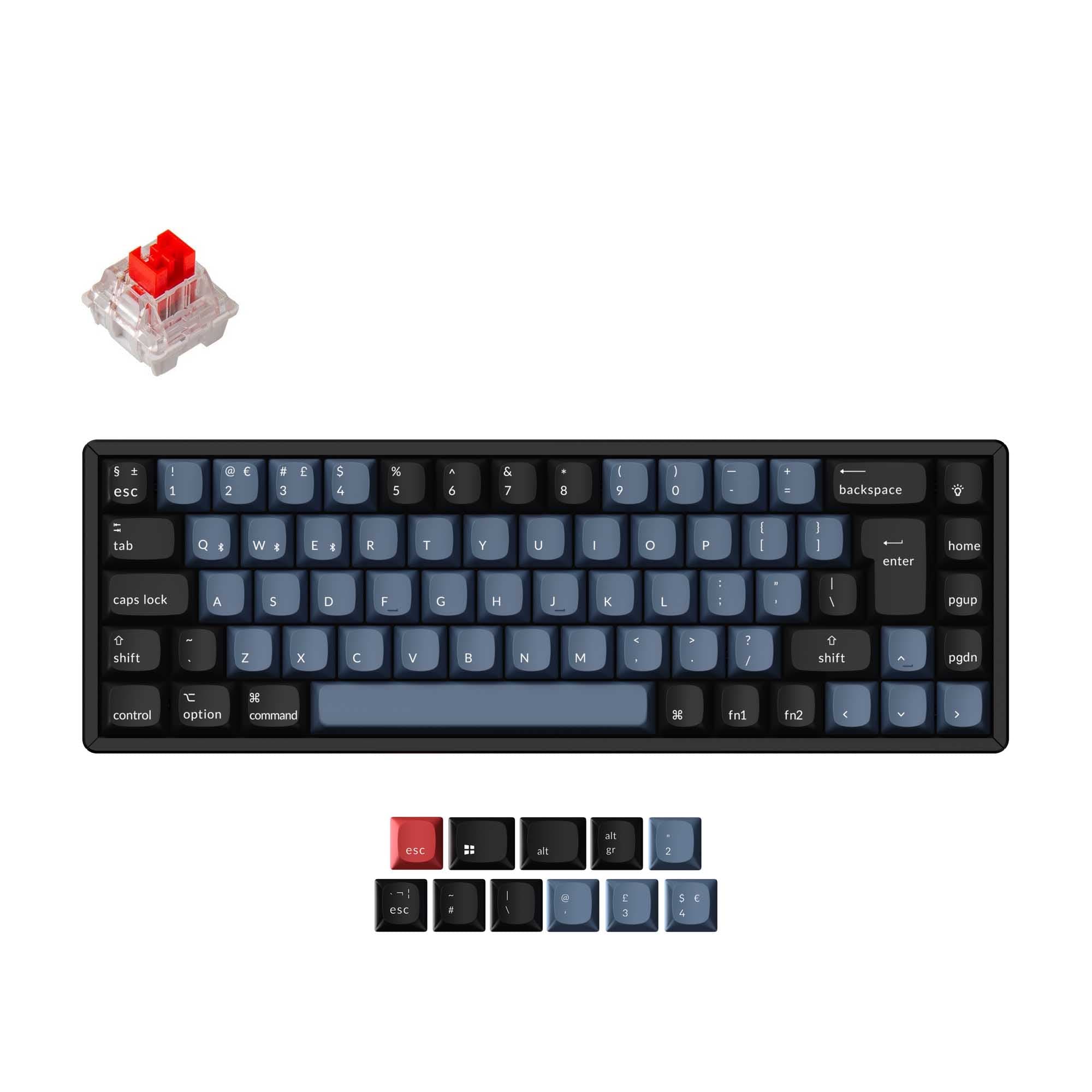
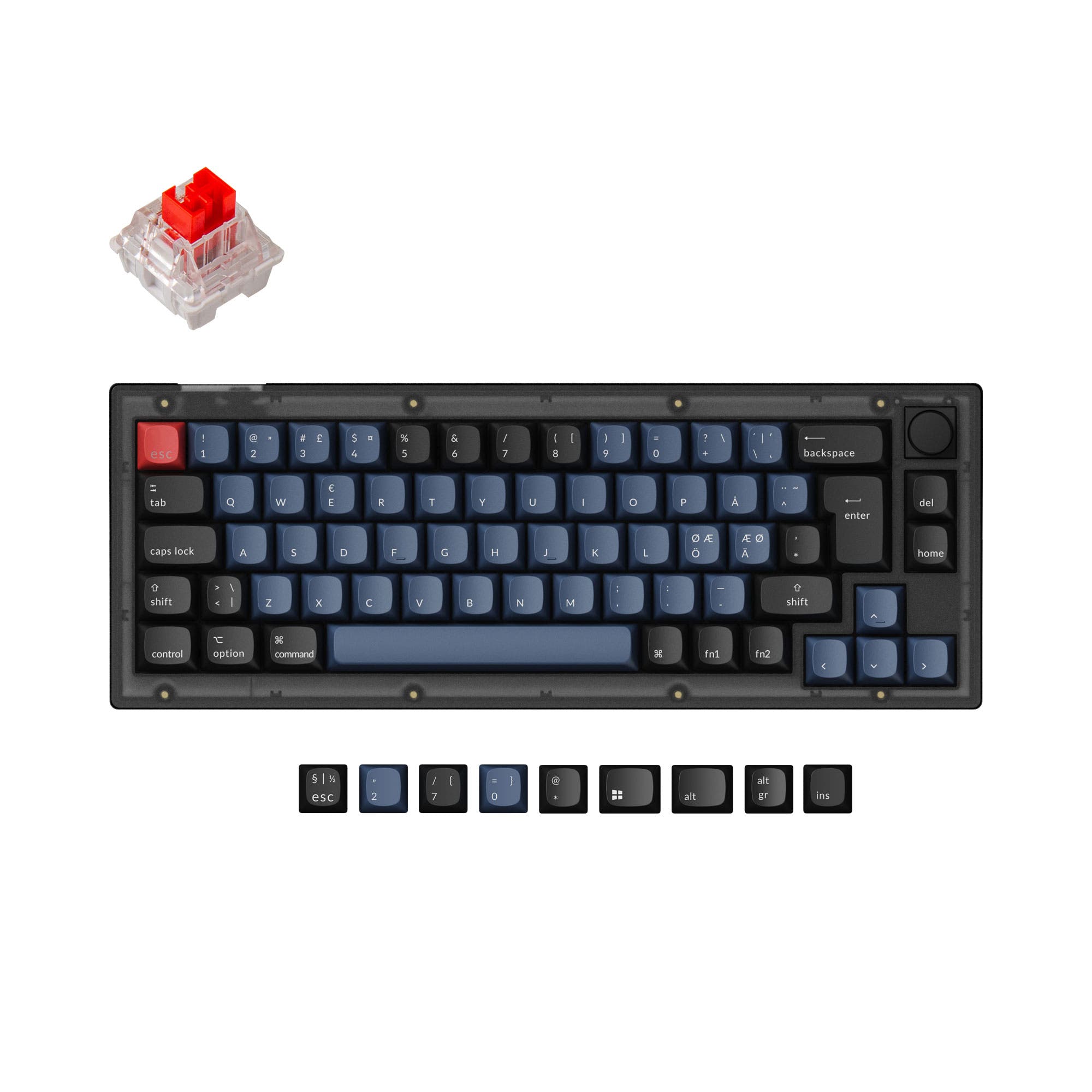
Yunzii AL68 vs AL71
Get the AL68 for QMK/VIA remapping, its metal knob, and larger 6000mAh battery; choose the AL71 for its clicky and silent switch options and dedicated multimedia keys.
Prices checked Nov 28, 2026. KeebFinder may earn a commission when you buy through these links, at no extra cost to you.
Battery


Which one should you get?
Get the
Yunzii AL68
Battery
Build quality in the top 15% of 65% boards under $100.
If you want
- QMK and VIA support, with the vendor describing key remapping and macros.
- A metal knob for volume and RGB control.
- 6000mAh battery and listed weight of 1205g.
Rules this board out
- South-facing LEDs. Shine-through legends stay dark, and some sculpted keycaps can clip the LED.
- 65% layout. No function row and no numpad.
Get the
Yunzii AL71
If you want
- Clicky and silent switch options are listed alongside linear switches.
- Dedicated multimedia keys are listed as an extra feature.
- The vendor lists Poron sandwich foam, Poron socket foam, and PET sound pads.
Rules this board out
- South-facing LEDs. Shine-through legends stay dark, and some sculpted keycaps can clip the LED.
Bottom line
Choose the AL68 for QMK/VIA customization, a volume-control knob, and its larger battery. Choose the AL71 if its clicky or silent switch options and dedicated multimedia keys fit your preferences better. Both have south-facing RGB, so check keycap compatibility if shine-through legends are important.
The differences that matter
- Layout size
65%
68%
- Battery
6,000 mAh
4,600 mAh
A larger battery means fewer cables during the day - Switch options
Linear
Clicky, Linear, Silent
- Mount style
Gasket Mount
Gasket Mount, Plate Mount
- Knob
Yes
No
KeebFinder scores
How we score- Yunzii AL68
- Yunzii AL71
- Performance
- 7868
- Build quality
- 8372
- Productivity
- 8970
- Customizability
- 8868
- Portability
- 94100
What they share
- Connection: Bluetooth, 2.4 GHz, Wired
- Hot-swappable
- Case material: Aluminum
- Sound dampening
- Keycaps: PBT
What will you mostly use it for?
For gaming, pick the Yunzii AL68
- The AL68 supports QMK/VIA for key remapping and macros.
- Its vendor description specifies a metal knob for volume and RGB control.
- Both list N-key rollover and hot-swappable switches.
Yunzii AL68 vs AL71 specs
12 of 24 specs differ
 |  | |
| Yunzii AL68$64 | Yunzii AL71$55 | |
|---|---|---|
| Typing & switches | ||
| Switch options (differs) | Linear | Clicky, Linear, Silent |
| Hot-swappable | Yes | Yes |
| Mount style (differs) | Gasket Mount | Gasket Mount, Plate Mount |
| Sound dampening | Yes | Yes |
| Layout | ||
| Layout size (differs) | 65% | 68% |
| Layout standard | ANSI | ANSI |
| Ergonomics | Standard | Standard |
| Knob (differs) | Yes | No |
| Display | None | None |
| Media keys (differs) | No | Yes |
| Connectivity & battery | ||
| Connection | Bluetooth, 2.4 GHz, Wired | Bluetooth, 2.4 GHz, Wired |
| Battery (differs) | 6,000 mAhBest | 4,600 mAh |
| USB-C | Yes | Yes |
| Build & materials | ||
| Case material | Aluminum | Aluminum |
| Plate material (differs) | Polycarbonate | Plastic, Polycarbonate |
| Keycaps | PBT | PBT |
| Weight (differs) | 1,205 g | 1,300 g |
| Dimensions (differs) | 40 x 114 x 319 mm | 31 x 350 x 115 mm |
| Backlight | RGB, south-facing | RGB, south-facing |
| Firmware & software | ||
| QMK (differs) | Yes | No |
| VIA (differs) | Yes | No |
| N-key rollover | Yes | Yes |
| Mac & Windows | Yes | Yes |
| Extras | ||
| Released (differs) | 2024 | 2023 |
Compare prices
Prices in USD are converted to your currency and can change at any time. KeebFinder may earn a commission when you buy through these links, at no extra cost to you.
Lowest price across stores, Amazon excluded.
- Lowest price now
- $55
- Lowest in range
- $55Aug 29 at Yunzii AL71
- Highest in range
- $98Sep 8 at Yunzii AL68
Price in USD
- Check on Amazon
AmazonGlobal
Check price - Extra 5% off


- Check on Amazon
AmazonGlobal
Check price - Extra 5% off