Out of stock
Add to comparison
72
Overall/ Value
71.5Build Quality
52.9Customizability
74.4Performance
84.6Productivity
74.1Portability
64.5$79

Browse every mechanical keyboard with a built-in screen or display. Compare OLED, LCD, and IPS screen keyboards from top brands. Filter by screen type, layout size, switch type, and price to find the perfect keyboard with a display for your setup.

![[Group-Buy] Paper65 Keyboard Blind Box](https://cdn.shopify.com/s/files/1/0064/2560/8282/files/blind_box_resized.jpg?v=1774920114&width=3840&quality=75)


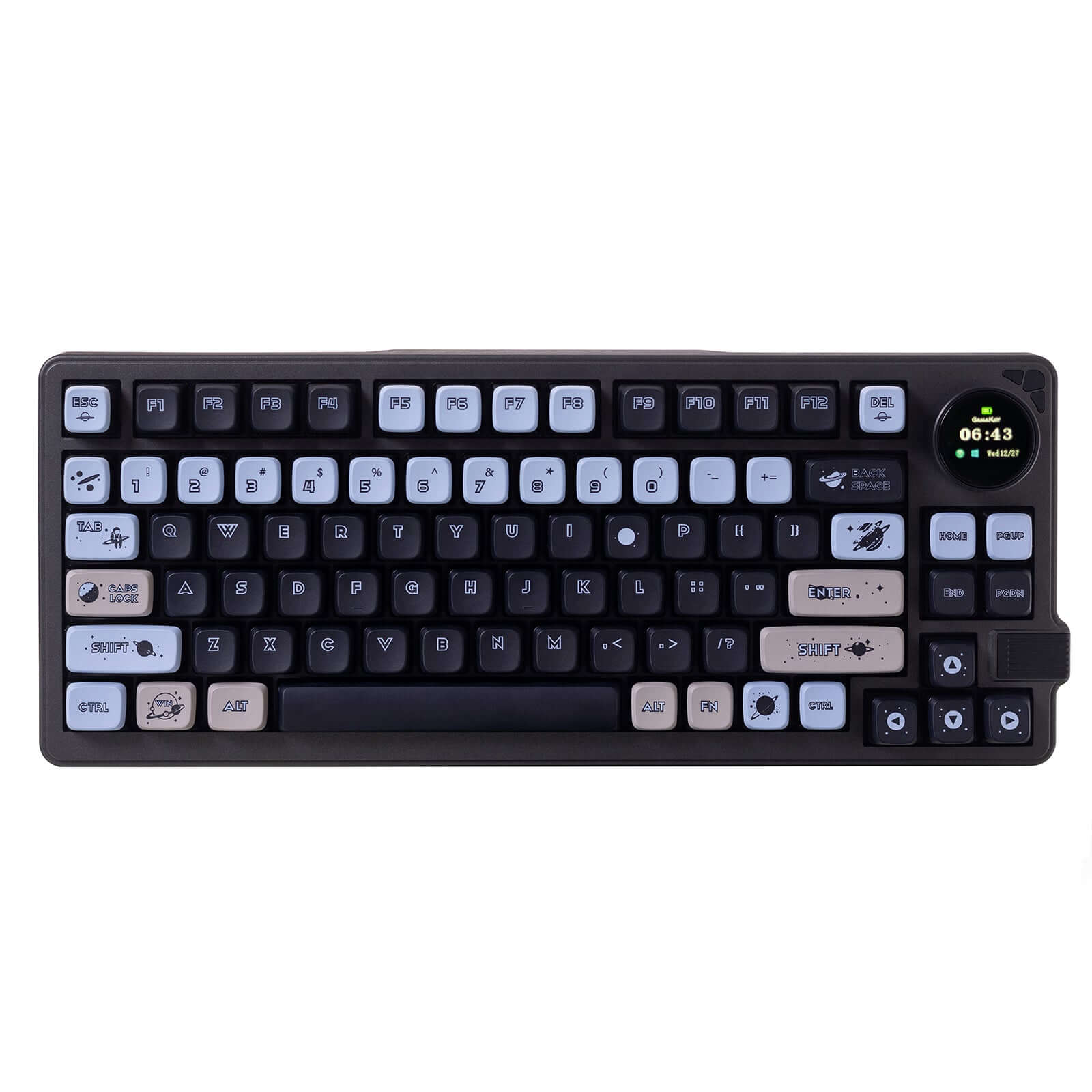
Looking for a keyboard with a screen? Browse every mechanical keyboard with an integrated display in one place. Compare OLED, LCD, and IPS screen models side by side, filter by screen technology and features, and check real-time prices across 40+ vendors.
Our database tracks every mechanical keyboard with a built-in screen currently on the market. Whether you want a small OLED status display or a full IPS touchscreen, filter by screen type to narrow your options. New models with displays are added as they launch from brands like Keychron, ASUS, and Epomaker.
OLED screen keyboards offer crisp contrast and vibrant visuals in a compact display module. These screens are commonly used to show layer indicators, system stats, or custom animations. Models like the Keychron Q series with OLED modules have made this feature accessible to custom keyboard builders and enthusiasts alike.
LCD screen keyboards typically feature larger, full-color displays capable of showing detailed system monitoring, album art, or streaming overlays. These panels offer more screen real estate than OLED modules and are popular among content creators and streamers who want quick visual feedback without leaving their keyboard.
The custom keyboard scene has embraced screen integration, with many DIY kits and barebones boards now offering display support out of the box. QMK and VIA firmware let you program exactly what your screen shows, from typing speed counters to layer maps. Hot-swappable PCBs with screen headers make it easy to build a fully personalized board.
A keyboard with a display adds utility for both gaming and work. Gamers can track in-game stats or macro profiles at a glance, while professionals can monitor CPU temps, calendar notifications, or application shortcuts. The screen replaces the need to alt-tab for quick info checks.
OLED screens offer deep blacks and fast response times in a small form factor. LCD panels provide larger, full-color displays with more detail. IPS screens deliver wide viewing angles and accurate colors. Consider what you want to display and how much screen real estate you need when picking between these technologies.