Skyloong GK61 Pro vs GK61 LitePre-Built vs DIY Kit Comparison
Choose the GK61 Pro for a complete, software-rich experience, or the GK61 Lite for a customizable DIY starting point.

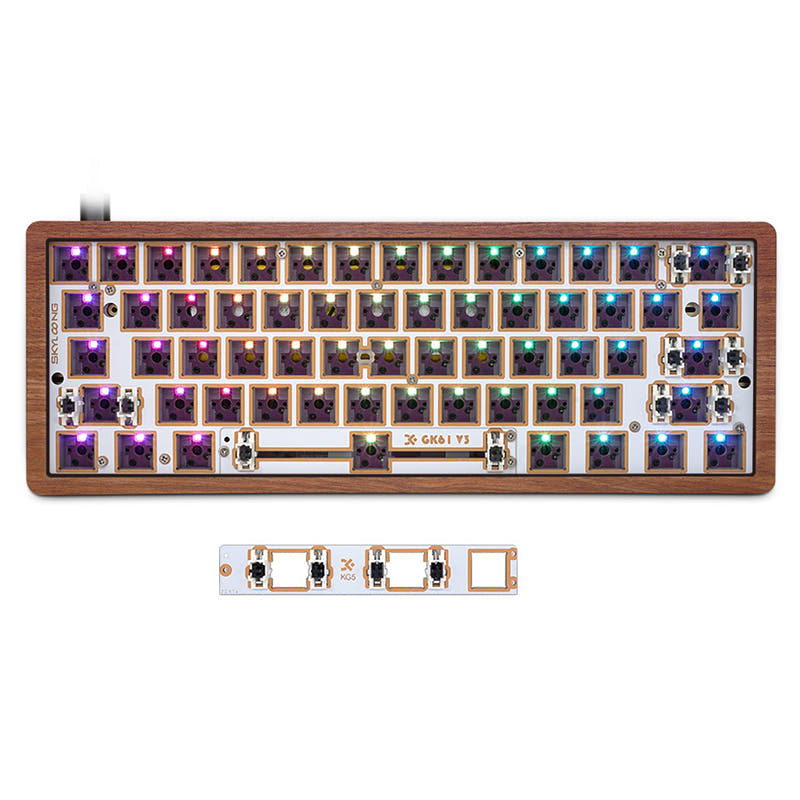
Which one should you get?
Get the
Skyloong GK61 Pro
Pre-Built
- Full QMK and VIA firmware support for extensive programmability.
- Tri-mode connectivity: Bluetooth, 2.4 GHz, and wired.
- Includes a hot-swappable, programmable knob and split spacebar.
- Larger and heavier than the GK61 Lite, making it less portable.
- More expensive as a complete, pre-configured package.
- QMK/VIA support is listed for wired mode only, not in wireless modes.
Get the
Skyloong GK61 Lite
DIY Kit Comparison
- Sold as a DIY kit, offering a blank canvas for customization.
- Choice of case materials (aluminum, plastic, wood) and plates (PC, FR4).
- Smaller and lighter base dimensions than the GK61 Pro.
- Lacks explicit support for QMK or VIA firmware according to the listing.
- Does not include switches, keycaps, or a knob in the base kit.
- Wireless model availability may be limited (GK61S Lite vs. wired-only GK61 Lite).
Your decision rests on the trade-off between convenience and customization. Buy the Skyloong GK61 Pro if you want a premium, feature-complete keyboard with top-tier software support and tri-mode connectivity right out of the box. Opt for the GK6161 Lite if your goal is to build a custom keyboard from a kit, prioritizing choice of materials and a hands-on modding experience over pre-installed features.
The differences that matter
Skip the 40-row spec sheet. These are the specs that change how each board feels, sounds, and fits your desk.
Skyloong GK61 Pro
Skyloong GK61 Lite
Connection
Bluetooth, 2.4 GHz, Wired
Bluetooth, Wired
Ergonomics
Standard
Split Spacebar
Case material
ABS, Aluminum
Aluminum, Plastic
Knob
Yes
No
QMK
Yes
No
- Skyloong GK61 Pro
- Skyloong GK61 Lite
- Performance
- 7871
- Build quality
- 7775
- Productivity
- 6972
- Customizability
- 8875
- Portability
- 8487
- Layout size: 60%
- Hot-swappable
What will you mostly use it for?
The GK61 Pro is the clear choice for users who need a ready-to-use keyboard with advanced software, multiple wireless modes, and productivity features like the knob. It excels in gaming, office, programming, and content creation. The GK61 Lite is purpose-built for modders and travelers, winning in those categories due to its kit format, lighter potential build, and configurable base components. Your primary use case dictates the winner.
Pick the Skyloong GK61 Pro
- Includes 2.4 GHz wireless connectivity for lower latency gaming, which the Lite's listing does not mention.
- Pre-lubed switches and stabilizers provide a consistent, tuned feel out of the box.
- The programmable knob can be configured for in-game functions or media control.
Skyloong GK61 Pro vs GK61 Lite specs
Every tracked spec, side by side. Rows marked with a dot differ between the boards.
10 of 23 specs differ
Skyloong GK61 Pro
Skyloong GK61 Lite
Switch options
Hot-swappable
Mount style
Sound dampening
Layout size
Layout standard
Ergonomics
Knob
Display
Connection
Battery
USB-C
Case material
Plate material
Keycaps
Weight
Dimensions
Backlight
QMK
VIA
N-key rollover
Mac & Windows
Released
Compare prices
Live prices from the stores we track, cheapest in-stock offer first.
Lowest price across stores, Amazon excluded.



Prices in USD are converted to your currency and can change at any time. KeebFinder may earn a commission when you buy through these links, at no extra cost to you.
Skyloong GK61 Pro vs GK61 Lite: your questions
The GK61 Pro is a fully assembled keyboard with keycaps, switches, a knob, and extensive software support. The GK61 Lite is a DIY kit that requires you to source your own switches and keycaps, focusing on base customization options like case and plate material.
The vendor description for the GK61 Lite does not mention QMK or VIA support. It references proprietary Skyloong software for backlight and macro programming. The GK61 Pro explicitly lists full QMK and VIA support.
The GK61 Pro offers tri-mode connectivity: Bluetooth, 2.4 GHz wireless, and wired. The GK61 Lite listing mentions a Bluetooth model (GK61S Lite) and a wired-only model, but does not specify 2.4 GHz wireless.
The product listing for the GK61 Lite does not mention knob support or include a knob module. The GK61 Pro features a hot-swappable, programmable knob as a standard component.
Yes. The GK61 Pro comes with PBT keycaps, pre-lubed switches and stabilizers, and a gasket mount for a tuned typing feel. Its tri-mode connectivity and large battery make it versatile for office use across multiple devices.
The GK61 Lite has smaller listed dimensions (292x104x30mm) and a lower weight (600g) compared to the GK61 Pro (320x140x50mm, 700g), making it the more portable base platform, especially when built with lightweight components.
According to the vendor page, the GK61 Pro comes with pre-lubed Gateron G Pro 3.0 switches. Options include linear Red or Yellow switches, and tactile Brown switches.
The vendor listing states the kit includes the keyboard kit itself, a Type-C cable, a keycap puller, a switch puller, and a user manual. Switches, keycaps, and a knob are not included.
Yes. The GK61 Pro features a split spacebar design, which works in conjunction with its hot-swappable knob, offering additional programmable keys.
Yes, both keyboards have hot-swappable sockets that support 3-pin and 5-pin mechanical switches. The GK61 Pro listing explicitly mentions compatibility with Cherry, Gateron, and Kailh switches.
The GK61 Pro uses what Skyloong calls an 'O-ring gasket' with a silicone sandwich pad and switch pads. The GK61 Lite is described as having a 'creative shallow gasket design' with an all-in-one silicone pad and bottom foam.
The GK61 Lite is designed as a DIY kit, making it a good project for a first-time builder interested in assembly. However, the GK61 Pro's hot-swappable design is also beginner-friendly for later switch customization without soldering.
Not sold on either?






Still torn?
Answer a few quick questions and the keyboard finder ranks 2,000+ boards by how you will actually use yours.