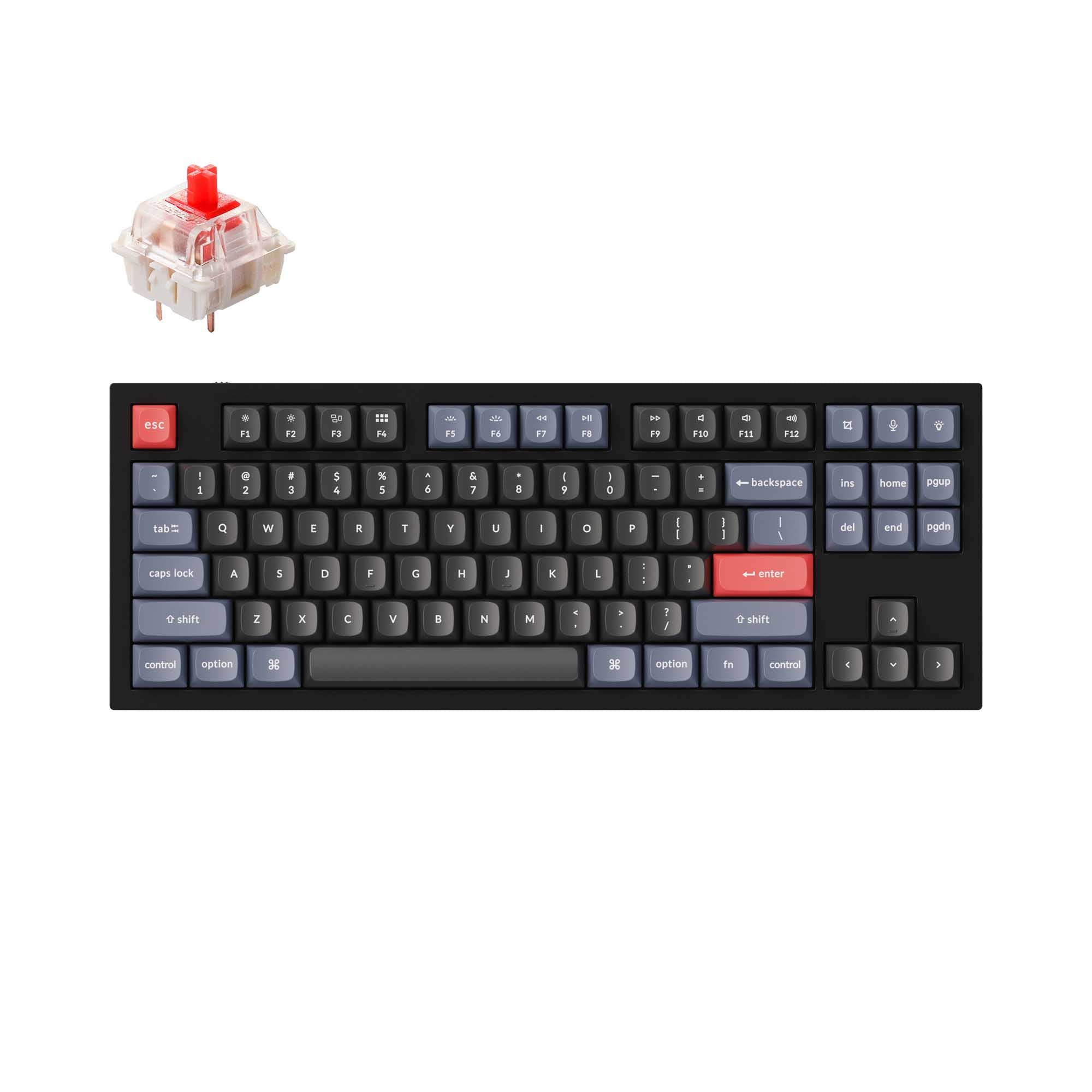
Redragon ANTONIUM K743 Pro vs EISA K686 HE
Wireless vs HE
Choose the K743 Pro for Bluetooth and 2.4 GHz wireless, a TFT screen and hot-swappable sockets; choose the K686 HE for Hall Effect switches, Rapid Trigger and 8000 Hz polling.
Prices checked Nov 21, 2026. KeebFinder may earn a commission when you buy through these links, at no extra cost to you.


Which one should you get?
Get the
Redragon ANTONIUM K743 Pro
Wireless
Build quality in the top 25% of 80% boards under $100.
If you want
- Bluetooth and 2.4 GHz wireless connectivity alongside wired USB-C.
- TFT screen for keyboard information and customized GIFs.
- Hot-swappable sockets compatible with 3- and 5-pin switches.
Rules this board out
- South-facing LEDs. Shine-through legends stay dark, and some sculpted keycaps can clip the LED.
- No numpad.
Get the
Redragon EISA K686 HE
HE
If you want
- Hall Effect magnetic switches with Rapid Trigger and adjustable actuation.
- 8000 Hz polling and PRCS Tech with Snap Tap and SOCD functions.
- 98-key layout that retains a numpad.
Rules this board out
- Magnetic switches only. Standard MX switches will not fit.
Bottom line
Get the K743 Pro for wireless connectivity, a TFT screen and hot-swappable 3- or 5-pin switches. Choose the K686 HE for Hall Effect switches, Rapid Trigger, 8000 Hz polling and a numpad, features the K743 Pro does not combine in its 80% layout.
The differences that matter
- Layout size
80%
90%
- Hall effect (magnetic)
No
Yes
Adjustable actuation helps in games and not in normal typing - Rapid trigger
No
Yes
Faster resets help in games and not in normal typing - Connection
Bluetooth, 2.4 GHz, Wired
Wired
Wireless for several devices and wired for lower latency - Hot-swappable
Yes
No
Switch changes without soldering
KeebFinder scores
How we score- Redragon ANTONIUM K743 Pro
- Redragon EISA K686 HE
- Performance
- 7798
- Build quality
- 7556
- Productivity
- 9161
- Customizability
- 7748
- Portability
- 7042
What they share
- Case material: Plastic
- Mount style: Gasket Mount
- Knob
- Sound dampening
- Keycaps: PBT
What will you mostly use it for?
For gaming, pick the Redragon EISA K686 HE
- Hall Effect magnetic switches and Rapid Trigger support dynamic activation and deactivation.
- The listed polling rate is 8000 Hz, compared with 1000 Hz for the K743 Pro.
- PRCS Tech includes Snap Tap and SOCD functions.
Redragon ANTONIUM K743 Pro vs EISA K686 HE specs
13 of 23 specs differ
 |  | |
| Redragon ANTONIUM K743 Pro$69 | Redragon EISA K686 HE$62 | |
|---|---|---|
| Typing & switches | ||
| Switch options (differs) | Linear | Magnetic |
| Hall effect (magnetic) (differs) | No | Yes |
| Rapid trigger (differs) | No | Yes |
| Hot-swappable (differs) | Yes | No |
| Mount style | Gasket Mount | Gasket Mount |
| Sound dampening | Yes | Yes |
| Screw-in stabilizers (differs) | Yes | No |
| Layout | ||
| Layout size (differs) | 80% | 90% |
| Layout standard | ANSI | ANSI |
| Ergonomics | Standard | Standard |
| Knob | Yes | Yes |
| Display (differs) | TFT | None |
| Connectivity & battery | ||
| Connection (differs) | Bluetooth, 2.4 GHz, Wired | Wired |
| Max polling rate (differs) | 1,000 Hz | 8,000 HzBest |
| USB-C | Yes | Yes |
| Build & materials | ||
| Case material | Plastic | Plastic |
| Keycaps | PBT | PBT |
| Weight (differs) | 920 g | 1,200 g |
| Dimensions (differs) | 37 x 373 x 140 mm | 39 x 394 x 144 mm |
| Backlight (differs) | RGB, south-facing | RGB |
| Firmware & software | ||
| N-key rollover | Yes | Yes |
| Mac & Windows (differs) | Yes | No |
| Extras | ||
| Released | 2025 | 2025 |
Compare prices
Prices in USD are converted to your currency and can change at any time. KeebFinder may earn a commission when you buy through these links, at no extra cost to you.
- Check on Amazon
AmazonGlobal
Check price - Extra 10% off

- Check on Amazon
AmazonGlobal
Check price - Extra 10% off