AULA F108 Pro vs Epomaker Galaxy100LCD Screen vs Premium Build
Choose the Epomaker Galaxy100 for superior build quality and firmware customization, or the AULA F108 Pro for its unique LCD screen at a lower cost.
KeebFinder may earn a commission when you buy through these links, at no extra cost to you.

4.7 (30)4.7 · 30 reviews
from$84at Epomaker
Down 15% this monthDown 15% this month

4.6 (69)4.6 · 69 reviews
from$87at Epomaker
90-day lowLowest price in 90 days
Which one should you get?
Get the
AULA F108 Pro
LCD Screen
Build quality in the top 25% of 100% boards under $100.
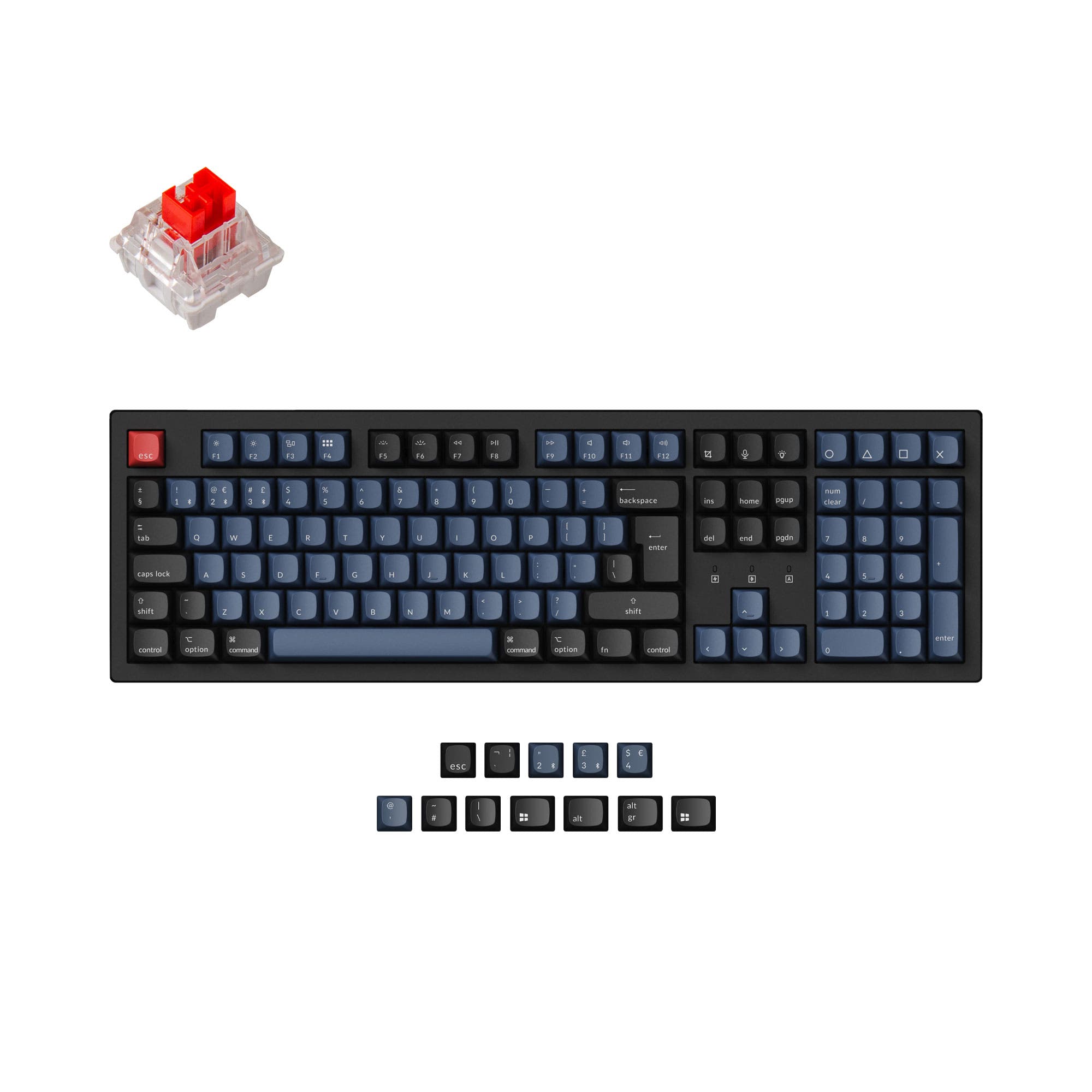
- Includes a 1.14-inch customizable LCD screen for images and system info.
- Lighter weight of 980g improves portability.
- Offers a full 108-key layout with dedicated number pad.
- South-facing LEDs. Shine-through legends stay dark, and some sculpted keycaps can clip the LED.
Get the
Epomaker Galaxy100
Premium Build
Build quality in the top 15% of 96% boards under $100.
- Features a premium powder-spraying aluminum alloy case.
- Supports QMK and VIA for extensive key remapping and macro programming.
- Includes PBT double-shot or dye-sublimated keycaps for durability.
- South-facing LEDs. Shine-through legends stay dark, and some sculpted keycaps can clip the LED.
- Compact full-size layout. The numpad is present, the gaps of a full-size board are not.
Select the Epomaker Galaxy100 if your priority is a premium typing experience, durable construction, and deep software customization via QMK/VIA. Opt for the AULA F108 Pro if you want a unique LCD display, a lighter keyboard for easier transport, and a more budget-friendly option, while accepting a plastic build and less advanced firmware.
The differences that matter
Skip the 40-row spec sheet. These are the specs that change how each board feels, sounds, and fits your desk.
AULA F108 Pro
Epomaker Galaxy100
Layout size
100%
96%
Case material
ABS, Plastic
Aluminum
Switch options
Linear, Silent
Clicky, Linear
Display
LCD
None
A case display rather than a typing feature
Weight
1,200 g
2,000 g
Heavier boards stay planted and lighter ones travel
- AULA F108 Pro
- Epomaker Galaxy100
- Performance
- 7783
- Build quality
- 6883
- Productivity
- 7393
- Customizability
- 7288
- Portability
- 5962
- Connection: Bluetooth, 2.4 GHz, Wired
- Hot-swappable
- Battery: 8,000 mAh
- Max polling rate: 1,000 Hz
- Mount style: Gasket Mount
- Knob
What will you mostly use it for?
The Epomaker Galaxy100 is the stronger choice for productivity-focused tasks like programming and office work, thanks to its space-efficient layout and powerful QMK/VIA software. It also dominates for modding enthusiasts. The AULA F108 Pro wins for travel due to its lighter weight and holds an edge for content creators who value its customizable LCD screen. For gaming, the keyboards are closely matched on core performance specs.
It's a tie
- Both offer a 1000Hz polling rate for wired and 2.4GHz connections.
- Both feature N-key rollover and hot-swappable switches.
- The AULA F108 Pro has a lighter weight, while the Galaxy100's listed latency specs may appeal to competitive players.
What owners say
Ratings and quotes collected from verified store reviews, including the critical ones.
AULA F108 Pro
30 owner reviews
“A perfect keyboard I love each second while I type! It's elegant, smooth, and made of excellent quality materials. Although the switches are very sensitive.”
“J’adore le style et la customisation mais : la roue et ses options ne fonctionnent pas et ne communiquent pas avec l’ordinateur Et le clavier n’arrive parfois pas à suivre quand je tape sachant que je dépasse rarement les 35 mots minimum”
Epomaker Galaxy100
69 owner reviews
“Amazing keyboard, via support could be better, but it works! i love the knob, its so nice. this has to be the worst financial decision ive ever made and i dont regret it”
“The keyboard has been great but when I received it a couple keys were broken. I had to glue the inside connector back together as it had broken apart. Otherwise the keyboard has functions very well.”
AULA F108 Pro vs Epomaker Galaxy100 specs
Every tracked spec, side by side. Rows marked with a dot differ between the boards.
11 of 25 specs differ
AULA F108 Pro
Epomaker Galaxy100
Switch options
Hot-swappable
Mount style
Sound dampening
Layout size
Layout standard
Ergonomics
Knob
Display
Connection
Max polling rate
Battery
USB-C
Case material
Plate material
Keycaps
Weight
Dimensions
Typing angle
Backlight
QMK
VIA
N-key rollover
Mac & Windows
Released
Compare prices
Live prices from the stores we track, cheapest in-stock offer first.
Prices in USD are converted to your currency and can change at any time. KeebFinder may earn a commission when you buy through these links, at no extra cost to you.
Lowest price across stores, Amazon excluded.


AULA F108 Pro vs Epomaker Galaxy100: your questions
The Epomaker Galaxy100 has a superior build quality based on its materials. It features a powder-spraying aluminum alloy case, while the AULA F108 Pro uses an ABS plastic case. The Galaxy100's construction is heavier and typically associated with greater durability and a more premium feel.
No, the AULA F108 Pro does not list support for QMK or VIA software in its specifications. The Epomaker Galaxy100 explicitly supports both QMK and VIA, allowing for advanced key remapping and macro creation.
Yes, both keyboards are hot-swappable. This means you can replace the mechanical switches without soldering. The Epomaker Galaxy100's product page specifies its PCB is compatible with both 3-pin and 5-pin switches.
Both keyboards offer tri-mode connectivity (Bluetooth, 2.4GHz, and wired) and share an identical 8000mAh battery capacity, promising long wireless life. The AULA F108 Pro is much lighter, making it more convenient to move around, but both should perform similarly in wireless mode.
The Epomaker Galaxy100 comes with PBT keycaps, which are known for their resistance to shine and durability. The keycaps are listed as double-shot or dye-sublimated. The AULA F108 Pro's keycap material is not specified as PBT in the provided metadata.
According to the manufacturer's specifications, the Epomaker Galaxy100 is not compatible with PS4, PS5, or Nintendo Switch. It is listed as compatible with Windows, Mac, and Android systems. Compatibility for the AULA F108 Pro with consoles is not specified.
The AULA F108 Pro features a 1.14-inch smart display. According to the vendor, it can show custom images, a time calendar, power status, and other real-time information. It adds a visual customization element not present on the Galaxy100.
The Epomaker Galaxy100 is likely better for quiet typing. Its product description highlights five layers of sound-dampening materials, including Poron and IXPE, designed to create a softer, thocky sound. Both have sound-dampening features, but the Galaxy100's are more extensively documented.
Both keyboards include a multi-function control knob. For the AULA F108 Pro, the vendor states the knob can switch connection modes, adjust lighting, control volume, and change system settings. The Epomaker Galaxy100's knob is also present, with its primary function implied to be volume control.
The AULA F108 Pro uses a full-size 108-key layout. The Epomaker Galaxy100 uses a 96% layout, which condenses the keys (including the numpad) into a more compact form factor, saving desk space while retaining most functionality.
The Epomaker Galaxy100 has a listed typing angle of 7 degrees. The typing angle for the AULA F108 Pro is not provided in the specifications, so a direct comparison cannot be made.
Not sold on either?




Still torn?
Answer a few quick questions and the keyboard finder ranks 2,000+ boards by how you will actually use yours.