Not sure which keyboard to choose? Try the Keyboard Finder now!

Compare AULA HERO68 HE vs Qwertykeys Neo60 Core Differences Side by Side

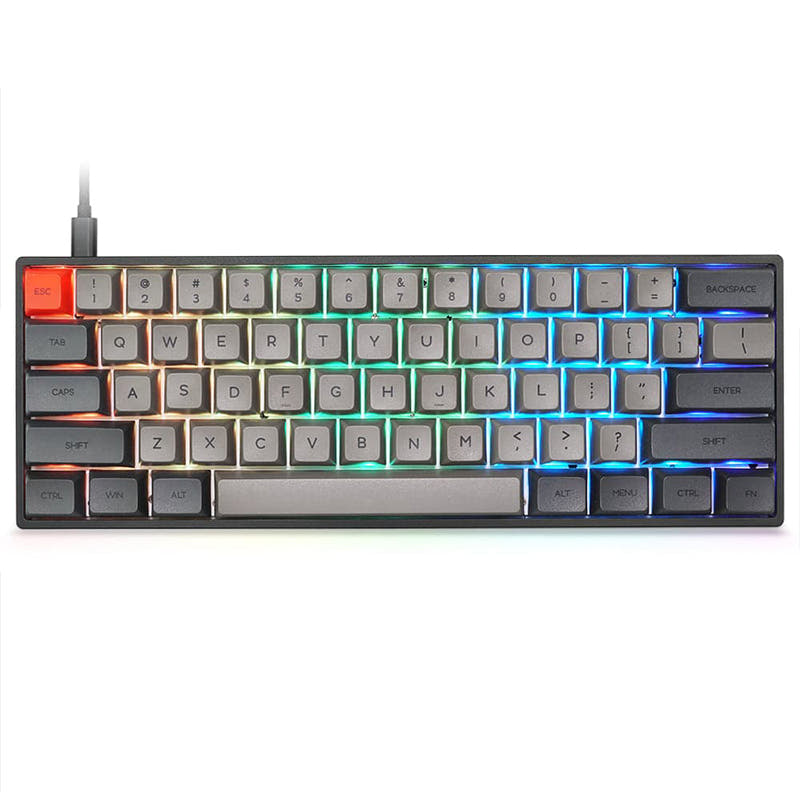
This comparison is for buyers deciding between a pre-built performance gaming keyboard and a versatile custom kit. The AULA HERO68 HE is a wired 65% board focused on speed with Hall effect switches and an 8000 Hz polling rate. The Qwertykeys Neo60 Core is a 60% wireless kit designed for builders, offering tri-mode connectivity and multiple plate options. The choice hinges on prioritizing raw gaming specs versus build-your-own flexibility and wireless convenience.

AULA HERO68 HE Magnetic Switch Wired Gaming Keyboard
74
Qwertykeys Neo60 Core Keyboard

Select a keyboard to compare

0.0 (0)
5.0 (12)
  • Has Linear, Magnetic switch options
  • Available in a 65% layout
  • Built with the ANSI layout standard
  • Compatible with both Mac and Windows
  • Utilizes Hall effect sensors
  • Enables rapid trigger functionality
  • Has built-in sound dampening
  • Supports Wired, Wired only connectivity
  • Runs at a 8000 Hz polling rate
  • Weighs about 800 g
  • Sized at 40 x 120 x 322 mm
  • Features PBT, ABS keycaps
  • Offers Yes, Rgb RGB lighting
  • Supports hot-swappable switches
  • Available in a 60% layout
  • Built with the ANSI, ISO layout standard
  • Supports VIA configuration
  • Features N-key rollover
  • Uses a PCB Mount mounting style
  • Supports Bluetooth, 2.4 GHz, Wired, Wireless connectivity
  • Equipped with a 2200 mAh battery
  • Weighs about 1500 g
  • Sized at 18 x 293 x 109 mm
  • Offers No RGB lighting
Scores
  • Performance: 91.3
  • Build Quality: 55.3
  • Productivity: 63.2
  • Customizability: 49
  • Portability: 67.4
Scores
  • Performance: 55.9
  • Build Quality: 79.3
  • Productivity: 58.8
  • Customizability: 73.4
  • Portability: 86.7
Name
AULA HERO68 HE
Name
Qwertykeys Neo60 Core
Release year
2025
Release year
2025
Switch Options
Linear, Magnetic
Switch Options
-
Profile
Normal Profile
Profile
Normal Profile
Hot Swappable
 
Hot Swappable
 
Layout Size
65%
Layout Size
60%
Layout Standard
ANSI
Layout Standard
ANSI, ISO
Layout Ergonomics
Normal
Layout Ergonomics
Normal
Knob Support
 
Knob Support
 
Display Support
 
Display Support
 
Mac/Win Support
 
Mac/Win Support
 
Multi-Media Keys
 
Multi-Media Keys
 
USB-C
 
USB-C
 
USB passthrough
 
USB passthrough
 
Connection
Wired, Wired only
Connection
Bluetooth, 2.4 GHz, Wired, Wireless
Polling Rate
8000 Hz
Polling Rate
-
Battery capacity
-
Battery capacity
2200 mAh
Hall Effect Support
 
Hall Effect Support
 
QMK Support
 
QMK Support
 
VIA Support
 
VIA Support
 
VIAL Support
 
VIAL Support
 
N-Key Rollover
 
N-Key Rollover
 
Rapid Trigger
 
Rapid Trigger
 
Mount Style
-
Mount Style
PCB Mount
Screw in Stabilizers
 
Screw in Stabilizers
 
Sound Dampening
 
Sound Dampening
 
Backlight
 
Rgb
Backlight
 
Case Colors
Case Colors
Case Material
Aluminum
Case Material
Aluminum
Keycaps Material
PBT, ABS
Keycaps Material
-
Dimensions
40 x 120 x 322 mm
Dimensions
18 x 293 x 109 mm
Weight
800g
Weight
1500g
*Something incorrect or missing? Please
let me know
!

Pros and Trade-offs

Your primary need dictates the choice. Gamers who want the fastest possible response and advanced features like rapid trigger should get the AULA HERO68 HE. Users who value wireless freedom, enjoy building their keyboard, and want long-term customization options should choose the Qwertykeys Neo60 Core. Consider the layout difference, as the 65% AULA keeps arrow keys while the 60% Neo60 does not.

AULA HERO68 HE

  • +High 8000 Hz polling rate for competitive gaming latency.
  • +Hall effect magnetic switches with adjustable actuation and rapid trigger support.
  • +Five-layer sound dampening structure with PO foam, fiber switch underlay, PET pad, and silicone.
  • +Pre-lubed switches and pre-built assembly for immediate use.
  • +Vibrant RGB backlighting with multiple lighting effects.

  • Wired-only connectivity limits placement and device switching.
  • Fixed switch and plate configuration with less aftermarket modding potential.
  • Heavier at 800g despite lacking a battery, which may limit portability.

Qwertykeys Neo60 Core

  • +Tri-mode connectivity with Bluetooth, 2.4 GHz, and wired USB-C.
  • +Extensive customization as a kit with hot-swap support, VIA compatibility, and multiple plate choices.
  • +Includes a carrying case, stabilizers, tools, and a comprehensive foam kit.
  • +Aluminum unibody case with a stainless steel or copper weight for a premium feel.
  • +Long 12-week lead time indicates it is made to order.

  • No per-key RGB lighting, which limits lighting customization.
  • 60% layout lacks dedicated arrow keys, which some users may miss.
  • Significantly heavier at 1500g, making it less portable despite the included case.

Which Keyboard Is Better for Your Needs?

The AULA HERO68 HE is the clear choice for gaming and has an edge for programming due to its arrow keys. The Qwertykeys Neo60 Core wins for office use, travel, and is the definitive option for modding enthusiasts thanks to its kit format and extensive customization. For content creation, the decision is more subjective, leaning on aesthetics.

GamingAULA HERO68 HE
  • The AULA HERO68 HE has an 8000 Hz polling rate for low latency.
  • It features Hall effect magnetic switches with adjustable actuation and rapid trigger functionality.
  • Its vendor description highlights a five-layer noise-dampening structure for a cleaner sound.
OfficeQwertykeys Neo60 Core
  • The Qwertykeys Neo60 Core offers tri-mode connectivity (Bluetooth, 2.4 GHz, wired) for device switching.
  • It includes a 2200mAh battery for cord-free use.
  • Its 60% layout is more compact for saving desk space.
ProgrammingAULA HERO68 HE
  • The AULA HERO68 HE has a 65% layout, which retains dedicated arrow keys that are often useful for coding.
  • Its PBT/ABS keycaps may offer better durability for frequent use.
  • The included rapid trigger feature could be customized for macros or repetitive tasks.
TravelQwertykeys Neo60 Core
  • The Qwertykeys Neo60 Core is wireless and includes a carrying case according to its vendor listing.
  • Its 60% layout is more portable than a 65% layout.
  • Bluetooth connectivity allows use with laptops and tablets without a dongle.
ModdingQwertykeys Neo60 Core
  • The Qwertykeys Neo60 Core is a DIY kit with hot-swappable PCB support and VIA compatibility.
  • It offers a choice of five plate materials (Carbon Fiber, Aluminum, FR4, POM, Plastic) to alter feel and sound.
  • The kit includes a comprehensive foam kit (PE Sheet, PCB Foam, Poron Case Foam) and multiple mounting style options.
Content CreationTie
  • The AULA HERO68 HE offers vibrant RGB backlighting for an aesthetic setup.
  • The Qwertykeys Neo60 Core provides a clean, minimalist aluminum unibody design.
  • Both have compact layouts that free up desk space for graphics tablets or other peripherals.

Frequently Asked Questions (FAQ)


Discover similar products

You might also like similar products in that price range:

-10% off
76
$86$77
Gamakay TK75HE V2 Hall Effect keyboard 8K Polling Rate 0.005mm RT Accuracy
Gamakay TK75HE V2
75%,
Hotswap,
Wireless,
Screen,
RGB,
Knob,
HE,
Rapid trigger,
Top Mount

97
$44
Keychron V1 QMK Custom Mechanical Keyboard
Keychron V1
75%,
Hotswap,
Wired,
RGB/ White LEDs,
Knob,
VIA,
QMK,
Tray Mount

67
$59
AULA HERO84 Magnetic Switch Gaming Keyboard with 8K Polling Rate
AULA HERO84
75%,
Hotswap,
Wired,
RGB,
HE,
Tray Mount

96
$54
Keychron V3 QMK Custom Mechanical Keyboard ISO Layout Collection
Keychron V3
80%,
Hotswap,
Wired,
RGB/ White LEDs,
Knob,
VIA,
QMK,
Tray Mount

91
$44
Keychron V2 QMK Custom Mechanical Keyboard ISO Layout Collection
Keychron V2
65%,
Hotswap,
Wired,
RGB,
Knob,
VIA,
QMK,
Tray Mount

76
$110
Qwertykeys Neo65 Cu Keyboard
Qwertykeys Neo65
65%,
Hotswap,
Wireless,
Wired,
VIA,
Alu case,
PCB Mount

75
$110
Qwertykeys Neo60 Cu Keyboard
Qwertykeys Neo60
60%,
Hotswap,
Wireless,
Wired,
VIA,
Alu case,
PCB Mount