AULA WIN68 vs Keychron V48KHz Gaming vs Custom Builds
Choose the AULA WIN68 for its high 8000Hz polling rate and magnetic switches geared for competitive gaming, or the Keychron V4 for its deep QMK/VIA programmability and hot-swap customizability.
KeebFinder may earn a commission when you buy through these links, at no extra cost to you.

No reviews
from$39at WhatGeek
90-day lowLowest price in 90 days
5.0 · 14 reviews
from$39at Keychron
Which one should you get?
Get the
AULA WIN68
8KHz Gaming
Build quality in the bottom 20% of 65% boards under $100.
- 8000Hz polling rate for minimal input latency.
- Hall Effect magnetic switches with adjustable actuation point.
- Includes PO sandwich and bottom cotton for sound dampening out of the box.
- Magnetic switches only. Standard MX switches will not fit.
- No ISO layout. ISO-DE, UK, and other ISO variants are not offered.
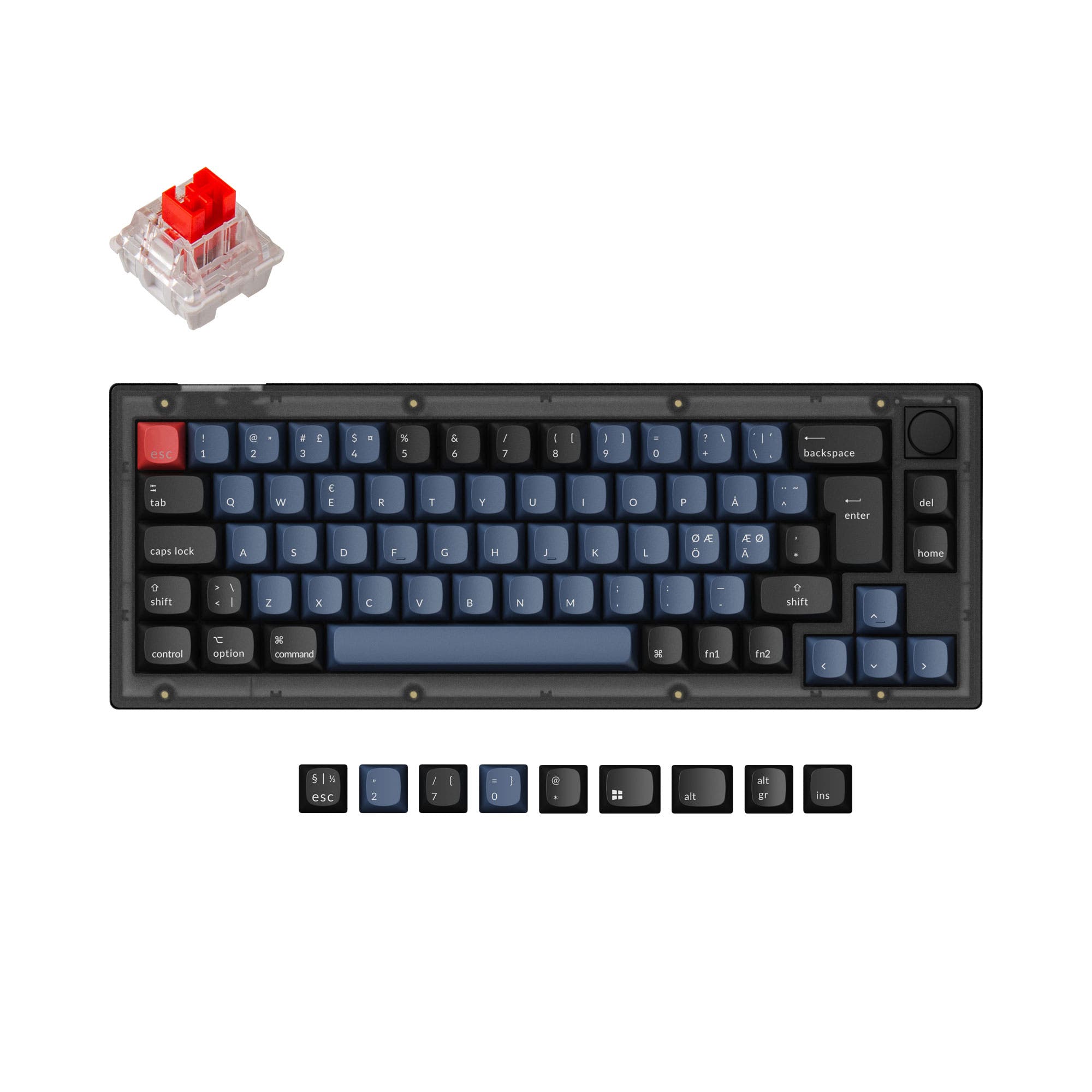
- 65% layout. No function row and no numpad.
Get the
Keychron V4
Custom Builds
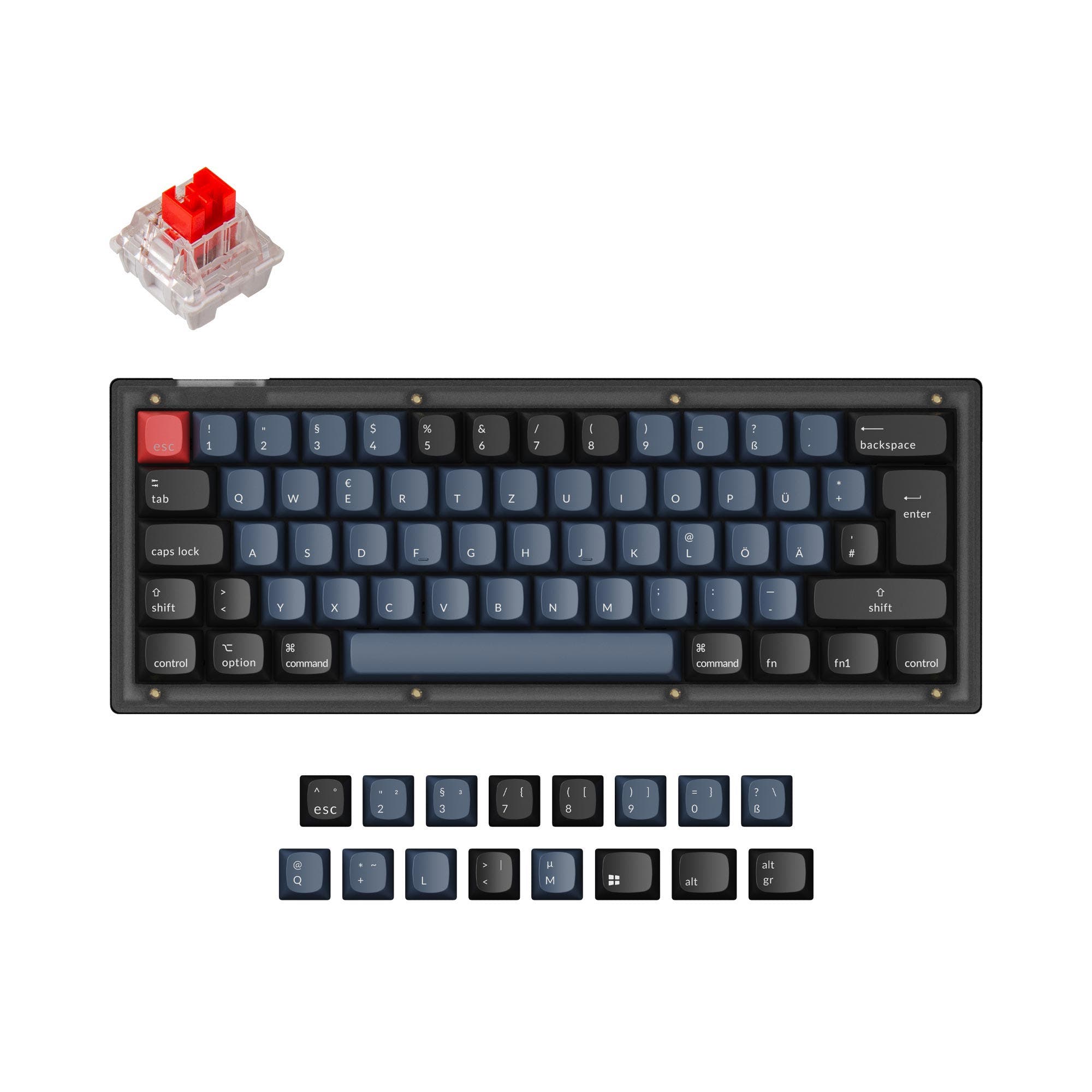
Build quality in the top 5% of 60% boards under $100.
- Fully programmable via open-source QMK firmware and VIA.
- Hot-swappable PCB compatible with 3-pin and 5-pin MX switches.
- Includes high-quality components like screw-in PCB stabilizers and double-shot PBT keycaps.
- South-facing LEDs. Shine-through legends stay dark, and some sculpted keycaps can clip the LED.
- Compact layout only. No function row, dedicated arrow keys, or numpad.
Your primary need dictates the choice. If competitive gaming latency and switch adjustability are your top priorities, the AULA WIN68 is the clear pick. If you value building, modifying, and deeply programming your keyboard with premium modding components, the Keychron V4 is the superior platform. Consider the layout difference, as the WIN68's 65% form factor includes arrow keys, while the V4's 60% layout is more compact.
The differences that matter
Skip the 40-row spec sheet. These are the specs that change how each board feels, sounds, and fits your desk.
AULA WIN68
Keychron V4
Layout size
65%
60%
Hall effect (magnetic)
Yes
No
Adjustable actuation helps in games and not in normal typing
Hot-swappable
No
Yes
Switch changes without soldering
Max polling rate
8,000 Hz
1,000 Hz
Higher polling helps competitive FPS and does nothing for typing
Case material
Plastic
ABS, Plastic
- AULA WIN68
- Keychron V4
- Performance
- 8668
- Build quality
- 4987
- Productivity
- 7495
- Customizability
- 5498
- Portability
- 7376
- Connection: Wired
- Sound dampening
What will you mostly use it for?
The Keychron V4 wins in most categories centered on customization and typing, such as Programming, Modding, and Office use, thanks to its software and hardware flexibility. The AULA WIN68 takes the lead specifically for Gaming due to its high polling rate and magnetic switch technology. For Travel, the compact sizes are a tie, and Content Creation favors the V4 for its macro capabilities.
Pick the AULA WIN68
- Higher 8000Hz polling rate for faster response compared to 1000Hz.
- Magnetic Hall Effect switches with adjustable actuation and a claimed 0.02mm accuracy.
- Vendor description lists gaming-specific features like RT adjustment and 0% dead zone.
AULA WIN68 vs Keychron V4 specs
Every tracked spec, side by side. Rows marked with a dot differ between the boards.
17 of 26 specs differ
AULA WIN68
Keychron V4
Switch options
Hall effect (magnetic)
Hot-swappable
Mount style
Sound dampening
Screw-in stabilizers
Layout size
Layout standard
Ergonomics
Knob
Display
Media keys
Connection
Max polling rate
USB-C
Case material
Plate material
Keycaps
Weight
Dimensions
Typing angle
Backlight
QMK
VIA
Mac & Windows
Released
ISO layouts by store
Which stores sell ISO-DE, UK, and the other regional layouts.
AULA WIN68
No ISO layout at the stores we track.
Keychron V4
Keychron
ISO-DE
In stockShips to you
Input Gear
ISO-DE
Out of stockShips to you
Keychron (DE)
ISO-DE
In stockDoes not ship to you
Compare prices
Live prices from the stores we track, cheapest in-stock offer first.
Prices in USD are converted to your currency and can change at any time. KeebFinder may earn a commission when you buy through these links, at no extra cost to you.
Lowest price across stores, Amazon excluded.





AULA WIN68 vs Keychron V4: your questions
The AULA WIN68 is designed for competitive gaming. It features an 8000Hz polling rate, which transmits data eight times faster than a standard 1000Hz keyboard like the Keychron V4. Its magnetic Hall Effect switches also allow for adjustable actuation to minimize response time.
No, the AULA WIN68 is not hot-swappable according to the provided specifications. The switches are soldered onto the PCB, so changing them would require desoldering and soldering new switches, which is a more advanced modification.
Yes, the Keychron V4 has built-in support for both macOS and Windows. The fully assembled version includes an extra set of keycaps for both operating systems, and a hardware toggle allows you to switch between system layouts.
The fully assembled Keychron V4 comes with OSA profile double-shot PBT keycaps. These are oil-resistant, have a shape similar to SA keycaps with OEM height, and include legends for both Mac and Windows. They are not shine-through.
As described for the AULA WIN68, magnetic Hall Effect switches offer adjustable actuation points, meaning you can set how far a key needs to be pressed to register. They also boast high accuracy, with the vendor citing up to 0.02mm, and theoretically have longer lifespans as they lack physical contact points that wear out.
Yes, extensively. The Keychron V4 supports QMK and VIA firmware, which are open-source platforms allowing you to remap every key, create complex macros, and customize layers directly through a graphical interface or code.
The Keychron V4 is far more beginner-friendly for modding. Its hot-swappable sockets let you change switches without soldering, and it uses screw-in stabilizers that are easier to remove and lube. It is also available as a barebones kit to build from scratch.
Yes, both keyboards feature RGB backlighting. However, the Keychron V4 uses south-facing RGB LEDs, which are better for preventing interference with Cherry or OEM profile keycaps and provide lighting from a typist's angle.
The AULA WIN68 includes PO sandwich cotton and bottom cotton as standard, according to its vendor page. The Keychron V4 includes an acoustic silicone pad and pre-lubed switches to dampen sound and improve typing feel.
Yes, the Keychron V4's hot-swappable PCB supports both 3-pin and 5-pin mechanical switches. This gives you maximum compatibility with a wide range of switch options on the market.
The AULA WIN68 uses a 65% layout, which includes arrow keys and a few navigation keys like Delete and Page Up/Down. The Keychron V4 uses a 60% layout, which removes these keys, requiring you to use function layers to access them.
Not sold on either?





Still torn?
Answer a few quick questions and the keyboard finder ranks 2,000+ boards by how you will actually use yours.