Ducky OK M 65 vs Keychron Q2Wireless Flexibility vs Premium Build
Choose the Ducky OKM 65 for wireless freedom and value, or the Keychron Q2 for a premium metal build and deeper customization.

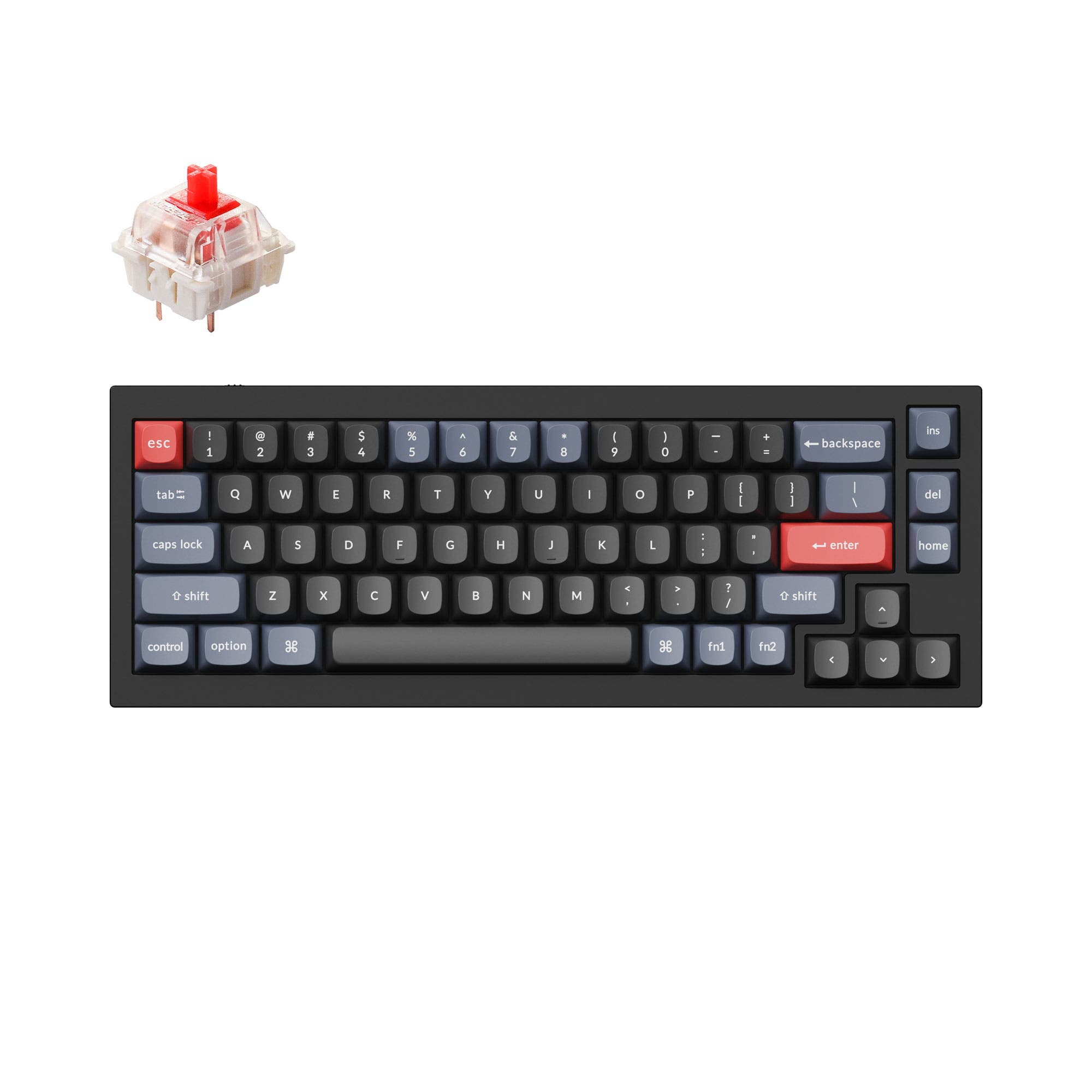
Which one should you get?
Get the
Ducky OK M 65
Wireless Flexibility
- Triple-mode connectivity (Bluetooth, 2.4GHz, wired) for maximum flexibility.
- Includes five layers of sound dampening foam (poron, IXPE, PET, silicone).
- Comes with useful accessories like a USB-C to A adapter, brush, and pullers.
- Uses plate mount stabilizers, which are typically less favored by enthusiasts than screw-in types.
- Case material is not specified, suggesting a plastic construction compared to metal alternatives.
- Lacks the extensive international layout support of the Keychron Q2.
Get the
Keychron Q2
Premium Build
- Full CNC machined aluminum case for a premium, solid feel.
- Supports both QMK and VIA firmware for unparalleled programmability.
- Available in a barebones kit and includes screw-in PCB stabilizers.
- Wired-only connectivity, with no wireless option.
- Very heavy at 1645g, reducing portability.
- South-facing RGB LEDs may not shine through keycap legends as effectively as north-facing.
Your primary need dictates the choice. If you require wireless connectivity for a clean desk or frequent movement, the Ducky OKM 65 is the clear and more affordable option. If you prioritize a premium typing feel, extensive customization through QMK, and a metal build meant to last and be modified, the Keychron Q2 is worth the investment despite being wired-only. Consider how much you value the freedom of wireless against the tangible heft and customization ceiling of an all-metal keyboard.
The differences that matter
Skip the 40-row spec sheet. These are the specs that change how each board feels, sounds, and fits your desk.
Ducky OK M 65
Keychron Q2
Connection
Bluetooth, 2.4 GHz, Wired
Wired
Switch options
Clicky, Linear
Clicky, Linear, Tactile
Mount style
Gasket Mount
Gasket Mount, PCB Mount
QMK
No
Yes
Layout standard
ANSI
ANSI, ISO, ISO-DE, ISO-ES, ISO-FR, ISO-Nordic, ISO-SW, ISO-UK, JIS
- Ducky OK M 65
- Keychron Q2
- Performance
- 6266
- Build quality
- 7390
- Productivity
- 8495
- Customizability
- 7898
- Portability
- 8570
- Layout size: 65%
- Hot-swappable
- Knob
- VIA
- Sound dampening
What will you mostly use it for?
The Ducky OKM 65 wins for office use and travel due to its wireless connectivity and practical design. The Keychron Q2 is the stronger choice for programming, modding, and content creation, thanks to its extensive firmware support, build quality, and customization options. For gaming, the decision is less clear and may come down to a preference for the Q2's confirmed high polling rate versus the Ducky's wireless flexibility.
It's a tie
- Both keyboards feature a 65% layout for more mouse space.
- The Keychron Q2 lists a 1000 Hz polling rate, while the Ducky's rate is not specified.
- Both support linear switches for fast actuation.
What owners say
Ratings and quotes collected from verified store reviews, including the critical ones.
Ducky OK M 65
No owner reviews collected yet.
Keychron Q2
241 owner reviews
“The Q2 is waaaaay underrated. Tempest mod, lubed durock v2 stabs, tecsee PME or HPE housing long pole tactile switches and you have yourself a killer board.”
Ducky OK M 65 vs Keychron Q2 specs
Every tracked spec, side by side. Rows marked with a dot differ between the boards.
11 of 25 specs differ
Ducky OK M 65
Keychron Q2
Switch options
Hot-swappable
Mount style
Sound dampening
Screw-in stabilizers
Layout size
Layout standard
Ergonomics
Knob
Display
Media keys
Connection
Max polling rate
USB-C
Case material
Plate material
Keycaps
Weight
Dimensions
Typing angle
Backlight
QMK
VIA
Mac & Windows
Released
Compare prices
Live prices from the stores we track, cheapest in-stock offer first.
Lowest price across stores, Amazon excluded.




Prices in USD are converted to your currency and can change at any time. KeebFinder may earn a commission when you buy through these links, at no extra cost to you.
Ducky OK M 65 vs Keychron Q2: your questions
Both keyboards are Mac compatible. The Ducky OKM 65 has a physical switch to toggle between Mac and Windows modes. The Keychron Q2 also includes a system toggle and comes with an additional set of keycaps specifically for macOS, making it a strong contender for Mac-focused setups.
Yes, both the Ducky OKM 65 and Keychron Q2 feature hot-swappable sockets that support both 3-pin and 5-pin mechanical switches. This allows you to change switches without any soldering required.
No. According to its specifications, the Keychron Q2 is a wired-only keyboard, connecting via a USB-C cable. The Ducky OKM 65 offers Bluetooth, 2.4 GHz wireless, and wired connectivity.
The Ducky OKM 65 uses north-facing LEDs, which can cause interference with certain Cherry-profile keycaps. The Keychron Q2 uses south-facing LEDs, which avoid this interference and are better for illuminating backlighting from the typist's angle, though they may not shine through keycap legends as brightly.
The Keychron Q2 offers deeper customization. It supports both QMK and VIA firmware for advanced programming, is available as a barebones kit, uses screw-in stabilizers, and has a full aluminum case designed for modding. The Ducky is customizable with VIA and hot-swap, but lacks the same foundation for heavy modification.
The Ducky OKM 65 comes with Cherry profile double-shot PBT keycaps. The Keychron Q2 comes with OSA profile double-shot PBT keycaps, which the manufacturer describes as having OEM height with an SA-like spherical shape.
The Keychron Q2's product description states it includes "pre-lubed Gateron G Pro" switches, but does not specify if the screw-in stabilizers are pre-lubed. The Ducky OKM 65 vendor description does not mention pre-lubing for its switches or its plate mount stabilizers.
Both keyboards feature sound-dampening materials. The Ducky lists five specific foam and pad layers. The Keychron uses a double-gasket design with silicone pads to reduce metal resonance. The final sound will depend heavily on the switches installed, but both are designed to mitigate noise.
Yes, both the Ducky OKM 65 and the Keychron Q2 feature a programmable volume knob. The Keychron's description specifically notes the knob can be customized for other functions like zoom or brush size in creative software.
The Keychron Q2 has a full CNC aluminum case and a steel plate, contributing to its 1645g weight for a very solid feel. The Ducky OKM 65 uses a polycarbonate plate and its case material is not specified in the provided details, suggesting a different, likely lighter, construction material.
Yes. The Keychron Q2 explicitly supports ISO layouts, including UK, German, Nordic, Swiss, French, and Spanish variants. It also offers a barebone ISO option for other languages. The Ducky OKM 65 is listed with an ANSI layout only.
Not sold on either?


Still torn?
Answer a few quick questions and the keyboard finder ranks 2,000+ boards by how you will actually use yours.