Ducky One 2 SF vs Filco Majestouch Xacro M3ARGB vs Macro Keys
Choose the Ducky for its RGB lighting and high polling rate, or the Filco for its advanced macro programming and layout flexibility.
KeebFinder may earn a commission when you buy through these links, at no extra cost to you.


Which one should you get?
Get the
Ducky One 2 SF
RGB
Build quality in the bottom 15% of 65% boards under $100.
- Includes 10 additional PBT double-shot keycaps and a potential bonus zodiac spacebar.
- Features north-facing RGB LEDs with a 1000Hz polling rate.
- Offers a wide initial switch selection including Cherry MX and Kailh BOX variants.
- Switches are soldered. Swapping them means soldering.
- North-facing LEDs. Cherry-profile keycaps can hit the switch housing.
Get the
Filco Majestouch Xacro M3A
Macro Keys
Build quality in the bottom 10% of 65% boards under $100.
- Features three dedicated macro keys and three programmable layers.
- Includes DIP switches for hardware-level layout changes (QWERTY, Dvorak, Colemak, Mac).
- Has a USB pass-through port for peripheral connectivity.
- Switches are soldered. Swapping them means soldering.
- No ISO layout. ISO-DE, UK, and other ISO variants are not offered.
Select the Ducky One 2 SF if your priority is gaming performance with RGB lighting and a high polling rate. Choose the Filco Majestouch Xacro M3A if you need extensive macro programming, hardware layout switching, and a USB pass-through for a productivity-focused workflow. The decision fundamentally comes down to prioritizing visual flair and gaming specs versus deep functional customization.
The differences that matter
Skip the 40-row spec sheet. These are the specs that change how each board feels, sounds, and fits your desk.
Ducky One 2 SF
Filco Majestouch Xacro M3A
Layout standard
ANSI, ISO
ANSI, Colemak, Dvorak, JIS
ISO and JIS exist so regional layouts fit
USB passthrough
No
Yes
Backlight
RGB, north-facing
None
RGB for looks and low light rather than speed
Media keys
Yes
No
N-key rollover
Yes
No
- Ducky One 2 SF
- Filco Majestouch Xacro M3A
- Performance
- 6741
- Build quality
- 4444
- Productivity
- 5449
- Customizability
- 5442
- Portability
- 6867
- Layout size: 65%
- Case material: Plastic
- Switch options: Clicky, Linear, Silent, Tactile
- Mount style: Plate Mount
- Keycaps: PBT
What will you mostly use it for?
The Filco Xacro M3A wins for productivity-focused tasks like office work, programming, and content creation due to its macro keys and deep programmability. The Ducky One 2 SF is the stronger choice for gaming, supported by its RGB lighting and high polling rate. For travel, the keyboards are evenly matched in size and cable design. Modders may lean toward the Ducky for its included extra keycaps and broader switch selection.
Pick the Ducky One 2 SF
- The Ducky One 2 SF has a specified 1000Hz polling rate for lower latency.
- It features north-facing RGB LEDs for per-key lighting effects.
- It includes N-key rollover to prevent ghosting during complex key presses.
Ducky One 2 SF vs Filco Majestouch Xacro M3A specs
Every tracked spec, side by side. Rows marked with a dot differ between the boards.
5 of 18 specs differ
Ducky One 2 SF
Filco Majestouch Xacro M3A
Switch options
Mount style
Layout size
Layout standard
Ergonomics
Display
Media keys
Connection
Max polling rate
USB passthrough
USB-C
Case material
Plate material
Keycaps
Backlight
N-key rollover
Mac & Windows
Released
ISO layouts by store
Which stores sell ISO-DE, UK, and the other regional layouts.
Ducky One 2 SF
Listed on the product, not split by store: ISO.
Filco Majestouch Xacro M3A
No ISO layout at the stores we track.
Compare prices
Live prices from the stores we track, cheapest in-stock offer first.
Prices in USD are converted to your currency and can change at any time. KeebFinder may earn a commission when you buy through these links, at no extra cost to you.
Lowest price across stores, Amazon excluded.


Ducky One 2 SF vs Filco Majestouch Xacro M3A: your questions
The Ducky One 2 SF is the stronger choice for gaming. Its product listing specifically mentions a 1000Hz polling rate, which can benefit latency-sensitive games. It also features N-key rollover and RGB lighting, which are common gaming preferences.
No, the Filco Majestouch Xacro M3A does not have any backlighting or RGB LEDs according to its specifications. The Ducky One 2 SF is the model that includes north-facing RGB lighting.
Yes, the Filco Xacro M3A includes DIP switches that allow you to change the hardware layout. The manufacturer states you can switch between QWERTY, Dvorak, Colemak, and Mac layouts using these switches.
Yes, both keyboards use standard mechanical switches with plate-mount construction and come with PBT double-shot keycaps, meaning they should be compatible with most aftermarket keycap sets that fit Cherry MX-style stems.
Both keyboards include extra keycaps. The Ducky One 2 SF comes with 10 additional PBT double-shot keycaps in random colors. The Filco Xacro M3A also includes 10 additional keycaps, stated to match popular modifications.
Yes, the Filco Xacro M3A is programmable. It can be programmed by inputting key patterns directly or by using the Filco Assist software on Windows, which supports saving up to eight profiles and three programmable layers.
Only the Filco Xacro M3A includes a USB pass-through port, according to its listed features. The Ducky One 2 SF does not have this feature.
The Ducky One 2 SF vendor listing shows availability for a wide range of switches. This includes Cherry MX variants (Black, Brown, Blue, Red, Silver, Silent Red, Silent Black) and several Kailh BOX switches (Brown, Red, White, Thick Jade, Silent Pink, Navy, Polia).
Yes, both keyboards feature a detachable USB-C to USB-A cable, as confirmed by their respective vendor descriptions.
The Filco Majestouch Xacro M3A has three dedicated macro keys. The Ducky One 2 SF does not have dedicated macro keys listed among its features.
Yes, the vendor characteristics for the Ducky One 2 SF list compatibility with Windows, Mac, and Linux operating systems.
The Ducky One 2 SF is listed as having 67 keys. While an exact key count isn't provided for the Filco Xacro M3A, both are 65% layout keyboards, so they will have a similar number of keys, typically between 65 and 68.
Not sold on either?





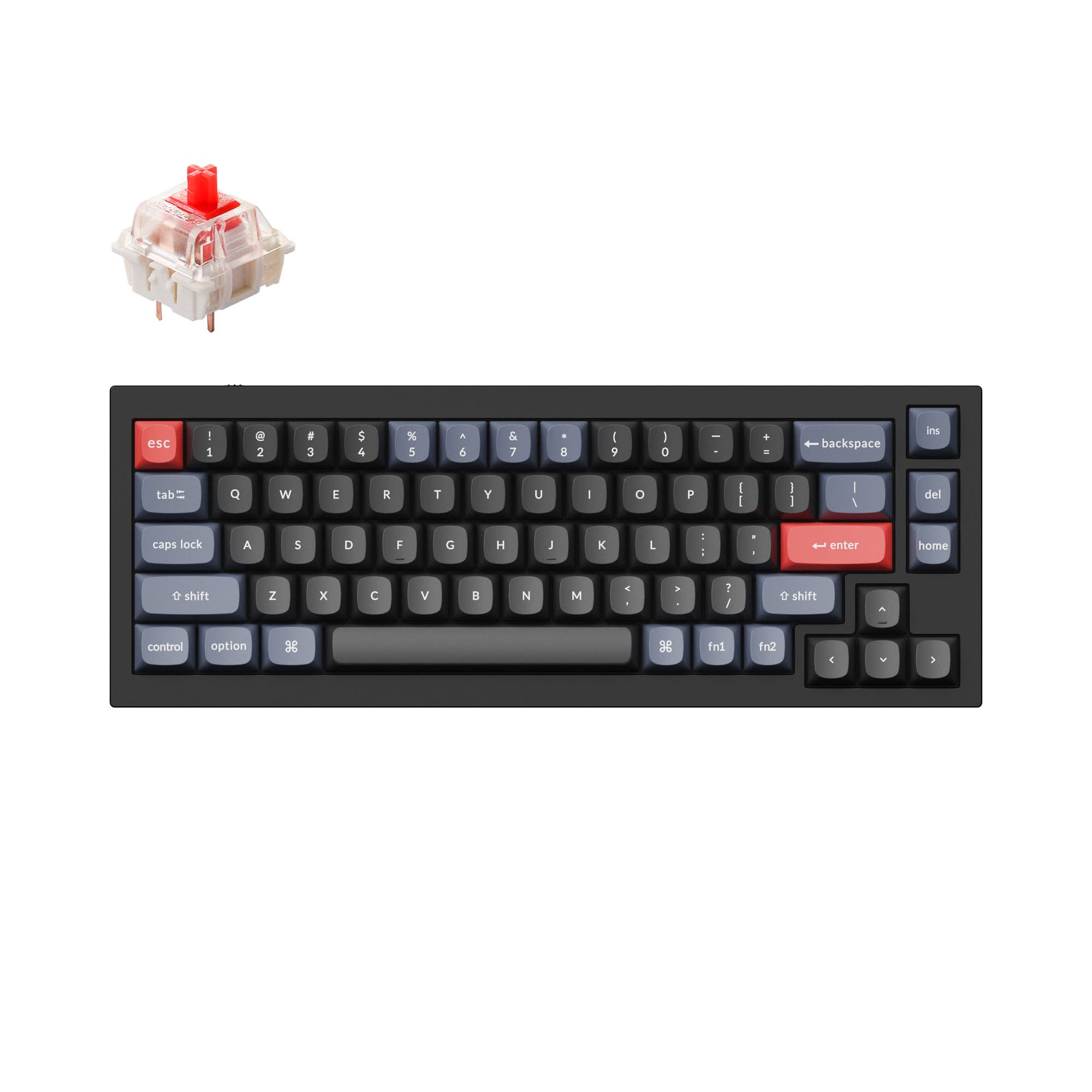


Still torn?
Answer a few quick questions and the keyboard finder ranks 2,000+ boards by how you will actually use yours.