AULA F75 vs Gamakay TK75 V2Hot-Swap vs TFT Screen
Choose the AULA F75 for gaming performance and customization, or the Gamakay TK75 V2 for a quieter, screen-equipped typing experience.


Which one should you get?
Get the
AULA F75
Hot-Swap
- Hot-swappable PCB for easy switch customization.
- Includes rapid trigger functionality for gaming.
- Features a detailed five-layer sound dampening system with Poron foam and silicone.
- Heavier at 1023g, which may reduce portability.
- No integrated screen for system status information.
- Software support is listed for Windows only.
Get the
Gamakay TK75 V2
TFT Screen
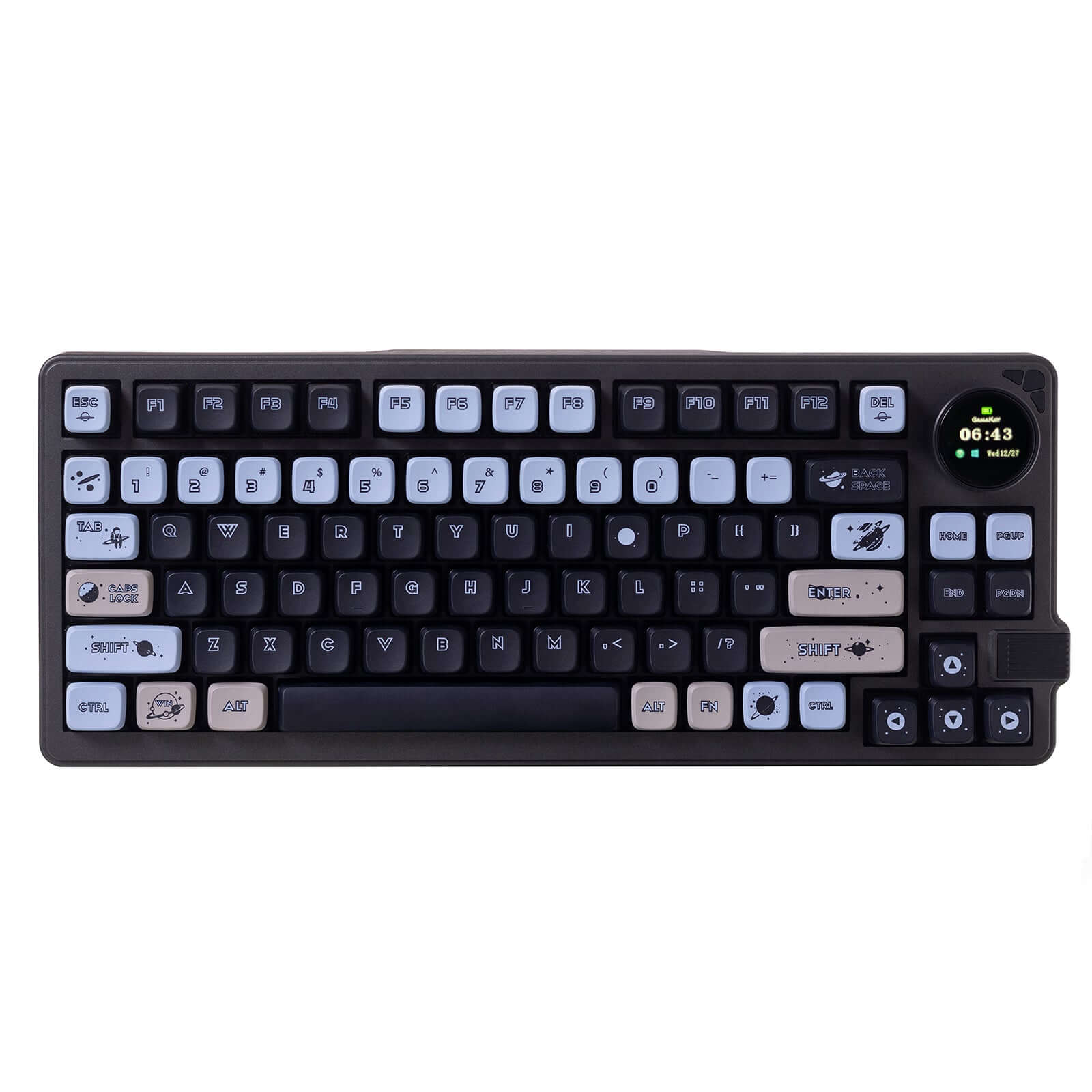
- Features an interactive 0.85-inch TFT screen for battery and connection status.
- Vendor markets it specifically as an 'ultra-silent' keyboard for quiet environments.
- Uses a PC positioning plate, noted for improved tactile feedback and noise reduction.
- Lacks hot-swappable functionality, limiting switch customization.
- No rapid trigger or specific high-polling rate feature mentioned for gaming.
- Case material is listed as ABS, which may feel less premium than metal alternatives.
Your primary need dictates the choice. If you want a keyboard you can modify for gaming or sound, the AULA F75's hot-swap sockets and rapid trigger are decisive. If you prefer a quiet, ready-to-use keyboard with a convenient status screen and a focus on office portability, the Gamakay TK75 V2 is the better option. Both deliver core wireless functionality in a 75% form factor.
The differences that matter
Skip the 40-row spec sheet. These are the specs that change how each board feels, sounds, and fits your desk.
AULA F75
Gamakay TK75 V2
Case material
Plastic
ABS
Switch options
Linear, Silent
Silent
Display
None
TFT
Keycaps
ABS, PBT
PBT
Backlight
RGB, south-facing
RGB
- AULA F75
- Gamakay TK75 V2
- Performance
- 6466
- Build quality
- 6676
- Productivity
- 9280
- Customizability
- 8273
- Portability
- 8275
- Layout size: 75%
- Connection: Bluetooth, 2.4 GHz, Wired
- Hot-swappable
- Battery: 4,000 mAh
- Mount style: Gasket Mount
- Knob
What will you mostly use it for?
The AULA F75 is the stronger candidate for gaming and hands-on customization, thanks to its verified hot-swap capability and gaming features. The Gamakay TK75 V2 takes the lead for office and travel use, with a vendor-emphasized silent design and portable build. For programming, both keyboards are equally capable due to their shared compact layout and connectivity. Content creators may lean towards the AULA F75 for its dedicated media knob.
Pick the AULA F75
- The AULA F75 lists a 1000 Hz polling rate and a rapid trigger feature, which are explicitly mentioned for low-latency gaming.
- Its hot-swappable PCB allows for installing gaming-focused switches.
- The vendor description highlights an 'ultra-responsive, low-latency connection' for gaming.
What owners say
Ratings and quotes collected from verified store reviews, including the critical ones.
AULA F75
509 owner reviews
“Works exactly as intended and still works as new. The 2.4 GHz Receiver doesn't communicate correctly and isn't reliable but on BT and Cable it works perfectly”
“I made an order for EPOMAKER x AULA 75 with express shipping on 27/1/24. Emailed the team TWICE. Now its 19/3/24, and i still dont have the item. Very poor service”
Gamakay TK75 V2
No owner reviews collected yet.
AULA F75 vs Gamakay TK75 V2 specs
Every tracked spec, side by side. Rows marked with a dot differ between the boards.
8 of 24 specs differ
AULA F75
Gamakay TK75 V2
Switch options
Hot-swappable
Mount style
Sound dampening
Screw-in stabilizers
Layout size
Layout standard
Ergonomics
Knob
Display
Media keys
Connection
Max polling rate
Battery
USB-C
Case material
Plate material
Keycaps
Weight
Dimensions
Backlight
N-key rollover
Mac & Windows
Released
Compare prices
Live prices from the stores we track, cheapest in-stock offer first.





AULA F75 vs Gamakay TK75 V2: your questions
The Gamakay TK75 V2 is explicitly marketed as an 'ultra-silent' mechanical keyboard. Its vendor description emphasizes a quiet experience for offices and late-night use, supported by a multi-layer foam setup and silent switches. The AULA F75 also has sound dampening but is not specifically advertised with the same silent-typing focus.
No. The product metadata and description for the Gamakay TK75 V2 do not list hot-swappable functionality as a feature. Switch replacement would require soldering. The AULA F75, in contrast, has confirmed hot-swappable sockets.
No, the AULA F75 does not have a screen. The Gamakay TK75 V2 includes a 0.85-inch TFT screen, which its vendor states can display battery life, connection mode, and custom animations.
Both keyboards are equipped with a 4000mAh rechargeable lithium battery. The vendor for the Gamakay TK75 V2 claims it 'outperforms competitors, eliminating constant recharging,' but specific runtime hours are not provided for either model.
Both keyboards use PBT keycaps, which are durable and resist shine. The AULA F75 uses Cherry-profile double-shot PBT keycaps. The Gamakay TK75 V2 uses dye-sublimated PBT keycaps with a Cherry profile.
The Gamakay TK75 V2 is likely more portable. Its vendor specifically calls the ABS case 'lightweight' and 'ideal for on-the-go use.' The AULA F75 is notably heavier at 1023g, and its portability is not highlighted in the provided description.
The AULA F75 explicitly lists 'Mac/Win Support' in its metadata. The Gamakay TK75 V2 description does not mention Mac compatibility, focusing on Windows software downloads, so compatibility may be limited or untested.
Rapid trigger is a feature that allows for faster key actuation in gaming by resetting the keystroke with minimal upward movement. This feature is listed in the metadata for the AULA F75. It is not mentioned for the Gamakay TK75 V2.
Both the AULA F75 and the Gamakay TK75 V2 use screw-in stabilizers according to their metadata. Screw-in stabilizers are generally preferred for their stability and are easier to modify than clip-in variants.
The AULA F75 software is noted to support Windows only. The Gamakay TK75 V2 vendor page provides a complex list of firmware files with a warning that flashing the wrong one may damage the keyboard, suggesting a need for caution. Both offer customization but with potential platform or complexity limitations.
A PC (polycarbonate) positioning plate is a component that holds the switches and can affect the typing feel and sound. The Gamakay TK75 V2 vendor states it has been upgraded to a PC positioning plate for 'superior tactile feedback and enhanced noise reduction.' The AULA F75 uses an aluminum plate.
Not sold on either?




![[In Stock] Xinmeng M75/M75Pro 75% Pre-Built Mechanical Keyboard](https://cdn.shopify.com/s/files/1/0549/0262/0278/files/O1CN01QqPe0g1sgA8RTJI6B___2215624025795.png?v=1741766474&width=3840&quality=75)

Still torn?
Answer a few quick questions and the keyboard finder ranks 2,000+ boards by how you will actually use yours.