AULA F87 Pro vs Keychron V2Wireless vs Customization
Choose the AULA F87 Pro for wireless flexibility or the Keychron V2 for deep firmware customization and a compact layout.
KeebFinder may earn a commission when you buy through these links, at no extra cost to you.

4.8 (13)4.8 · 13 reviews
from$64at Epomaker
90-day lowLowest price in 90 days
4.9 (17)4.9 · 17 reviews
from$44at Keychron
Which one should you get?
Get the
AULA F87 Pro
Wireless
Build quality in the bottom 15% of 80% boards under $100.
- Tri-mode connectivity with Bluetooth, 2.4 GHz wireless, and wired operation.
- Gasket mount design with a silicone pad for a softer typing feel.
- Includes five-layered sound-absorbing padding with IXPE and PORON materials.
- No ISO layout. ISO-DE, UK, and other ISO variants are not offered.
- No numpad.
Get the
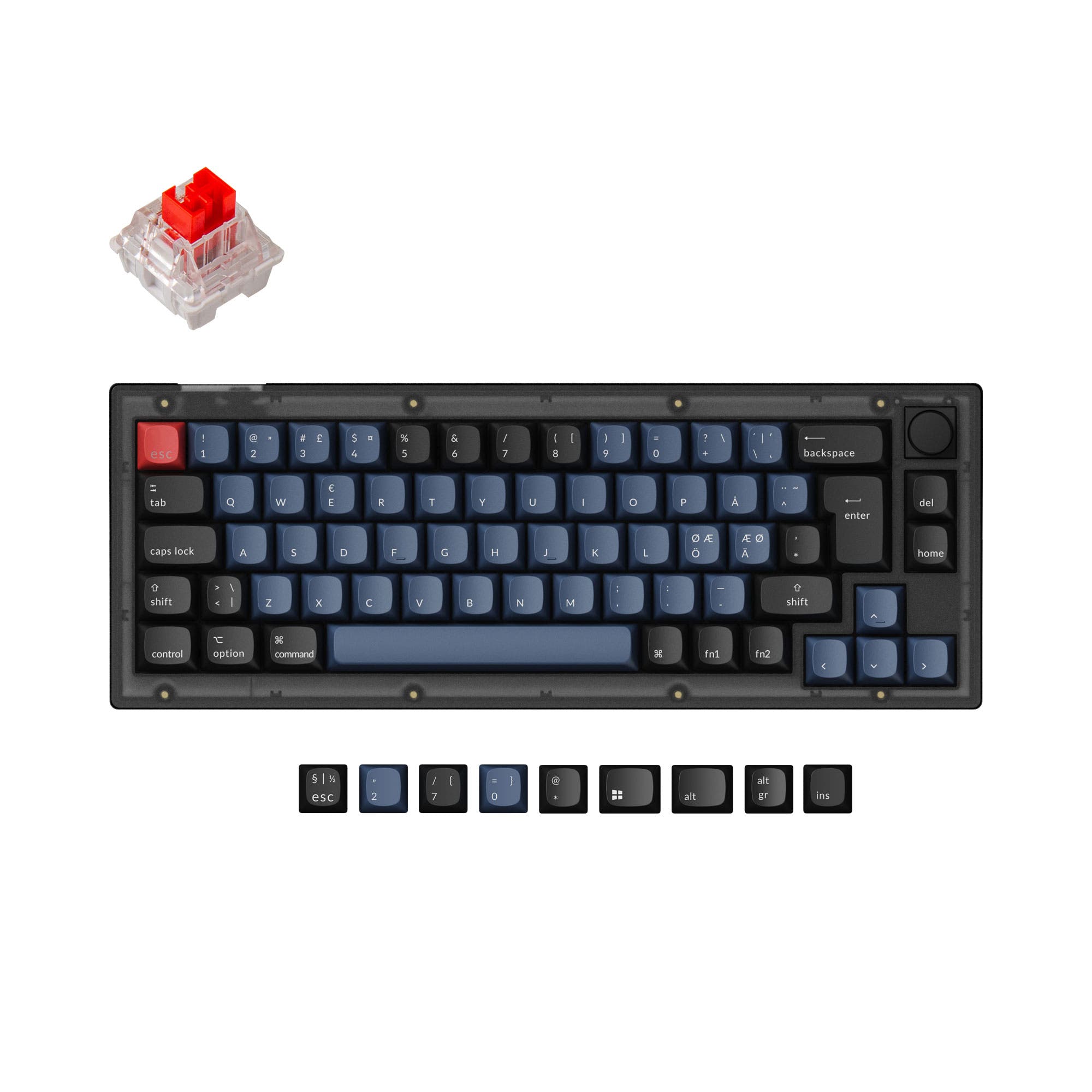
Keychron V2
Customization
Build quality in the top 5% of 65% boards under $50.
- Full QMK and VIA support for deep, open-source firmware customization.
- Available with a programmable aluminum rotary encoder (knob).
- Features a steel plate and screw-in PCB stabilizers for a solid foundation.
- South-facing LEDs. Shine-through legends stay dark, and some sculpted keycaps can clip the LED.
- 65% layout. No function row and no numpad.
Your primary need dictates the choice. If you value a clutter-free desk, need to switch between multiple devices, or prefer a TKL layout, the wireless AULA F87 Pro is the logical pick. If your priority is limitless customization through QMK/VIA, you want a programmable knob, or you prefer a more compact 65% form factor, the wired Keychron V2 is the superior platform, despite its lower user review score.
The differences that matter
Skip the 40-row spec sheet. These are the specs that change how each board feels, sounds, and fits your desk.
AULA F87 Pro
Keychron V2
Layout size
80%
65%
Connection
Bluetooth, 2.4 GHz, Wired
Wired
Wireless for several devices and wired for lower latency
Case material
PBT, Silicone
ABS, Plastic
Mount style
Gasket Mount
Plate Mount, Tray Mount
Knob
No
Yes
- AULA F87 Pro
- Keychron V2
- Performance
- 4868
- Build quality
- 4787
- Productivity
- 6296
- Customizability
- 5299
- Portability
- 6975
- Hot-swappable
- Sound dampening
What will you mostly use it for?
The Keychron V2 is the stronger choice for technical users focused on gaming, programming, modding, and content creation, thanks to its high polling rate, extensive programmability, and knob option. The AULA F87 Pro wins for office use and travel, where its wireless connectivity and TKL layout provide more practical, cable-free flexibility. For general typing, the choice depends on prioritizing the F87 Pro's gasket-mounted feel or the V2's custom sound tuning potential.
Pick the Keychron V2
- The Keychron V2 lists a 1000 Hz polling rate for low latency.
- Its vendor description states the 1000 Hz polling rate makes latency 'hardly noticeable even in competitive games'.
- The AULA F87 Pro's vendor description mentions a 3ms response time, but a specific polling rate is not provided.
What owners say
Ratings and quotes collected from verified store reviews, including the critical ones.
AULA F87 Pro
13 owner reviews
“It’s nice but if it was with the volume thing on the top right like in the aula 75 it would be much better”
“When I charge the keyboard it only holds for like 10 hours and then I need to charge again”
Keychron V2
17 owner reviews
“Was looking for a good budget board to customize and this keyboard was great! Good price and high quality materials as well as fast shipping. Love it.”
AULA F87 Pro vs Keychron V2 specs
Every tracked spec, side by side. Rows marked with a dot differ between the boards.
17 of 26 specs differ
AULA F87 Pro
Keychron V2
Switch options
Hot-swappable
Mount style
Sound dampening
Screw-in stabilizers
Layout size
Layout standard
Ergonomics
Knob
Display
Media keys
Connection
Max polling rate
Battery
USB-C
Case material
Plate material
Keycaps
Weight
Dimensions
Typing angle
Backlight
QMK
VIA
Mac & Windows
Released
ISO layouts by store
Which stores sell ISO-DE, UK, and the other regional layouts.
AULA F87 Pro
No ISO layout at the stores we track.
Keychron V2
Input Gear
ISO-DE
In stockShips to you
Keychron
ISO-DE, ISO-UK, ISO-FR, ISO-ES
In stockShips to you
Keychron (DE)
ISO-DE, ISO-UK, ISO-FR, ISO-ES
In stockDoes not ship to you
Compare prices
Live prices from the stores we track, cheapest in-stock offer first.
Prices in USD are converted to your currency and can change at any time. KeebFinder may earn a commission when you buy through these links, at no extra cost to you.
Lowest price across stores, Amazon excluded.






AULA F87 Pro vs Keychron V2: your questions
Only the AULA F87 Pro is wireless. It supports Bluetooth, 2.4 GHz wireless, and wired USB-C connections. The Keychron V2 is a wired-only keyboard.
The Keychron V2 fully supports QMK and VIA firmware, allowing for deep key remapping and macro creation. The AULA F87 Pro uses proprietary software for RGB customization, but its vendor description does not mention advanced key reprogramming capabilities like QMK.
The Keychron V2 is available in a version with a programmable aluminum rotary encoder (knob). According to the manufacturer, this knob can be customized for functions like volume control, zoom, or brush size.
The AULA F87 Pro is equipped with a 4000mAh battery. The vendor description does not provide an estimated battery life in hours, but user reviews mention experiences with charging duration.
The Keychron V2 lists a 1000 Hz polling rate, which is beneficial for gaming responsiveness. The AULA F87 Pro vendor page mentions a 3ms response time but does not specify a polling rate, making the V2 the more verifiable choice for gaming performance.
The AULA F87 Pro comes with dual-tone PBT keycaps. The Keychron V2 fully assembled version includes double-shot OSA PBT keycaps, though its specifications also list ABS as a case material option.
Yes, the Keychron V2 is sold in a barebones kit version that does not include keycaps or switches, allowing for complete customization from the start.
The AULA F87 Pro uses a gasket mount design with a silicone pad. The Keychron V2 uses a tray mount (plate mount) design.
The Keychron V2 is more compact. It is a 65% keyboard measuring 330mm long, while the AULA F87 Pro is an 80% TKL layout measuring 365mm long. The V2 also weighs less at 855g compared to 1023g.
Both keyboards offer cross-platform support. The Keychron V2 specifically includes a system toggle and extra keycaps for both macOS and Windows. The AULA F87 Pro's connectivity options are compatible with both systems, though its driver software is listed as Windows-only.
According to the vendor, the AULA F87 Pro box contains the keyboard, a 2.4G receiver, a switch puller, two spare switches, and a USB-C cable.
The AULA F87 Pro uses a plastic plate. The Keychron V2 uses a steel plate, which typically provides a firmer and more consistent typing feel.
Not sold on either?


Still torn?
Answer a few quick questions and the keyboard finder ranks 2,000+ boards by how you will actually use yours.