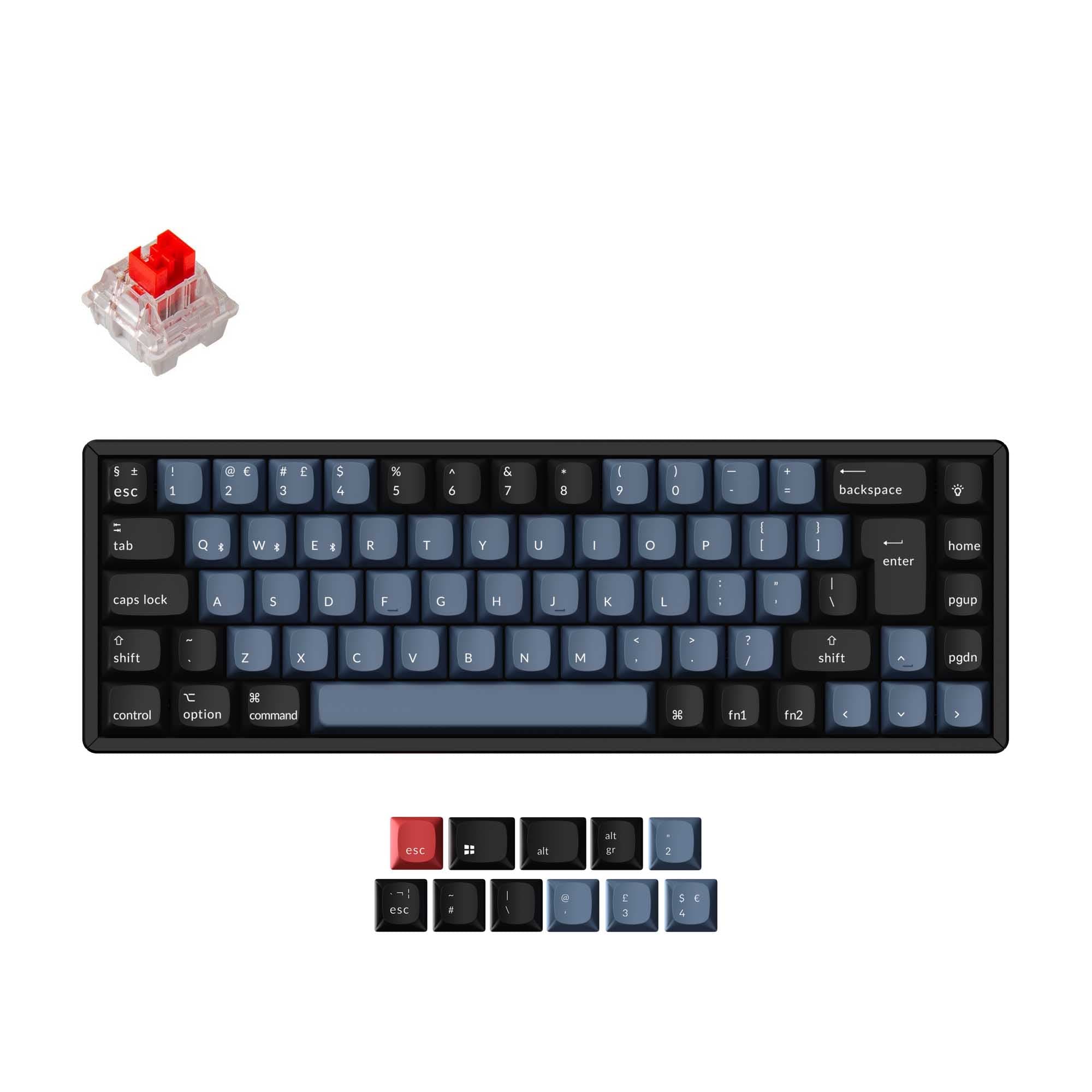
Epomaker HE65 V2 vs TH33
HE speed or numpad?
Choose the HE65 V2 for Hall Effect gaming features and a 65% typing layout, or the TH33 for a lighter, VIA-programmable numpad with standard MX switch support.
Prices checked Nov 20, 2026. KeebFinder may earn a commission when you buy through these links, at no extra cost to you.
Hall effect


Which one should you get?
Get the
Epomaker HE65 V2
Hall effect
Build quality in the bottom 50% of 65% boards under $100.
If you want
- Hall Effect magnetic switches with Rapid Trigger and adjustable actuation.
- 8000 Hz listed polling rate.
- 65% ANSI keyboard layout for primary typing.
Rules this board out
- Magnetic switches only. Standard MX switches will not fit.
- South-facing LEDs. Shine-through legends stay dark, and some sculpted keycaps can clip the LED.
- 65% layout. No function row and no numpad.
Get the
Epomaker TH33
Build quality in the top 20% of Numpad boards under $50.
If you want
- 33-key numpad layout with numeric, arrow, and function keys.
- VIA support for key remapping and macros.
- Hot-swap support for 3-pin and 5-pin mechanical switches.
Rules this board out
- South-facing LEDs. Shine-through legends stay dark, and some sculpted keycaps can clip the LED.
- Numpad only. This is not a full keyboard.
Bottom line
Get the HE65 V2 if you want a 65% primary keyboard with Hall Effect switches, Rapid Trigger, and an 8000 Hz listed polling rate. Choose the TH33 if you need a dedicated numpad with VIA programming, standard 3/5-pin mechanical switch support, and a lower listed weight. The TH33 is an add-on keypad, while the HE65 V2 provides a compact typing layout.
The differences that matter
- Layout size
65%
Numpad
- Hall effect (magnetic)
Yes
No
Adjustable actuation helps in games and not in normal typing - Rapid trigger
Yes
No
Faster resets help in games and not in normal typing - Battery
4,000 mAh
2,000 mAh
A larger battery means fewer cables during the day - Max polling rate
8,000 Hz
1,000 Hz
Higher polling helps competitive FPS and does nothing for typing
KeebFinder scores
How we score- Epomaker HE65 V2
- Epomaker TH33
- Performance
- 9377
- Build quality
- 6276
- Productivity
- 7587
- Customizability
- 6682
- Portability
- 8890
What they share
- Connection: Bluetooth, 2.4 GHz, Wired
- Hot-swappable
- Case material: ABS
- Mount style: Gasket Mount
- Knob
- Sound dampening
What will you mostly use it for?
For gaming, pick the Epomaker HE65 V2
- Hall Effect magnetic switches support Rapid Trigger and adjustable actuation, according to the vendor description.
- The listed polling rate is 8000 Hz, compared with 1000 Hz for the TH33.
What owners say
Epomaker HE65 V2
“Keyboard was compact, satisfying to type on, easy to understand certain shortcut, mapping is the keyboard is nice but not needed if you just want to plug and play.”
Epomaker TH33
“Wow, at first I thought it was gonna be useless because I don't use arrows nor numpad, that's why I use only 60% keyboard. When I recieved the TH33 I noticed that I can remap every single button. Now I use it as a budget stream deck, I put on matching keycaps…”
“It was what I wanted but the usability was not as good as I wanted. Software was very buggy and there are almost no alternative keycap options.”
Epomaker HE65 V2 vs TH33 specs
14 of 26 specs differ
 |  | |
| Epomaker HE65 V2$59 | Epomaker TH33$42 | |
|---|---|---|
| Typing & switches | ||
| Switch options (differs) | Linear, Magnetic | Linear |
| Hall effect (magnetic) (differs) | Yes | No |
| Rapid trigger (differs) | Yes | No |
| Hot-swappable | Yes | Yes |
| Mount style | Gasket Mount | Gasket Mount |
| Sound dampening | Yes | Yes |
| Layout | ||
| Layout size (differs) | 65% | Numpad |
| Layout standard | ANSI | ANSI |
| Ergonomics | Standard | Standard |
| Knob | Yes | Yes |
| Display | None | None |
| Connectivity & battery | ||
| Connection | Bluetooth, 2.4 GHz, Wired | Bluetooth, 2.4 GHz, Wired |
| Max polling rate (differs) | 8,000 HzBest | 1,000 Hz |
| Battery (differs) | 4,000 mAhBest | 2,000 mAh |
| USB-C | Yes | Yes |
| Build & materials | ||
| Case material | ABS | ABS |
| Plate material (differs) | FR4 | Polycarbonate |
| Keycaps (differs) | PC | PBT |
| Weight (differs) | 745 g | 380 g |
| Dimensions (differs) | 43 x 324 x 117 mm | 45 x 151 x 141 mm |
| Typing angle (differs) | Not specified | 6° |
| Backlight | RGB, south-facing | RGB, south-facing |
| Firmware & software | ||
| VIA (differs) | No | Yes |
| N-key rollover (differs) | No | Yes |
| Mac & Windows | Yes | Yes |
| Extras | ||
| Released (differs) | 2026 | 2025 |
Compare prices
Prices in USD are converted to your currency and can change at any time. KeebFinder may earn a commission when you buy through these links, at no extra cost to you.
Lowest price across stores, Amazon excluded.
- Lowest price now
- $42
- Lowest in range
- $42Oct 31 at Epomaker TH33
- Highest in range
- $99Aug 21 at Epomaker HE65 V2
Price in USD
- Check on Amazon
AmazonGlobal
Check price


- Check on Amazon
AmazonGlobal
Check price