Leobog Hi75C Pro vs Qwertykeys Neo65 Core Plus
Choose the Leobog Hi75C Pro for a 75% layout with RGB, or the Qwertykeys Neo65 for a more compact 65% form factor with a premium build focus.


Which one should you get?
Get the
Leobog Hi75C Pro
Knob
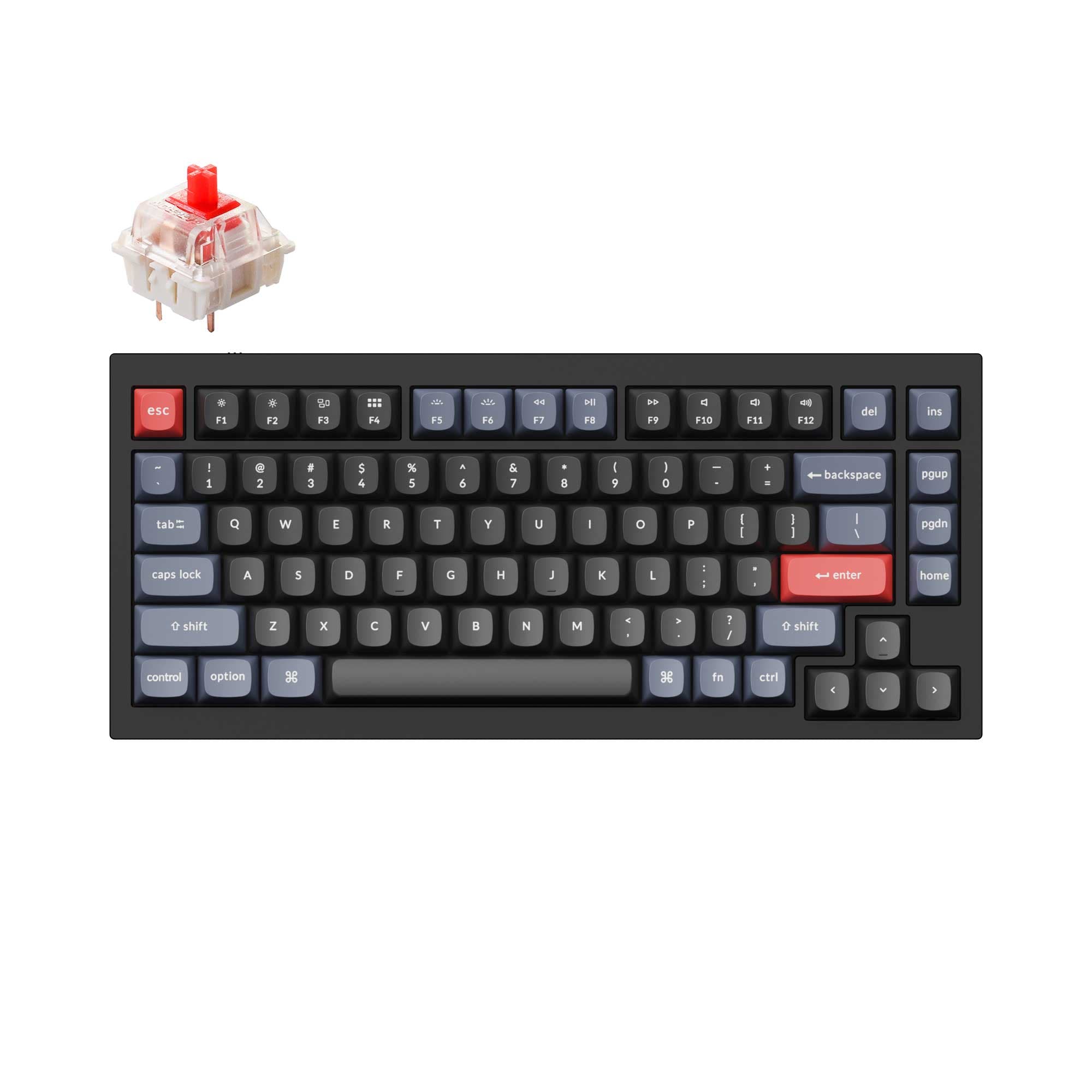
- 75% layout with 81 keys retains the function row and arrow keys.
- Includes south-facing RGB lighting for shine-through keycaps and reduced interference.
- Features a multifunction knob for mode switching, volume, and lighting control.
- Larger footprint (330mm x 135mm) compared to a 65% keyboard.
- Does not offer a choice of plate materials; plate type is not specified.
- Vendor descriptions conflict on connectivity; metadata lists it as wired-only, but the vendor page describes tri-mode wireless.
Get the
Qwertykeys Neo65 Core Plus
Battery
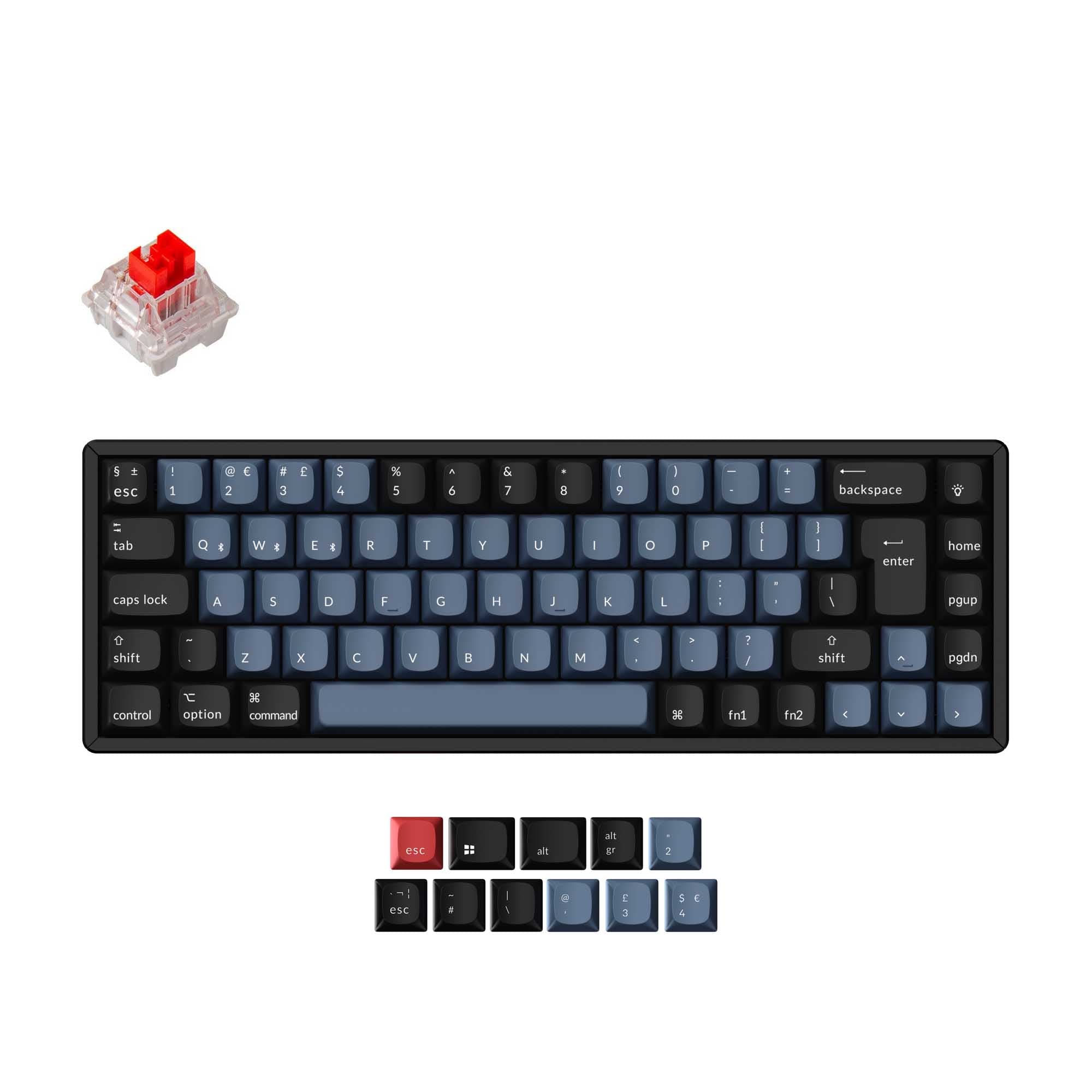
- More compact 65% layout with a 7-degree typing angle and slim bezels.
- Offers a choice of plate materials (Carbon Fiber, Aluminum, Plastic) to customize feel and sound.
- Features a dual-mounting system (gummy O-ring or PCB gasket) and magnetic POGO pin connectors.
- Lacks any form of RGB backlighting.
- Is only sold as a DIY kit/barebones package, requiring separate switches and keycaps.
- Has a longer estimated fulfillment time (12 weeks) as it is made to order.
Your primary need dictates the choice. If you want a ready-to-use keyboard with a function row, RGB, and a control knob for gaming or multimedia work, the Leobog Hi75C Pro is the logical pick, assuming the vendor's claim of tri-mode wireless is accurate. Opt for the Qwertykeys Neo65 Core Plus if you prioritize a minimalist 65% footprint, enjoy customizing with different plate materials, and are willing to build the keyboard yourself for a potentially superior acoustic result.
The differences that matter
Skip the 40-row spec sheet. These are the specs that change how each board feels, sounds, and fits your desk.
Leobog Hi75C Pro
Qwertykeys Neo65 Core Plus
Layout size
75%
65%
Battery
4,000 mAh
4,400 mAh
Knob
Yes
No
Weight
1,230 g
1,340 g
Layout standard
ANSI
ANSI, ISO
- Leobog Hi75C Pro
- Qwertykeys Neo65 Core Plus
- Performance
- 7853
- Build quality
- 7680
- Productivity
- 8280
- Customizability
- 7766
- Portability
- 7988
- Connection: Bluetooth, 2.4 GHz, Wired
- Hot-swappable
- Case material: Aluminum
- Mount style: Gasket Mount
- Sound dampening
What will you mostly use it for?
The Leobog Hi75C Pro wins in scenarios where its larger 75% layout, RGB lighting, and multifunction knob provide tangible benefits, such as gaming, programming, and content creation. The Qwertykeys Neo65 Core Plus is the better choice for travel due to its smaller size and excels in modding thanks to its extensive plate options and easy-disassembly design. For office use, the decision is a tie, hinging purely on personal preference for layout size over other shared wireless and quiet-typing features.
Pick the Leobog Hi75C Pro
- The Leobog Hi75C Pro includes RGB lighting, which the vendor description notes can be set to a dynamic flashing mode for an immersive gaming experience.
- Its 75% layout retains the function row, which can be useful for in-game macros or commands.
- The vendor page mentions a 'top-tier gaming chip' for rapid keystroke registration, a claim not made for the Neo65.
What owners say
Ratings and quotes collected from verified store reviews, including the critical ones.
Leobog Hi75C Pro
No owner reviews collected yet.
Qwertykeys Neo65 Core Plus
14 owner reviews
“For the price, this keyboard should cost more than what it does. It sounds good, the weight of the keyboard has the heft of a more expensive keyboard. I am happy with it”
Leobog Hi75C Pro vs Qwertykeys Neo65 Core Plus specs
Every tracked spec, side by side. Rows marked with a dot differ between the boards.
9 of 23 specs differ
Leobog Hi75C Pro
Qwertykeys Neo65 Core Plus
Switch options
Hot-swappable
Mount style
Sound dampening
Screw-in stabilizers
Layout size
Layout standard
Ergonomics
Knob
Display
Connection
Max polling rate
Battery
USB-C
Case material
Plate material
Weight
Dimensions
Typing angle
Backlight
N-key rollover
Mac & Windows
Released
Compare prices
Live prices from the stores we track, cheapest in-stock offer first.
Lowest price across stores, Amazon excluded.




Prices in USD are converted to your currency and can change at any time. KeebFinder may earn a commission when you buy through these links, at no extra cost to you.
Leobog Hi75C Pro vs Qwertykeys Neo65 Core Plus: your questions
There is conflicting information. The core product specifications list it as wired only. However, the vendor product description explicitly states the Hi75C Pro version has tri-mode connectivity (wired, 2.4GHz, and Bluetooth) with a 4000mAh battery. Buyers should verify this feature with the seller before purchasing.
No, the Qwertykeys Neo65 Core Plus does not have any RGB backlighting. The product listing specifies 'No RGB' for its PCB. It relies on shine-through keycaps or ambient light for visibility.
The Leobog Hi75C Pro is available as a pre-built option, making it easier for beginners. The Qwertykeys Neo65 is strictly a DIY kit but includes comprehensive tools like a screwdriver, plate fork, and stabilizers, which can guide a motivated first-time builder through the process.
Yes, the Qwertykeys Neo65 Core Plus lists Mac/Win support as an extra feature. Its wireless PCB supports Bluetooth, which is natively compatible with macOS systems.
The Neo65 Core Plus kit includes one plate, and you can choose from Carbon Fiber, Aluminum, or Plastic (PP). The manufacturer describes Carbon Fiber as offering the firmest feel and highest-pitched sound, while Plastic provides the softest feel and deepest sound.
The vendor page for the Leobog Hi75C Pro includes links to downloadable drivers. This suggests the keyboard has software for remapping keys, adjusting lighting, or setting macros, though the exact capabilities are not detailed.
The Qwertykeys Neo65 Core Plus is heavier at 1340 grams (with a brass weight), compared to the Leobog Hi75C Pro's 1230 grams. The Neo65's weight comes from its substantial brass or copper base weight.
The information is not provided for the Leobog Hi75C Pro. The Qwertykeys Neo65 Core Plus includes 'PCB Clip-in NeoStab' stabilizers in the kit, but the listing does not specify if they are pre-lubricated.
The typing angle for the Qwertykeys Neo65 is specified as 7 degrees. The typing angle for the Leobog Hi75C Pro is not stated in the provided specifications or vendor description.
Yes, both keyboards have hot-swappable PCBs that support a wide range of switches. The Leobog Hi75C Pro vendor description states compatibility with most 3-pin and 5-pin switches. The Qwertykeys Neo65 uses a standard hot-swap socket that also accepts both types.
Yes, according to the vendor description, the PCB for the Qwertykeys Neo65 Core Plus is VIA compatible. This allows for easy key remapping and layer programming without proprietary software.
Not sold on either?


![[In Stock] Lucky65 V2 65% Mechanical Keyboard](https://cdn.shopify.com/s/files/1/0549/0262/0278/files/20250324144508.jpg?v=1742798796&width=3840&quality=75)


Still torn?
Answer a few quick questions and the keyboard finder ranks 2,000+ boards by how you will actually use yours.