Epomaker Luma40 vs TH8740% Ortho vs TKL Gasket Mount
Choose the Luma40 for extreme portability and ortholinear typing, or the TH87 for a full-featured TKL layout with superior battery life and a softer typing feel.
KeebFinder may earn a commission when you buy through these links, at no extra cost to you.

5.0 (3)5.0 · 3 reviews
from$92at Epomaker
90-day lowLowest price in 90 days

4.7 (16)4.7 · 16 reviews
from$60at Epomaker
90-day lowLowest price in 90 days
Which one should you get?
Get the
Epomaker Luma40
40% Ortho
Build quality in the top 20% of 40% boards under $150.
- CNC aluminum case construction for a premium feel.
- Ultra-compact 40% ortholinear layout saves desk space.
- Full QMK and VIA firmware support for deep customization.
- Low-profile switches and keycaps only. Standard MX keycaps will not fit.
- North-facing LEDs. Cherry-profile keycaps can hit the switch housing.
- No ISO layout. ISO-DE, UK, and other ISO variants are not offered.
- Compact layout only. No function row, dedicated arrow keys, or numpad.
Get the
Epomaker TH87
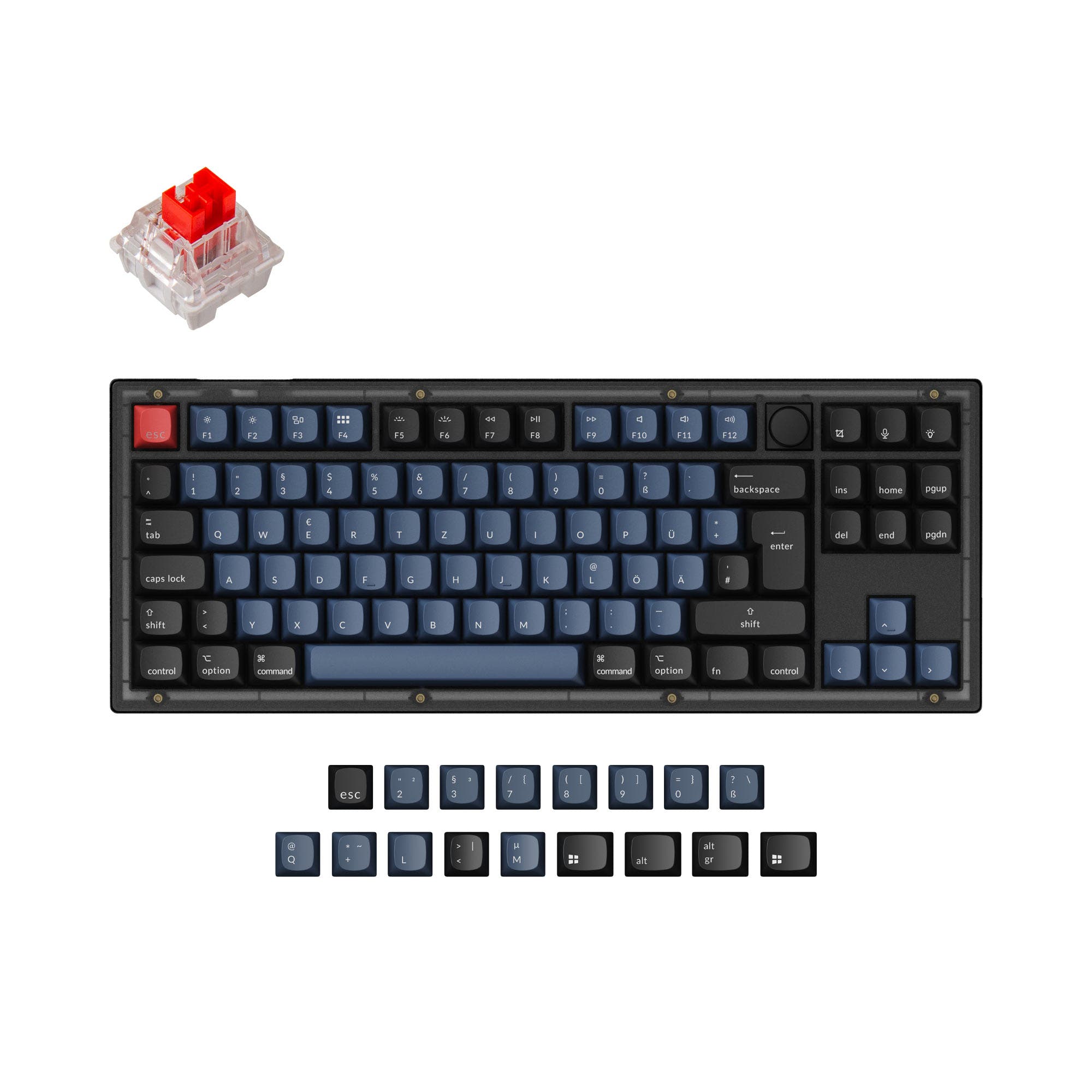
TKL Gasket Mount
Build quality in the bottom 45% of 80% boards under $100.
- Massive 10000mAh battery for exceptional wireless endurance.
- Gasket mount structure with a 5-layer sound-optimizing foam system for a softer, quieter typing feel.
- Standard TKL layout is immediately familiar and functional.
- South-facing LEDs. Shine-through legends stay dark, and some sculpted keycaps can clip the LED.
- No numpad.
Your primary need dictates the choice. If you desire the smallest possible footprint, are curious about ortholinear typing, and value open-source firmware, the Luma40 is a compelling, premium-built option. If you want a full-featured, quiet wireless keyboard with a massive battery, a comfortable gasket-mounted feel, and a standard layout for gaming or office work, the TH87 delivers strong value. Consider how much you're willing to adapt to a 40% layout versus enjoying the immediacy of a TKL.
The differences that matter
Skip the 40-row spec sheet. These are the specs that change how each board feels, sounds, and fits your desk.
Epomaker Luma40
Epomaker TH87
Layout size
40%
80%
Battery
1,450 mAh
10,000 mAh
A larger battery means fewer cables during the day
Low profile
Yes
No
Ergonomics
Ortholinear
Standard
Case material
Aluminum
ABS
- Epomaker Luma40
- Epomaker TH87
- Performance
- 7474
- Build quality
- 8159
- Productivity
- 8875
- Customizability
- 8558
- Portability
- 8585
- Connection: Bluetooth, 2.4 GHz, Wired
- Hot-swappable
- Max polling rate: 1,000 Hz
- Sound dampening
- Plate material: Polycarbonate
What will you mostly use it for?
The TH87 is the more versatile choice for general use, winning in Gaming, Office, and Content Creation due to its standard layout, quiet operation, and long battery life. The Luma40 excels in portability for Travel and offers superior firmware support for Modding. For Programming, the choice is a tie and depends entirely on the user's preference for a compact, layer-based workflow versus a traditional key arrangement.
Pick the Epomaker TH87
- The TH87 offers a standard TKL layout with dedicated arrow and function keys, which are often used in gaming.
- Its vendor page lists a 2ms latency in wired mode, slightly lower than the Luma40's 3ms.
- The included silent linear switch options may be preferable for shared environments.
What owners say
Ratings and quotes collected from verified store reviews, including the critical ones.
Epomaker Luma40
3 owner reviews
“Hello there the luma 40 is one of my favorite keebs i used i can bring it anywhere with me i really love it thanks u guys”
Epomaker TH87
16 owner reviews
“Im really happy with the overall quality of the keyboard. The silent switches are really great for working and gaming as well.”
“Ill start with the positives. - it sound creamy and has a great feel on the fingers. - a ten keyless that has all the functionality that i need In theory this is the perfect keyboard but i have had 1 issue that has been bugging me so much. Ever so often the…”
Epomaker Luma40 vs TH87 specs
Every tracked spec, side by side. Rows marked with a dot differ between the boards.
14 of 25 specs differ
Epomaker Luma40
Epomaker TH87
Switch options
Hot-swappable
Mount style
Low profile
Sound dampening
Layout size
Layout standard
Ergonomics
Display
Connection
Max polling rate
Battery
USB-C
Case material
Plate material
Keycaps
Weight
Dimensions
Typing angle
Backlight
QMK
VIA
N-key rollover
Mac & Windows
Released
ISO layouts by store
Which stores sell ISO-DE, UK, and the other regional layouts.
Epomaker Luma40
No ISO layout at the stores we track.
Epomaker TH87
Epomaker
ISO-DE, ISO-UK
In stockShips to you
Compare prices
Live prices from the stores we track, cheapest in-stock offer first.
Prices in USD are converted to your currency and can change at any time. KeebFinder may earn a commission when you buy through these links, at no extra cost to you.
Lowest price across stores, Amazon excluded.


Epomaker Luma40 vs TH87: your questions
The TH87 has significantly better battery life. Its 10000mAh battery is rated for about 45 hours with RGB at brightest, or 200 hours with it off. The Luma40's 1450mAh battery provides approximately 7 hours with RGB on and 75 hours with it off.
No, the Luma40 is designed for Kailh low-profile switches specifically. Its hot-swap sockets are compatible with 5-pin Kailh low-profile mechanical switches, which have a different form factor than standard MX-style switches.
An ortholinear layout, like on the Luma40, arranges keys in a straight grid without the staggered rows found on a normal layout like the TH87. Proponents claim it reduces finger strain by allowing more natural vertical finger movement.
Yes, both keyboards list Mac and Windows compatibility. However, the TH87's vendor description notes that its programmable software is for Windows only, while the Luma40 uses cross-platform VIA/QMK software.
The TH87 is likely quieter. It offers silent linear switch options and features a comprehensive 5-layer sound-dampening system with PORON foam, IXPE switch pads, and a silicone bottom. The Luma40 has sound dampening but also offers clicky switch variants.
The Luma40 includes the keyboard, a detachable wrist strap with tools, a multilingual manual, a USB A-to-C cable, a 2.4GHz receiver, a 2-in-1 keycap and switch puller, and three extra switches.
The TH87 features a two-stage kickstand offering three adjustable typing angles: 6 degrees, 8 degrees, and 10.5 degrees. The Luma40 has a flat typing angle.
Yes, but the method differs. The Luma40 supports full key remapping, macros, and layers via QMK and VIA firmware. The TH87 uses proprietary programmable software, which its vendor page states is for Windows.
The Luma40 is far more portable. It measures 240 x 87 mm and weighs 410g. The TH87 measures 367 x 142 mm and weighs 1000g, making it over twice as heavy and much larger.
In 2.4GHz mode, the Luma40 has a 5ms latency, while the TH87 also has 5ms latency. In wired mode, the TH87 has a slightly lower latency at 2ms compared to the Luma40's 3ms.
The Luma40 uses a tray mount, where the PCB is fixed to a metal tray inside the case. The TH87 uses a gasket mount, where the plate holding the switches is suspended on rubber or silicone gaskets, typically resulting in a softer, more consistent typing feel and sound.
Not sold on either?







Still torn?
Answer a few quick questions and the keyboard finder ranks 2,000+ boards by how you will actually use yours.