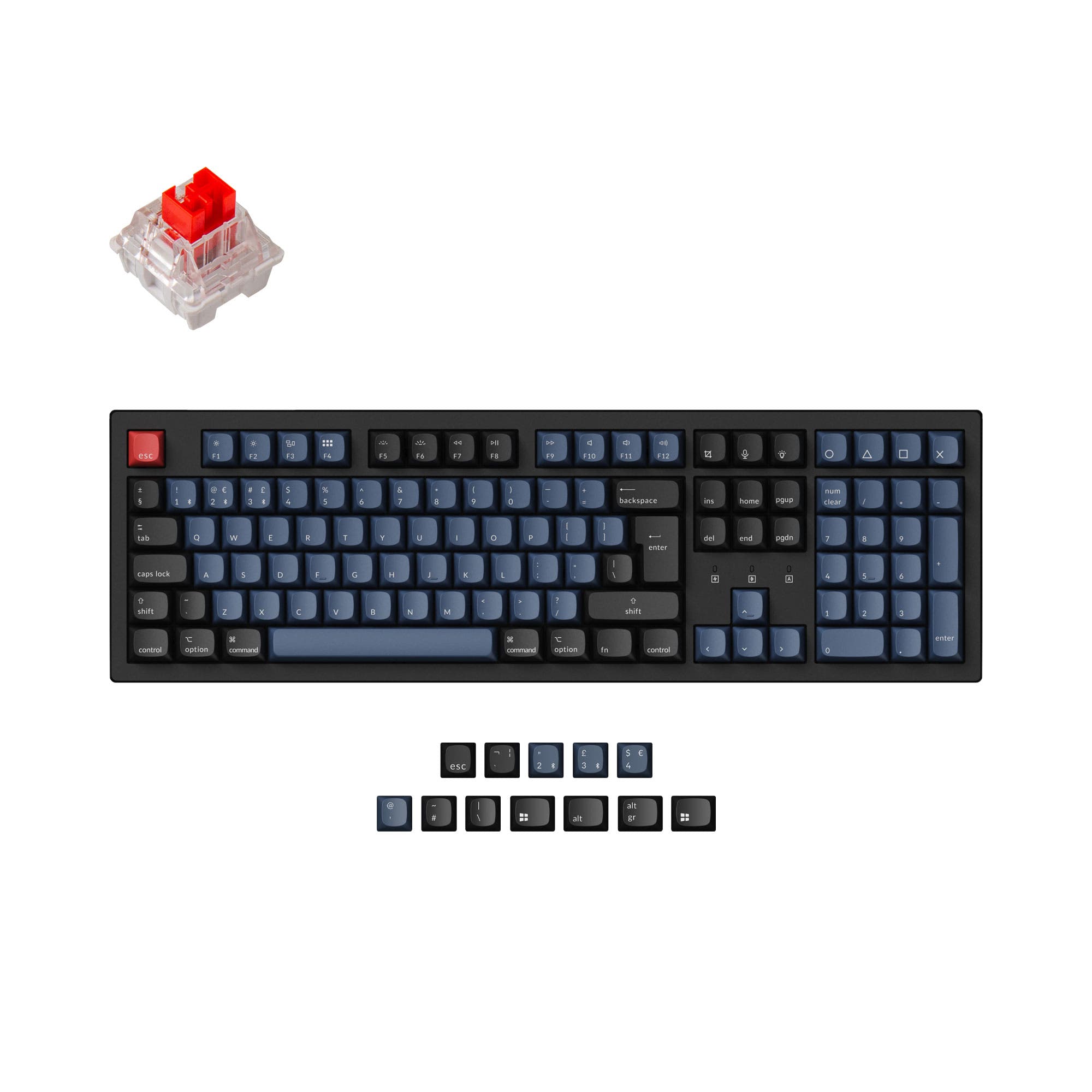
Epomaker Magcore65 Lite vs QK108
Hall Effect or Full-Size
Choose the Magcore65 Lite for Hall Effect gaming features and a lighter 65% form, or the QK108 for a full-size layout, VIA support, and an LED screen and knob the smaller board does not have.
Prices checked Nov 20, 2026. KeebFinder may earn a commission when you buy through these links, at no extra cost to you.
Hall effect

Battery

Which one should you get?
Get the
Epomaker Magcore65 Lite
Hall effect
Build quality in the top 45% of 65% boards under $50.
If you want
- Hall Effect switches with adjustable actuation, SOCD, and DKS support.
- Compact 65% layout and 750 g listed weight.
Rules this board out
- Magnetic switches only. Standard MX switches will not fit.
- South-facing LEDs. Shine-through legends stay dark, and some sculpted keycaps can clip the LED.
- 65% layout. No function row and no numpad.
Get the
Epomaker QK108
Battery
Build quality in the top 20% of 100% boards under $100.
If you want
- Full-size 100% layout with a function row and number pad.
- LED screen and adjustable knob, with VIA support.
- Hot-swappable 5-pin mechanical switch sockets.
Rules this board out
- South-facing LEDs. Shine-through legends stay dark, and some sculpted keycaps can clip the LED.
Bottom line
Get the Magcore65 Lite for its Hall Effect gaming features and compact, lighter form. Choose the QK108 for the full-size layout, LED screen, adjustable knob, VIA support, and hot-swappable mechanical switches. Both use south-facing LEDs, so buyers choosing shine-through or sculpted keycaps should check for possible lighting or fit issues.
The differences that matter
- Layout size
65%
100%
- Hall effect (magnetic)
Yes
No
Adjustable actuation helps in games and not in normal typing - Battery
4,000 mAh
8,000 mAh
A larger battery means fewer cables during the day - Max polling rate
8,000 Hz
1,000 Hz
Higher polling helps competitive FPS and does nothing for typing - Switch options
Linear, Magnetic
Linear, Silent, Tactile
KeebFinder scores
How we score- Epomaker Magcore65 Lite
- Epomaker QK108
- Performance
- 8980
- Build quality
- 6575
- Productivity
- 6788
- Customizability
- 6681
- Portability
- 8762
What they share
- Connection: Bluetooth, 2.4 GHz, Wired
- Hot-swappable
- Case material: ABS
- Mount style: Gasket Mount
- Sound dampening
What will you mostly use it for?
For gaming, pick the Epomaker Magcore65 Lite
- Hall Effect switches with adjustable actuation and trigger travel are specified for the Magcore65 Lite.
- Its vendor description lists SOCD and DKS support for key bindings and input handling.
- The QK108 has a full-size layout and 1000 Hz polling, but its listing does not specify Hall Effect switches or SOCD.
What owners say
Epomaker Magcore65 Lite
“I’ve owned at least two inductive keyboards, each costing more than twice the price of the Magcore65, but none of them sound or feel as good, so I’m sticking with this one.”
Epomaker QK108
“A nice Full sized mechanical keyboard under 100$ is a good deal and it's type experience is really good.”
“Working so I sent it to place to fix it and they quoted me something crazy but the other keyboard I ordered still works I do not understand why it stopped working”
Epomaker Magcore65 Lite vs QK108 specs
13 of 25 specs differ
 |  | |
| Epomaker Magcore65 Lite$43 | Epomaker QK108$69 | |
|---|---|---|
| Typing & switches | ||
| Switch options (differs) | Linear, Magnetic | Linear, Silent, Tactile |
| Hall effect (magnetic) (differs) | Yes | No |
| Hot-swappable | Yes | Yes |
| Mount style | Gasket Mount | Gasket Mount |
| Sound dampening | Yes | Yes |
| Layout | ||
| Layout size (differs) | 65% | 100% |
| Layout standard | ANSI | ANSI |
| Ergonomics | Standard | Standard |
| Knob (differs) | No | Yes |
| Display (differs) | None | LED |
| Connectivity & battery | ||
| Connection | Bluetooth, 2.4 GHz, Wired | Bluetooth, 2.4 GHz, Wired |
| Max polling rate (differs) | 8,000 HzBest | 1,000 Hz |
| Battery (differs) | 4,000 mAh | 8,000 mAhBest |
| USB-C (differs) | No | Yes |
| Build & materials | ||
| Case material | ABS | ABS |
| Plate material (differs) | FR4 | Polycarbonate |
| Keycaps (differs) | PBT, PC | PBT |
| Weight (differs) | 750 g | 1,180 g |
| Dimensions (differs) | 43 x 324 x 118 mm | 43 x 439 x 139 mm |
| Typing angle | 6° | 6° |
| Backlight | RGB, south-facing | RGB, south-facing |
| Firmware & software | ||
| VIA (differs) | No | Yes |
| N-key rollover | Yes | Yes |
| Mac & Windows | Yes | Yes |
| Extras | ||
| Released | 2025 | 2025 |
Compare prices
Prices in USD are converted to your currency and can change at any time. KeebFinder may earn a commission when you buy through these links, at no extra cost to you.
Lowest price across stores, Amazon excluded.
- Lowest price now
- $43
- Lowest in range
- $43Oct 31 at Epomaker Magcore65 Lite
- Highest in range
- $99Aug 29 at Epomaker QK108
Price in USD
- Check on Amazon
AmazonGlobal
Check price


- Check on Amazon
AmazonGlobal
Check price