AULA EA75 Max vs Gamakay LK75Gasket vs Top Mount Choice
Choose the Epomaker EA75 Max for its superior, well-documented feature set and sound-dampened gasket mount, or the Gamakay LK75 if its specific silent switches and top mount are your primary focus.

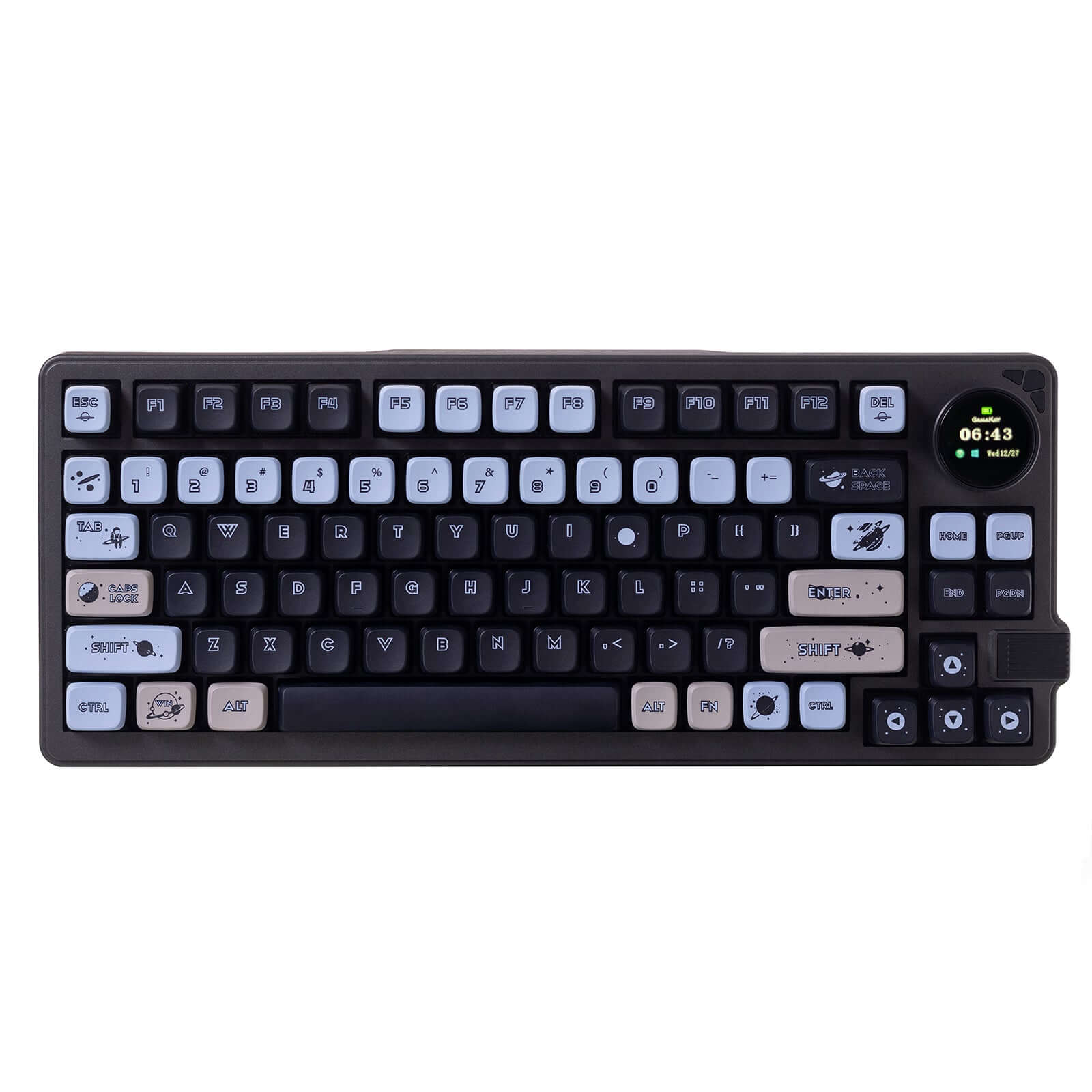
Which one should you get?
Get the
AULA EA75 Max
Gasket
- Gasket mount structure with five layers of sound-dampening foam for a softer, quieter typing feel.
- Confirmed 1000Hz polling rate in wired and 2.4GHz modes with specified latency.
- South-facing, per-key RGB backlighting with 19 dynamic effects.
- Uses plate-mount stabilizers which are noted as not compatible with screw-in stabilizers.
- The companion software for key remapping and macro creation requires a wired connection to a PC.
- Case is constructed from ABS plastic.
Get the
Gamakay LK75
Top Mount Choice
- Offers specific silent switch options like the Pegasus and Phoenix from Gamakay.
- Vendor description mentions QMK compatibility for advanced firmware customization.
- Includes a TFT smart display and control knob for customization.
- Uses a top mount structure, which typically offers less flex than a gasket mount.
- Lacks RGB backlighting according to the provided metadata.
- Keycap material is listed as a mix of PBT and ABS, which may not be as uniform as all-PBT.
For most buyers, the Epomaker EA75 Max is the clearer recommendation due to its well-documented superior performance, extensive sound-dampening, and richer feature set. Its gasket mount design and verified specs make it a more reliable and customizable option. Only consider the Gamakay LK75 if you are specifically seeking its advertised silent switches and top mount feel, and are comfortable with fewer confirmed technical details.
The differences that matter
Skip the 40-row spec sheet. These are the specs that change how each board feels, sounds, and fits your desk.
AULA EA75 Max
Gamakay LK75
Hot-swappable
Yes
No
Switch options
Linear, Silent
Silent
Mount style
Gasket Mount
Top Mount
Sound dampening
Yes
No
Keycaps
PBT
ABS, PBT
- AULA EA75 Max
- Gamakay LK75
- Performance
- 7949
- Build quality
- 6955
- Productivity
- 8354
- Customizability
- 7346
- Portability
- 8073
- Layout size: 75%
- Connection: Bluetooth, 2.4 GHz, Wired
- Battery: 5,000 mAh
- Knob
- Display: TFT
What will you mostly use it for?
The Epomaker EA75 Max is the more versatile choice, winning in five of the six use cases. Its advantages in gaming performance, office quietness, programming features, modding potential, and content creation tools are backed by detailed specifications. The two keyboards tie only for travel, where their identical core wireless specs and layout make them equally portable. The Gamakay LK75's specific silent switch options are its main draw, but a lack of detailed performance specs limits its competitiveness across broader scenarios.
Pick the AULA EA75 Max
- The EA75 Max has a specified 1000Hz polling rate for wired and 2.4GHz modes.
- It features N-key rollover for simultaneous key presses, which the vendor states is handy for FPS games.
- Its south-facing RGB lighting is less likely to cause interference with certain keycap profiles.
What owners say
Ratings and quotes collected from verified store reviews, including the critical ones.
AULA EA75 Max
16 owner reviews
“The only bad thing is that the software is pretty hard to found, I don’t even know if it’s out there actually, anyways the product fantastic, the switches are smooth and lubed and the quality of the product is excellent”
“Good switches, nice keycaps. Shitty outsated driver. Some rgb doesn’t change even when using its own setting, doesn’t work with signalRGB. Sometimes when I turn on my pc the keyboard glitches and i have to switch to and from wireless mode for it to work…”
Gamakay LK75
No owner reviews collected yet.
AULA EA75 Max vs Gamakay LK75 specs
Every tracked spec, side by side. Rows marked with a dot differ between the boards.
9 of 23 specs differ
AULA EA75 Max
Gamakay LK75
Switch options
Hot-swappable
Mount style
Sound dampening
Layout size
Layout standard
Ergonomics
Knob
Display
Connection
Max polling rate
Battery
USB-C
Case material
Plate material
Keycaps
Weight
Dimensions
Typing angle
Backlight
N-key rollover
Mac & Windows
Released
Compare prices
Live prices from the stores we track, cheapest in-stock offer first.
Lowest price across stores, Amazon excluded.



Prices in USD are converted to your currency and can change at any time. KeebFinder may earn a commission when you buy through these links, at no extra cost to you.
AULA EA75 Max vs Gamakay LK75: your questions
The Epomaker EA75 Max uses a gasket mount structure. The Gamakay LK75 uses a top mount, according to the provided specifications.
The Epomaker EA75 Max is confirmed to be hot-swappable for 3-pin and 5-pin switches. The Gamakay LK75's vendor description also states it is hot-swappable, but specific pin support is not detailed in the provided information.
According to its technical specifications, the Epomaker EA75 Max has a 1000Hz polling rate when connected via USB or the 2.4GHz dongle. Its Bluetooth 5.0 connection operates at 125Hz.
No. The provided metadata for the Gamakay LK75 explicitly lists RGB as 'No'.
Both offer silent switch options. The Epomaker EA75 Max has the added advantage of five detailed layers of internal sound-dampening foam (Sandwich Pad, IXPE Switch Pad, etc.), which its vendor states mellows out typing noise. This makes it a strong candidate for quiet environments.
The Epomaker EA75 Max uses double-shot PBT keycaps. The Gamakay LK75's keycap material is listed as both PBT and ABS, indicating a potential mix.
The Epomaker EA75 Max's screen can display custom GIFs and images, and its knob adjustments are shown in real-time on the display. The Gamakay LK75's vendor description also states its smart TFT knob can display custom images and GIFs.
Both the Epomaker EA75 Max and the Gamakay LK75 are equipped with a 5000mAh battery. Actual battery life will depend on usage patterns like RGB brightness and connection mode.
A customer review for the EA75 Max noted that the software was hard to find. The manufacturer states the software is for Windows and Mac, but customization requires the keyboard to be in wired PC mode.
The Epomaker EA75 Max is designed for a softer, more cushioned feel due to its gasket mount and multiple foam layers. The Gamakay LK75's top mount will likely provide a firmer, more direct typing feedback. Preference between these feels is subjective.
The Epomaker EA75 Max is listed as compatible with Mac, Windows, and Android, though Mac modifier keycaps are not included. Compatibility for the Gamakay LK75 is not explicitly stated in the provided information.
According to its vendor page, the EA75 Max includes the keyboard, a USB A-to-C cable, a 2.4GHz receiver, four extra switches, a 2-in-1 keycap and switch puller, and user manuals.
Not sold on either?


Still torn?
Answer a few quick questions and the keyboard finder ranks 2,000+ boards by how you will actually use yours.